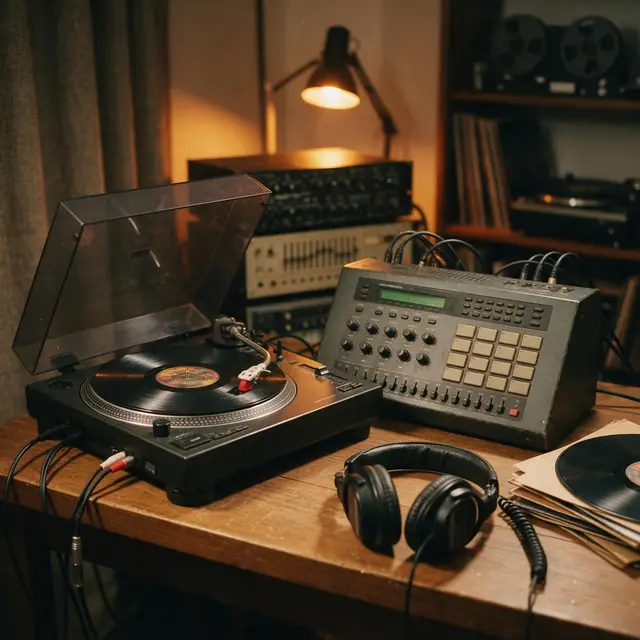
Boom-bapInstrumental90 BPM
Crate Digger
Made with MiniMax Music 3.0 · Hear the drums swell into each hit
—
PromptClassic boom-bap hip-hop beat, dusty kick and snare, chopped soul sample, deep bass, head-nod groove, 90 bpm


Free · no upload · file or microphone
Load an audio file or record your voice, hear it backwards straight away, and download the reversed sound as a WAV. Everything stays on your device.
Your waveform appears here
Reversed on your device, never uploaded
Updated by the Kenerate AI team
On this page
Quick answer
To reverse audio online, load a file into the tool above or press Record your voice, then press Play reversed and Download WAV. The audio is flipped in your browser, so it's never uploaded. It's free with no account. Files can be up to 60 MB, about an hour of 128 kbps MP3, and recordings up to 60 seconds. The download is always a WAV, not an MP3.
Listen first
Real AI generations from the Music Studio. Download one and hear how a beat or a melody sounds backwards.
Made with MiniMax Music 3.0 · Hear the drums swell into each hit
PromptClassic boom-bap hip-hop beat, dusty kick and snare, chopped soul sample, deep bass, head-nod groove, 90 bpm
Made with Ken Music 1.5 · Plucked guitar turns into soft swells
PromptBossa nova, nylon-string guitar, soft brushes, flute melody, warm and breezy, Rio beach afternoon, 124 bpm
Made with MiniMax Music 3.0 · The drop now runs into the build-up
PromptBig-room EDM festival track, huge build-up, massive drop with punchy kick and lead synth, crowd energy, 128 bpm
How to
Step 1
Choose an MP3, WAV, M4A or OGG up to 60 MB, or press Record your voice and allow the microphone.
Step 2
The audio is already flipped. The waveform shows it running backwards.
Step 3
Play original plays it forwards, so you can check both.
Step 4
Download WAV saves the reversed version as a new file. Your original isn't changed.
See it in the app

Open Music Studio and pick a song from a prompt, a song from your lyrics, or an instrumental.
Prompt & lyrics to song, instrumentals, models, your tracks & chat
Chapters
Engines
Facts from the app's engine list. ElevenLabs Music sets an exact length, which suits short sounds.
ElevenLabs
Best for
Set the exact duration; clean studio mix
Kenerate
Best for
Quick clips — hooks, jingles, intros
Kenerate
Best for
Default engine: full songs with vocals in any language; can take an image as inspiration
MiniMax
Best for
Follows [Verse]/[Chorus] section tags closely
Prompt recipe
Open any of these in the Music Studio, then reverse the result here.
Piano swell
Slow solo piano chords, each left to ring out fully, soft room reverb, calm and sparse
Cymbal wash
Solo crash cymbals with long ringing decay, spaced apart, big hall reverb, no other instruments
Guitar ambience
Clean electric guitar notes with long delay and reverb tails, slow and dreamy, no drums
Dream pop bed
Dreamy dream pop instrumental, shimmering guitars, soft drums, washed-out reverb, slow tempo
Tips
Small habits that make a reversed clip more useful.
Cut the file to the part you want with the audio trimmer first, because this tool reverses the whole file.
Record close to the microphone in a quiet room: every background noise reverses too.
Say a short phrase, because long sentences get harder to follow backwards.
Download a recording you want to keep before you record again.
Only reverse audio you have the right to use.
FAQ
10 questions
Load it into the tool at the top of this page, press Play reversed to hear it, then press Download WAV. It's free, with no account and no watermark.
Link to this answerPress Record your voice, allow the microphone, speak, then press Stop recording. The recording is flipped as soon as it stops, so Play reversed plays your voice backwards. Recordings can run up to 60 seconds and stop on their own at the limit.
Link to this answerNo. Your browser decodes the file or recording and flips it on your device, so the audio never reaches our servers.
Link to this answerNo. The samples play in the opposite order at the same rate, so the length stays the same and nothing is sped up or slowed down. A melody does sound different, because its notes arrive in the opposite order and each one swells instead of striking. To change tempo, use the BPM changer.
Link to this answerNo, not here. The tool only exports WAV, because browsers don't include an MP3 encoder and this tool doesn't add one. If you need an MP3, convert the WAV in a desktop app such as Audacity.
Link to this answerNot in this tool, which flips the whole file. Cut the part you want with the free audio trimmer, then load that clip here.
Link to this answerRecord a short phrase and press Play reversed. Copy the backwards sound as closely as you can, record that attempt, and reverse it. The closer your copy, the more it sounds like the original phrase. A new recording replaces the last one, so download first if you want to keep it.
Link to this answerUp to 60 MB. On a Windows desktop in Edge, a one-hour 128 kbps MP3 of 57.6 MB opened and reversed in about 9 seconds. We haven't measured phones, which have less memory, so long files may fail there. If one does, try a shorter file.
Link to this answerIn depth
What works, what to avoid, and how the pieces fit.
A song and a voice note work the same way here. For a song, load the file. For a voice note, either load the file your phone saved or record a new one with the button above the waveform.
If the file is long and you only want a few seconds, trim it first. A short clip is quicker to open, gives a smaller WAV and is easier to use in a video or a track.
Reversed speech doesn't sound like words. It has the same voice and the same rhythm of syllables, but sounds that normally start sharply, such as a “t” or a “k”, now fade in and stop suddenly. Vowels hold up better, which is why it can feel almost like a foreign language.
That's also why a reversed sentence isn't simply the words in the opposite order. Each sound inside each word is backwards too, so “hello” doesn't become “olleh” as you'd read it.
The most common uses:
When you choose a file, the browser reads it from your disk and decodes it into raw audio in memory, using the Web Audio API [3]. Recordings are captured the same way, with the browser's MediaRecorder [4]. The tool then reverses the samples of each channel. No part of the audio is sent anywhere, and closing the tab clears it.
Voice clean-up filters are switched off while recording, because they can cut out held notes and quiet sounds. That means background noise stays in, so a quiet room helps.
We timed the tool on 4 November 2026 in Edge on one Windows desktop, using generated test tones. Your times will differ, and we haven't measured phones or other browsers.
Browsers can decode MP3 but don't come with a way to write one, so an MP3 export would need an extra encoder inside the page. This tool doesn't have one. WAV is plain uncompressed audio, which also means the reversed sound isn't compressed a second time.
The catch is size: about 10.6 MB per minute for stereo at 44.1 kHz, and about 11.5 MB at 48 kHz. The tool saves at your browser's audio rate and shows the size before you download.
By the Kenerate AI teamLast updated and reviewed
We build and run the Kenerate Music Studio. Every demo on this page is a real output of the engine named on it, made from the prompt shown; engine facts were checked against the app's code.
Sources: MDN — Web Audio API

Free to start. No watermark. Download every track.
Tried it? Tell us how it went