Point clouds · meshes · vertex colours · nothing uploaded
Free online PLY viewer
Open a .ply from a 3D scanner, photogrammetry app or research dataset and see it in colour — as a point cloud when it has only vertices, or as a mesh when it has faces.
- Point clouds and meshes, auto-detected
- Per-vertex colours shown as captured
- ASCII and binary PLY
- Free — the file stays on your device
Updated by the Kenerate AI team




On this page
Quick answer

What is a PLY viewer?
A PLY viewer is a tool that opens .ply files — the Polygon File Format from Stanford, used for 3D scans and point clouds. Kenerate's free PLY viewer runs in your browser: a file with faces is drawn as a mesh, a file with only vertices as a point cloud, both with their per-vertex colours. Read the point count, orbit, screenshot or save as GLB. Nothing is uploaded.
Key facts
- Price
- Free, no account
- Opens
- PLY — ASCII, binary little-endian, binary big-endian
- Shows
- Point clouds (vertices only) and meshes (faces)
- Colours
- Per-vertex red, green, blue
- Save as
- GLB, PLY, OBJ — meshes also STL, 3MF, USDZ
- Privacy
- Parsed locally — no upload
Why this tool
Scans and point clouds, in the browser
PLY was built to carry what scanners capture: lots of points, often with colour. This viewer decides from the file itself whether to draw points or a surface.
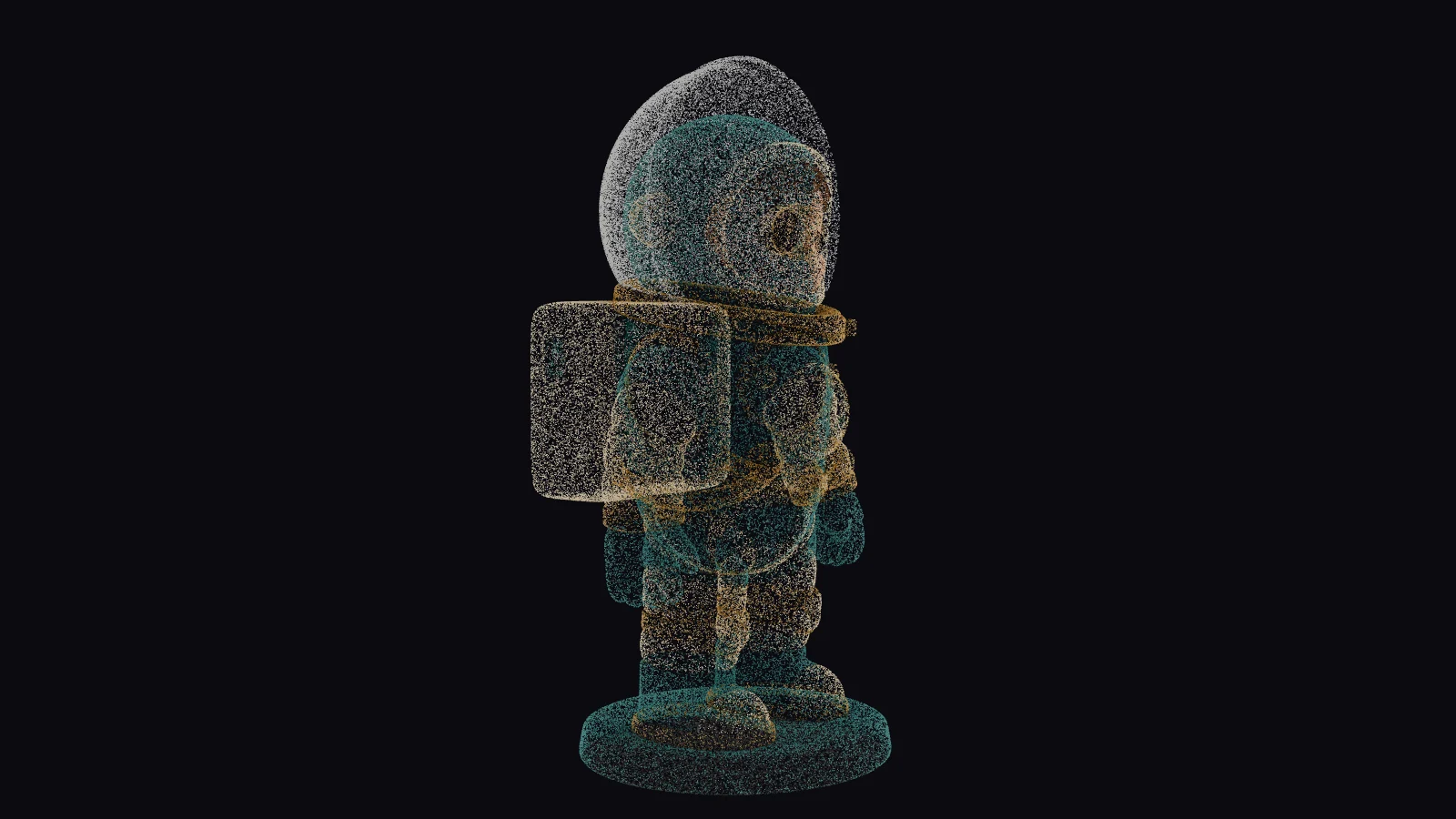
Point clouds drawn as points
A PLY with a vertex element and no faces is shown as a cloud of coloured points, and the stats show how many points it holds.
Try it
Meshes drawn as surfaces
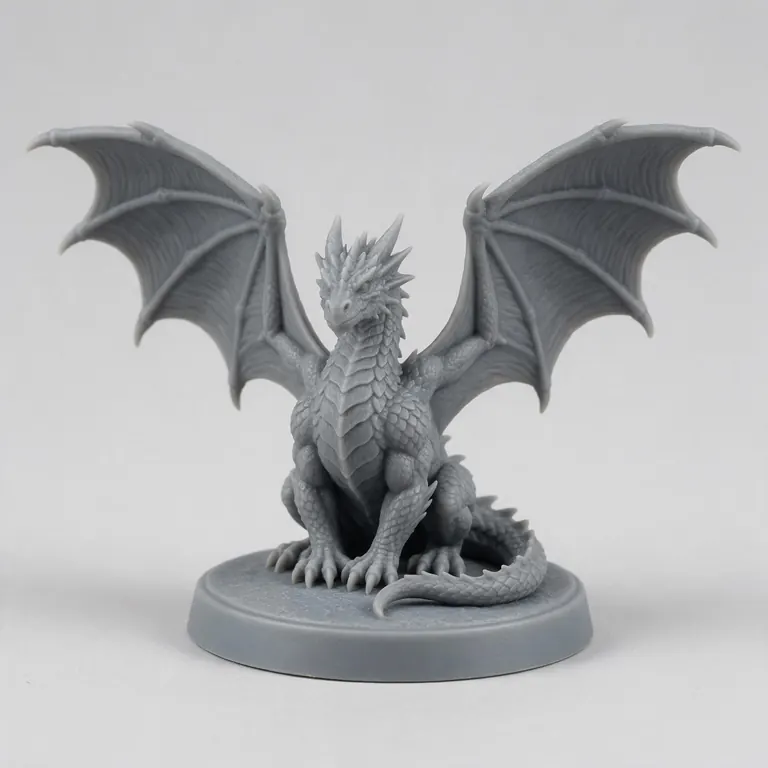
A PLY with a face element becomes a shaded mesh — check it in Clay, Wire and Normals modes like any other model.
Try it
Also
What else it does
Vertex colours kept
Red, green and blue values stored per vertex are applied as captured, on points and on meshes.
ASCII and binary
Text PLY and both binary byte orders open the same way.
Save as GLB
Put a scan on the web or into a game engine: GLB keeps the vertex colours, and a point cloud stays a point cloud.
Mesh to print
A PLY mesh can be saved as STL or 3MF, scaled in millimetres and turned Z-up for slicers.
How it works
How the PLY viewer reads a file
All in your tab, with the three.js PLY loader.
Read the header
The header declares the format (ASCII or binary), the elements and their properties.
Load the data
Vertex positions, colours and normals are read; faces are split into triangles.
Points or mesh
No faces → a point cloud; faces → a shaded mesh.
Inspect
Orbit, read the counts, screenshot or save as GLB, PLY or OBJ.
How to
How to use the PLY Viewer
- Time needed
- Steps
- 4 steps
Step 1
Open the PLY
Drop your .ply onto the box above or click to choose it. Or try the sample: a 150,000-point colour cloud of a toy astronaut.
Step 2
Orbit around it
Drag to rotate, scroll or pinch to zoom, right-drag to pan.
Step 3
Read the stats
Vertices tells you the point count; meshes also show triangles. Switch shading on meshes.
Step 4
Save if needed
Download GLB for the web, or PLY / OBJ. Meshes can also go to STL or 3MF.
Watch the tour · 1:48
Text, photo or multi-view to a textured GLB, nine engines, the viewer & lighting, compare engines, gallery, download & chat
Chapters
Who uses it
Who opens PLY files
3D scanning
Check a capture from a handheld scanner, LiDAR phone app or turntable before cleaning it up.
Photogrammetry
Preview dense clouds and meshes exported from reconstruction software.
Researchers and students
Open dataset files like the Stanford scans without installing MeshLab.
3D printing
Turn a scanned PLY mesh into an STL for the slicer.
File formats
The formats this tool reads and writes
What each file can hold, what it can't, and where it opens. Facts link to the format's own spec or reference page.
| .ply · PLY | .glb · GLB | .stl · STL | |
|---|---|---|---|
| Full name | Polygon File Format | glTF 2.0 Binary | Stereolithography |
| Made by | Stanford University, 1994 | Khronos Group, 2017 (glTF 2.0) | 3D Systems, 1987 |
| Kind | Mesh or point cloud | Single-file scene with PBR materials | Triangle mesh (binary or ASCII) |
| Holds | Vertices with colours, Faces or points only | Meshes and PBR materials, Textures in the same file, Animation and skins | Triangle surfaces, Facet normals |
| No | Textures and materials (usually) | Units beyond metres, CAD precision | Colour and textures, Units, Materials |
| Best for | 3D scans and point clouds | Web, AR and real-time apps — the “JPEG of 3D” | 3D printing — every slicer opens it |
| Opens in | MeshLab, CloudCompare, Blender | Browsers (three.js, model-viewer), Blender, Unity, Unreal, Godot | Cura, PrusaSlicer, Bambu Studio, OrcaSlicer, Blender |
No file yet?
Make the model first — from one photo
Every sample in the tool above began as a single picture and was turned into a 3D model in the Kenerate 3D Studio. The engine is named on each one.
FAQ
PLY Viewer questions
9 questions

How do I open a PLY file online?
Drop the .ply onto the box above or click to choose it. It opens in your browser in a few seconds — as a point cloud if it has only vertices, or as a mesh if it has faces.
Link to this answerCan it show point clouds?
Yes. A PLY without faces is drawn as points, with their colours, and the Vertices stat gives the point count. Our sample has 150,000 points.
Link to this answerAre vertex colours supported?
Yes. Per-vertex red, green and blue properties are shown on points and on meshes, and kept when you save as GLB or PLY.
Link to this answerIs my PLY uploaded?
No. It's read and drawn on your device. Only the sample comes from our server.
Link to this answerDoes it open binary PLY?
Yes — ASCII, binary little-endian and binary big-endian PLY all open.
Link to this answerCan I view Gaussian splat .ply files?
Only as plain points. A 3D Gaussian Splatting PLY stores splat centres plus extra properties (spherical-harmonic colour, opacity, scale, rotation) that this viewer doesn't interpret, so you'll see the centres as grey points, not the splat render.
Link to this answerCan I convert PLY to STL?
If the PLY is a mesh, yes — choose STL or 3MF and download. A point cloud has no surfaces, so STL, 3MF and USDZ aren't possible; save it as GLB, PLY or OBJ instead.
Link to this answerWhy does my PLY look like scattered dots?
It's a point cloud — it stores points, not a surface. Turning points into a mesh is a reconstruction step done in tools like MeshLab or CloudCompare.
Link to this answerIs there a size limit?
Files up to 200 MB can be opened, though very large clouds depend on your device's memory and graphics.
Link to this answerIn depth
PLY Viewer, explained
What the formats really store, what changes when you convert, and how to avoid the usual print and import problems.
On this page
Where PLY comes from
How a PLY file is laid out
Every PLY starts with a text header: the word ply, a format line (ascii 1.0, binary_little_endian 1.0 or binary_big_endian 1.0), then element lines such as element vertex 8 and element face 6, each followed by its property lines, and end_header [7][20].
Vertices can carry extra properties such as colour (red, green, blue) and normals; faces are lists of vertex indices [20]. Because properties are declared in the header, tools can add their own — which is how scanners, photogrammetry and splatting software all use PLY.
Point cloud or mesh?
A file that declares faces describes a surface. One that declares only vertices is a set of points — typical for raw scans and LiDAR. This viewer follows the file: faces become a mesh, no faces a point cloud, so a scan is never drawn as random triangles.
Getting a scan into other tools
For the web and game engines, save the PLY as GLB: meshes keep their vertex colours and point clouds are written as glTF points [8]. For printing, a PLY mesh saves to STL or 3MF; a point cloud has to be meshed first.
Keep going
Other 3D viewers and converters
- 3D Model ViewerOpen STL, OBJ, FBX, GLB, 3MF, PLY
- STL ViewerView STL files online
- GLB ViewerglTF / GLB with PBR materials
- OBJ ViewerWavefront OBJ in your browser
- FBX ViewerAutodesk FBX, no install
- glTF Viewer.gltf with its .bin and textures
- 3D Model ConverterAny format to STL, OBJ, GLB, 3MF, USDZ
- 3MF to STLSlicer projects to plain STL
By the Kenerate AI teamLast updated and reviewed
We build the Kenerate 3D Studio and these free tools. They run on three.js in your browser, so files stay on your device; every sample model is a real output of the AI engine named on it. Technical facts link to their specs and manuals.
Sources: Wikipedia — STL (file format) · Wikipedia — Wavefront .obj file · Wikipedia — FBX · Khronos Group — glTF · 3MF Consortium — 3MF specification · Wikipedia — Universal Scene Description (USD / USDZ) · Wikipedia — PLY (file format) · Khronos Group — glTF 2.0 specification · Apple — AR Quick Look · three.js — documentation · Prusa Knowledge Base — Modeling with 3D printing in mind · Prusa Blog — lithophanes and filament transparency · Polymers (2024) 16(20):2862 — FFF parameters and translucency of PLA · Wikipedia — Lithophane · W3C — CSS Values and Units Level 3 (absolute lengths) · Adobe Substance 3D — OpenGL vs DirectX normal maps · Blender Manual — Normal Map node · Wikipedia — Normal mapping · SIL Open Font License · Paul Bourke — PLY: Polygon File Format

Try the PLY Viewer
Free and private — your files never leave your device. Want to make models with AI? That's the 3D Studio, on any paid plan or credit pack.
Tried it? Tell us how it went