

Chrome · bubble · graffiti · art deco · neon
Word Art Generator — type a word, pick a style
Type a word, a name or a short phrase in quotes, describe the lettering — chrome, bubble letters, fire, art deco, hand-lettered — and get a finished picture with the text spelled right.
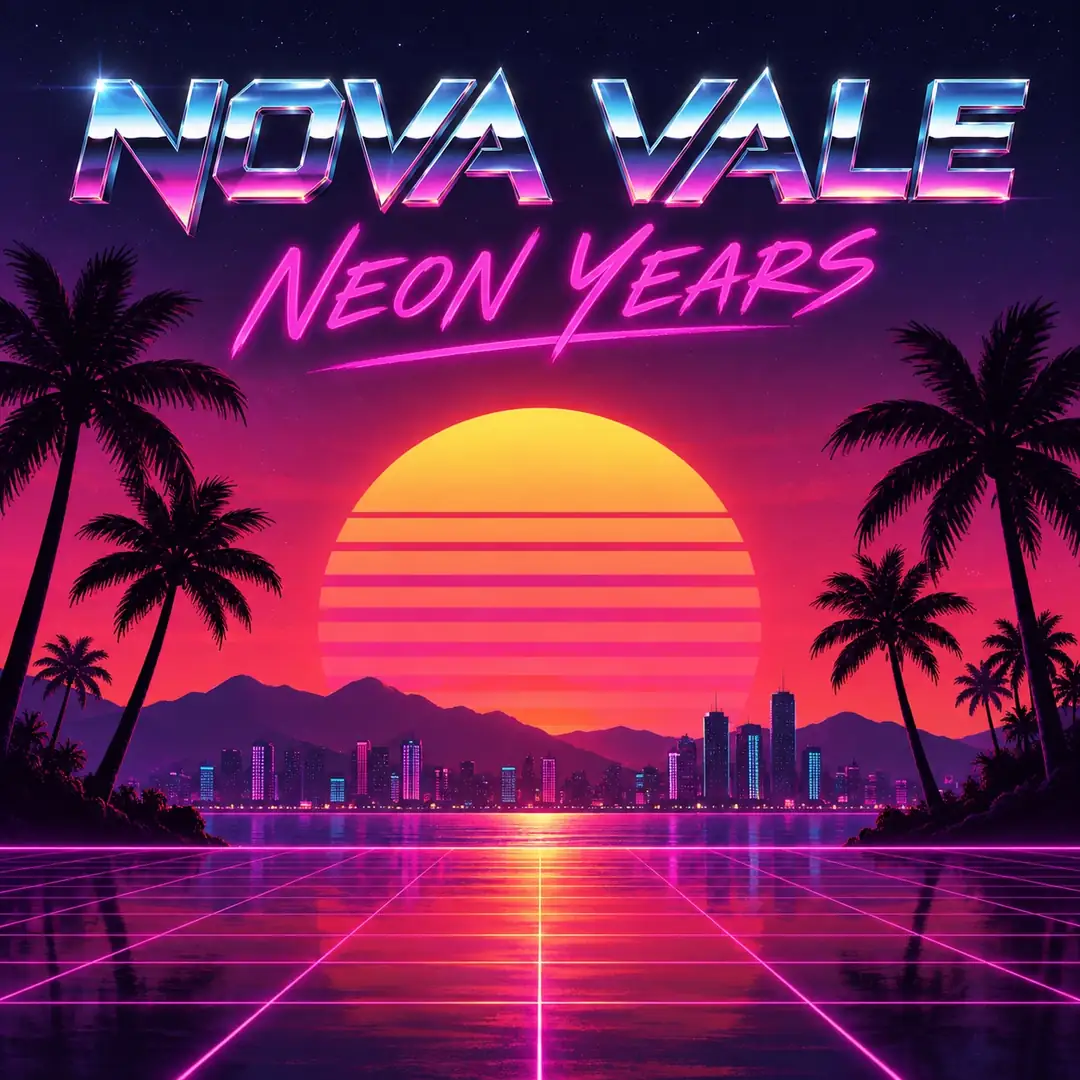
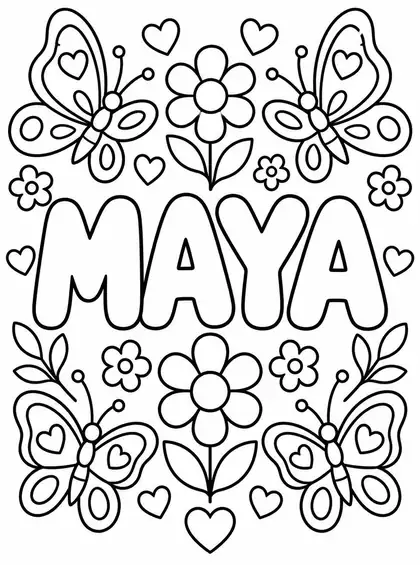
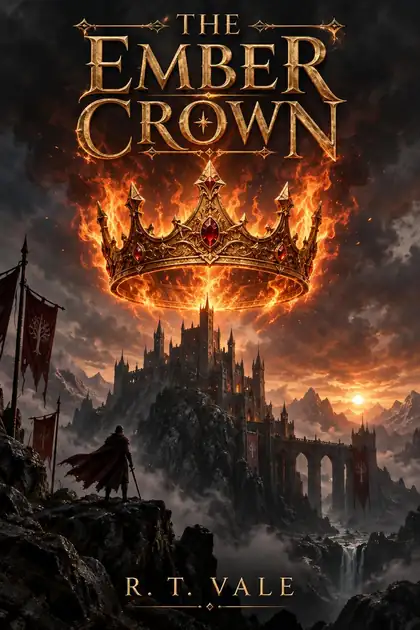
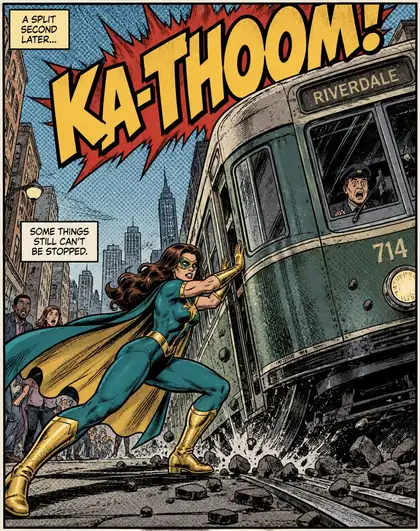
- Text spelled right
- Any lettering style
- Transparent PNG option
- No watermark
Updated by the Kenerate AI team
Made with Kenerate
On this page
Quick answer
How do you make word art with AI?
An AI word art generator turns a word or phrase into a picture where the lettering itself is the art — chrome, bubble letters, fire, graffiti, neon or hand-lettered. On Kenerate AI you put the words in quotes, describe the letter style and the background, and a text-capable model like GPT Image 2.5 Sunburst, GPT Image 2 or Nano Banana 2.1 draws it. Every example below spelled its words correctly. It is not Microsoft WordArt, and it doesn't make word clouds.
Key facts
- Best for
- Names, titles, quotes, slogans, posters
- Models with reliable text
- GPT Image 2.5 Sunburst · GPT Image 2 · Nano Banana 2.1
- Vector-style lettering
- Recraft V4.1
- Transparent PNG
- Remove BG in Edit Studio
- Free start
- Starter credits on sign-up
- Watermark
- None
Gallery
Eight lettering styles, spelled right
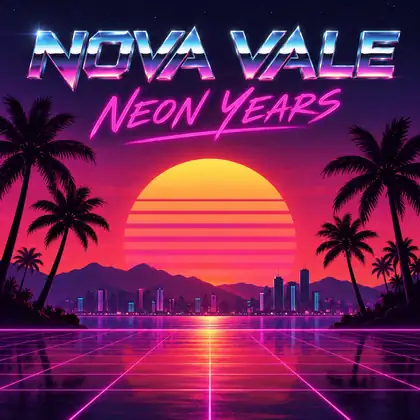
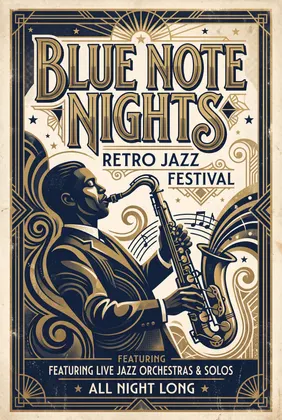
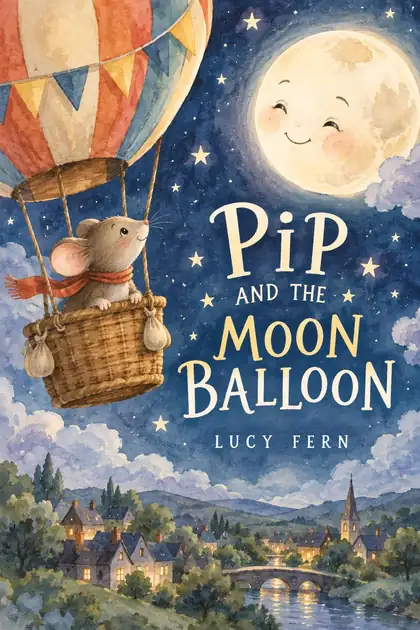
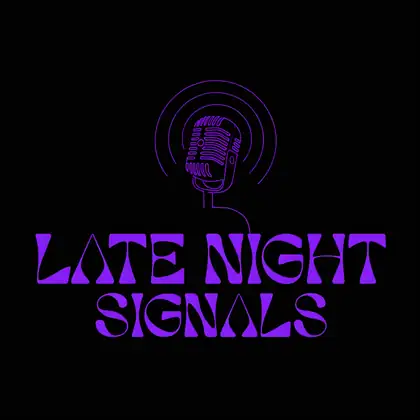
Real outputs from our text-to-image tests — made for our poster, cover, comic and logo pages, one try each. Open any one to copy the prompt and swap in your own words.
How to
How to use the AI word art generator
- Time needed
- Steps
- 4 steps
Step 1
Open Image Studio
Go to /app/image and pick GPT Image 2.5 Sunburst. Sign in free for starter credits.
Step 2
Type your words in quotes
The name, title or phrase, in capitals, inside quotes.
Step 3
Describe the lettering
Letter style, colours, and the background or scene around the words.
Step 4
Download
Check the spelling, regenerate if needed, then download without a watermark — or cut it out with Remove BG.
See it in the app

Open Image Studio and type what you want to see — subject, style, lighting and mood.


Watch the tour · 1:23
Prompts, styles, references, edit, Arena & chat
Chapters
Tips
Get word art that spells your words right
What worked across the examples above.
Put the exact words in quotes: 'MAYA', 'BLUE NOTE NIGHTS'. Capitals help.
Keep it short — one to four words render most reliably; long sentences can drop or swap letters.
Name the letter style, not just the mood: chrome, bubble letters, art deco, hand-lettered, fire, neon tube, graffiti.
Say where the words go and what's around them: “big title at the top”, “surrounded by flowers”.
For a transparent PNG, ask for a plain solid background, then use Remove BG.
Check the spelling before you download and regenerate if a letter slips.
Models
Models for word art
What each model is good at. Open any one straight in the generator.

OpenAI
GPT Image 2.5 Sunburst
- Reference images
- Up to 16
- Output
- 1K–4K
Open GPT Image 2.5 SunburstBest for
Bubble letters, comic and fantasy titles above

OpenAI
GPT Image 2
- Reference images
- Up to 16
- Output
- 1K–4K
Open GPT Image 2Best for
Chrome and handwritten examples above
Google
Nano Banana 2.1

- Free plan

Alibaba
Qwen Image 3.0
- Reference images
- Up to 3
- Output
- 1K · 2K
Open Qwen Image 3.0Best for
Test ideas for free
FAQ
AI Word Art Generator questions
9 questions
What is word art?
Word art is lettering designed to be looked at, not just read: a word or short phrase drawn with a style — chrome, bubble letters, graffiti, art deco, fire, neon, hand-lettering — often with a scene or decoration around it. The term also covers word clouds (many words arranged into a shape), which are a different kind of tool.
Link to this answerHow do I make word art with AI?
In Kenerate's Image Studio, pick a model that renders text well, such as GPT Image 2.5 Sunburst, and write the words in quotes with the style: “the name 'MAYA' in big bubble letters surrounded by butterflies and flowers”. Generate, check the spelling, and download. The examples on this page show the exact prompts used.
Link to this answerIs this the same as Microsoft WordArt?
No. Microsoft WordArt is a text-effect feature inside Word and PowerPoint that applies outlines, shadows and curves to editable text. An AI word art generator draws the lettering as an image, so it can do styles WordArt can't — chrome, fire, hand-lettering, a whole scene around the words — but the text isn't editable afterwards.
Link to this answerCan it make word clouds?
Not really. A word cloud sizes many words by frequency and packs them into a shape, which needs a dedicated word-cloud tool. Image models are best at one to four words styled as art; long lists of words tend to get misspelled.
Link to this answerWill the AI spell my words correctly?
Usually, with short text. Every example on this page spelled its words right on the first try with GPT Image 2.5 Sunburst, GPT Image 2, Nano Banana 2.1 or Recraft V4.1. Keep it to a few words, put them in quotes and in capitals, and regenerate if a letter slips.
Link to this answerCan I make 3D word art?
Yes, as a picture: ask for “3D chrome letters”, “inflated balloon letters” or “carved wooden letters” with lighting and shadows. If you need a real 3D model of your text to print or use in Blender, use the free 3D text generator instead, which exports STL, 3MF and GLB.
Link to this answerCan I get word art with a transparent background?
Yes. Ask for the lettering on a plain, solid background, then open the image in Edit Studio and use Remove BG to cut it out as a transparent PNG. Flat colours behind the text give the cleanest edges.
Link to this answerIs the word art generator free?
Free to start. A new Kenerate account gets starter credits on sign-up, and Qwen Image 3.0 is a free-plan model you can test word art ideas on. GPT Image 2.5 Sunburst, GPT Image 2, Nano Banana 2.1 and Recraft V4.1 use credits from one-time packs that never expire — no subscription. Downloads carry no watermark.
Link to this answerCan I make name art?
Yes — name art is one of the easiest uses. Put the name in quotes and describe the letters and what surrounds them: flowers, stars, a sports theme, or a colouring-page outline like the 'MAYA' example. Only use other people's names with their permission if you plan to share or sell the image.
Link to this answerIn depth
AI Word Art Generator, explained
What works, what to avoid, and how to pick a model.
On this page
Word art, text effects and word clouds
“Word art” means three different things online. Template tools apply fonts, outlines, gradients and shadows to editable text. Word-cloud tools pack many words into a shape. AI word art draws the lettering as an image from a prompt, so the letters can be made of chrome, fire, neon tubes or paint, with a whole scene around them.
This page is about the third kind. If you need editable text in a document, use a text-effect tool; if you need dozens of words in a heart shape, use a word-cloud tool.
Lettering styles to ask for
Name the style in a few words. These all come from the examples above:
- Retro chrome: “retro chrome type” over a synthwave sunset.
- Bubble letters: “big bubble letters”, add “thick clean outlines” for a colouring page.
- Ornate fantasy: “ornate title lettering” in gold, with fire or a castle.
- Comic sound effect: “huge sound effect 'KA-THOOM!'”, halftone dots, bold inks.
- Art deco: “big art-deco letters”, navy and gold, screen-print texture.
- Hand-lettered or handwritten: “playful hand-lettered title”, “handwritten type”.
- Graffiti, neon tube, wooden, balloon — the same pattern works: words in quotes, then the style.
Which model to pick
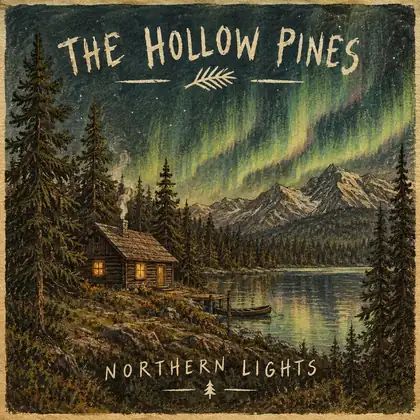
GPT Image 2.5 Sunburst is the low-cost default here and made the bubble-letter, comic and fantasy examples. GPT Image 2 made the chrome and handwritten album titles. Nano Banana 2.1 handled a dense art-deco poster with extra lines of small text. Recraft V4.1 suits flat, design-style lettering for logos and signs.
Run the same prompt on two models and keep the one whose letters you like best.