

Photo to video · sung birthday song · card intro
AI Birthday Video Maker — their photo, moving, with a song that sings their name
Bring a favourite photo of the birthday person to life, open on an animated card with their name, and put a birthday song with their name in the chorus underneath — a short greeting to send on WhatsApp or play at the party.
- Your photo as the start frame
- A song with their name
- 9:16 for phones · 16:9 for TV
- No watermark
Updated by the Kenerate AI team
On this page
Quick answer
How do you make a birthday video with AI?
An AI birthday video maker turns a photo and a name into a short greeting clip. On Kenerate you animate the photo in Video Studio (a 5-second Wan 3.0 clip is 150 credits at 720p), open on an animated card that ends on “Happy 40th, Maya”, and make a birthday song that sings the name in Music Studio (Ken Music 1.5, 30 credits). A whole greeting comes to about 280 credits at 720p. Use a photo you have permission to use, of an adult — or the family dog.
Key facts
- Three parts
- Card intro · animated photo · birthday song
- Watermark
- None
How to
How to make a birthday video with AI
- Time needed
- Steps
- 4 steps
Step 1
Pick the photo
A clear, well-lit photo where the face is front-on and not cut off works best. Use a photo of an adult that you took or that they shared with you — or your pet. Crop it to the shape you'll send: 9:16 for WhatsApp and Stories, 16:9 for a TV at the party.
Step 2
Make the birthday song
In Music Studio, Song mode with Ken Music 1.5: “Upbeat acoustic pop birthday song for Maya, sing her name Maya in the chorus, warm female vocals, handclaps”. Prefer your own words? Lyrics mode sings exactly what you type. Make the song first — its length tells you how long the video should be.
Step 3
Make the card
In Image Studio choose GPT Image 2.5 Sunburst and put the greeting in quotes: confetti and gold balloons on a cream background, the words “Happy 40th, Maya” in elegant script, centred. Check the spelling of the name letter by letter.
Step 4
Animate the card intro
In Video Studio choose Image to Video and Wan 3.0. Start frame: the same card without the words (or with fewer balloons); end frame: the card. 3 seconds, “confetti falls, balloons drift up, the greeting settles, static camera”. 90 credits at 720p.
See it in the app

Open Video Studio in Text to Video mode and write the shot — subject, action, camera move and light.


Watch the tour · 1:19
Text, image & reference to video, models, edit, extend & chat
Chapters
Checked 28 October 2026
Which birthday video do you want to send?
Three kinds of birthday clip, and how each is set up in Kenerate.
| Quick photo greeting | Card + song video | Spoken birthday message | |
|---|---|---|---|
| What it is | Their photo comes to life with confetti | Animated card, then the photo, with their song | A photo that says your message out loud |
| Length | 5 s | 8–15 s (or the song's length) | 20–60 s |
| Models | Wan 3.0 | GPT Image 2.5 Sunburst + Wan 3.0 + Ken Music 1.5 | Voice Studio + Kenerate Avatar |
| Sound | Wan 3.0's own sound or the song | The birthday song with their name | Your words in an AI voice |
| Example cost | 150 credits at 720p (75 at 480p) | ≈ 280 credits at 720p, + 40 to join with Video Joiner | 20 s at 720p: 150 credits + the voice (60 credits per 1,000 characters on Eleven v3) |
| Send it | WhatsApp, Stories, a text | The family group chat, the party TV | When you can't be there |
Engines
Models for the photo, the card and the song
From the app's own model lists, 24 October 2026. Video credits are per second at the resolution shown.
- Default
Alibaba
Wan 3.0
- Input
- Photo or card as start frame + optional end frame
- Output
- 2–30 s · 480p–1080p · 15 credits/s at 480p, 30 at 720p
Open Wan 3.0Best for
Animating the photo and the card intro, cheap drafts
ByteDance
Seedance 2.0
- Input
- Photo as start frame + a line in quotes
- Output
- 4–15 s · 480p–4K · 36 credits/s at 480p, 72 at 720p
Open Seedance 2.0Best for
A photo that says “Happy birthday!” with sound in sync
Google
Veo 3.1 Fast
- Input
- Start frame + optional end frame
- Output
- 4, 6 or 8 s · 16:9 or 9:16 · 45 credits/s with sound
Open Veo 3.1 FastBest for
A polished card reveal with party sound
- Song
Kenerate
Ken Music 1.5
- Input
- Song description with the name, or your own lyrics
- Output
- Songs with vocals up to ~3 min · 30 credits
Open Ken Music 1.5Best for
The birthday song that sings their name
OpenAI
GPT Image 2.5 Sunburst
- Input
- Card prompt with the greeting in quotes
- Output
- Still card · 9:16, 16:9, 1:1 and more · 7.2 credits at 1K
Open GPT Image 2.5 SunburstBest for
The card that becomes the end frame of the intro
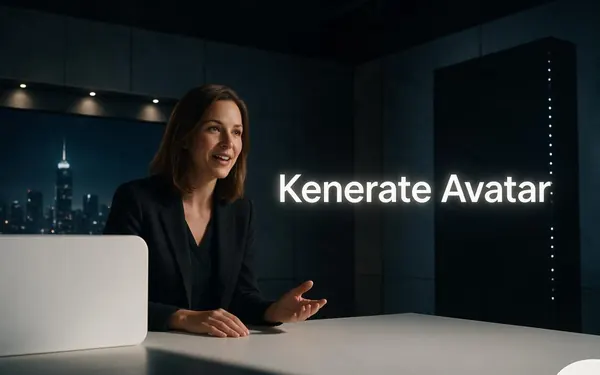
Kenerate
Kenerate Avatar
- Input
- Photo + a recorded or AI voice message
- Output
- Up to 10 min of speech · 7.5 credits/s at 720p
Open Kenerate AvatarBest for
A longer spoken birthday message
Video Studio needs a paid plan. The studio shows the exact price before every render.
Tips
Birthday videos that look like them
What keeps the face, the name and the filter on your side.
Gentle motion keeps the face: a smile, a laugh, hair moving, confetti falling. Spins and big head turns make the model guess.
Short clips drift less. Two 5-second clips look better than one 15-second one.
Write ages as milestones: “turning 40”, “Happy 40th”. The filter blocks words like kid, baby or teen and any age under 18 written with “years” — so say “a decade of friendship”, not “10 years of friendship”.
Pet names count too: “happy birthday, baby” will be blocked. Use their name.
Pin the name: the card with the greeting is the end frame, so the last frame shows it spelled right. Small text in the middle of the clip can still wobble.
Make the song before the video and match the clip lengths to it.
FAQ
AI Birthday Video Maker questions
10 questions
How do I make a birthday video with AI?
Make three parts and put them together: a birthday song with their name in Music Studio (Ken Music 1.5, 30 credits), a card with the greeting in Image Studio (7.2 credits), and two short clips in Video Studio — the card animated as an intro and their photo brought to life (Wan 3.0, 3 s and 5 s, 240 credits at 720p). Join the clips with Video Joiner or your own editor and lay the song underneath.
Link to this answerCan the video sing happy birthday with their name?
The song can. In Music Studio, Song mode writes and sings an original birthday song — ask for the name in the chorus. Lyrics mode sings the exact words you type, name included. The video models don't sing the song for you; put the music track under the clip in your editor.
Link to this answerCan AI sing the traditional “Happy Birthday to You”?
You can paste the traditional words into Lyrics mode — a US court order in 2016 put the song in the public domain in the United States. The music engine writes its own melody, though, so don't expect the classic tune note for note. An original song with their name in it is usually the nicer surprise.
Link to this answerCan I animate a photo of my friend or partner?
Yes, if it's a photo you have the right to use and they'd be happy to see — ideally one they shared with you or you took together. Don't animate photos of strangers, celebrities or anyone who wouldn't agree. Kenerate's birthday videos are for grown-ups (and pets); prompts that mention children or ages under 18 are blocked.
Link to this answerWhy was my birthday prompt blocked?
Kenerate's filter always blocks words about children — kid, baby, teen, toddler and similar — and any age under 18 written with “years” or “yo”, in video, music and voice prompts. That catches harmless phrases like “10 years of friendship” or calling a partner “baby”. Write “a decade of friendship”, “turning 40” or their name instead.
Link to this answerHow much does an AI birthday video cost?
Video Studio needs a paid plan, with one-time packs from $15 for 1,300 credits. A 5-second Wan 3.0 photo clip is 75 credits at 480p or 150 at 720p. A full card-and-song greeting at 720p is about 280 credits: the card (7.2), a 3-second card intro (90), a 5-second photo clip (150) and the song (30).
Link to this answerCan I make the birthday song for free?
Music Studio runs on credits and doesn't need a paid plan, so the 25 credits you get at sign-up cover a Ken Music 1 clip (12 credits) or a Ken Music 1 Pro song (24). The full Ken Music 1.5 song is 30 credits. Turning the photo into video needs a paid plan.
Link to this answerCan the photo say “Happy birthday” out loud?
Yes. Use Seedance 2.0 in Video Studio, add the photo as the start frame and put the line in quotes in the prompt: she smiles and says “Happy birthday, Maya!”. 4–15 seconds, 36 credits a second at 480p. For a longer message, record or generate the voice in Voice Studio and lip-sync it with Kenerate Avatar in Avatar Talk.
Link to this answerWhat size should a birthday video be for WhatsApp?
Vertical 9:16 fills a phone screen in WhatsApp, Instagram Stories and TikTok; Wan 3.0, Seedance 2.0 and Veo 3.1 Fast all make 9:16. For a TV at the party, use 16:9. Keep the photo's shape close to the ratio you pick so faces aren't cropped.
Link to this answerCan I make a birthday video for my dog or cat?
Yes — pet birthdays work well. Use a clear photo of your pet, ask for a party hat, confetti and a wagging tail, and make a funny song with the pet's name in Music Studio.
Link to this answerIn depth
AI Birthday Video Maker, explained
On this page
What goes into an AI birthday video?
Most good birthday clips have three parts: an opening card with the name, the person themselves, and music. Kenerate makes each one with the tool that's best at it — the card in Image Studio, the motion in Video Studio, the song in Music Studio — and you put them together. That takes a few more clicks than a template, but the song really sings their name and you choose how every part looks.
How do you keep the name spelled right on the card?
Video models redraw every frame, and lettering is the hardest thing for them to keep steady. So make the card as a still first, where you can check every letter, and use it as the end frame of the intro. Google's Veo 3.1 documentation describes exactly this set-up — a start image plus an optional end image, with the video generated between them [2]. In Kenerate the “End frame” slot is on Wan 3.0, Seedance 2.0 and Veo 3.1 Fast. For a name that must never wobble, add it as a text layer in your editor instead.
Which birthday song engine should you use?
All four music families in Music Studio can sing; they differ in length and price:
- Ken Music 1.5 (30 credits): full songs with vocals up to about 3 minutes, Song mode writes the lyrics, Lyrics mode sings yours. It can also take an image — the card — to inspire the track.
- Ken Music 1 (12 credits): quick clips of about 30 seconds, enough for a short greeting.
- ElevenLabs Music v2.5 (225 credits per started minute): set the exact length, from 10 seconds, to match the video.
- Mureka V9.5 (68 credits) and MiniMax Music 3.0 (45 credits): more choice of style and vocal.
Is it OK to animate someone's photo for their birthday?
Animating a friend's or partner's photo for a private greeting is a common, kind thing to do — but it is their face. Use a photo they shared with you or that you took together, keep the motion warm and true to them, and don't post it publicly without asking. Never animate photos of strangers or public figures.
Kenerate's birthday videos are for grown-ups and pets. The content filter blocks prompts about children and ages under 18 in video, music and voice, so this page offers no ideas for children's parties.
What other AI birthday video makers offer
From each vendor's own page, read on 24 October 2026 [3][4]:
- HeyGen: a name, photos and a message; it writes the script, can animate a photo to speak and offers a music library; it suggests 15–45 seconds and has a free plan, but lists no prices and says nothing about consent for photos.
- InVideo: a prompt plus your photos, AI voice-over in 50+ languages and background music; it doesn't state a length or offer a sung birthday song.
- Kenerate: you build the card, the moving photo and a song that sings the name, pick the model and length, and see the credit price before each render.
About the traditional “Happy Birthday to You”
For decades a music publisher collected licence fees for the song. In 2015 a US federal judge ruled the publisher held no valid copyright in the lyrics, and his final order in 2016 declared the song in the public domain in the United States [1]. You can paste the words into Lyrics mode; the engine still writes its own melody.
1. The card (GPT Image 2.5 Sunburst · 9:16)
A festive birthday card: gold and blush balloons, falling confetti and soft bokeh lights on a cream background. The words “Happy 40th, Maya” in large elegant gold script, centred and fully legible. No other text.
2. Card intro (Wan 3.0 · start = card without text, end = card · 3 s)
Confetti falls and the balloons drift gently upward as the greeting appears and settles, sharp and still for the last second. Static camera. The text never changes. Sound: a soft party pop and light chimes.
3. Photo comes to life (Wan 3.0 · start = the photo · 5 s)
She smiles warmly and laughs, looking at the camera, as gold confetti drifts down around her and warm party lights glow in the background. Slow, gentle push-in. Her face and features stay the same.
4. Photo that speaks (Seedance 2.0 · start = the photo · 5 s · sound)
He raises a glass with a big smile and says: “Happy birthday, Sam — here's to forty more!” Warm living-room light, soft cheering in the background, static camera.
5. The birthday song (Ken Music 1.5, Song mode)
Upbeat acoustic pop happy birthday song for Maya who is turning 40, sing her name Maya in the chorus, warm female vocals, ukulele and handclaps, joyful and a little funny, about one minute.
6. A pet's birthday (Wan 3.0 · start = your dog's photo · 5 s)
The dog wears a small paper party hat, wags its tail and tilts its head at the camera while colourful confetti falls. Bright, cheerful room, static camera.
Explore
Every Kenerate video tool
Generators, tools, models and guides — all in one studio.
Make their birthday video
Their photo, their name, their song. Priced before you render. No watermark.
Tried it? Tell us how it went