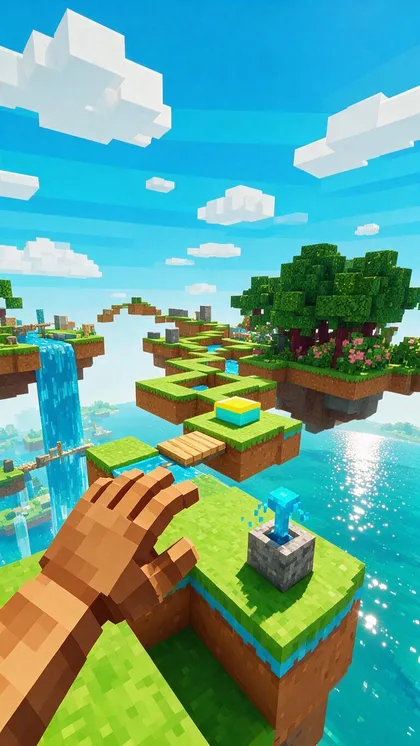
Blocky parkour · image to video · 9:16
Parkour Gameplay Video Generator — original jump-course loops for split-screen videos
The bottom half of every storytime TikTok: a first-person run across floating blocks. Make your own original course in the Image Studio, animate it with Wan 3.0 for 2–30 seconds, add an AI voice-over — no recorded gameplay, no reused footage.
- Your own blocky world
- Image to video, 2–30 s
- 9:16 for TikTok & Shorts
- AI voice-over
Updated by the Kenerate AI team
On this page
Quick answer
How do you make a parkour gameplay video with AI?
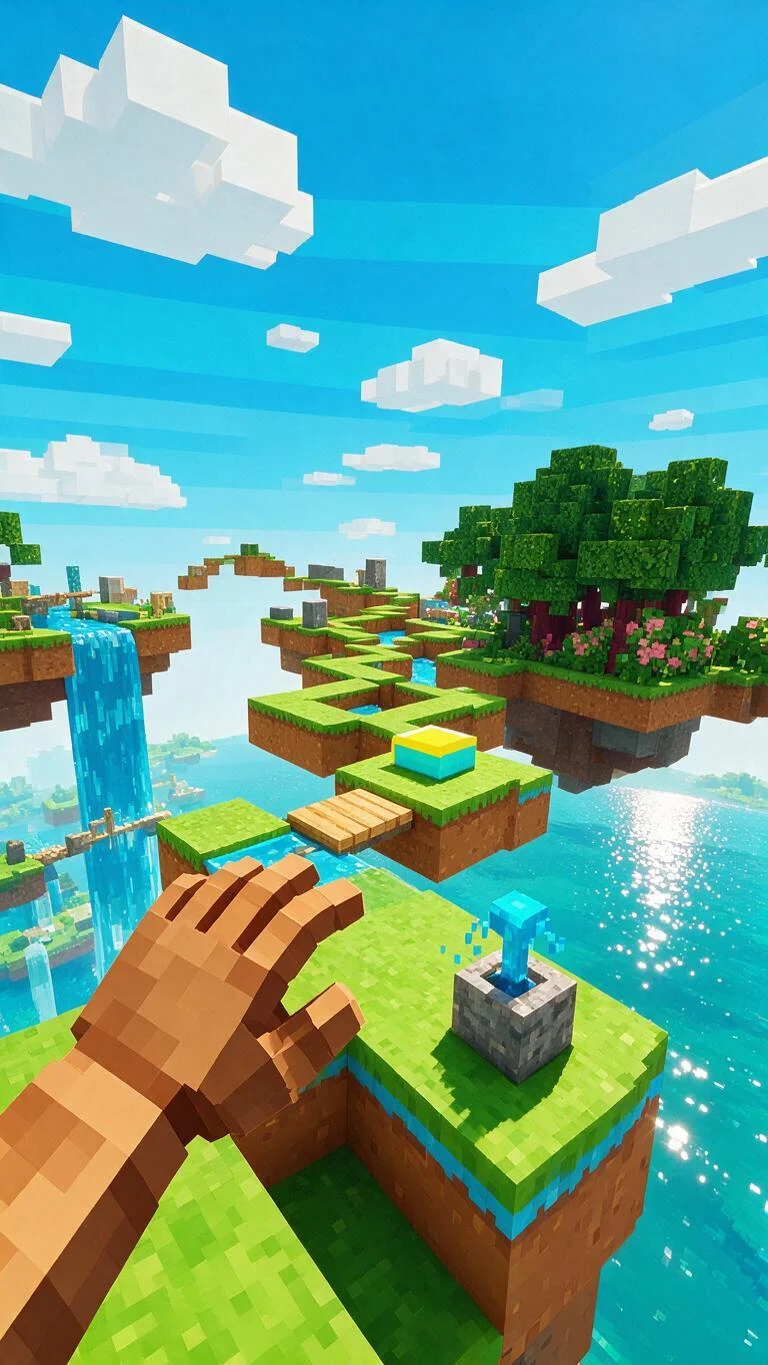
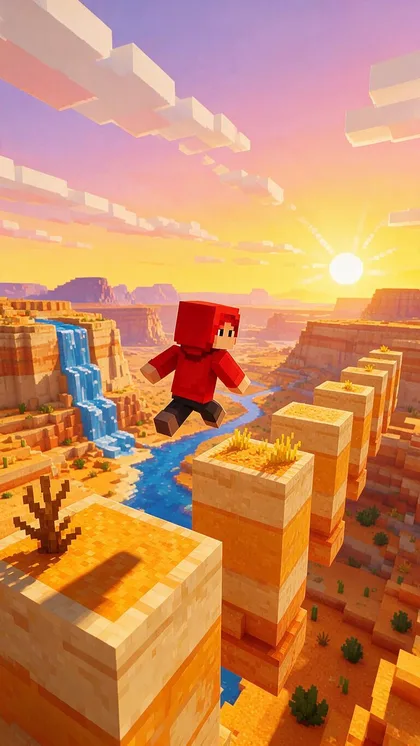
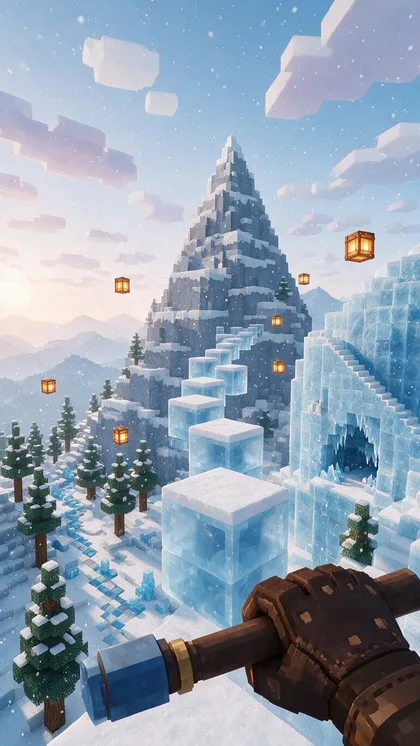
A parkour gameplay video is a looping first-person run across floating blocks, used as the lower half of split-screen TikTok and Shorts videos while a voice reads a story on top. Instead of recording a game or reusing someone's footage, you can generate an original blocky course with Seedream 5.0 Pro (13.5 credits a frame) and animate it with Wan 3.0 — 2 to 30 seconds, 9:16, from 15 credits a second at 480p. The three frames below are real outputs, one try each.
Key facts
- Used for
- Split-screen storytime & Reddit-story videos
- Start frames
- Seedream 5.0 Pro (3 shown)
- Animate with
- Wan 3.0, 2–30 s
- Size
- 9:16 vertical
- Video needs
- A paid plan or a credit pack
Gallery
Three original parkour courses
Real Seedream 5.0 Pro frames, one try each, in an original blocky style — not game captures. Open any one to copy the prompt, then animate it into a loop.
How to
How to use the parkour gameplay video generator
- Time needed
- Steps
- 4 steps
Step 1
Make the course
In /app/image, pick Seedream 5.0 Pro, set 9:16 and describe an original blocky jump course (sky islands, canyon, ice). Sign in free for starter credits.
Step 2
Animate the run
Send the frame to /app/video, pick Wan 3.0 and describe one forward run: "the camera runs forward and jumps from block to block, smooth, steady". Draft 5 s at 480p.
Step 3
Add the story
Write or paste your story, then make the narration in /app/voice. Turn the video's own sound off if the voice carries the clip.
Step 4
Stack and post
In your editor, put your talking clip or story text on top and the parkour loop below, add captions, export 9:16 for TikTok, Reels or Shorts.
See it in the app

Open Video Studio in Text to Video mode and write the shot — subject, action, camera move and light.


Watch the tour · 1:23
Prompts, styles, references, edit, Arena & chat
Chapters
Tips
Make a background people keep watching
What the split-screen format needs, and what we learned making the frames.
Keep it original: describe "an original blocky voxel world" rather than a game name, and don't upload real gameplay as a reference.
First-person with the next jump in view reads as parkour instantly; third-person shows a character you can reuse.
One steady forward motion per clip — run, jump, land — with no cuts. Busy camera moves fight the story on top.
Ask for "no HUD, no text, no logos" so nothing clashes with your captions.
Generate several 5–10 s runs in the same world and chain them, or use Wan 3.0's extend, for a longer background.
Our neon-night frame came back with a toy blaster in hand — check every frame before animating and regenerate odd ones.
Models
Models for parkour gameplay videos
What each model is good at. Open any one straight in the generator.
Alibaba
Wan 3.0
- Reference images
- Up to 10
- Output
- 2–30 s · up to 1080p
Open Wan 3.0Best for
Long, cheap 9:16 runs; can extend a clip

ByteDance
Seedream 5.0 Pro
- Reference images
- Up to 10
- Output
- Up to 2K
Open Seedream 5.0 ProBest for
Made the three course frames
FAQ
Parkour Gameplay Video Generator questions
8 questions
What is a parkour gameplay video?
It's footage of a player running and jumping across a course of floating blocks, usually first-person. Creators put it under a talking clip or a narrated story in split-screen TikTok, Reels and Shorts videos, because the steady, satisfying motion keeps viewers watching while the story plays.
Link to this answerCan I make a Minecraft parkour video with AI?
You can make a parkour video in the same blocky style. We describe "an original blocky voxel world" rather than copying the game: Seedream 5.0 Pro draws the course and Wan 3.0 animates it. Using recorded game footage or the game's name and logo in your own product is a separate question of the game maker's rules, so an original look is the safer choice to post.
Link to this answerHow long can the parkour clip be?
Wan 3.0 makes 2 to 30 seconds per clip. For a one-minute storytime background, chain a few runs from the same world or extend a clip, then loop it in your editor.
Link to this answerHow much does it cost?
A Seedream 5.0 Pro start frame is 13.5 credits. Wan 3.0 is 15 credits a second at 480p, 30 at 720p and 60 at 1080p — a 10-second 480p draft is 150 credits, a 30-second run 450. New accounts get starter credits; video needs a paid plan or a one-time credit pack.
Link to this answerDoes it make the split screen for me?
No. Kenerate makes the parkour loop and the voice-over; you stack them with your talking clip or story text in any video editor (CapCut, Premiere, DaVinci Resolve) and export at 9:16.
Link to this answerCan I add a voice reading a Reddit story?
Yes. Paste your own story into Kenerate's voice studio at /app/voice and pick a voice, then lay the narration over the parkour loop. Only use stories you wrote or have permission to read out.
Link to this answerDid you test the motion prompts?
Not yet — the three frames on this page are real Seedream 5.0 Pro outputs, but we haven't rendered video for this page. Treat the motion prompts as starting points: draft 5 seconds at 480p and adjust before a long run.
Link to this answerWhat size should the background be?
9:16 vertical. In a top-and-bottom split each half is closer to square, so keep the jump path in the middle of the frame where it survives the crop.
Link to this answerIn depth
Parkour Gameplay Video Generator, explained
What works, what to avoid, and how to pick a model.
On this page
Why split-screen parkour videos work
Storytime, Reddit-thread and commentary channels need something moving under the voice so the frame never feels static. A parkour run is ideal: it's steady, it never cuts, and it doesn't compete with the story. That's why tools like Zebracat and revid.ai sell "Minecraft parkour" templates that put a script and an AI voice over a gameplay loop.
Most of those templates reuse the same handful of recorded runs. Generating your own course gives every channel a background nobody else has, in colours that match your brand.
Motion prompts to try
Untested starting points for Wan 3.0 — attach a frame, 9:16, 5–10 seconds, sound off if you'll add narration:
- Sky islands: the camera runs forward across the grass blocks and jumps the gaps one by one, smooth and steady, eye-level, no cuts.
- Canyon jumps: the red-hoodie character leaps from pillar to pillar away from the camera, which follows at the same distance.
- Ice mountain: the camera hops up the ice steps toward the peak, light snowfall drifting past, gentle bob on each landing.
- Endless loop: end the run on a block that looks like the first one so the clip loops cleanly.
What we made
Four start frames on Seedream 5.0 Pro, one try each (54 credits):
- Sky islands, canyon and ice mountain all came back as clean blocky worlds with the next jump in view.
- The model added a blocky hand or tool in the first-person frames on its own — it reads as gameplay, so we kept it.
- A neon-night run came back holding a toy blaster we never asked for, so it isn't shown.