English audio or video → Italian speech · free plan
English to Italian audio translation, same voice
Turn English videos, lessons, calls and voice notes into spoken Italian in the same voice — audio you can hear and share, not subtitles. Free plan.
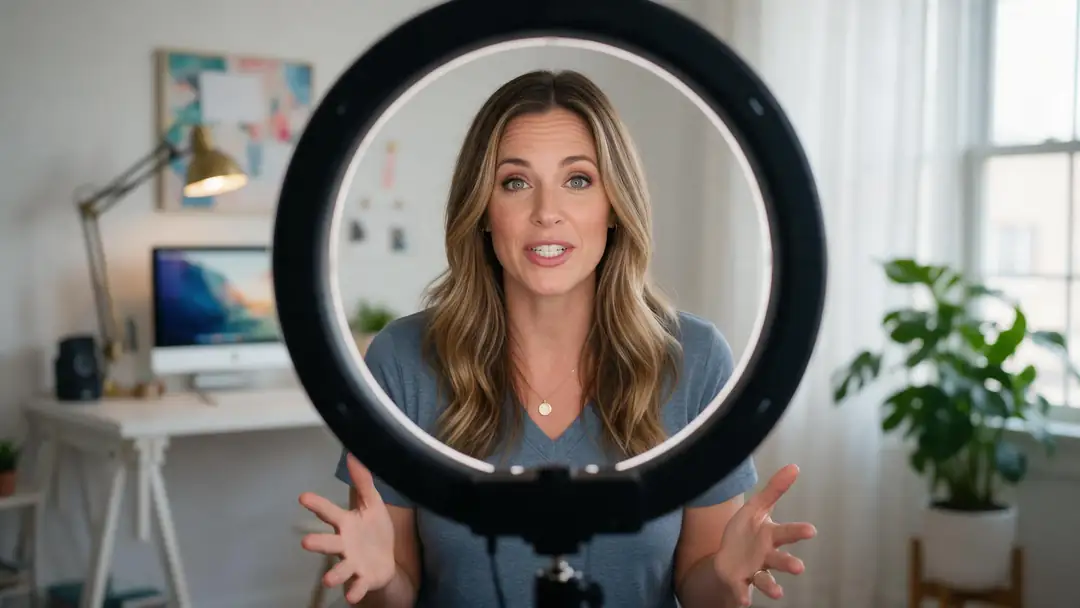
- English in, Italian out
- Same speaker's voice
- Up to 15 min
- Free plan
Updated by the Kenerate AI team




Made with Kenerate



On this page
Quick answer

What is English to Italian audio translation?
English to Italian audio translation turns spoken English into spoken Italian in the same speaker's voice — the output is Italian audio you can play, not a transcript or Italian subtitles. On Kenerate AI you upload or record an English video (up to 500 MB) or audio file (up to 50 MB), pick Italian, and the ElevenLabs dubbing engine transcribes, translates and re-voices it, up to 15 minutes with up to 32 speakers, on the free plan. It costs 3 credits per second of source audio, counted in whole seconds — our 5-second test clips were billed as 6 seconds, 18 credits each — and a failed dub is refunded. The picture is left as it was, so add lip sync if the speaker is on camera.
Key facts
- Direction
- English → Italian
- Voice
- Speaker's own
- Longest file
- 15 min
- Speakers
- Up to 32
- File limits
- Video 500 MB · audio 50 MB
- Free plan
- Yes
- Engine
- ElevenLabs dubbing
Real demo
An English creator video, in Italian
Turn the sound on and switch versions: the same creator, now speaking Italian.
- English (original). A Wan 3 clip of a creator speaking English.
- Italian dub. Kenerate's AI dubbing (ElevenLabs), source language auto-detected, same voice, same 5-second length.
Both clips are unedited outputs. The picture is unchanged — only the speech is Italian.
Translate your audioReal demo
A support call, in Italian
A man's voice this time — same picture, same length, Italian speech.
- English (original). A Wan 3 clip of a support agent speaking English.
- Italian dub. Kenerate's AI dubbing (ElevenLabs), source language auto-detected, same voice.
Unedited outputs. The Italian line is noticeably shorter than the English, so the clip ends with room sound.
Dub a clip into ItalianReal results
English videos worth dubbing into Italian
Real 5-second Wan 3 clips with English speech — creators, support calls, coaching, demos and travel.
How to
How to translate English audio into Italian
- Time needed
- Steps
- 4 steps
Step 1
Open AI dubbing
Sign in — it works on the free plan.
Step 2
Upload or record
Your English video (up to 500 MB) or audio (up to 50 MB), up to 15 minutes. You can record in the browser too.
Step 3
Pick Italian
Leave the spoken language on auto-detect, or set it and the number of speakers.
Step 4
Download
The Italian version in the same voice. Add lip sync if the speaker is on camera.
See it in the app

Open AI Dubbing and upload a video or an audio file, or pick a clip from your history.


Watch the tour · 2:03
Video or audio, 33 languages, speakers & background, side-by-side compare, two voices, your dubs & chat
Chapters
Engines
Tools for English to Italian
Dub it, lip sync it, or read an Italian script aloud.
- Free plan
ElevenLabs
AI dubbing
- Input
- English video or audio, up to 15 min
- Output
- Italian speech in the same voice
Open AI dubbingBest for
The translation itself
- Free plan
VEED, Sync Labs, ByteDance
Lip sync
- Input
- Video + the dubbed audio
- Output
- Lips matched to the Italian
Open Lip syncBest for
On-camera speakers
MiniMax Speech 2.8
Voice Studio
- Input
- A written Italian script
- Output
- Natural Italian speech
Open Voice StudioBest for
Reading a script aloud
VEED
Subtitles
- Input
- Video up to 4 min
- Output
- Burned-in captions in the spoken language
Open SubtitlesBest for
Viewers with the sound off
The demos above ran on Kenerate's dubbing tool.
Tips
Better English to Italian translations
What helps the Italian sound natural.
Italian usually runs longer than English — leave a little room at the end of cuts.
Decide tu or Lei for your audience; the engine picks from context.
Keep sentences short and conversational for a natural spoken read.
Spell out acronyms the first time — Italian reads letters differently.
Add lip sync for on-camera speakers; the dub doesn't move the lips.
Italian into English works too — Italian is also a source language.
FAQ
English to Italian Audio Translation questions
10 questions

How do I translate English audio to Italian?
Open Kenerate's AI dubbing, upload or record the English audio or video, pick Italian as the target and download the result: spoken Italian in the same speaker's voice. Files can be up to 15 minutes.
Link to this answerEsiste un traduttore vocale da inglese a italiano?
Sì: nel doppiaggio IA di Kenerate carichi o registri un audio o un video in inglese, scegli l'italiano e scarichi la versione doppiata, con l'italiano parlato dalla stessa voce, fino a 15 minuti per file. Funziona anche con il piano gratuito.
Link to this answerIs English to Italian voice translation free?
Yes, to start: dubbing works on the free plan with the sign-up credits, so you can hear a short clip in Italian first. It costs 3 credits per second of source audio, counted in whole seconds — a 30-second clip is 90 credits, a minute is 180. Longer files use one-time credit packs that never expire, and a failed dub is refunded.
Link to this answerDoes the Italian keep my voice?
Yes — each speaker is re-voiced in Italian with a clone of their own voice. In our tests the Italian kept the speaker's pitch close to the original: a woman's voice measured 254 Hz in English and 250 Hz in Italian.
Link to this answerWill the lips match the Italian?
No, not by themselves: dubbing replaces the audio and leaves the picture exactly as it was, so the mouth still moves to the English. Run the dubbed video through lip sync if the speaker is on camera.
Link to this answerDoes it use tu or Lei?
Italian chooses between tu (informal) and Lei (formal) where English just says 'you'. The engine picks from context, so review greetings and direct address for your audience, especially in customer service, ads and training.
Link to this answerWhy is the Italian sometimes shorter or longer than the English?
The dub keeps the original file length, but the translated sentence can take more or less time to say. In our support-call test the Italian line finished well before the 5-second clip ended, leaving room sound at the end — trim it in your editor if it matters.
Link to this answerCan I translate an English video to Italian, not just audio?
Yes — upload the video (up to 500 MB, 15 minutes). You get the same video with Italian speech; add Italian subtitles or lip sync afterwards if you want them.
Link to this answerHow many speakers can it handle?
Up to 32 speakers per file. Leave the number on auto, or set it if the speakers talk over each other.
Link to this answerCan I translate Italian audio to English too?
Yes — Italian is also a source language and is auto-detected: upload the Italian file and pick English as the target.
Link to this answerIn depth
English to Italian Audio Translation, explained
On this page
What we saw in our test dubs
We dubbed two existing 5-second English clips into Italian with the same tool you use (source language on auto-detect). Each was billed as 6 seconds, 18 credits. Both Italian versions came back exactly as long as the source, 5.04 seconds, and a frame from the middle of each was pixel-identical to the original — the dub changes the sound only.
The creator still sounded like herself on our pitch check (254 Hz in English, 250 Hz in Italian); the support agent's voice came out a little lower (119 Hz to 96 Hz). The Italian support line was much shorter than the English, so most of the clip's second half is room sound. We didn't transcribe the Italian, so check wording yourself before you publish.
What changes between English and Italian
Italian marks formality in 'you' (tu vs the formal Lei) and gender and number in adjectives and many verb forms, so the translation has to commit where English stays neutral. Italian is the official language of Italy, San Marino and Vatican City and one of Switzerland's national languages, so one dub reaches several markets.
- Tu or Lei — set the tone in your script; formal business English tends to come out as Lei.
- English loanwords — everyday Italian keeps many English terms (weekend, smartphone, meeting); check the dub didn't translate a brand or product name.
- Length — Italian often needs more syllables than English; short, conversational source lines fit best.
Other ways to do it
Google Translate's live translate speaks translations aloud in a conversation; YouTube's automatic dubbing can dub eligible videos inside YouTube. A dubbing tool gives you the translated file itself, in the speaker's voice, to post anywhere.
Explore
Every Kenerate video tool
Generators, tools, models and guides — all in one studio.
By the Kenerate AI teamLast updated and reviewed
Sources: Kenerate video studio · Wikipedia — Italian language · Wikipedia — T–V distinction · ElevenLabs — Dubbing docs · Google Translate Help — live translate · YouTube Help — automatic dubbing

Translate your English audio into Italian
One studio for images and video.
Tried it? Tell us how it went