Veo 3.1 · Gemini Omni 1.1 · Seedance 2.5 · Wan 3 · Kling 3.0 · Happy Horse 1.1 · checked 2 Nov 2026
Google Flow alternative — Veo, Gemini Omni and 30-second models in one studio
Google Flow is Google's AI filmmaking app: Veo and Gemini Omni clips, a Scenebuilder to edit and extend shots, and 50 free credits a day. If you want models from other makers, single takes longer than 10 seconds or pay-per-clip credits without a Google AI plan, Kenerate lists Veo 3.1 and Gemini Omni 1.1 Flash next to Seedance 2.5, Wan 3, Kling 3.0 and Happy Horse 1.1.

- Veo 3.1 and Gemini Omni listed
- Single takes up to 30 s
- Up to 30 reference images
- Pay per clip, no Google plan
Updated by the Kenerate AI team




On this page
Quick answer

What is a good Google Flow alternative?
A good Google Flow alternative gives you Google's video models plus others in one place. Kenerate AI lists Veo 3.1 and Gemini Omni 1.1 Flash — the models behind Flow — next to Seedance 2.5 and Wan 3 (single takes up to 30 seconds), Kling 3.0 and Happy Horse 1.1. Flow keeps its own editor and 50 free daily credits; Kenerate sells one-time credit packs from $15, no Google AI plan needed.
Key facts
- Google Flow free credits
- 50 a day (Google help page)
- Longest Flow clip
- 10 s · Gemini Omni Flash
- Longest here
- 30 s · Seedance 2.5, Wan 3
- Google models here
- Veo 3.1, Veo 3.1 Fast, Gemini Omni 1.1 Flash
- Most references
- 30 images · Seedance 2.5
Real demo
Veo 3.1 vs Wan 3 — same image, same prompt
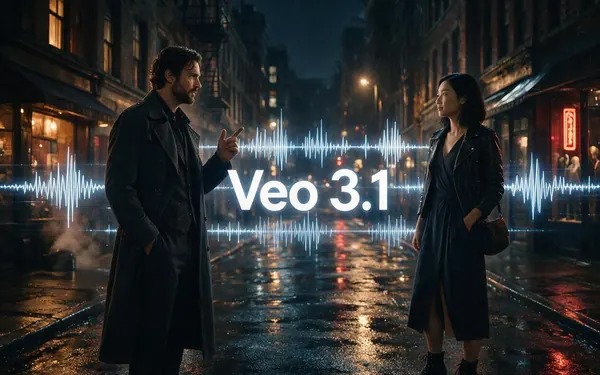
Veo 3.1 is Flow's top model. Here it is next to Wan 3 on a dialogue scene; turn the sound on.
- Veo 3.1. Veo 3.1 image to video, 6 s at 720p with dialogue and sound.
- Wan 3. Wan 3 image to video, 5 s at 720p with sound.
Both are unedited outputs from Kenerate's video studio.
Compare your own promptReal results
Clips from Google Flow alternatives
Real clips from four models that aren't in Flow — Seedance 2.5, Wan 3, Kling 3.0 and PixVerse v6 — all with sound.
Unedited outputs from Kenerate's video studio. Open one to copy the prompt.
How to
How to move from Google Flow to Kenerate
- Time needed
- Steps
- 4 steps
Step 1
Copy your Flow prompt
Subject, action, camera move, style and sound carry over as they are.
Step 2
Bring your ingredients
Upload the character or product images you used in Flow as reference images — up to 30 on Seedance 2.5.
Step 3
Pick the model
Veo 3.1 or Gemini Omni 1.1 Flash to match Flow; Seedance 2.5 or Wan 3 for long takes; Kling 3.0 for action.
Step 4
Set length and extend
Up to 30 s in one take on Seedance 2.5 and Wan 3, or extend a Veo 3.1 clip by 7 s.
See it in the app

Open Video Studio in Text to Video mode and write the shot — subject, action, camera move and light.


Watch the tour · 1:19
Text, image & reference to video, models, edit, extend & chat
Chapters
Checked 2 November 2026
Google Flow vs Kenerate
Google's details from its Flow launch post, I/O 2026 update and Flow credits help page, checked 2 November 2026. Kenerate is our product.
| Kenerate AI | Google Flow | |
|---|---|---|
| Video models | 50+: Veo 3.1, Gemini Omni 1.1 Flash, Seedance 2.5, Wan 3, Kling 3.0, Happy Horse 1.1 and more | Google's own: Veo 3.1 (Lite, Fast, Quality) and Gemini Omni Flash |
| Longest single clip | 30 s (Seedance 2.5, Wan 3) | 10 s (Gemini Omni Flash); Veo 3.1 Quality 8 s |
| Resolution | Up to 4K (Veo 3.1, Seedance 2.5, Gemini Omni 1.1) | 1080p upscale for subscribers; 4K upscale on Ultra |
| Native audio | Veo 3.1, Seedance 2.5, Wan 3, Kling 3.0 and more | Yes, on Veo 3.1 |
| Extend a clip | Veo 3.1 +7 s; Wan 3, Seedance 2.5, Happy Horse 1.1 | Scenebuilder extends and edits shots |
| Reference images | Up to 30 (Seedance 2.5) | Ingredients via Asset Management |
| Editor and agent | Studio with per-model settings; no timeline editor | Scenebuilder, camera controls, Flow Agent, custom tools |
| Free use | 25 sign-up credits for images and tools; video needs a paid pack | 50 credits a day, with peak-hour limits for non-subscribers |
| Paid access | One-time credit packs from $15 (1,300 credits) | Google AI Plus, Pro or Ultra add 200–25,000 credits a month; no rollover |
Flow credits and Kenerate credits are different units, so compare the cost of the clip you need. Check Google's help pages for current Flow limits.
Sources: Kenerate video studio · Google — Meet Flow, AI-powered filmmaking with Veo 3 (20 May 2025), checked 2 November 2026 · Google Flow Help — Manage your Google Flow credits, checked 2 November 2026 · Google — Flow updates at I/O 2026, checked 2 November 2026 · 9to5Google — Google Flow gets video and music AI apps (19 May 2026)
Engines
Best Google Flow alternative for each job
From Kenerate's own model list and credit prices, checked 2 November 2026.
- Longest + 4K
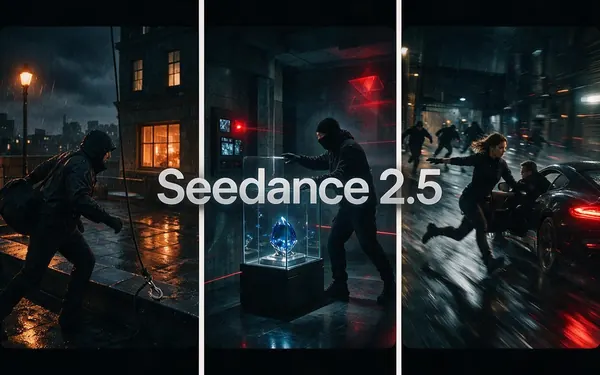
ByteDance
Seedance 2.5
- Input
- Text, image or 30 refs
- Output
- 4–30 s · up to 4K · sound · 108 cr/s at 720p
Open Seedance 2.5Best for
Long multi-shot takes with references
- Best value
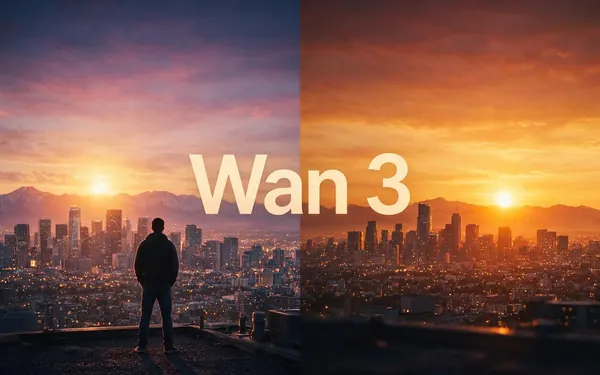
Alibaba
Wan 3
- Input
- Text, image or 10 refs
- Output
- 2–30 s · up to 1080p · sound · 15 cr/s at 480p
Open Wan 3Best for
Long clips on a budget; edit and extend
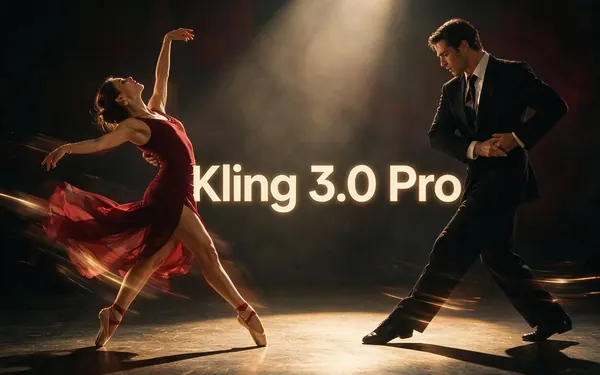
Kuaishou
Kling 3.0 Pro
- Input
- Text or image
- Output
- 3–15 s · sound · 50.4 cr/s
Open Kling 3.0 ProBest for
Expressive motion, action, dance

Alibaba
Happy Horse 1.1
- Input
- Text, image or 9 refs
- Output
- 3–15 s · 720p/1080p · 42 cr/s at 720p
Open Happy Horse 1.1Best for
Character-consistent shots you can extend
- Also in Flow
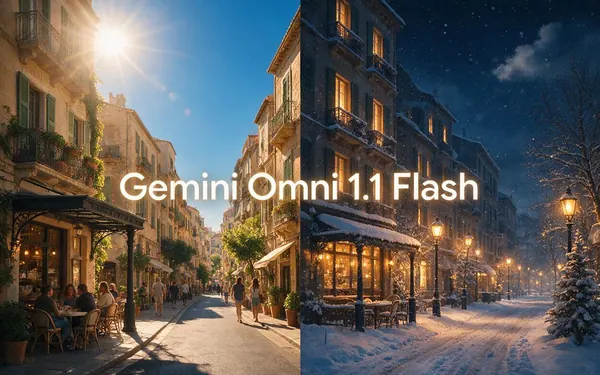
Google
Gemini Omni 1.1 Flash
- Input
- Text, image or 4 refs
- Output
- 3–10 s · up to 4K · 30 cr/s at 720p
Open Gemini Omni 1.1 FlashBest for
The Omni model from Flow; edits clips too
- Also in Flow
Google DeepMind
Veo 3.1
- Input
- Text, image or 3 refs
- Output
- 4/6/8 s · up to 4K · sound · 120 cr/s
Open Veo 3.1Best for
Dialogue and cinematic sound; extend +7 s
Tips
When to stay with Google Flow
Honest cases where Flow is the better pick.
You want to try for free: Flow gives 50 credits a day, while video on Kenerate needs a paid credit pack.
You edit inside the tool: Flow's Scenebuilder, Flow Agent and custom tools have no one-to-one match here.
You already pay for Google AI Pro or Ultra, which include monthly Flow credits.
You only need Veo or Gemini Omni and like Google's camera controls.
Real people need their permission, on any tool.
For takes longer than 10 seconds, switch models rather than chaining Flow clips.
FAQ
Google Flow Alternative — questions
9 questions

What is the best alternative to Google Flow?
It depends on what you miss in Flow. For single takes longer than 10 seconds, Seedance 2.5 and Wan 3 go to 30 seconds. For fast, expressive motion, Kling 3.0. For more reference images, Seedance 2.5 takes up to 30. If you still want Google's models, Kenerate lists Veo 3.1 and Gemini Omni 1.1 Flash in the same studio, so you can run one prompt on each and keep the best take.
Link to this answerIs there a free Google Flow alternative?
Flow itself is the most generous free option for Google's models: Google's help page says everyone gets 50 Flow credits a day, with or without a subscription. On Kenerate, new accounts get 25 credits for images and tools, but video models need a paid credit pack — one-time packs start at $15 with no subscription. Free tiers elsewhere usually add watermarks or daily caps, so check those before you commit.
Link to this answerWhat is Google Flow?
Flow is Google's AI filmmaking tool, introduced on 20 May 2025 as the successor to the VideoFX Labs experiment. It is built around Google's Veo, Imagen and Gemini models and adds camera controls, a Scenebuilder to edit and extend shots, asset management for ingredients, and Flow TV. At Google I/O in May 2026 Google added Gemini Omni Flash, a Flow Agent assistant, custom tools and mobile apps.
Link to this answerHow many credits does Google Flow give you?
Google's Flow credits page lists 50 credits a day for everyone, plus 200 a month on Google AI Plus, 1,000 on AI Pro, and 10,000 or 25,000 on the two AI Ultra tiers. Unused credits don't roll over. A Veo 3.1 Quality clip of 8 seconds costs 100 credits, Veo 3.1 Fast 20, Veo 3.1 Lite 10, and Gemini Omni Flash at 720p 7 to 15 credits depending on length.
Link to this answerCan I use Veo 3.1 without Google Flow?
Yes. Kenerate lists Veo 3.1 and Veo 3.1 Fast in its video studio (checked 2 November 2026): 4, 6 or 8 seconds, up to 4K, with sound, from text, an image or up to 3 reference images, and you can extend a clip by 7 seconds. Veo 3.1 costs 120 credits per second with sound; Veo 3.1 Fast costs 45.
Link to this answerIs Gemini Omni available outside Flow?
Kenerate lists Gemini Omni 1.1 Flash: 3 to 10 seconds, up to 4K, from text, an image or up to 4 reference images, and it can edit an existing clip. It costs 30 credits per second at 720p. Google also offers Gemini Omni Flash to developers through the Gemini API.
Link to this answerWhich Flow alternative makes the longest videos?
Seedance 2.5 and Wan 3 both make single clips of up to 30 seconds on Kenerate. In Flow, the longest single generation is 10 seconds with Gemini Omni Flash, and Veo 3.1 Quality clips are 8 seconds; longer scenes are built by extending shots in Scenebuilder.
Link to this answerDoes Kenerate have an editor like Flow's Scenebuilder?
Not one-to-one. Kenerate is a model studio: you pick a model, set length, resolution, references and sound, and can extend or edit clips on the models that support it (Veo 3.1, Wan 3, Seedance 2.5, Happy Horse 1.1, Gemini Omni 1.1 Flash for edits). If you rely on Flow's timeline-style scene building or Flow Agent, keep Flow for that step.
Link to this answerIs Google Flow the same as Google Cloud Workflows?
No. Google Flow is the AI video and filmmaking app from Google Labs. Google Cloud Workflows is a developer service for chaining cloud APIs. This page is about the video app.
Link to this answerIn depth
Choosing between Google Flow and the alternatives
On this page
What Google Flow does well
Flow wraps Google's video models in a filmmaking workspace: camera controls, a Scenebuilder to edit and extend shots, asset management for characters and objects, and Flow TV for prompt ideas [1]. Since I/O 2026 it also runs Gemini Omni Flash and has a Flow Agent that helps plan and edit [3]. Everyone gets 50 credits a day, which covers a few Veo 3.1 Fast or Gemini Omni clips [2].
Why people look for a Flow alternative
Most searches come down to three limits. Flow only runs Google's models, so you can't compare Veo with ByteDance, Alibaba or Kuaishou models on the same prompt. Single clips top out at 10 seconds [2]. And heavier use means a Google AI subscription whose monthly credits don't roll over [2]. A multi-model studio solves the first two, and pay-per-clip packs suit people who make video in bursts.
What Flow costs, in plain numbers
From Google's credits page [2]: 50 free credits a day; Veo 3.1 Quality is 100 credits per 8-second clip, Veo 3.1 Fast 20, Veo 3.1 Lite 10, and Gemini Omni Flash at 720p 7 credits for 4 seconds up to 15 for 10 seconds. AI Plus adds 200 credits a month, AI Pro 1,000, and AI Ultra 10,000 or 25,000. Non-subscribers may not be able to generate video at peak hours.
Questions to ask before switching
Four questions settle most cases.
- Do you edit and assemble scenes inside Flow? Keep Flow for that step.
- Is one take longer than 10 seconds? Seedance 2.5 or Wan 3.
- Does the same character recur across shots? Seedance 2.5 takes up to 30 reference images.
- Do you only make video now and then? One-time packs may beat a monthly plan.
Explore
Every Kenerate video tool
Generators, tools, models and guides — all in one studio.
By the Kenerate AI teamLast updated and reviewed
Sources: Kenerate video studio · Google — Meet Flow, AI-powered filmmaking with Veo 3 (20 May 2025), checked 2 November 2026 · Google Flow Help — Manage your Google Flow credits, checked 2 November 2026 · Google — Flow updates at I/O 2026, checked 2 November 2026 · 9to5Google — Google Flow gets video and music AI apps (19 May 2026)

Try Google's models and the alternatives side by side
One studio for images and video.
Tried it? Tell us how it went