Japanese audio or video → English speech · same voice
Japanese to English audio translation — Japanese speech in, English speech out, same voice
Upload a Japanese interview, lecture, vlog or voice message and get spoken English back in the speaker's own voice — audio you can listen to and share, not a subtitle file.
- Japanese in, English out
- Same speaker's voice
- Up to 15 min per file
- Audio and video files
Updated by the Kenerate AI team




Made with Kenerate


On this page
Quick answer

How do you translate Japanese audio to English?
To translate Japanese audio to English, upload a file of up to 15 minutes to an AI dubbing tool and choose English. On Kenerate AI, the ElevenLabs engine detects the Japanese, translates it and re-voices each speaker — up to 32 of them — in English with a clone of their own voice, so the output is spoken English, not subtitles. Video files up to 500 MB and audio files up to 50 MB work the same way, and it costs 3 credits per second of the source, billed only for the seconds you use.
Key facts
- Direction
- Japanese → English
- Source language
- Auto-detected, or pin Japanese
- Longest file
- 15 min · audio 50 MB · video 500 MB
- Speakers
- Auto, or 1 to 32
- Voices
- Each speaker's own, cloned
- Engine
- ElevenLabs dubbing
Real demo
A dub into English, same voice
How a translation into English sounds: a Spanish podcast host, then the English version. Japanese audio goes through the same tool.
- Spanish (original). A Spanish line spoken by MiniMax Speech 2.8 HD and lip-synced onto a Wan 3 clip.
- English dub. Kenerate's AI dubbing (ElevenLabs), source language auto-detected, same voice.
Both clips are unedited outputs. Turn the sound on to hear the difference.
Translate Japanese to EnglishReal demo
Another dub into English
A Jaipur vlog in Hindi, then in English, in the same voice.
- Hindi (original). A Hindi line spoken by MiniMax Speech 2.8 HD and lip-synced onto a Wan 3 clip.
- English dub. Kenerate's AI dubbing (ElevenLabs), source language auto-detected, same voice.
Both clips are unedited outputs of the same dubbing tool.
Translate your audioReal results
The kind of recordings people translate from Japanese
Interviews, lectures, Tokyo travel footage, reviews and creator videos: real 5-second clips of the recordings people bring to an audio translator.
Clips: Wan 3 and Kling 3.0 Pro image to video with sound (AI-generated people), from our other guides. They are not Japanese-language recordings.
How to
How to translate Japanese audio to English
- Time needed
- Steps
- 4 steps
Step 1
Open AI Dubbing
Sign in with a verified email; new accounts get starter credits to try it.
Step 2
Upload or record the Japanese
An audio file up to 50 MB or a video up to 500 MB, up to 15 minutes. For audio you can also record with the mic in the browser.
Step 3
Choose English
Leave the spoken language on Auto-detect or pin Japanese, and set the number of speakers for interviews and panels.
Step 4
Download the English version
Compare it with the original on the result card and download it. Turn on Drop background audio to keep only the voices.
See it in the app

Open AI Dubbing and upload a video or an audio file, or pick a clip from your history.


Watch the tour · 2:03
Video or audio, 33 languages, speakers & background, side-by-side compare, two voices, your dubs & chat
Chapters
Checked 28 October 2026
English audio, English text, or both?
Most online 'Japanese audio translators' return English text. Here is what each form is for, and how to get it.
| English audio (dub) | English transcript or captions | Dub + captions | |
|---|---|---|---|
| Best for | Podcasts, interviews, lessons people listen to | Reading along, quoting, keeping the original Japanese voice | Social videos watched with the sound off |
| What you hear | English, in the speakers' voices | The original Japanese | English, in the speakers' voices |
| What you read | Nothing | English text | English text burned into the video |
| How on Kenerate | AI Dubbing → English | Not offered: Auto Subtitles captions the spoken language and doesn't translate | AI Dubbing → English, then Auto Subtitles on the English video (up to 4 min) |
Auto Subtitles burns captions into the video and has no subtitle file export.
Sources: Kenerate AI Dubbing (tool) · ElevenLabs — Dubbing docs · Wikipedia — Japanese language · Wikipedia — Honorific speech in Japanese
Engines
Tools for Japanese to English
Dub it, match the lips, caption it, all in one account.
- Start here
ElevenLabs
AI Dubbing → English
- Input
- Japanese audio or video, up to 15 min
- Output
- English speech in the same voice
Open AI Dubbing → EnglishBest for
The translation itself
VEED, Sync Labs, ByteDance
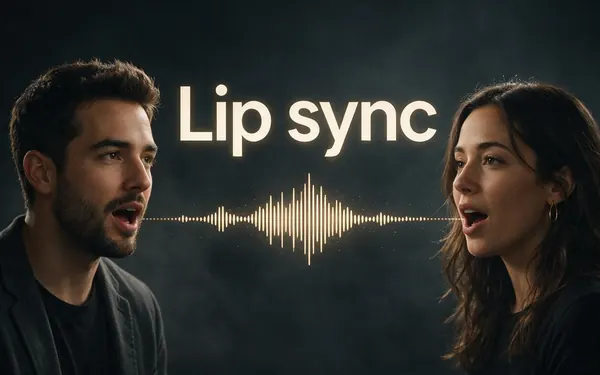
Lip sync
- Input
- Video + the dubbed audio
- Output
- Lips matched to the English
Open Lip syncBest for
On-camera speakers
MiniMax Speech 2.8
Voice Studio
- Input
- A written script
- Output
- Natural English or Japanese speech
Open Voice StudioBest for
Reading a translated script aloud
VEED
Auto Subtitles
- Input
- Video up to 4 min
- Output
- Burned-in captions in the spoken language
Open Auto SubtitlesBest for
English captions on the English dub
The demos above ran on the AI Dubbing tool.
Tips
Better Japanese to English translations
What helps most with spoken Japanese.
Japanese often drops the subject of a sentence — context the translation has to guess. Clear, complete sentences in the source help.
Check names: Japanese puts the family name first, and the English may keep or flip that order.
Numbers with counters (hitotsu, futatsu; -hon, -mai) are a common error spot — verify quantities and prices.
Keigo (polite speech) flattens into plain English, so tone has to carry the politeness.
Katakana loanwords don't always mean their English look-alike: 'manshon' is an apartment, not a mansion.
For a video with faces on camera, add lip sync after dubbing.
FAQ
Japanese to English audio translation: questions
9 questions

How do I translate Japanese audio to English?
Upload the Japanese audio or video to Kenerate's AI Dubbing, leave the spoken language on Auto-detect or pin Japanese, choose English and download. You get English speech in the speaker's own voice.
Link to this answerIs there a Japanese audio to English translator online, without an app?
Yes — the whole thing runs in the browser at kenerateai.com: upload or record, pick English, download the English audio. Most online 'Japanese audio translators' return English text or subtitles; this one returns speech.
Link to this answerWhich files can I upload?
Audio files up to 50 MB and videos up to 500 MB, up to 15 minutes each. You can also record audio with the mic in the browser.
Link to this answerWill the English sound like the original speaker?
Yes. Each speaker is re-voiced with a clone of their own voice, up to 32 speakers in one file — a conversation keeps its back-and-forth.
Link to this answerCan I translate anime or a Japanese show to English?
The tool works on any clear Japanese speech, but only upload content you own or have the rights to — your own videos, licensed footage, interviews you recorded. Published anime and TV are copyrighted.
Link to this answerCan I get an English transcript instead of English audio?
Not as a file. Auto Subtitles writes captions in the language that is spoken and doesn't translate, so to read English, dub to English first and then caption the English version.
Link to this answerCan it translate English audio to Japanese?
Yes. Japanese is one of the 33 target languages too, so upload English speech and pick Japanese instead.
Link to this answerHow much does Japanese to English audio translation cost?
3 credits per second of the source file, billed only for the seconds you use — a 30-second clip is 90 credits, a minute is 180. The cap is 15 minutes per file, and if a dub fails the credits are refunded automatically.
Link to this answerIs it free?
Kenerate isn't free to use, but new accounts get starter credits that work on AI Dubbing, enough to try a short Japanese clip. After that it's priced by length with one-time credit packs that never expire.
Link to this answerIn depth
Japanese to English audio translation, explained
What makes spoken Japanese hard to translate, and what to check in the English.
On this page
Why spoken Japanese is harder than written Japanese
Japanese routinely leaves out the subject and object of a sentence when context makes them obvious, and the verb comes last [1]. A translation engine has to reconstruct who is doing what, and it only hears the context it's given — so clear, complete sentences and clean, close-mic audio raise accuracy more than anything else.
What to check in the English
Most errors in Japanese to English translation come from a few predictable places:
- Names: family name first in Japanese; check which order your audience expects.
- Numbers and counters: quantities, prices and dates are worth verifying against the original.
- Politeness: keigo's levels of formality [2] all become plain English, so tone has to carry the respect.
- Katakana loanwords: 'manshon' (apartment), 'baikingu' (buffet) and friends don't mean their English look-alikes.
What happens to the original audio
The Japanese speech is transcribed and translated, then each speaker is re-voiced in English with a clone of their voice and mixed back with the background sound [3]. Turn on Drop background audio to keep only the English voices.
Translate Japanese video to English AI
Videos work the same way, up to 500 MB and 15 minutes: the picture stays and the speech becomes English, in the same voices. Add lip sync for close-ups.
Japanese voice translator
Record straight from the mic in the browser, pick English, and play back the English version — useful for voice messages and quick checks.
Japanese audio to English translator online
No install: upload, pick English, download. The difference from most online tools is the output — spoken English in the original voice, not a text transcript.
Explore
Every Kenerate video tool
Generators, tools, models and guides — all in one studio.
By the Kenerate AI teamLast updated and reviewed
Sources: Kenerate AI Dubbing (tool) · ElevenLabs — Dubbing docs · Wikipedia — Japanese language · Wikipedia — Honorific speech in Japanese

Translate your Japanese audio into English
One studio for images and video.
Tried it? Tell us how it went