Flat 2D · cel-shaded · anime · 2–30 s · with sound
2D animation maker — turn one drawing into a moving cartoon scene
Draw or generate one 2D frame, describe the action, and get a short animated clip that keeps the outlines, flat colours and cel shading: a cook flipping a pancake, a character turning in the wind. No timeline or rigging needed.
- From one drawing or a prompt
- Outlines and flat colours kept
- One action per clip
- Sound effects and voice
Updated by the Kenerate AI team




On this page
Quick answer

How do I make a 2D animation with AI?
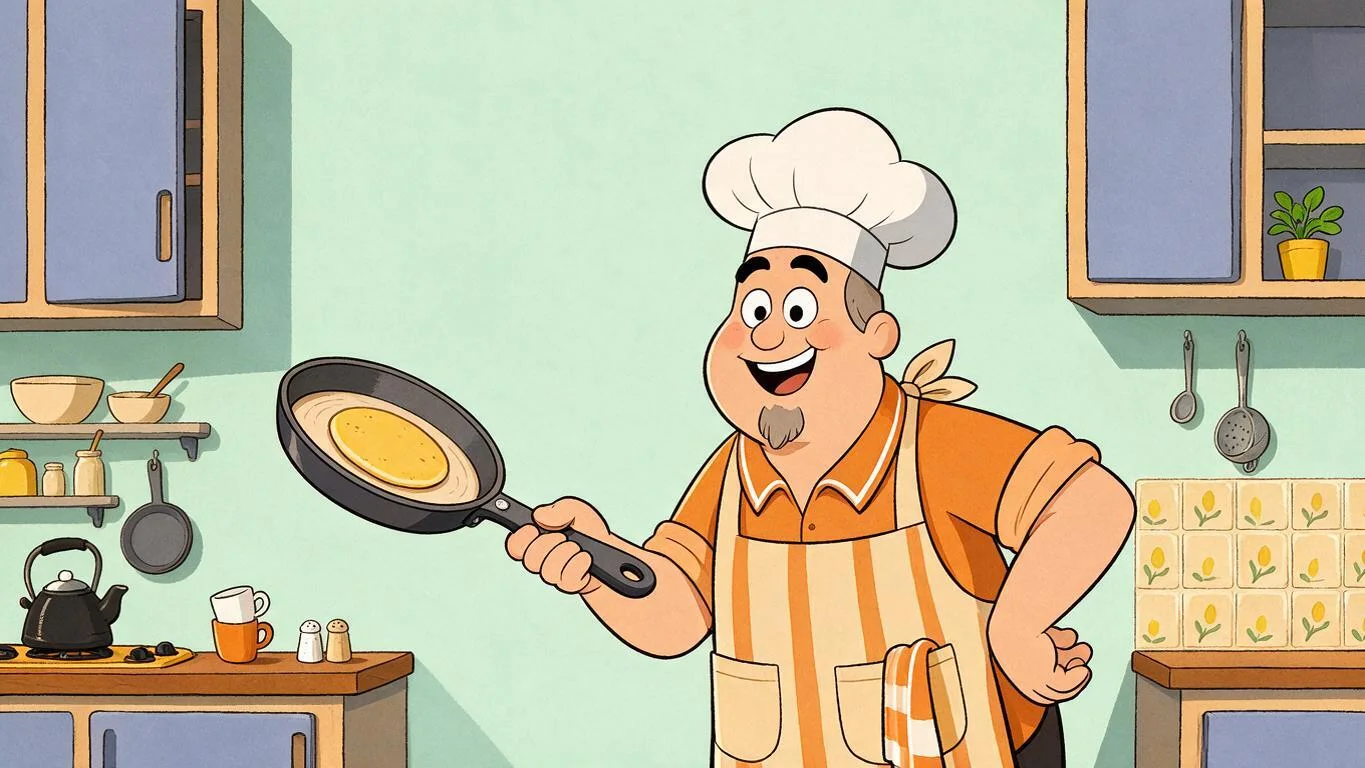
To make a 2D animation with AI, create one flat 2D frame (draw it or generate it), upload it to Kenerate's Video Studio in image-to-video mode and describe one action plus “keep the flat 2D cartoon look”. Wan 3.0 animates it for 2–30 s with sound. Our 5-second 480p pancake flip cost 75 credits and kept every outline.
Key facts
- Input
- One 2D frame + an action prompt, or text only
- Default model
- Wan 3.0 (Alibaba)
- Clip length
- 2–30 s on Wan 3.0
- Resolution
- 480p–1080p on Wan 3.0, up to 4K on Seedance 2.5
- Shapes
- 16:9 · 9:16 · 1:1 · 4:3 · 3:4
- Sound
- Effects, music or a short line, generated with the clip, or off
- Not included
- Timeline, rigs, frame-by-frame editing
Real results
2D animations made from one frame
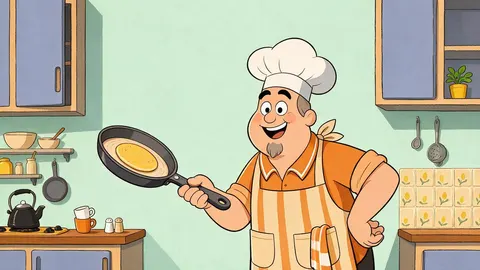
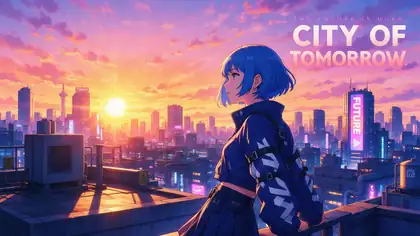
Two 2D frames made with Seedream 5.0 Pro and animated on Wan 3: a flat TV-cartoon gag and a cel-shaded anime shot. Open one to copy the frame prompt and the action prompt.
Real, unedited image-to-video clips. The pancake flip was made for this page on 18 November 2026.
How to
How to make a 2D animation in 5 steps
- Time needed
- Steps
- 4 steps
Step 1
Make the first frame
Draw it, scan it, or generate it with the 2D art generator. Thick outlines, flat colours and some empty space where the action happens animate best.
Step 2
Open the Video Studio in image-to-video mode
Upload the frame. Pick 16:9 for YouTube, 9:16 for Shorts and Reels, or leave it to keep the frame's shape.
Step 3
Describe one action
“He tosses the pancake, it flips once and lands in the pan, he winks.” One action per clip keeps the drawing clean.
Step 4
Lock the style
Add “keep the flat 2D cartoon look: thick black outlines, flat colours, cel shading; static camera” so it doesn't turn 3D.
See it in the app

Open Video Studio in Text to Video mode and write the shot — subject, action, camera move and light.


Watch the tour · 1:19
Text, image & reference to video, models, edit, extend & chat
Chapters
Checked 19 November 2026
AI 2D animation maker vs 2D animation software
An AI maker animates a frame from a description. Traditional 2D software gives you a timeline and full control. They suit different jobs.
| AI 2D animation (Video Studio) | 2D animation software | |
|---|---|---|
| You provide | One frame and a sentence | Every drawing, rig and keyframe |
| Time to a first clip | Minutes | Hours to days |
| Control | What the prompt describes; details vary per run | Every frame, exactly |
| Length | 2–30 s per clip; chain clips for more | Any length |
| Best for | Social clips, pitches, storyboards, explainer shots | Series, client work, lip-synced dialogue |
The software column describes timeline-based 2D tools in general. Kenerate is our product.
Sources: Kenerate Video Studio · Wikipedia — Traditional animation · Kenerate AI terms of service
Engines
Which model for 2D animation
From the Video Studio's live model list. Each takes your 2D frame as the first frame, or works from text alone.
- Used here
Alibaba
Wan 3.0
- Input
- 2D frame + prompt (+ end frame), or text
- Output
- 2–30 s · 480p–1080p · sound on or off
Open Wan 3.0Best for
Cartoon gags that keep flat colours and outlines
ByteDance
Seedance 2.0
- Input
- 2D frame + prompt, or text
- Output
- 4–15 s · up to 4K · sound
Open Seedance 2.0Best for
Anime shots and characters that speak
Kuaishou
Kling v3 Pro
ByteDance
Seedance 2.5
- Input
- 2D frame + prompt (+ end frame), or text
- Output
- 4–30 s · up to 4K · sound
Open Seedance 2.5Best for
Longer, multi-shot 2D scenes
Lightricks
LTX 2.3
- Input
- 2D frame + prompt
- Output
- 5–20 s · up to 1080p · silent
Open LTX 2.3Best for
Cheapest silent motion tests
Both clips above were made on Wan 3. To turn real footage into 2D instead, Restyle Video's anime and comic presets redraw a filmed clip.
Tips
What makes AI 2D animation look hand-made
From our pancake run on 18 November 2026 and the anime clip above.
Name the style twice: in the frame (flat 2D, thick outlines) and in the action prompt (“keep the flat 2D cartoon look”).
One gag per clip: toss, flip, catch, wink. Ours landed in one try.
Leave room in the frame for the action: we asked for space above the pan.
Static camera keeps line art steady; camera moves make outlines wobble.
Sound is generated with the clip: describe effects and a short line, then check the words.
For a series, keep the same character prompt and the same style words in every frame.
FAQ
2D animation maker questions
8 questions

How do I make a 2D animation with AI?
Make one flat 2D frame, upload it to Kenerate's Video Studio in image-to-video mode, describe one action and add “keep the flat 2D cartoon look: thick outlines, flat colours, cel shading; static camera”. Generate 5 seconds on Wan 3.0 and download the MP4.
Link to this answerCan AI make a 2D animation from an image?
Yes. In our test Wan 3.0 animated a single cartoon frame of a cook: the pancake flipped and landed, he winked, and the outlines and flat colours stayed in every frame. The image fixes the character and style; the prompt gives the action.
Link to this answerIs there a free 2D animation maker online?
Not on Kenerate: animation is video generation, which needs a paid plan. On Wan 3.0, 5 seconds cost 75 credits at 480p and 150 at 720p; our pancake clip cost 75 credits plus 13.5 for the frame. Clips have no watermark.
Link to this answerCan I make a whole cartoon episode?
Not in one go. Each clip is 2–30 seconds with one main action. Build an episode from shots: animate each, use the last frame of one as the first frame of the next, and edit them together with your voice-over and music.
Link to this answerCan I make 2D animation from text only?
Yes. Wan 3.0 and Seedance also do text to video: describe the character, the flat 2D style and the action. Starting from a frame gives you more control over how the character looks.
Link to this answerWill it stay 2D or turn 3D?
It stays 2D if you say so. Name the style in the frame and again in the action prompt, and keep the camera still. Without that, some models add depth and soft 3D shading.
Link to this answerCan my 2D character talk?
Yes, roughly: put a short line in quotes in the prompt and Wan 3.0 generates the voice with the clip. For exact lip sync to a recording, use Avatar Talk on the finished character.
Link to this answerWho owns the animation?
You can use clips you make on Kenerate under its terms of service. Animate only characters you created or have the right to use; trademarked cartoon characters are off limits.
Link to this answerIn depth
AI 2D animation, explained
On this page
What an AI 2D animation maker does
Traditional 2D animation draws every frame or moves a rigged character along a timeline. An AI maker skips that: an image-to-video model takes your first frame and predicts the in-between frames from your prompt, in the same flat style. You direct it with words instead of keyframes.
The trade-off is control. You choose the action, not each frame, and two runs of the same prompt can differ. That suits short clips, gags and storyboards better than a series with exact timing.
Our test: a pancake flip
On 18 November 2026 we generated a flat 2D cartoon frame of a diner cook with Seedream 5.0 Pro and animated it on Wan 3.0, 5 seconds at 480p with sound, first try:
- The pancake goes up, flips once and lands back in the pan with a puff of steam.
- He grins, winks and points at the viewer at the end.
- Thick black outlines, flat colours and the pastel kitchen stayed 2D in every frame.
- Cost: 75 credits for the clip and 13.5 for the frame.
Building a longer 2D scene
Clips are short, so a scene is a sequence of them:
- Write the shots first: one action each, 3–6 seconds.
- Keep one character prompt and one set of style words for every frame.
- Use the last frame of a clip as the first frame of the next.
- Add voice, music and titles in an editor at the end.
2D animation maker online
The Video Studio runs in the browser: upload a frame or write a prompt, pick Wan 3.0, generate. There's nothing to install and no timeline to learn.
AI 2D animation for YouTube and Shorts
Make the frame in 16:9 for YouTube or 9:16 for Shorts, keep each clip to one gag, and join them in an editor. A static camera and one action per shot read best on a phone.
2D explainer animation
Generate one flat frame per idea (a rocket, a chart, a character pointing), animate each for 4–6 seconds, and add your voice-over in an editor. Keep text out of the frame and add it later, as AI-drawn letters can be wrong.
Turn a video into 2D animation
That's a different tool: Restyle Video redraws a filmed clip in an anime or comic style, keeping the real motion. See our video to cartoon and video to anime pages.
Explore
Every Kenerate video tool
Generators, tools, models and guides — all in one studio.
By the Kenerate AI teamLast updated and reviewed
Sources: Kenerate Video Studio · Wikipedia — Traditional animation · Kenerate AI terms of service

Animate your 2D frame
One drawing, one action, a 2D clip with sound. No timeline, no watermark.
Tried it? Tell us how it went