Narration · AI visuals · burned-in captions · 9:16 or 16:9
AI Faceless Video Generator — narrated videos with no one on camera
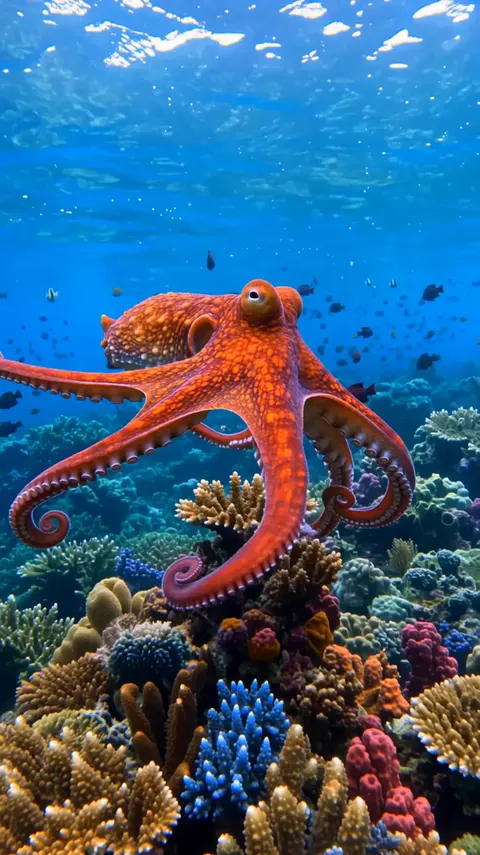
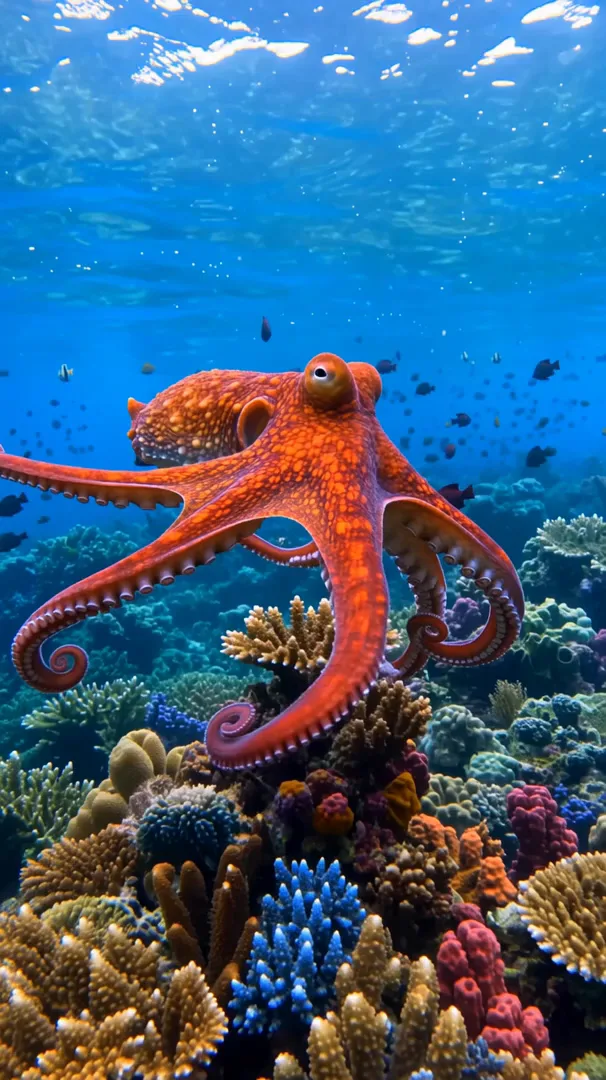
A faceless video is a voice, pictures and captions, with no presenter on screen. Kenerate makes all three: a clip that speaks your narrator line, or a full narrated video from a topic, then captions burned in. Below is a real 8-second faceless Short made from one prompt.
- Narrator line spoken inside the clip
- 30–180 s narrated videos in Director
- Auto captions in 10 styles
- 9:16 for Shorts and TikTok, 16:9 for YouTube
Updated by the Kenerate AI team




On this page
Quick answer

What is an AI faceless video generator?
An AI faceless video generator makes videos with no presenter on camera: a narrator's voice, AI-generated visuals and on-screen captions. On Kenerate AI, Wan 3.0 turns one prompt into a clip that speaks your narrator line (our 8-second 9:16 example cost 240 credits at 720p), and Auto Subtitles burns the captions in. For 30–180 second videos, Director writes and narrates the whole piece.
Key facts
- Short clip
- Wan 3.0: 2–30 s, narrator line spoken in the clip
- Longer video
- Director Explainer: 30–180 s, script, shots, narrator, music
- Narrator
- ElevenLabs v3 in Director and Voice Studio
- Captions
- Auto Subtitles: up to 4 min, 10 styles, top / center / bottom
- Frames
- 9:16 · 16:9 · 1:1
- Watermark
- None
- Plan
- Video and Director need a paid plan
Real results
A faceless Short made on Kenerate
One AI faceless video generator run: Wan 3.0 made the picture and spoke the narrator line from one prompt, then Auto Subtitles transcribed it and burned in the captions.
Real output from 17 November 2026, first try, not edited outside Kenerate. Open it to copy the prompt.
How to
How to make a faceless video with AI
- Time needed
- Steps
- 4 steps
Step 1
Write the script
One idea per video. A Short needs a hook in the first line and about 2.5 spoken words per second, so 20 words fill 8 seconds and 150 words fill a minute.
Step 2
Pick the route
Up to 30 seconds: Video Studio on Wan 3.0, with the narrator line in quotes in the prompt. 30 seconds to 3 minutes: Director's Explainer Quick Start, which plans the shots and records a narrator for you.
Step 3
Describe the visuals
Say what the viewer sees under each line: subject, action, one camera move, light. Add "no on-screen text" so the captions are the only words in the frame.
Step 4
Generate and check the voice
Play it once with sound. If a word is wrong or the voice doesn't fit, change the line or the voice description and run it again.
See it in the app

Open Video Studio in Text to Video mode and write the shot — subject, action, camera move and light.


Watch the tour · 1:19
Text, image & reference to video, models, edit, extend & chat
Chapters
Checked 17 November 2026
Faceless video: one-step clip, Director, or a template app
Three ways to make the same faceless Short. The right one depends on length and how much control you want.
| Wan 3.0 + Auto Subtitles | Director + Auto Subtitles | Template faceless apps | |
|---|---|---|---|
| Length | Up to 30 s per clip | 30–180 s per Quick Start | Varies by app |
| Visuals | Generated from your prompt | Generated shot by shot from the plan | Mostly stock footage plus AI images |
| Narrator | Spoken inside the clip | ElevenLabs narrator over the shots | Text-to-speech voice |
| Captions | Auto Subtitles, 10 styles | Auto Subtitles after export | Built in |
| Script | Yours | Written from your topic, editable | Written from your topic |
Template app details vary; check each app's current features and terms. Kenerate is our product.
Sources: Kenerate Video Studio · Kenerate Director · YouTube Help — Disclosing altered or synthetic content · YouTube Help — YouTube channel monetization policies
Engines
The tools behind a faceless video on Kenerate
Every step of a faceless video is a real tool in Kenerate, checked in the code on 17 November 2026.
- Used here
Alibaba
Wan 3.0
- Input
- Prompt with the narrator line
- Output
- 2–30 s · up to 1080p · 9:16 · voice and sound
Open Wan 3.0Best for
Short faceless clips in one step
- Used here
Kenerate
Auto Subtitles
- Input
- Any video with speech, up to 4 min
- Output
- Burned-in captions · 10 styles · 720p or 1080p
Open Auto SubtitlesBest for
Captions for Shorts and YouTube
Kenerate
Director — Explainer
- Input
- Topic, audience, look, length
- Output
- Script, shots, narrator and music · 30–180 s MP4
Open Director — ExplainerBest for
Longer narrated videos, no captions in the export
ElevenLabs and others
Voice Studio
- Input
- Your script
- Output
- Voice-over audio
Open Voice StudioBest for
Narration you record separately
Kenerate
Kenerate Agent
- Input
- Finished clips + voice-over + music
- Output
- One montage · 2–20 clips · up to 3 min
Open Kenerate AgentBest for
Joining your own clips under one voice-over
Our example used Wan 3.0 and Auto Subtitles only. Director, Voice Studio and Agent montages are the routes for longer videos.
Tips
What we learned making the example
Notes from our run on 17 November 2026.
Put the narrator line in quotes and say who speaks ("a calm male narrator says"). Wan 3.0 read our line word for word.
Keep each line short enough for the clip: 13 words fit in 8 seconds with room to breathe.
Ask for "no on-screen text" in the video prompt, or the model may invent captions that clash with yours.
Caption vertical clips at 1080p: at 720p the subtitle tool shrank our 720×1280 clip to 404×720.
Numbers are captioned as digits ("3 hearts"), which reads faster on a phone.
Check facts before you post: the model speaks whatever you write, true or not.
One topic, real research, your own script: YouTube does not monetise mass-produced, repetitive videos.
FAQ
AI Faceless Video Generator questions
8 questions

What is a faceless video?
A faceless video is a video where the creator never appears on camera: a voice-over tells the story over footage, images or animation, usually with captions. Fact channels, story channels, explainers and listicles on YouTube and TikTok are typical faceless formats.
Link to this answerHow do I make a faceless video with AI?
Write a short script, then generate the visuals and the voice. On Kenerate the fastest route is one Wan 3.0 prompt with the narrator line in quotes, which returns a clip that speaks the line, followed by Auto Subtitles for captions. For videos longer than 30 seconds, use Director's Explainer Quick Start.
Link to this answerCan AI make a whole faceless YouTube video from a topic?
Yes, up to 3 minutes per Quick Start. Kenerate Director takes a topic, an audience, a look and a length (30–180 s), plans the shots, writes and records the narration with an ElevenLabs voice, adds music and exports an MP4. The export has no captions, so add them with Auto Subtitles.
Link to this answerHow much does a faceless video cost on Kenerate?
Our 8-second example cost 240 credits for the Wan 3.0 clip at 720p plus 40 credits for 1080p captions. Wan 3.0 costs 15, 30 or 60 credits a second at 480p, 720p or 1080p; Auto Subtitles costs 20 credits for up to a minute at 720p and 40 at 1080p. Director charges for each shot, the narrator and the music, plus 15 credits per started minute to export.
Link to this answerIs there a free AI faceless video generator?
Not for the video itself: Kenerate's Video Studio and Director need a paid plan. There's no watermark on paid videos.
Link to this answerCan faceless AI videos be monetised on YouTube?
They can, if they are original. YouTube's Partner Program doesn't pay for mass-produced or repetitive content, and realistic AI scenes need the altered or synthetic content label. Your own script, research and editing are what make a faceless channel eligible.
Link to this answerWhich voice should I use for faceless videos?
A calm, clear narrator suits facts and explainers; an energetic one suits listicles. In a Wan 3.0 prompt you describe the voice ("a calm male narrator"); in Director and Voice Studio you pick an ElevenLabs voice.
Link to this answerCan I make faceless TikToks and Shorts?
Yes. Choose 9:16 in the Video Studio or in Director, and caption at 1080p so the text stays sharp on a phone.
Link to this answerIn depth
AI Faceless Video Generator, explained
On this page
What goes into a faceless video
Every faceless video has the same four layers. Which tool makes each layer on Kenerate:
- Script: yours, or written by Director from your topic. About 2.5 spoken words per second.
- Voice: spoken inside a Wan 3.0 clip from the line in your prompt, or recorded by an ElevenLabs voice in Director or the Voice Studio.
- Visuals: generated clips from the Video Studio (2–30 s each) or Director's shot plan.
- Captions: Auto Subtitles transcribes the speech and burns the words in, in one of 10 styles.
Our test: an 8-second fact Short
On 17 November 2026 we asked Wan 3.0 for a vertical reef shot with a narrator line in quotes, 8 seconds at 720p with sound. What happened:
- The clip spoke the full line, "An octopus has three hearts, and two of them stop beating when it swims", in a calm male voice over reef ambience. First try, 240 credits.
- Auto Subtitles transcribed it correctly and burned in Rizz-style captions, writing the numbers as digits.
- At the 720p setting the captioned file came back at 404×720, smaller than the 720×1280 clip; the 1080p setting returned 606×1080, which is the version on this page. Total: 300 credits including the unused 720p run.
Faceless channels and the rules
YouTube asks creators to label realistic altered or synthetic content, and its Partner Program excludes mass-produced or repetitive videos. AI tools speed up production, but a channel still needs its own topics, accurate facts and an editorial voice. TikTok and Instagram have similar AI-content labels.
Explore
Every Kenerate video tool
Generators, tools, models and guides — all in one studio.
By the Kenerate AI teamLast updated and reviewed
Sources: Kenerate Video Studio · Kenerate Director · YouTube Help — Disclosing altered or synthetic content · YouTube Help — YouTube channel monetization policies

Make your first faceless video
Your script, AI visuals, a narrator and captions. No camera, no presenter, no watermark.
Tried it? Tell us how it went