9:16 phone · 16:9 desktop · no watermark
Animated wallpaper maker: make moving wallpapers from any image
Start with a picture at your screen's shape, make a short loop from it, then set the clip as your wallpaper. This page covers all three steps, including what iPhone, Android and Windows each accept. You make your own clips here; it isn't a library of wallpapers to download.

- 9:16 phone, 16:9 desktop
- Same start + end frame
- MP4 download
- No watermark
Updated by the Kenerate AI team




Made with Kenerate




On this page
Quick answer

How do you make an animated wallpaper?
To make an animated wallpaper, create or upload a still at your screen's shape (9:16 for phones, 16:9 for desktops), then use it as the start and end frame in an image-to-video model and prompt calm, repeating motion. Kenerate's video studio exports a watermark-free MP4. Video needs a credit pack, from $15 for 1,300 credits. iPhones need the clip converted to a Live Photo; many Android phones and Windows apps take the MP4.
Key facts
- Phone shape
- 9:16
- Desktop shape
- 16:9
- Clip length
- 2–30 s on Wan 3; 4–8 s suits most loops
- Credits
- Wan 3, 5 s silent: 75 at 480p, 150 at 720p, 300 at 1080p
- Output
- MP4, no watermark
Real results
Moving scenes for phone and desktop
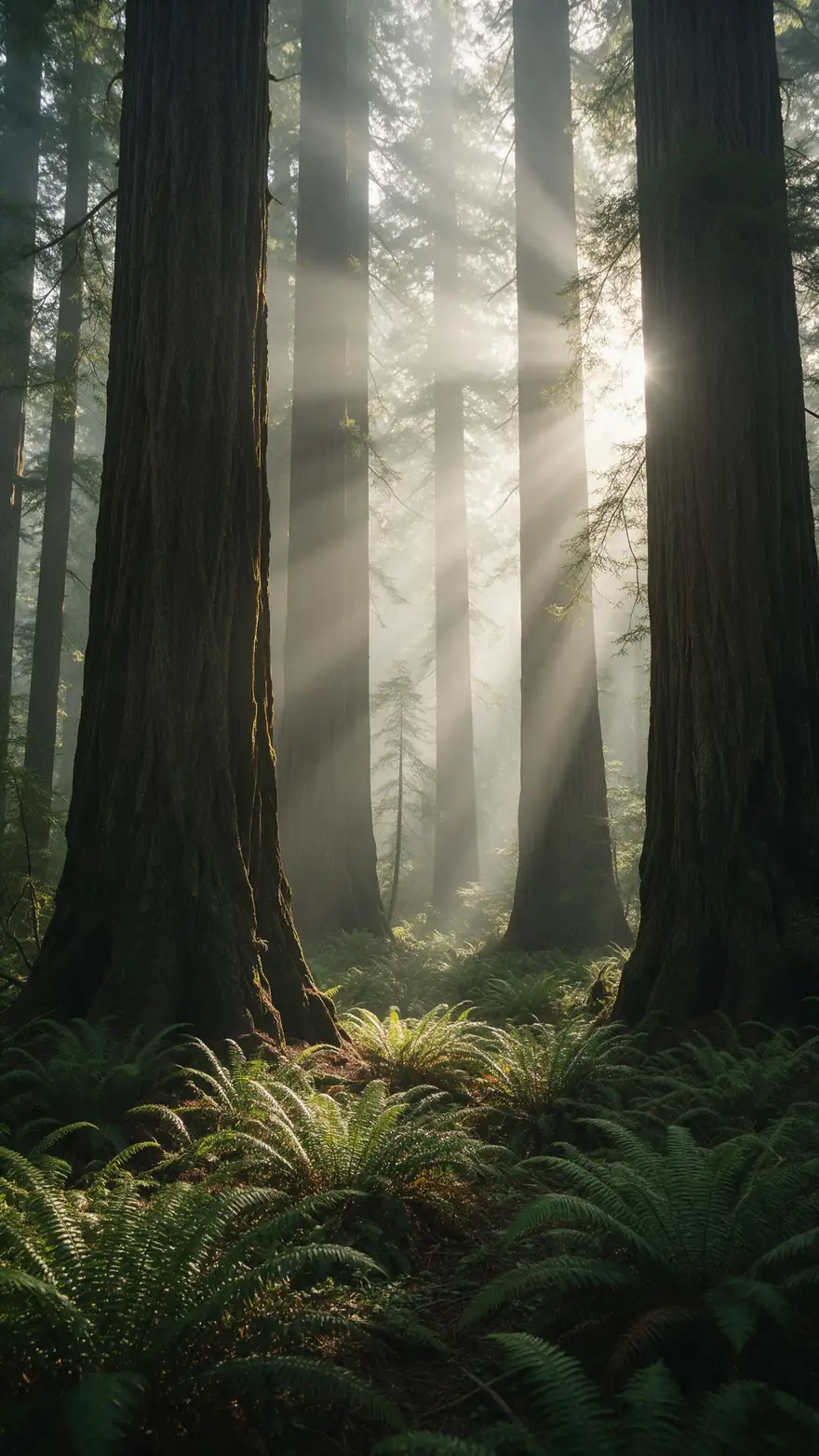
Filter by screen shape. Each is a real 5-second Wan 3 clip at 720p, made from one still image, to show the kind of motion you can get.
These are unedited single-pass clips made from a start frame only, so they are not loops and not wallpapers to download. Open one to see its prompt.
How to
How to make an animated wallpaper
- Time needed
- Steps
- 4 steps
Step 1
Make the still at your screen's shape
Use a photo you own, or make one with the AI wallpaper generator: the Story / Reel preset gives 9:16 for phones and the Wallpaper preset gives 16:9 for desktops. Leave clear space where the clock and icons sit.
Step 2
Add it as start and end frame
Open the video studio in image-to-video mode and put the same picture in both the Start frame and End frame slots, so the clip can finish where it began.
Step 3
Prompt calm, repeating motion
Name one or two things that move and lock the camera: "clouds drift slowly, water ripples, static camera". Turn sound off, because generated audio rarely loops with the picture.
Step 4
Test cheap, then render the keeper
Try 5 seconds at 480p first. When the motion looks right, render again at 720p or 1080p.
See it in the app

Open Video Studio in Text to Video mode and write the shot — subject, action, camera move and light.


Watch the tour · 1:19
Text, image & reference to video, models, edit, extend & chat
Chapters
Checked 18 November 2026
How to set a video wallpaper on your device
Support differs by device, so check this before you render. Details were read from the sources below on 4 and 18 November 2026.
| Device | What it accepts | How to set it |
|---|---|---|
| iPhone (iOS 17 or later) | A Live Photo, not an MP4. It plays when you wake the phone | Convert the MP4 with a video-to-Live-Photo app, then go to Settings > Wallpaper > Add New Wallpaper > Photos > Live Photo, keep play on and tap Add |
| Samsung Galaxy | A video on the Lock screen or Home screen | Touch and hold the Lock screen, tap Wallpapers > Gallery, pick the video, trim it if needed, tap Done |
| Other Android phones | Depends on the maker; many need an app | Install an app such as Video Live Wallpaper, choose the MP4, turn audio off and tap Set wallpaper |
| Mac (macOS 27) | Apple's aerial wallpapers move; your own video isn't an option | System Settings > Wallpaper > pick an aerial (Landscape, Cityscape, Underwater, Earth); for your MP4, a third-party app |
| Windows 10 and 11 | No video option in stable Settings; an app plays the MP4 | Install Lively Wallpaper (free, open source) and add the MP4. It pauses for full-screen apps and games |
Menu names change between versions. These apps are made by other companies and Kenerate isn't connected to them.
Sources: Kenerate video studio · Apple Support — Set a Live Photo as your Lock Screen wallpaper · Samsung — Set photos or videos as wallpaper on a Galaxy phone or tablet · SlashGear — How to set a video wallpaper on your Android phone · Lively Wallpaper on GitHub · Pureinfotech — Video wallpaper test on Windows 11 · Google Pixel Help — Change the wallpaper on your Pixel phone · Microsoft Support — Change the desktop background in Windows · Apple Mac User Guide — Change your wallpaper on Mac
Engines
Which model for a moving wallpaper
All of these take a start and an end frame. Credits are for a silent image-to-video clip, checked on 4 November 2026.
- Used here
Alibaba
Wan 3
- Input
- Start + end frame
- Output
- 2–30 s · 480p–1080p · 150 credits for 5 s at 720p
Open Wan 3Best for
Phone and desktop wallpapers, 9:16 and 16:9
Alibaba
Wan 2.2 Ultra Fast
- Input
- Start + end frame
- Output
- 5 or 8 s · 480p / 720p · 15 credits for 5 s at 480p
Open Wan 2.2 Ultra FastBest for
Cheap tests of a motion idea
ByteDance
Seedance 2.0 Mini
- Input
- Start + end frame
- Output
- 4–15 s · up to 4K · 90 credits for 5 s at 480p
Open Seedance 2.0 MiniBest for
Ultrawide 21:9 monitors
Google
Veo 3.1 Fast
- Input
- Start + end frame
- Output
- 4, 6 or 8 s · up to 4K · 180 credits for 6 s at 720p
Open Veo 3.1 FastBest for
Photoreal scenes on large screens
Start with a low-resolution test, then spend on the final render. Wan 3 is the model used in the examples above.
Tips
Wallpapers you can live with
A wallpaper plays all day behind everything else, so quieter usually works better.
Keep motion slow and small. Fast movement behind icons gets tiring and makes text harder to read.
Choose subjects that repeat: water, rain, clouds, smoke, fireflies, swaying plants.
Write "static camera". A push-in ends somewhere new, so it can't return to the first frame.
Use darker, simpler areas where icons and the clock will sit.
Keep the clip short. Samsung's older Galaxy S9 guide asks for under 15 seconds and under 100 MB.
For cartoon live wallpapers, start from an illustrated still. Line style usually carries through the motion.
FAQ
Animated wallpapers — questions
12 questions

How do I make a live wallpaper?
Make a short loop, then set it with your device's own tool. On Kenerate: make a still at your screen's shape, use it as the start and end frame in image to video, prompt calm motion and download the MP4. On iPhone (iOS 17+) convert it to a Live Photo and add it under Settings > Wallpaper; on Samsung pick the video in the wallpaper Gallery; on a Pixel, Windows or Mac the built-in settings take only images, so use a wallpaper app.
Link to this answerCan I get moving wallpapers on a Mac?
Yes, but only Apple's own on the built-in route. In System Settings > Wallpaper, the aerial wallpapers (Landscape, Cityscape, Underwater, Earth) animate as you lock or unlock the Mac, and Apple's guide for macOS 27 lists only photos, image files and folders as your own options, not video. To play your own MP4 behind the desktop you need a third-party wallpaper app.
Link to this answerCan I set my own video as wallpaper on a Google Pixel?
Not from Pixel's wallpaper settings. Google's Pixel Help lists Change wallpaper with “Choose a photo” or Google's own categories, plus live wallpapers Google supplies, but no option for your own video. To use an MP4 you make here, install a video wallpaper app; Samsung Galaxy phones, by contrast, accept a video directly.
Link to this answerHow do I get a moving wallpaper on my phone?
Make or download a short video, then set it through your phone's wallpaper menu. Samsung Galaxy phones can use a video directly. Other Android phones often need an app, and iPhones need the video converted to a Live Photo first.
Link to this answerCan I download animated wallpapers here?
No. Kenerate doesn't host a library of animated wallpapers. You make your own clip from your own picture or an AI image, then download it as an MP4. For still wallpapers, the AI wallpaper generator page has 13 free downloads.
Link to this answerIs the animated wallpaper maker free?
Not for the video step. The account and 25 sign-up credits are free and work for making the still image, but the video models need a one-time credit pack, from $15 for 1,300 credits. A 5-second test costs 15 credits on Wan 2.2 Ultra Fast.
Link to this answerCan I use a video as wallpaper on an iPhone?
Not directly. Apple's wallpaper settings take a Live Photo, on iOS 17 or later, and it plays when you wake the phone. Convert your MP4 with a video-to-Live-Photo app, then choose it under Settings > Wallpaper.
Link to this answerDoes Windows 11 support video wallpapers?
Not in stable Settings as of 4 November 2026. Reports describe a hidden test in preview builds, so the usual route is a wallpaper app. Lively Wallpaper is free and open source, plays video files and pauses when a full-screen app or game runs.
Link to this answerWhat size should an animated wallpaper be?
Use 9:16 for phones and 16:9 for most desktop monitors, and make the still at that shape so nothing is cropped. Wan 3 renders 480p, 720p or 1080p. For ultrawide 21:9 monitors, Seedance 2.0 Mini has that ratio.
Link to this answerHow long should the clip be?
4–8 seconds suits most loops, because shorter clips stay closer to the start frame. Samsung's older Galaxy S9 guide asks for under 15 seconds and under 100 MB, while its current guide lets you trim a clip and lists no limit.
Link to this answerWill the wallpaper loop perfectly?
It isn't guaranteed. Using the same picture as the start and end frame makes a clean loop much more likely, but the join can still show. Play the clip on repeat, then trim or crossfade it in an editor if it jumps.
Link to this answerDo animated wallpapers drain the battery?
They do more work than a still image, because the device has to play video. How much depends on the device and app. On Windows, Lively pauses playback during full-screen apps and games.
Link to this answerIn depth
Animated wallpapers, explained
On this page
How to make a live wallpaper on iPhone
iPhone wallpapers move only as Live Photos, on iOS 17 or later, and the Live Photo plays whenever you wake the phone [1]. Apple doesn't document turning an MP4 into a Live Photo, so convert your Kenerate clip with a video-to-Live-Photo app first. Then, from Apple's steps:
- Open Settings > Wallpaper and tap Add New Wallpaper (or touch and hold the Lock Screen).
- Tap Photos, then the Live Photo category, and pick your Live Photo.
- Make sure the play control is on so it animates when you wake the phone, then tap Add.
- Choose Set as Wallpaper Pair, or customise the Home Screen to use a different picture there.
How to make a moving wallpaper on Android
It depends on the phone. Samsung Galaxy phones take a video directly: touch and hold the Lock screen, tap Wallpapers > Gallery, pick the video, trim it and tap Done [2]. Google's Pixel Help shows the stock route, which takes photos and Google's own live wallpapers but no video of your own [6]:
- Touch and hold an empty space on the Home screen and tap Wallpaper & style.
- Tap Change wallpaper and choose Lock screen or Home screen.
- Tap Choose a photo for your own image, or pick a category for Google's wallpapers.
- Tap Preview, then Apply. For your own MP4 on a Pixel or other phone, use a video wallpaper app instead [3].
How to make a moving wallpaper on a Windows PC
Windows Settings has no video background. Microsoft's help page lists four background types under Settings > Personalization > Background > Personalize your background: Picture, Solid color, Slideshow and Windows spotlight [7]. Slideshow cycles still pictures from a folder, which is the closest built-in option. To play the MP4 itself behind the icons, install Lively Wallpaper (free, open source, Windows 10 1809 or later), add the file, and it pauses when a full-screen app or game runs [4].
How to get a moving wallpaper on a Mac
macOS has moving wallpapers of its own but no setting for your video. Apple's Mac User Guide for macOS 27 [8]:
- Open System Settings and choose Wallpaper in the sidebar.
- Pick an aerial wallpaper from Landscape, Cityscape, Underwater or Earth: Apple says aerials “animate as you lock or unlock your Mac”, and by default the same aerial becomes the screen saver.
- Dynamic Wallpapers change light with the time of day; Shuffle Aerials are still images that change on an interval.
- Your Photos, image files and folders are the only custom choices Apple lists, so playing your own MP4 needs a third-party wallpaper app.
Live Photo, video wallpaper or GIF?
These formats aren't interchangeable. An iPhone wallpaper uses a Live Photo that plays when you wake the phone [1]. Samsung Galaxy phones can use a video on the Lock screen or Home screen [2], while Android itself has no general video wallpaper setting, so other phones often need an app [3]. On Windows, an app such as Lively plays the video or GIF behind your desktop [4].
Why calm scenes work best
A wallpaper repeats all day, so any jump at the loop point shows up again and again. Water, clouds, rain and flickering light already repeat, which hides the join. Scenes with a moving camera, or something that travels across the frame, are harder to close.
- Good: ripples, drifting clouds, rain, fireflies, swaying plants
- Needs care: waterfalls, smoke and steam with a fixed camera
- Hard: camera moves, walking figures, anything that leaves the frame
What about Windows' own video wallpaper?
Microsoft has been testing video wallpapers in preview builds, where the feature is hidden and has to be switched on with a third-party tool [5]. It isn't in the stable channel, so a wallpaper app remains the simpler choice for now.
Motion wallpapers
Another name for the same thing: a short video that plays behind your icons or lock screen.
Cartoon live wallpaper
Start from an illustrated or anime-style still, then ask for gentle motion such as drifting clouds or waving grass.
Animated wallpaper HD
Render the final clip at 1080p on Wan 3. Test at 480p first, because 1080p costs four times as much.
Make a live wallpaper from a photo
Crop the photo to your screen's shape, use it as both frames and keep any people nearly still.
Explore
Every Kenerate video tool
Generators, tools, models and guides — all in one studio.
By the Kenerate AI teamLast updated and reviewed
Sources: Kenerate video studio · Apple Support — Set a Live Photo as your Lock Screen wallpaper · Samsung — Set photos or videos as wallpaper on a Galaxy phone or tablet · SlashGear — How to set a video wallpaper on your Android phone · Lively Wallpaper on GitHub · Pureinfotech — Video wallpaper test on Windows 11 · Google Pixel Help — Change the wallpaper on your Pixel phone · Microsoft Support — Change the desktop background in Windows · Apple Mac User Guide — Change your wallpaper on Mac