Clideo review · checked 19 Nov 2026 · sourced from clideo.com
Clideo review 2026 — what it does, and when Kenerate fits better
Clideo is a set of simple online video tools — cut, merge, compress, resize, subtitles and more — and for quick edits it's often the right pick. This review covers what Clideo does, its free plan and watermark, prices, pros and cons, and when Kenerate — 50+ AI video models, captions, dubbing and upscaling with no watermark — is the better alternative.

- No watermark on any output
- No subscription required
- 50+ AI video models in one studio
- Sourced review, not spin
Updated by the Kenerate AI team




On this page
Quick answer

What is Clideo?
Clideo is a set of browser video tools from Clideo Ltd — cut, merge, compress, resize, convert, subtitles, translation and a simple editor — used by 5 million people a month, per its homepage. It's free with a watermark and 500 MB files; Pro starts at $12 a month for 500 credits (checked 19 November 2026). Kenerate is the alternative for AI video: 50+ models, captions, dubbing and upscaling, with no watermark.
Key facts
- Clideo is
- Online video tools and a simple editor
- Clideo free plan
- Files up to 500 MB, watermark on exports
- Clideo users
- 5M a month, 405M videos made (its site)
- Clideo company
- Clideo Ltd, Nicosia, Cyprus
- Kenerate
- 50+ AI video models, captions, dubbing, upscaling
- Kenerate watermark
- None
- SRT / TXT subtitles
- Clideo yes, Kenerate no
- Checked
- 19 Nov 2026
Real demo
Auto subtitles, burned in
Drag the line. Left: a 9:16 clip as uploaded. Right: Kenerate's output in the Rizz style, with the spoken word in yellow and no watermark.
- Original. 9:16 clip with speech.
- Subtitled. Rizz style, burned in, no watermark.
Both are real, unedited files, shown at the same size.
Subtitle a clipReal demo
Translate a clip with a new voice
Clideo's video translator adds translated subtitles and an AI voiceover. Kenerate's AI Dubbing re-voices the clip in the same voice. Turn the sound on.
- Original (English). A Wan 3 clip with an English line.
- Spanish dub. AI Dubbing: new language, same voice.
Both are unedited outputs of Kenerate's tools.
Dub a videoReal demo
Upscaling: 480p in, 1080p out
Drag the line. Left: a real 480p clip. Right: the same clip after Kenerate's Video Upscaler at 1080p.
- Original 480p. Wan 3 image to video at 480p.
- Upscaled 1080p. Video Upscaler at 1080p.
Both clips are unedited outputs. 2K and 4K work the same way.
Upscale a videoReal results
Clips made and finished with Kenerate
Real Wan 3 clips from Kenerate's video studio: one captioned with Auto Subtitles, one ready to dub, one ready to upscale.
Clips: Wan 3 image to video (AI-generated people and places). Captions: Kenerate Auto Subtitles, unedited.
How to
How to use Kenerate instead of (or next to) Clideo
- Time needed
- Steps
- 4 steps
Step 1
Do the simple edits first
Cut, merge, compress or resize in Clideo or any editor; Kenerate has no timeline.
Step 2
Open the AI tool you need
Auto Subtitles, AI Dubbing, Video Upscaler, or the video studio for a new clip.
Step 3
Check the limits
Subtitles up to 4 min and 100 MB, upscaling up to 5 min, dubbing up to 15 min.
Step 4
Pick the settings and run it
One clip, one settings panel; the cost shows before you start.
See it in the app

Open Video Studio in Text to Video mode and write the shot — subject, action, camera move and light.


Watch the tour · 1:19
Text, image & reference to video, models, edit, extend & chat
Chapters
Checked 19 November 2026
Clideo vs Kenerate, feature by feature
Clideo column from clideo.com, its pricing page and its tool pages, checked 19 November 2026. Kenerate is our product; where Clideo does more, the table says so.
| Kenerate | Clideo | |
|---|---|---|
| What it is | An AI media studio: video models, captions, dubbing, upscaling | Online video tools plus a simple browser editor |
| Cut, merge, crop, rotate, speed | No — joins 2–4 AI clips only | Yes — one tool per job |
| Compress, resize, convert formats | No | Yes |
| Screen, camera and audio recorder | No | Yes |
| AI video from a prompt or image | 50+ models incl. Seedance 2.5, Kling v3, Veo 3.1, Wan 3, MiniMax H3, Sora 2 Pro | Not on its tool list — the video maker and slideshow maker build videos from your own clips and photos |
| Auto subtitles | Burned in, 10 styles, clips up to 4 min | Yes — embedded in the video or exported |
| Subtitle files | None — burned in only | SRT and TXT |
| Translate a video | AI Dubbing into 33 languages, same voice | Translated subtitles plus an AI voiceover |
| Upscale video | 720p, 1080p, 2K or 4K, clips up to 5 min | Not on its tool list |
| Watermark | None | On free exports |
| File size | 100 MB for subtitles, 500 MB for dubbing | Up to 500 MB free, larger on paid plans |
| How you pay | Credits per clip, no subscription | Free plan, then monthly or yearly Pro credit plans |
Clideo's plans and limits change; check its pages before you choose.
Sources: Kenerate AI tools · Clideo — home, checked 19 November 2026 · Clideo — Pricing, checked 19 November 2026 · Clideo — Cut video (free limits, watermark), checked 19 November 2026 · Clideo — Privacy policy, checked 19 November 2026
Engines
Which tool for which job
Where Kenerate fits next to Clideo, job by job. Clideo details from its own pages, checked 19 November 2026.
- Kenerate
Kenerate video studio
AI clips from a prompt or image
- Input
- Prompt or start image
- Output
- Clips from 50+ models
Open AI clips from a prompt or imageBest for
Seedance 2.5, Kling v3, Veo 3.1, Wan 3 and more
- Kenerate
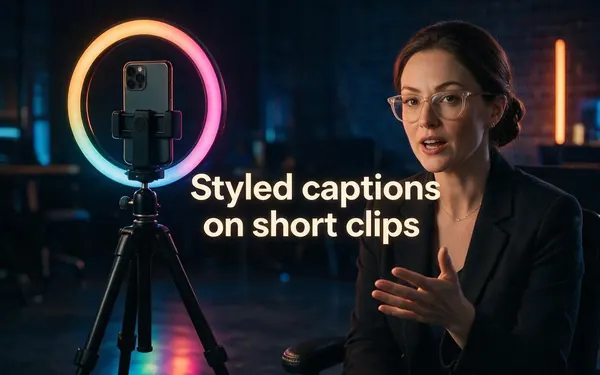
Kenerate Auto Subtitles
Styled captions on short clips
- Input
- Clip up to 4 min
- Output
- Burned-in MP4, 10 styles
Open Styled captions on short clipsBest for
Quick, no watermark, no plan
Kenerate AI Dubbing
A clip in another language
- Input
- Video up to 15 min
- Output
- Same voice in 33 languages
Open A clip in another languageBest for
A full dubbed version
Kenerate Video Upscaler
Sharper, bigger video
- Input
- Clip up to 5 min
- Output
- 720p, 1080p, 2K or 4K
Open Sharper, bigger videoBest for
Old or low-res footage
Kenerate Video Joiner
Join a few AI clips
Clideo
Cut, merge, compress, convert
- Input
- Your own video file
- Output
- Edited or smaller file
Open Cut, merge, compress, convertBest for
Simple edits in the browser
All models (7)
Clideo
Subtitle files
- Input
- Video with speech
- Output
- SRT, TXT or burned in
Open Subtitle filesBest for
Editable subtitles to reuse
Kenerate rows link to our tools; Clideo rows link to our guides on the same topic.
Tips
Who should pick Clideo, and who should pick Kenerate
Honest cases where Clideo is the better fit — and the ones where Kenerate is.
Pick Clideo if you need a quick cut, merge, crop, compress, resize or format change in the browser.
Pick Clideo if you want SRT or TXT subtitle files, or a screen or webcam recording.
Pick Clideo if you make GIFs, memes, slideshows or stop-motion videos from your own footage.
Pick Kenerate if you want to generate new clips from a prompt or photo with 50+ AI video models.
Pick Kenerate if you want dubbing in the same voice, or upscaling to 1080p, 2K or 4K.
Pick Kenerate if you want styled captions with no watermark and no monthly plan.
FAQ
Clideo — questions people ask
9 questions

What is Clideo?
Clideo is a set of online video tools made by Clideo Ltd, a company in Nicosia, Cyprus. Its homepage (checked 19 November 2026) lists a video editor plus one-job tools to cut, merge, crop, compress, resize, convert, reverse and loop video, add subtitles, translate a video, record a screen and make GIFs and slideshows, and says it has 5 million monthly users and 405 million videos made.
Link to this answerIs Clideo free?
Yes, with limits. Clideo's tool pages (19 November 2026) say you can work on files up to 500 MB for free, but free exports carry a small Clideo watermark; premium removes the watermark and adds larger files, more AI features and longer project storage. Kenerate never adds a watermark: new accounts get 25 credits, then you pay per clip.
Link to this answerHow much does Clideo cost?
Clideo's pricing page (19 November 2026) sells Pro by monthly credits: 500 credits for $12 a month, or $9 a month billed yearly ($108), rising through 2,000 credits ($39 a month) and 5,000 credits ($99 a month) up to 100,000 credits. Plans renew automatically, and Clideo says it does not issue refunds after purchase. Kenerate has no subscription: one-time credit packs start at $15 for 1,300 credits.
Link to this answerIs Clideo safe and legit?
Yes, Clideo is a legitimate company: Clideo Ltd, with an office in Nicosia, Cyprus, named as the data controller in its privacy policy; its copyright line dates the site to 2019. Its tool pages say files move over secure channels. Its AI features may send uploads to third-party AI providers, per that policy, so read it before you upload private footage.
Link to this answerClideo review: is it any good?
For quick, simple edits, yes: Clideo puts dozens of single-purpose tools — cut, merge, compress, resize, convert, subtitles with SRT export — in the browser with nothing to install. The trade-offs are the watermark on free exports, the credit-based Pro plans that renew automatically with no refunds, and no AI video generation or upscaling. For those AI jobs, Kenerate is the better fit.
Link to this answerHow do I remove the Clideo watermark?
Clideo removes its watermark only on premium exports, per its cut-video page (19 November 2026); free exports keep it. Kenerate's tools never add a watermark in the first place, so a clip you subtitle, dub or upscale there downloads clean. Don't try to crop or blur another product's watermark off — re-export it on a plan that allows it.
Link to this answerIs Kenerate better than Clideo?
Not for simple edits: Clideo cuts, merges, compresses, resizes and converts video, which Kenerate doesn't do. Kenerate is better when the job is AI — making clips with 50+ video models, dubbing in the same voice into 33 languages, upscaling to 4K, or burning in styled captions with no watermark. Plenty of people edit in one tool and generate or finish in the other.
Link to this answerCan Kenerate cut, merge or compress video like Clideo?
Mostly no. Kenerate has no timeline, cutter, compressor or format converter. Its Video Joiner can stitch 2–4 clips into one video in the video studio on a paid plan, and Kenerate Agent can build a montage of up to 20 clips. For trimming, cropping, compressing or converting, use Clideo or any editor first.
Link to this answerWhat are sites like Clideo?
Sites like Clideo fall into two groups. Browser editors such as Kapwing, VEED and CapCut cover the same cut, merge and subtitle jobs with a timeline. AI studios such as Kenerate generate and finish clips instead: video models, subtitles, dubbing and upscaling. Our Kapwing, VEED and CapCut reviews compare each one with Kenerate.
Link to this answerIn depth
Clideo review: what it is, pros and cons, and who should switch
Every Clideo fact below comes from Clideo's own pages, checked on the date shown. We build Kenerate, so we say where Clideo is the better tool.
On this page
What is Clideo? (checked 19 November 2026)
Clideo calls itself "Video editor & tools" with the line "Simplify video creation and unlock your creativity". It is a website, not an app you install: a simple video editor plus one page per job — cut, split, merge, crop, rotate, flip, change speed, loop, reverse, mute, filter, compress, resize and convert video, add text, music, stickers or subtitles, make GIFs, memes, slideshows and stop-motion clips, and record your screen, webcam or voice [1]. Its homepage says 5 million people use it each month and 405 million videos have been made [1].
Its AI-flavoured tools are an auto subtitle generator (SRT or TXT export, or embedded), a video translator with translated subtitles and an AI voiceover, an audio translator and text to speech [6]. Clideo Ltd, in Nicosia, Cyprus, runs the service [5].
Clideo pricing and the free plan
Free use works on files up to 500 MB, but exports carry a small Clideo watermark [3]. Pro is sold by monthly credits: 500 credits for $12 a month or $9 a month billed yearly ($108), 2,000 credits for $39, 5,000 for $99, up to 100,000 credits for $1,699 a month [2]. Premium removes the watermark and adds bigger uploads, more AI features and longer project storage [4]. Plans renew automatically, payments go through FastSpring or Stripe, and the pricing page says Clideo does not issue refunds after purchase [2].
Kenerate prices the other way round: no plan, one-time credit packs from $15, 25 credits on sign-up, and each job's cost shown before you run it.
Clideo pros and cons
From Clideo's own home, tool and pricing pages [1][2][3]:
- Pro: dozens of simple, single-job video tools in the browser, nothing to install.
- Pro: the site and tools come in 17 interface languages.
- Pro: subtitles you can export as SRT or TXT, plus a video translator with an AI voiceover.
- Pro: compression works without an account.
- Con: free exports are watermarked.
- Con: Pro plans renew automatically and are not refunded after purchase.
- Con: no AI video generation from a prompt, and no video upscaler on its tool list.
What Kenerate does differently
Kenerate is not an editor. Its video studio runs 50+ AI video models — Seedance 2.5, Kling v3, Veo 3.1, Wan 3, MiniMax H3, Sora 2 Pro and more — that make new clips from a prompt or a photo. Around them sit Auto Subtitles (10 burned-in styles, clips up to 4 minutes), AI Dubbing (33 languages, same voice, up to 15 minutes) and the Video Upscaler (up to 4K, clips up to 5 minutes). None of them adds a watermark.
Using both
A workable split: generate shots on Kenerate's video models, trim and merge them in Clideo or another editor, compress the result if a platform needs a smaller file, then subtitle, dub or upscale the final cut on Kenerate. Keep Clideo for SRT files and quick format changes.
Explore
Every Kenerate video tool
Generators, tools, models and guides — all in one studio.

Make, subtitle, dub or upscale a clip — no watermark
One studio for images and video.
Tried it? Tell us how it went