VEED alternative · subtitles · dubbing · upscale · Fabric 1.0 · checked 26 Oct 2026
VEED alternative — the AI steps, without the editor
VEED is a full online video editor with AI tools built in. Kenerate isn't an editor. It covers the AI jobs many people open VEED for — burned-in subtitles, dubbing into 33 languages, upscaling to 4K, joining clips — and runs VEED's own Fabric 1.0 and Lipsync 2 models for talking videos up to 5 minutes. No watermark, no seats.

- Subtitles, dubbing, upscale, clip joiner
- VEED Fabric 1.0 up to 5 min of speech
- No watermark, no per-seat plans
- Not a timeline editor — said plainly
Updated by the Kenerate AI team




On this page
Quick answer

What is a good VEED alternative?
For the AI steps rather than a full editor, a good VEED alternative is Kenerate AI: Auto Subtitles burns captions into clips up to 4 minutes in 10 styles, AI Dubbing covers 33 languages, the Video Upscaler goes to 4K and Avatar Talk runs VEED Fabric 1.0 for talking videos up to 5 minutes — with no watermark and no subscription. VEED stays the better choice for timeline editing, SRT files, screen recording and team seats (checked 26 October 2026).
Key facts
- Timeline editor
- No (VEED: yes)
- Auto subtitles
- Burned in, 10 styles, clips up to 4 min
- Subtitle files (SRT/VTT)
- No (VEED: yes)
- AI dubbing
- 33 target languages, up to 15 min
- Video upscaler
- 720p, 1080p, 2K or 4K, up to 5 min
- VEED Fabric 1.0
- Up to 5 min per video on Kenerate (VEED's app: 30 s per generation on paid plans)
- Watermark
- None (VEED: on free exports)
Real demo
Auto subtitles, burned in
Drag the line. Left: a 9:16 clip as uploaded. Right: Kenerate's output in the Rizz style, with the spoken word in yellow.
- Original. 9:16 clip with speech.
- Subtitled. Rizz style, burned in, no watermark.
Both are real, unedited files, shown at the same size.
Subtitle a clipReal demo
Translate a clip: dub, then VEED Lipsync 2
VEED's dubbing and translation, the Kenerate way: dub the audio, then re-sync the mouth with VEED's own Lipsync 2 model. Turn the sound on.
- Original (English). A Wan 3 clip with an English line.
- Spanish dub. AI Dubbing: new language, same voice.
- Spanish + lip sync. VEED Lipsync 2 in Avatar Talk redraws the mouth to the Spanish audio.
All three are unedited outputs of Kenerate's tools.
Lip sync a videoReal demo
Upscaling: 480p in, 1080p out
Drag the line. Left: a real 480p clip. Right: the same clip after the Video Upscaler at 1080p.
- Original 480p. Wan 3 image to video at 480p.
- Upscaled 1080p. Video Upscaler at 1080p.
Both clips are unedited outputs. 2K and 4K work the same way.
Upscale a videoReal results
Clips finished with Kenerate's AI tools
Real Wan 3 clips: one captioned with Auto Subtitles, one ready to dub, one ready to upscale.
Clips: Wan 3 image to video (AI-generated people and places). Captions: Kenerate Auto Subtitles, unedited.
How to
How to use Kenerate instead of (or next to) VEED
- Time needed
- Steps
- 4 steps
Step 1
Cut the video in any editor
Kenerate has no timeline. Trim and arrange in the editor you already use, then export an MP4, MOV or WebM.
Step 2
Open the AI tool you need
Auto Subtitles, AI Dubbing, Video Upscaler, or Avatar Talk for a talking photo with VEED Fabric 1.0.
Step 3
Check the limits
Subtitles up to 4 min and 100 MB, upscaling up to 5 min, dubbing up to 15 min, Fabric up to 5 min of speech.
Step 4
Pick the settings and run it
One clip, one settings panel; the credit cost shows before you start.
See it in the app

Open Video Studio in Text to Video mode and write the shot — subject, action, camera move and light.


Watch the tour · 1:19
Text, image & reference to video, models, edit, extend & chat
Chapters
Checked 27 October 2026
VEED vs Kenerate — best for what
VEED details from veed.io, its pricing FAQ, its auto-subtitle page and its help centre, read on 26 October 2026. Kenerate is our product; where VEED does more, the table says so.
| VEED | Kenerate AI | |
|---|---|---|
| What it is | Online video editor and AI video platform | A browser studio of separate AI tools; no timeline editor |
| Timeline editing | Yes | No |
| Auto subtitles | Yes — 125+ languages, editable lines and timing | Yes — Auto-detect + 10 spoken languages, burned in, 10 styles |
| Subtitle files | SRT, VTT, TXT (paid plan for downloads) | No file export |
| Subtitle translation | Yes, minute-based allowance | No — dub the video into 33 languages instead |
| Dubbing | Dubbing AI and video translator | AI Dubbing, 33 target languages, up to 15 min, then optional lip sync |
| Fabric 1.0 talking photo | 10 s per generation free (3 tries), up to 30 s on paid plans | Up to 5 min of speech per video, 480p or 720p |
| Upscale to 4K | Check VEED's current tools | Yes, clips up to 5 min |
| Screen recorder, teleprompter, eye contact | Yes | No |
| Watermark | On free exports; removed on Lite, Pro and Enterprise | None |
| Billing | Plans charged per seat; credits and minutes don't roll over | One-time credit packs from $15 for 1,300 credits |
VEED's plan prices didn't load for our fetcher and third-party sites disagree on them, so none are quoted — check veed.io/pricing. Kenerate: the app's own tool settings and plans, 27 October 2026.
Sources: VEED — home page · VEED — pricing FAQ · VEED — auto subtitle generator · VEED help — watermark on free exports · VEED — Fabric 1.0
Engines
Which Kenerate tool covers which VEED job
VEED jobs from veed.io (26 October 2026) mapped to the Kenerate tool that does the same — and the ones Kenerate doesn't do.
- Any plan
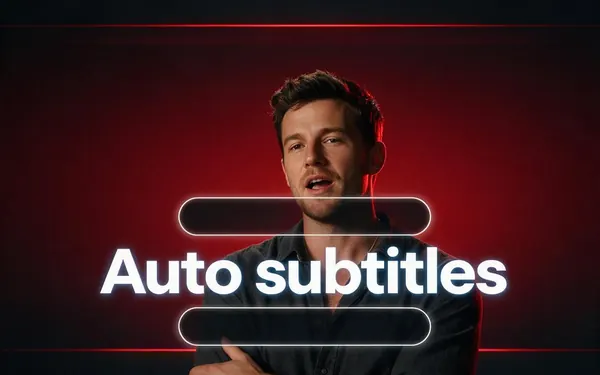
Kenerate Auto Subtitles
Auto subtitles
- Input
- Clip up to 4 min, 100 MB
- Output
- Burned-in MP4, 10 styles, 720p or 1080p
Open Auto subtitlesBest for
Styled captions for Reels, Shorts and ads
Kenerate AI Dubbing
Dubbing and translation
- Input
- Video or audio up to 15 min
- Output
- Dub in 33 languages, voices kept
Open Dubbing and translationBest for
A version in another language
Kenerate Video Upscaler
Sharper, bigger video
- Input
- Clip up to 5 min, 100 MB
- Output
- 720p, 1080p, 2K or 4K
Open Sharper, bigger videoBest for
Old or soft footage
- VEED model
VEED Fabric 1.0 (in Avatar Talk)
Talking photo
- Input
- Photo + up to 5 min of speech
- Output
- 480p or 720p talking video
Open Talking photoBest for
UGC and ad-style presenters
- VEED model
VEED Lipsync 2 (in Avatar Talk)
Lip sync a video
- Input
- Video + audio up to 5 min
- Output
- The same clip, new speech
Open Lip sync a videoBest for
Re-voicing a dubbed clip
Kenerate Video Joiner
Join clips
All models (7)
VEED or another editor
Timeline editing, screen recording
- Input
- Your footage
- Output
- An edited project
Open Timeline editing, screen recordingBest for
Everything Kenerate doesn't do
Auto Subtitles, AI Dubbing, the Video Upscaler and Avatar Talk bill credits on any plan; the Video Joiner is in the Video Studio, which needs a paid plan.
Tips
When to stay with VEED
Honest cases where VEED is the better tool.
You cut, trim and arrange footage on a timeline in the browser.
You need SRT, VTT or TXT subtitle files, or edit caption words and timing by hand.
You want subtitles translated into another language in the same step.
You record your screen or webcam, or use a teleprompter.
Your team shares seats, a brand kit and templates.
You need audio clean-up such as background-noise removal or eye-contact correction.
FAQ
VEED alternative — questions
8 questions

What is the best VEED alternative?
It depends on what you use VEED for. For timeline editing in the browser, look at another editor — the lists we read in October 2026 name Riverside, Kdenlive, OBS Studio, Movavi and Wistia, depending on whether you record, edit or host. For the AI steps — burned-in subtitles, dubbing, upscaling and talking-photo videos — Kenerate AI does those with no watermark and no subscription, and it runs VEED's own Fabric 1.0 and Lipsync 2 models.
Link to this answerCan Kenerate replace VEED completely?
No. Kenerate has no timeline, so it can't cut, trim, arrange clips, add text overlays or record your screen. It replaces the AI jobs: subtitles, dubbing, upscaling, joining a few clips and talking videos. If you edit every day, keep an editor and use Kenerate next to it.
Link to this answerIs there a free VEED alternative without a watermark?
VEED's help centre says free exports carry a VEED watermark and that its Lite, Pro and Enterprise plans remove it. Kenerate adds no watermark on any plan. New accounts get 25 credits, which covers one Auto Subtitles job on a clip up to 1 minute at 720p (20 credits); after that, one-time packs start at $15.
Link to this answerDoes Kenerate export SRT subtitle files like VEED?
No. Kenerate's Auto Subtitles burns the captions into the video in one of 10 styles and doesn't export SRT, VTT or TXT files or let you edit the words. VEED does both. If you upload captions to YouTube as a file, VEED or another subtitle editor is the better choice.
Link to this answerCan I use VEED Fabric on Kenerate?
Yes. Avatar Talk runs VEED Fabric 1.0: upload a photo and up to 5 minutes of speech and it returns a talking video at 480p or 720p, at 21 credits a second at 480p. VEED's own page lists 10 seconds per generation on the free tries and up to 30 seconds on paid plans, at 240 VEED credits a generation.
Link to this answerCan Kenerate translate a video like VEED?
Yes, as a dub rather than translated subtitles. AI Dubbing makes a version in one of 33 languages from a video up to 15 minutes, keeping the original voices; you can then run VEED Lipsync 2 so the mouth matches. VEED also translates subtitles, which Kenerate's Auto Subtitles doesn't.
Link to this answerCan Kenerate join clips together?
Yes, simply. The Video Joiner in the Video Studio stitches 2–4 clips into one MP4 for 40, 80 or 120 credits, on a paid plan. Kenerate Agent can build a montage of 2–20 clips, up to 3 minutes, with trims, music or a voice-over. Neither is a timeline: you can't move cuts frame by frame.
Link to this answerIs Kenerate cheaper than VEED?
They bill differently. VEED charges per seat per month or year, and its credits and translation minutes don't roll over. Kenerate has no subscription: you buy a one-time pack (from $15 for 1,300 credits) and pay per job — for example 20 credits to subtitle a clip of up to a minute at 720p. Which is cheaper depends on how much you edit.
Link to this answerIn depth
Choosing between VEED and Kenerate
On this page
What VEED is
VEED is an online video editor that has grown into an AI video platform: a browser timeline, auto and dynamic subtitles with SRT export and translation, dubbing, AI presenters and clones, a brand kit, a screen recorder and teleprompter, and generative models including its own Fabric 1.0 [1][3]. Plans are charged per seat, and free exports carry a watermark [2][4].
What Kenerate replaces — and what it doesn't
Kenerate is a set of AI tools, not an editor. Auto Subtitles burns captions into clips up to 4 minutes, AI Dubbing makes a version in 33 languages, the Video Upscaler takes clips up to 5 minutes to 4K, the Video Joiner stitches 2–4 clips, and Avatar Talk runs VEED Fabric 1.0 and VEED Lipsync 2. It doesn't cut or arrange footage, export subtitle files, translate captions or record your screen.
Running VEED's models without VEED's editor
VEED's Fabric 1.0 turns a photo and an audio track into a talking video. In VEED's app a generation runs up to 10 seconds on the free tries and 30 seconds on paid plans [5]. In Kenerate's Avatar Talk the same model takes up to 5 minutes of speech in one run, billed per second. VEED Lipsync 2 re-voices an existing clip, which pairs well with a dub.
Questions to ask before switching
Five questions settle most cases.
- Do I edit on a timeline most days? Then keep VEED or another editor.
- Do I need subtitle files or to correct caption words? VEED does; Kenerate burns captions in.
- Do I mostly subtitle, dub or upscale finished clips? Kenerate does that without a watermark.
- Do I make talking-photo videos longer than 30 seconds? Fabric 1.0 on Kenerate runs up to 5 minutes.
- Do several people need seats and a shared brand kit? That's VEED's model, not Kenerate's.
Explore
Every Kenerate video tool
Generators, tools, models and guides — all in one studio.
By the Kenerate AI teamLast updated and reviewed
Sources: VEED — home page · VEED — pricing FAQ · VEED — auto subtitle generator · VEED help — watermark on free exports · VEED — Fabric 1.0