

Text to video · photo to video · 9:16 and 16:9
AI Christmas Video Generator — snowy scenes, greeting clips and your photo in motion
Describe a Christmas scene or start from a photo, pick a video model and get a clip with sound — a snow globe, a tree lighting up, a fireplace greeting — sized for a story, a reel or the TV.
- Clips from 2 to 30 seconds
- Text or a photo as the start
- Sound on or off
- No watermark
Updated by the Kenerate AI team
On this page
Quick answer
How do you make a Christmas video with AI?
An AI Christmas video generator turns a text prompt or a photo into a short festive clip: snow falling on a village, a tree lighting up, a gift being opened, a greeting by the fire. On Kenerate AI you write the scene in Video Studio and pick a model: Wan 3.0 for cheap drafts and longer scenes (2–30 s, 15 credits a second at 480p), Seedance 2.0 to animate a photo or start frame with sound (4–15 s, 36 credits a second at 480p), or Seedance 2.5 for cinematic shots up to 30 s and 4K. Every clip downloads without a watermark.
Key facts
- Inputs
- Text prompt, or an image as the start frame (image to video)
- Ratios
- 9:16 · 16:9 · 1:1 · 4:3 · 3:4 (Seedance also 21:9)
- Watermark
- None
How to
How to make a Christmas video with AI
- Time needed
- Steps
- 4 steps
Step 1
Pick the format first
9:16 for Stories, Reels, TikTok and WhatsApp; 16:9 for YouTube or a TV at the party; 1:1 for a square post.
Step 2
Make a start frame (optional)
For a scene that must look exactly right — your living room, your logo on a gift tag — make the still in Image Studio first, in the same ratio. It becomes the first frame of the video.
Step 3
Write the scene
One subject, one action, one camera move, then the light and the sound: “snow falls on a glowing tree, slow push-in, warm fairy lights, soft sleigh bells”. Put any spoken greeting in quotes.
Step 4
Choose the model
Wan 3.0 at 480p to try ideas cheaply; Seedance 2.0 to animate your start frame or photo with sound; Seedance 2.5 for the final cinematic version, up to 30 s.
See it in the app

Open Video Studio in Text to Video mode and write the shot — subject, action, camera move and light.


Watch the tour · 1:19
Text, image & reference to video, models, edit, extend & chat
Chapters
Checked 22 October 2026
Which Christmas video do you need?
Four things people mean by an AI Christmas video, and where each one is made on Kenerate.
| Scene clip | Photo to Christmas clip | Talking Santa | Dancing elf | |
|---|---|---|---|---|
| Made in | Video Studio (text to video) | Video Studio (image to video) | Voice Studio → Avatar Talk | Video Studio (dance transfer) |
| Best model | Wan 3.0 or Seedance 2.5 | Seedance 2.0 | Kenerate Avatar | See the elf page |
| Length | 2–30 s | 4–15 s | Up to 10 min of speech | Short dance clip |
| Example cost | 5 s at 480p: 75 credits | 8 s at 480p: 288 credits | 30 s at 720p: about 252 | See the elf page |
| Guide | This page | This page | AI Santa video generator | AI elf video generator |
Engines
The models behind a Christmas video
From the app's own model lists, 22 October 2026. Credits are per image or per second of video.
- Drafts
Alibaba
Wan 3.0
- Input
- Text or image
- Output
- 2–30 s · 480p–1080p · sound on or off · 15 credits/s at 480p
Open Wan 3.0Best for
Cheap drafts, snowy villages, long scenery shots
- Photo to video

ByteDance
Seedance 2.0
- Input
- Start frame + prompt
- Output
- 4–15 s · up to 4K · sound · 36 credits/s at 480p
Open Seedance 2.0Best for
Turning a photo or start frame into a Christmas clip
- Cinematic

ByteDance
Seedance 2.5
- Input
- Text, image or up to 30 references
- Output
- 4–30 s · up to 4K · 54 credits/s at 480p, 108 at 720p
Open Seedance 2.5Best for
The cinematic final cut: tree lighting, multi-shot scenes
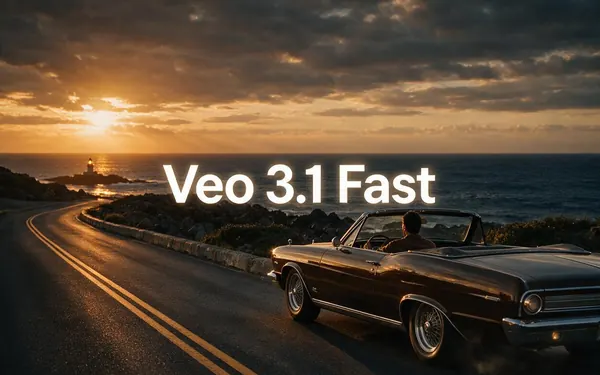
Google
Veo 3.1 Fast
- Input
- Text or image
- Output
- 4, 6 or 8 s · 720p–4K · 45 credits/s with sound
Open Veo 3.1 FastBest for
An 8-second moment with rich ambient sound
- Start frame

OpenAI
GPT Image 2.5 Sunburst
- Input
- Text prompt
- Output
- Still image · 7.2 credits at 1K
Open GPT Image 2.5 SunburstBest for
The start frame, with “Merry Christmas” lettered in
Video Studio needs a paid plan. The studio shows the exact price before every render.
Tips
Christmas clips that look right
What separates a cosy festive clip from a melting, flickering one.
Keep the action small: snow falling, lights twinkling, a slow camera push — big crowds and fast dancing break first.
Name the light: warm fairy lights, candle glow, blue winter dusk. It sets the mood more than any adjective.
Want text like “Merry Christmas”? Letter it into the start frame in Image Studio, not into the video prompt.
Leave ages and words like “kids” or “child” out of prompts — the content filter blocks them. Write the scene, not the family.
Only animate photos of adults who agreed; don't upload photos of children or of anyone famous.
Draft at 480p and 5 seconds, then spend on the version you'll actually send.
FAQ
AI Christmas Video Generator questions
10 questions
How do I make a Christmas video with AI?
Open Video Studio, pick a ratio (9:16 for phones, 16:9 for a TV), describe the scene — subject, action, camera move, light and sound — and choose a model. Wan 3.0 makes cheap drafts from 2 to 30 seconds; Seedance 2.0 animates a start frame or photo with sound; Seedance 2.5 makes cinematic clips up to 30 seconds and 4K. Download without a watermark.
Link to this answerIs there a free AI Christmas video generator?
Not on Kenerate: Video Studio needs a paid plan, and a new account's 25 starter credits don't cover a clip. Plans are one-time packs with no subscription, from $15 for 1,300 credits — enough for about seventeen 5-second Wan 3.0 drafts at 480p. You can make and test the start frame for free with Qwen Image 3.0, a free-plan image model.
Link to this answerWhat is the best AI Christmas video generator?
It depends on the clip. For quick, cheap ideas, Wan 3.0 at 15 credits a second. To bring a photo or a designed start frame to life with sound, Seedance 2.0. For the most cinematic result and clips up to 30 seconds, Seedance 2.5. On Kenerate all of them sit in one studio, so you can draft on one and finish on another.
Link to this answerCan I turn a family photo into a Christmas video?
Yes, for photos of adults who agreed. Add the photo as the start frame in Seedance 2.0 and describe what happens: snow starts falling, the lights behind them twinkle, they raise their mugs. Don't upload photos of children — the content filter blocks prompts about children, and a child's image is their personal data.
Link to this answerHow do I make a Merry Christmas greeting video?
Make a start frame in Image Studio with “Merry Christmas” lettered in — GPT Image 2.5 Sunburst handles text well — then animate it in Seedance 2.0: snow drifting past the lettering, lights flickering on. If someone should say the greeting, put the line in quotes in the video prompt.
Link to this answerHow long can an AI Christmas video be?
Up to 30 seconds per clip on Wan 3.0 or Seedance 2.5, up to 15 seconds on Seedance 2.0 and up to 8 seconds on Veo 3.1 Fast. For a longer video, make several clips and join them in any video editor.
Link to this answerHow much does an AI Christmas video cost?
A 5-second Wan 3.0 draft at 480p is 75 credits; 10 seconds at 720p is 300. An 8-second Seedance 2.0 clip is 288 credits at 480p. Seedance 2.5 is 108 credits a second at 720p, so 10 seconds is 1,080. The studio shows the exact price before you generate.
Link to this answerCan the video have Christmas music or sound?
Wan 3.0, Seedance and Veo 3.1 Fast can make their own sound — sleigh bells, a crackling fire, wind, a spoken line. For a full song, make one with the AI Christmas song generator and lay it under the clip in a video editor.
Link to this answerCan I make a Christmas animation or cartoon?
Yes. Name the style in the prompt — 3D animated, claymation, hand-drawn, anime — or make a start frame in that style first and animate it. A styled start frame keeps the look steadier from frame to frame.
Link to this answerWhich format should I use for Instagram, TikTok or YouTube?
9:16 vertical for Reels, TikTok, Stories and WhatsApp, 1:1 for a square feed post, 16:9 for YouTube and TVs. Make any start frame in the same ratio so the video keeps the framing.
Link to this answerIn depth
AI Christmas Video Generator, explained
On this page
What is an AI Christmas video generator?
It's a video model you point at a Christmas scene. You describe what should happen — or give it a picture to start from — and it renders a short clip with motion, light and, on most current models, sound. There's no template library to pick from: the scene is whatever you write.
Two starting points cover almost every Christmas clip. Text to video is fastest for scenery: villages, trees, snow globes. Image to video is better when the clip must match something exact — a designed greeting, your living room, a photo of the people in it — because the picture becomes the first frame.
Which model for which Christmas clip?
Pick by what the clip has to do:
- Trying ideas, or a long scenery shot — Wan 3.0: 2–30 seconds, 15 credits a second at 480p.
- Animating a greeting you designed, or a photo — Seedance 2.0: 4–15 seconds with sound, 36 credits a second at 480p.
- The polished final version, multi-shot or up to 30 seconds — Seedance 2.5: up to 4K, 108 credits a second at 720p.
- A talking Santa with your own script — the AI Santa video generator walks through Voice Studio and Avatar Talk.
- You as a dancing Christmas elf — the AI elf video generator.
What other AI Christmas video tools say
From each vendor's own page, read on 22 October 2026 [1][2]:
- FlexClip: makes Christmas videos, intros and music from text, a Christmas photo or a melody; the page gives no clip length, model names or per-video price.
- Fotor's Christmas video maker: 3–15 second clips at 720p to 4K in 16:9, 9:16 or 1:1, naming Veo 3, Kling, Hailuo, Seedance and Wan; it calls itself free with credits but lists no cost per clip.
- Kenerate: clips from 2 to 30 seconds, a credit price per second published on this page, and the price shown in the studio before every render.
Making the season's batch without overspending
A plan that works for a set of greeting clips:
- Draft every idea on Wan 3.0 at 480p for 5 seconds — 75 credits each.
- Keep the two or three that work; make start frames for them if the framing needs fixing.
- Render the keepers at 720p on Seedance 2.0 or 2.5, in 9:16 for phones and 16:9 for the TV.
- Add a song from the Christmas song generator in any editor, or keep the model's native sound.
1. Snow globe (Wan 3.0, text)
Close-up of a glass snow globe on a wooden windowsill, a tiny snowy village with glowing windows inside, snow swirling slowly after a gentle shake, warm fairy lights blurred in the background, slow orbit around the globe, soft music-box sound.
2. Tree lighting (Seedance 2.5, text)
A tall Christmas tree in a dark, cosy living room; the lights switch on from the bottom to the star in one smooth wave, warm glow filling the room, ornaments sparkling, slow push-in from the doorway, a soft gasp and gentle chimes.
3. Fireplace greeting (Seedance 2.0, start frame)
Start frame: a stone fireplace with stockings, garlands and a lettered “Merry Christmas” sign. Prompt: the fire crackles and flickers, snow drifts past the window behind, the sign's lights blink on one by one, steady camera, crackling fire and soft sleigh bells.
4. Gift reveal (Seedance 2.0, text or start frame)
Hands untie a red satin ribbon on a gold gift box on a table under the tree, the lid lifts and warm golden light and a few snowflakes spill out, slow-motion close-up, rustle of paper and a bright chime.
5. Snowy village at dusk (Wan 3.0, text)
Wide shot of a small snowy village at blue dusk, warm windows glowing, a lit Christmas tree in the square, light snow falling, slow aerial drift toward the tree, distant church bells and wind.
6. Your photo, snowed in (Seedance 2.0, photo)
Start frame: your photo of adults who agreed, in coats. Prompt: soft snow begins to fall around them, the string lights behind them twinkle, they smile and raise their mugs toward the camera, gentle push-in, quiet carol music in the distance.
Explore
Every Kenerate video tool
Generators, tools, models and guides — all in one studio.
Make your Christmas video
Your scene, your length, your format. No watermark.
Tried it? Tell us how it went