Dogs · cats · any pet · 2–30 s · with sound
Animate a pet photo with AI — your dog or cat, moving like they do
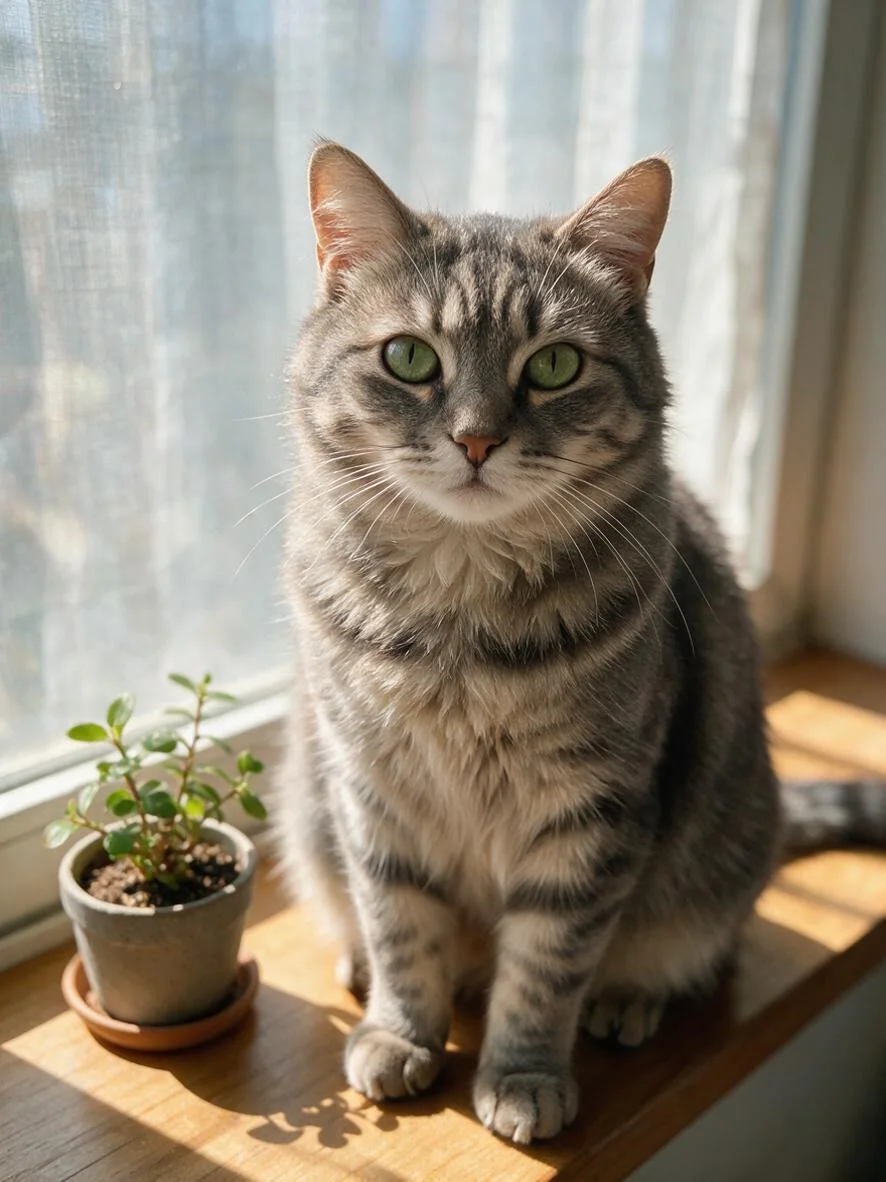
Upload one photo of your dog, cat or rabbit, describe a small thing they always do, a head tilt, a tail wag, a glance out of the window, and get a short clip that keeps their face, fur and markings.
- One photo of your pet
- Markings and eye colour kept
- Natural moves you describe
- Native sound or silent
Updated by the Kenerate AI team




On this page
Quick answer

How do I animate a photo of my pet?
To animate a pet photo, upload a sharp photo of your dog or cat to Kenerate's Video Studio in image-to-video mode and describe one or two everyday moves: “the cat turns its head to the window, then looks back at the camera”. Wan 3.0 makes a 2–30 s clip; our 5-second 480p tabby cost 75 credits and kept its green eyes and stripes.
Key facts
- Input
- One pet photo + a motion prompt
- Default model
- Wan 3.0 (Alibaba)
- Clip length
- 2–30 s on Wan 3.0
- Resolution
- 480p–1080p on Wan 3.0, up to 4K on Seedance 2.5
- Shapes
- Keep the photo's shape, or 9:16 · 3:4 · 1:1 · 4:3 · 16:9
- Sound
- Barks, purrs and ambience generated with the clip, or off
- Plan
- Video Studio needs a paid plan
Real results
Pet photos, animated
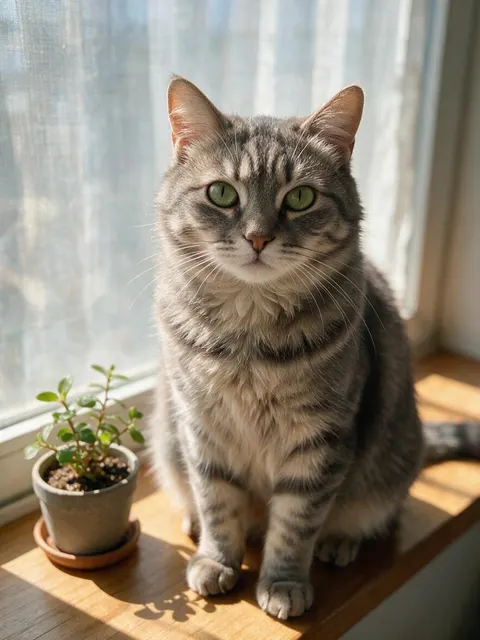
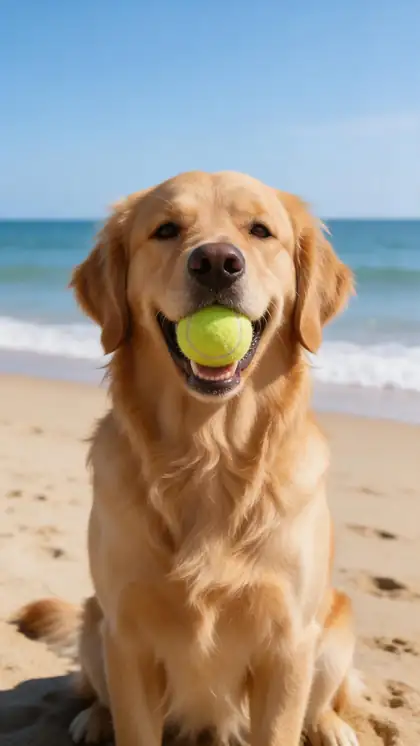
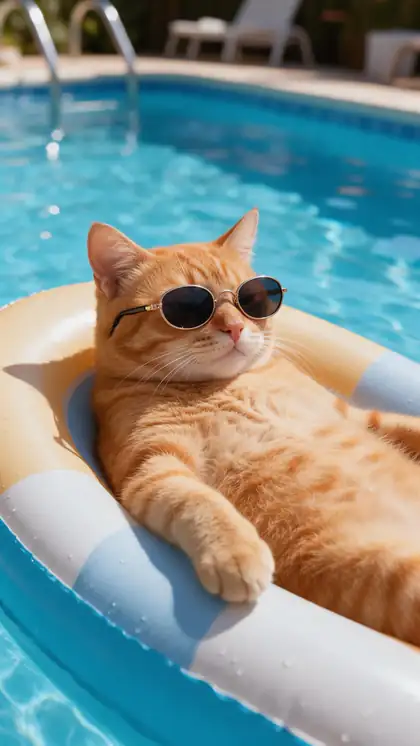
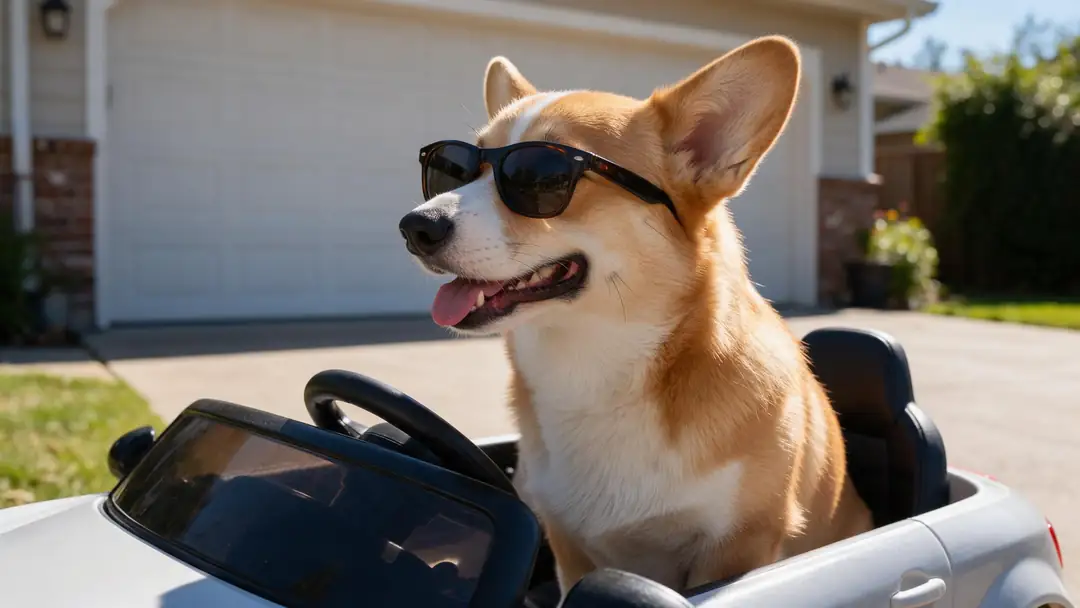
Four pet photos made with Seedream 5.0 Pro and animated from a single frame each: a calm tabby, a beach dog, a cat in sunglasses and a corgi in a toy car. Open one to copy both prompts.
Real, unedited image-to-video clips. The tabby was made for this page on 18 November 2026; the others come from our dancing-dog and video-to-cartoon pages.
How to
How to animate a pet photo in 5 steps
- Time needed
- Steps
- 4 steps
Step 1
Pick a sharp photo
Eyes in focus, the whole pet in frame, some space around them. One pet per photo gives the cleanest result.
Step 2
Open the Video Studio in image-to-video mode
Upload the photo as the start frame. Leave the ratio empty to keep its shape, or pick 9:16 for Reels and TikTok.
Step 3
Describe one or two things your pet does
“Turns its head to the window, then looks back at the camera”, “wags its tail and tilts its head”. Add “static camera”.
Step 4
Choose sound and length
Describe the sound (a bark, a purr, waves) or switch it off. 5 seconds is enough to see if the motion looks like your pet.
See it in the app

Open Video Studio in Text to Video mode and write the shot — subject, action, camera move and light.


Watch the tour · 1:19
Text, image & reference to video, models, edit, extend & chat
Chapters
Checked 19 November 2026
Animate, dance or talk: which pet video do you want?
Kenerate has a page for each. Pick by what your pet should do.
| Animate a pet photo | Dancing pet | Talking pet | |
|---|---|---|---|
| What your pet does | Something they really do: a glance, a wag, a run | A dance routine to music | Speaks a line, lips in sync |
| You provide | One photo + a short motion prompt | One photo + a dance prompt | One photo + a line or a voice |
| Best for | Keepsakes, memorial clips, everyday posts | Funny Reels and TikToks | Birthday messages and jokes |
| Guide | This page | AI dancing dog generator | AI talking animals generator |
All three run in Kenerate's Video Studio on image-to-video models.
Sources: Kenerate Video Studio · Kenerate AI terms of service
Engines
Which model to animate a pet photo with
From the Video Studio's live model list. Every model here takes your pet photo as the first frame.
- Used here
Alibaba
Wan 3.0
- Input
- Photo + prompt (+ end frame)
- Output
- 2–30 s · 480p–1080p · sound on or off
Open Wan 3.0Best for
Everyday pet moves with barks and purrs
- Used here

xAI
Grok Imagine 1.5
- Input
- Photo + prompt
- Output
- 1–15 s · 480p–1080p
Open Grok Imagine 1.5Best for
Funny, playful pet scenes
Kuaishou
Kling v3 Pro
- Input
- Photo + prompt
- Output
- 3–15 s · sound
Open Kling v3 ProBest for
Expressive faces: a head tilt, a yawn
ByteDance
Seedance 2.5
- Input
- Photo + prompt (+ end frame)
- Output
- 4–30 s · up to 4K · sound
Open Seedance 2.5Best for
Longer, cinematic pet clips in 4K
Lightricks
LTX 2.3
- Input
- Photo + prompt
- Output
- 5–20 s · up to 1080p · silent
Open LTX 2.3Best for
Cheapest silent drafts
Three of the four clips above were made on Wan 3; the pool cat on Grok Imagine 1.5.
Tips
Prompts that keep your pet looking like your pet
From our tabby run on 18 November 2026 and the other clips above.
"The cat turns its head to the window, then looks back at the camera, static camera." Ours kept its green eyes and stripes.
"The dog tilts its head, wags its tail and its ears perk up, static camera, a happy bark."
Small moves keep the face truest; running and jumping make the model invent legs and fur.
Ask for a sound you want to hear: our tabby's “soft purr” came out almost silent, so check the track.
Two pets in one photo work, but give each one its own small move.
Funny scenes (a toy car, sunglasses) work best when the props are already in the photo.
FAQ
Animate pet photo questions
8 questions

How do I animate a photo of my pet?
Upload a sharp photo of your pet to Kenerate's Video Studio in image-to-video mode, describe one or two everyday moves, such as “turns its head to the window, then looks back at the camera, static camera”, and generate 5 seconds on Wan 3.0. Check the face and markings, then download the MP4.
Link to this answerWill my pet still look like my pet?
Usually, if the motion is small. Our tabby kept its green eyes, stripes and the plant next to it while it turned its head and looked back. Big moves like running or jumping make the model invent fur and legs it can't see, which is where pets start to look different.
Link to this answerCan I animate my dog's or cat's photo for free?
Not on Kenerate: animating a photo is video generation, which needs a paid plan. On Wan 3.0, 5 seconds cost 75 credits at 480p and 150 at 720p; our tabby clip cost 75 credits plus 13.5 for the photo. Clips have no watermark.
Link to this answerCan I make my pet talk or dance?
Yes, with a different prompt. Our AI talking animals generator page covers a pet speaking a line, and the AI dancing dog generator page covers dance routines. This page is for natural motion your pet really does.
Link to this answerCan I animate a photo of a pet that has passed away?
Yes, and many people do. Keep the motion gentle, a blink or a glance, and the sound quiet. The clip is an AI interpretation of the photo, not how your pet really moved, so keep the original photo with it.
Link to this answerDoes the animated pet photo have sound?
It can. Wan 3.0 generates sound with the clip: our beach dog barks with waves behind it. The sound is a guess too; our tabby's purr came out almost silent. Switch sound off on Wan 3.0 at the same price and add your own.
Link to this answerWhich pets can I animate?
Any animal the model recognises: dogs, cats, rabbits, birds, horses, reptiles. Clear photos with the eyes in focus work best; tiny pets in a big room are harder.
Link to this answerHow long can the clip be?
2 to 30 seconds on Wan 3.0, up to 15 seconds on Grok Imagine 1.5. Five seconds is enough for most pet moments, and short clips loop well.
Link to this answerIn depth
Animating pet photos, explained
On this page
How one photo becomes a clip
The model takes your photo as the first frame and predicts what happens next from the prompt. Everything visible in the photo, the fur pattern, the eye colour, the collar, carries into the clip. Anything the photo doesn't show, such as the other side of the face or a hidden paw, has to be invented, which is why small moves stay truest.
Our test: a tabby at the window
On 18 November 2026 we made a photo of a grey tabby with Seedream 5.0 Pro and animated it on Wan 3.0, 5 seconds at 480p, first try:
- Moved as asked: the cat turns its head to the window and back to the camera; the plant's leaves move a little.
- Kept: green eyes, stripes, the windowsill light and the potted plant, frame after frame.
- Not as asked: the soft purr we wanted is almost silent in the track.
- Cost: 75 credits for the clip, 13.5 for the photo.
Photos that animate best
What gives the cleanest clips:
- Eyes sharp and facing the camera.
- The whole pet in frame, with some space around it.
- Good light and a calm background.
- One or two pets, not a pile of them.
- Props (a ball, a toy car) already in the photo if the motion uses them.
Pet animator
Any image-to-video model becomes a pet animator when you upload a pet photo. The prompt does the work: one familiar move, a static camera and the sound you want.
Animate a dog photo
Dogs read best with a wag, a head tilt, ears perking up or a short run toward the camera. A photo with the whole dog in frame gives the model legs and tail to move.
Animate a cat picture
Cats suit slow moves: a blink, a glance away and back, a tail flick, a stretch. Our tabby turned to the window and back without changing its markings.
Pet memorial video
Animate two or three favourite photos with gentle motion and no loud sound, then join them in an editor. Show it to family first; some find it comforting, others don't.
Explore
Every Kenerate video tool
Generators, tools, models and guides — all in one studio.
By the Kenerate AI teamLast updated and reviewed
Sources: Kenerate Video Studio · Kenerate AI terms of service

Animate your pet's photo
One photo, one familiar move, a clip with sound. No watermark.
Tried it? Tell us how it went