

VEED
VEED Fabric 1.0
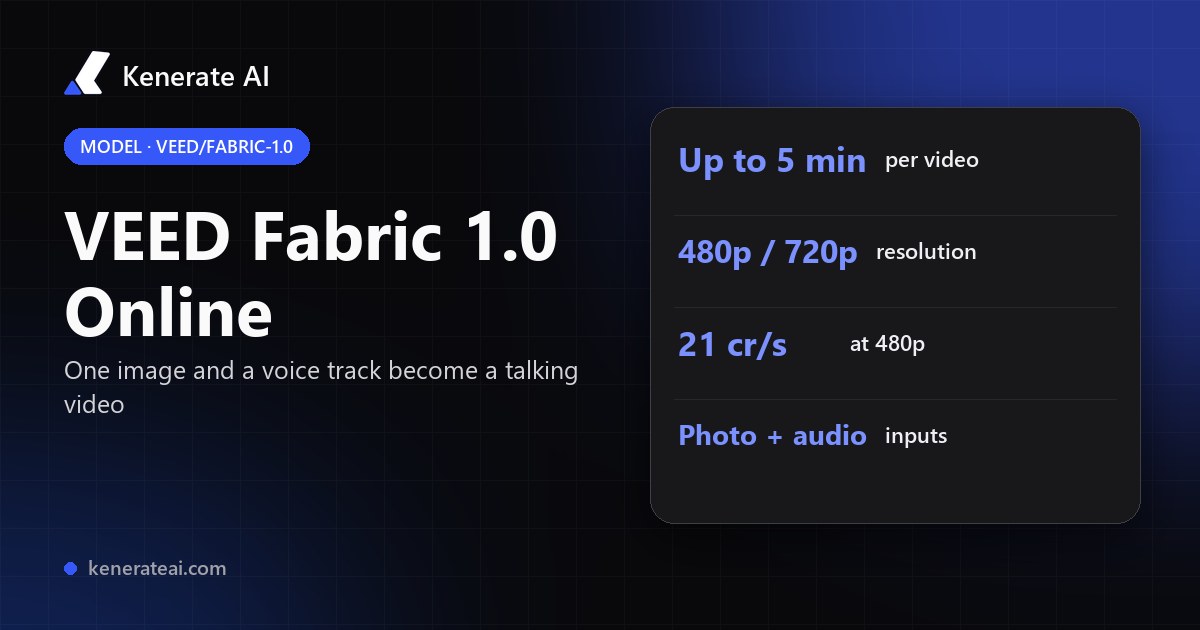
VEED's Fabric 1.0 talking-video model in your browser: one image and a voice track become a lip-synced talking video up to 5 minutes long, at 480p or 720p, with no VEED subscription and no API key.
- Release
- Added to VEED's editor on 15 September 2025; the API followed on 25 September 2025
- What it does
- Image + audio to a talking video: lip sync with head and facial motion, generated from the still
- Inputs
- One image (up to 20 MB on Kenerate) and one speech track (upload, pick from your library or record), up to 5 minutes
- Output
- MP4 talking video at 480p (default) or 720p, as long as the speech
- Real specs
- Official sources
- Free to start
- No watermark
Updated by the Kenerate AI team




On this page
What is VEED Fabric 1.0?

What is VEED Fabric 1.0?
VEED Fabric 1.0 is VEED's image-to-video model that turns one still image and an audio track into a talking video, with lips, head and expression following the speech. VEED launched it in September 2025. It works with photos, illustrations, animals and anime characters. On Kenerate AI it runs in Avatar Talk for up to 5 minutes per video, at 21 credits a second at 480p or 42 at 720p, billed on the length of the speech.
Key facts
- Official name
- VEED Fabric 1.0
- API ID
- veed/fabric-1.0
- Maker
- VEED
- Released
- September 2025
- Inputs
- 1 image + 1 speech track
- Resolution
- 480p or 720p
- Length
- 3 s to 5 min of speech
- Works on
- Photos, illustrations, animals, anime
- On Kenerate
- 21 cr/s (480p) · 42 cr/s (720p)
- Billing
- Per second of speech, min 3 s
Models
VEED Fabric 1.0 on Kenerate
Every version in the generator, and what each is good at.
VEED
VEED Fabric 1.0
- Reference images
- 1 image · 1 audio
- Output
- Up to 5 min · 480p or 720p
Open VEED Fabric 1.0Best for
A still image speaks: polished UGC, ad and explainer talking heads
VEED
VEED Lipsync 2
- Reference images
- 1 video · 1 audio
- Output
- Up to 5 min
Open VEED Lipsync 2Best for
VEED's other model: puts new speech on an existing video
MeiGen-AI
InfiniteTalk
- Reference images
- 1 image · 1 audio
- Output
- Up to 10 min · 480p or 720p
Open InfiniteTalkBest for
Cheaper open-source talking photo, one or two speakers
ByteDance
OmniHuman 1.5
- Reference images
- 1 image · 1 audio
- Output
- Up to 60 s
Open OmniHuman 1.5Best for
Full-body acting with gestures for hero clips
From our tests
Strengths and limits
Good at

- One image and one voice track: no driving video, no rigging, no green screen. The talking video is built from the still.
- Not only portraits: VEED shows Fabric on illustrations, animals and anime characters as well as photos.
- Long takes: up to 5 minutes per video on Kenerate, where VEED's own editor stops at 30 seconds a generation.
- Pay for what you use: billed per second of speech, so a 10-second hook at 480p is 210 credits.
Limits
- No real Fabric clips on this page yet. We only show a model's own outputs, so run a short test first (a 5-second line at 480p is 105 credits).
- Output tops out at 720p. For 1080p presenters use Kenerate Avatar, and for full-body gestures use OmniHuman 1.5.
- There's no text prompt or emotion control in Avatar Talk: the speech drives everything. VEED's script tags such as [excited!] are a VEED-editor feature.
- Use your own face, a consenting person's photo or a fictional character, never a real person without permission. The minimum run (3 s at 480p, 63 credits) is more than the 25 starter credits.
How to
How to use VEED Fabric 1.0 on Kenerate
Step 1
Open Avatar Talk
Go to /app/avatar-talk and pick VEED Fabric 1.0 (the button on this page selects it) in Talking photo mode.
Step 2
Add the image
Upload a clear, well-lit image of one face, up to 20 MB: a photo, an illustration or a character. Frame it the way you want the video to look.
Step 3
Add the speech
Upload or choose a voice track (3 s to 5 min), or record one with your microphone. Clean speech without music gives the best lip sync.
Step 4
Pick 480p or 720p and generate
480p costs 21 credits a second, 720p costs 42. The exact price for your track shows before you generate, and the video lands in your library.
See it in the app

Open Avatar Talk, pick Talking photo, script to video or lip sync, and choose the engine.


Watch the tour · 2:23
Talking photos, script to video, engines, any language, presenters, lip sync & chat
Chapters
FAQ
VEED Fabric 1.0 questions
10 questions

What is VEED Fabric 1.0?
VEED Fabric 1.0 is VEED's AI talking-video model. You give it one still image and an audio track, and it generates a video of that subject speaking, with lips, head and expression following the speech. VEED added it to its editor in September 2025 and released an API the same month. It appears on model platforms as veed/fabric-1.0.
Link to this answerHow much does VEED Fabric cost on Kenerate?
21 credits per second of speech at 480p and 42 at 720p, with anything under 3 seconds billed as 3. A 30-second talking video costs 630 credits at 480p or 1,260 at 720p. Credits come in one-time packs that never expire, from $15 for 1,300 credits. There's no subscription.
Link to this answerHow long can a Fabric video be?
Up to 5 minutes of speech per video on Kenerate. The video runs as long as your audio. VEED's own editor limits Fabric to 10 seconds a generation on the free tries and 30 seconds on paid plans, so longer pieces there are stitched from several clips.
Link to this answerWhat resolution does VEED Fabric 1.0 make?
480p or 720p. 480p is the default and costs half as much. If you need 1080p, Kenerate Avatar in the same studio renders 720p or 1080p presenter videos.
Link to this answerCan Fabric animate a cartoon or an illustration?
Yes. VEED shows Fabric working on illustrations, anime characters and animals as well as photos. A clear, front-facing face with a visible mouth gives the most convincing lip sync.
Link to this answerIs VEED Fabric free?
VEED gives every account 3 free Fabric generations of up to 10 seconds in its own editor. On Kenerate, Avatar Talk doesn't need a paid plan, but the smallest Fabric run (3 seconds at 480p) costs 63 credits, more than the 25 starter credits, so you'll need a credit pack.
Link to this answerVEED Fabric vs VEED Lipsync: what's the difference?
Fabric makes a talking video from a still image. VEED Lipsync 2 takes a video you already have and re-syncs the mouth to new speech. On Kenerate, Fabric is in Avatar Talk's Talking photo mode (21 or 42 credits a second) and VEED Lipsync 2 in Lip sync a video mode (22.5 credits a second).
Link to this answerVEED Fabric vs InfiniteTalk and OmniHuman: which should I use?
Fabric sits in the middle. InfiniteTalk is cheaper (9 credits a second at 480p, up to 10 minutes, one or two speakers). OmniHuman 1.5 costs 48 a second and adds full-body gestures for clips up to a minute. Fabric's strength is polished UGC- and ad-style talking heads from any image, up to 5 minutes.
Link to this answerDoes VEED Fabric need a text prompt?
No. Fabric takes only the image and the audio, and the speech drives the mouth, head and expression. Make the voice first, in Kenerate's voice studio or with your own recording, then pair it with the image in Avatar Talk.
Link to this answerCan I use a photo of a celebrity or someone else?
Only with their permission. Use your own photo, a consenting person's photo or a fictional character. Making real people say things they didn't say without consent breaks Kenerate's rules and, in many places, the law.
Link to this answerIn depth
VEED Fabric 1.0, in depth
Background, how to prompt it, and when to pick something else.
On this page
How Fabric works
Fabric builds the video from the still. VEED describes it as turning any image into a talking video with its own lip-sync technology, from a typed, recorded or uploaded voice [1][2]. It isn't a filter over existing footage. VEED put it in its editor on 15 September 2025 and opened the API on 25 September [3]. On API platforms it takes an image and an audio file and returns an MP4 at 480p or 720p [4].
Fabric price next to other talking-photo engines
Per second of speech on Kenerate, in credits. All run in Avatar Talk.
- VEED Fabric 1.0: 21 at 480p, 42 at 720p, up to 5 min, min 3 s. 30 s at 480p = 630.
- InfiniteTalk: 9 at 480p, 18 at 720p, up to 10 min, one or two speakers.
- OmniHuman 1.5: 48, up to 60 s, full-body gestures.
- Sync Lipsync 3: 40.5, up to 5 min, the most exact mouth shapes.
- Re-voicing an existing video instead: VEED Lipsync 2 at 22.5, LatentSync at 3.
Getting a clean Fabric result
Start from an image with one clearly lit face looking roughly at the camera, mouth visible and unobstructed. Use dry speech with no background music: the model follows the voice, and music muddies the mouth shapes. Draft at 480p (half the price), then re-run the keeper at 720p. For a long script, one 5-minute run keeps the same face and framing throughout, with no stitching.
By the Kenerate AI teamLast updated and reviewed
We run these models in the Kenerate generator. Model facts come from the makers' own pages; specs and limits were checked against our code; the examples are our own outputs.
Sources: VEED Fabric 1.0: VEED · Introducing VEED Fabric: VEED blog · VEED adds Fabric 1.0: CGWorld (September 2025) · veed/fabric-1.0 API: fal
