

Converter guide · 6 anime looks · settings
Photo to Anime — which anime look to pick for each photo
Converting a photo to anime is one click; getting a result that still looks like you is about matching the look to the photo. This guide pairs each kind of photo with the anime look and engine that suit it, then covers the settings and the fixes.
- 6 anime looks
- Look picked per photo
- Same face and pose
- No watermark
Updated by the Kenerate AI team
On this page
Quick answer
Updated
How do you convert a photo to anime?
To convert a photo to anime, upload it to Kenerate AI Filter, pick one of 6 anime looks and apply — one restyled image comes back in about 10–60 seconds, depending on the engine. Match the look to the photo: Ghibli for outdoor shots, 90s Anime for night scenes, Chibi for avatars and Shonen Manga for black-and-white panels.
Key facts
- Anime looks
- 6 — Ghibli, 90s Anime, Shonen Manga, Shoujo Sparkle, Chibi, Webtoon
- Input
- One photo · JPG, PNG or WebP · up to 20 MB
- Engines
- 4 — Qwen Image 3 is the default
- Speed
- About 10–20 s on Qwen Image 3, 20–40 s on Seedream 5 Pro
- Settings
- Mix a second look (70/30, Even, 30/70) and a Twist of up to 300 characters
- Result
- One image per run, Compare slider, no watermark
Looks
Which anime look for which photo
Start from the photo you have, not the look you like most. Each card opens AI Filter with that look picked.
Ghibli
Best for outdoor photos with sky, trees or water: the background turns into warm painted scenery and the face softens into gentle, rounded features.
90s Anime
Best for night shots, city streets and train platforms: sharp cel shading and muted VHS-era colour make streetlights and neon read as a retro TV frame.
Shonen Manga
Best for photos with strong side light or an intense expression: it drops colour and turns shadows into solid ink, screentone and speed lines.
Shoujo Sparkle
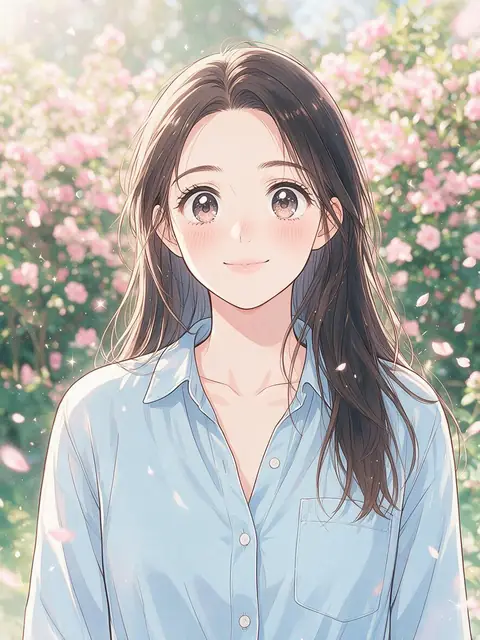
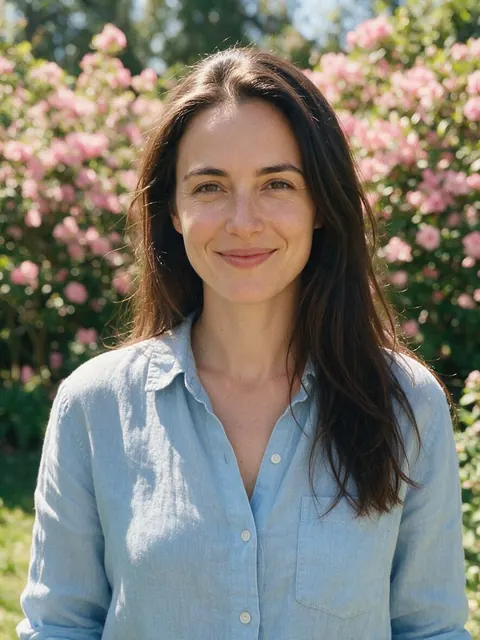
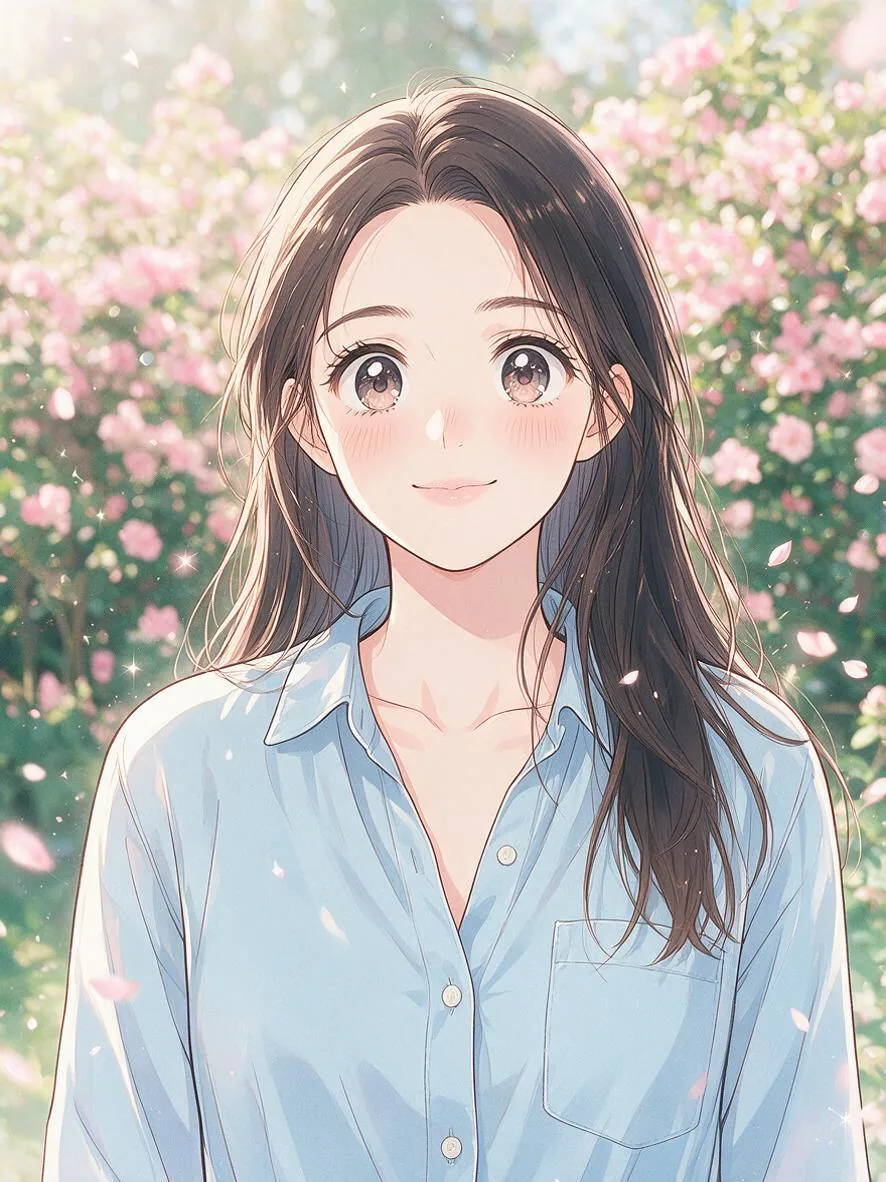
Best for soft portraits, flowers and gentle daylight: huge glossy eyes, pastels and floating petals. The look in the before/after above.
Chibi
Best for profile pictures, stickers and pets: an oversized head on a tiny body. Less literal by design, so pick it when cute matters more than likeness.
Webtoon
Best for clean, front-lit selfies and indoor shots: crisp digital line art and soft-gradient shading, like a modern scrolling comic.
How to
How to convert a photo to anime
Four steps in the browser. Pick the look from the table below if you're unsure which suits your photo.
- Time needed
- Steps
- 4 steps
- You need
- A web browser · One photo (JPG, PNG or WebP)
Step 1
Choose a photo that converts well
A sharp, well-lit picture with the face large in the frame. Upload, use the camera, paste, or pick from History or your Library — JPG, PNG or WebP up to 20 MB.
Step 2
Pick the anime look that matches it
Outdoor scene: Ghibli. Night or city: 90s Anime. Side light: Shonen Manga. Soft portrait: Shoujo Sparkle. Avatar: Chibi. Clean selfie: Webtoon.
Step 3
Set the engine and any extras
Qwen Image 3 is the default and holds the face closest. Add a Twist such as “cherry blossoms behind me”, or Mix with a second look at 70/30.
Step 4
Apply, compare and refine
Drag the Compare slider against the original. Download it, Tweak and run again, Upscale it, or use it as the next photo to stack another look.
See it in the app

Open AI Filter and upload the photo you want to restyle.


Watch the tour · 1:46
56 looks in 7 groups, four engines, before / after, mix two looks, add a twist, hand-offs & chat
Chapters
Engines
Which engine to convert a photo to anime
Every engine can run every anime look. The engine decides how closely the drawing follows your face and how much painted texture you get.
- Default
Alibaba
Qwen Image 3
- Strength
- Fast, faithful to the face · best value (default)
- Typical time
- About 10–20 s
Start here for selfies and portraits you want to stay recognisable — Webtoon, 90s Anime and Shonen Manga.
Open Qwen Image 3 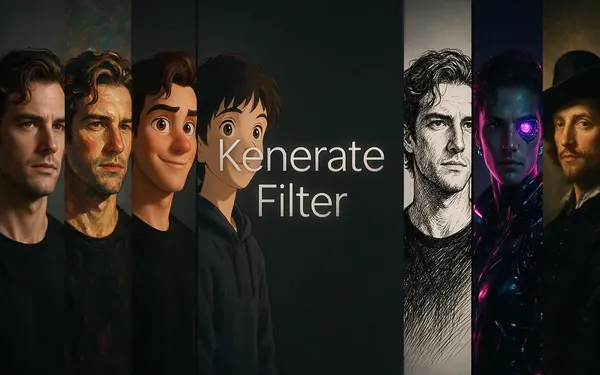
Kenerate
Kenerate Filter
- Strength
- Identity-locked re-render · bold style changes
- Typical time
- About 15–30 s
For Chibi, and for pets: looks that change proportions a lot while the subject should still read as itself.
Open Kenerate Filter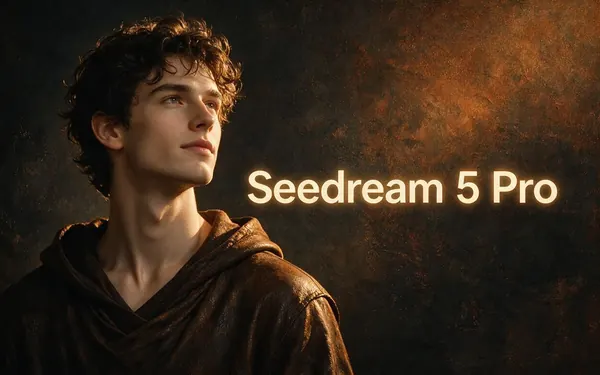
ByteDance
Seedream 5 Pro
- Strength
- Painterly & cinematic looks · rich texture
- Typical time
- About 20–40 s
For painted anime — Ghibli scenery and Shoujo Sparkle pastels with rich texture. The engine in the demo above.
Open Seedream 5 Pro
OpenAI
GPT Image 2
- Strength
- Smartest with complex mixes · toys & posters
- Typical time
- About 30–60 s
For two-look mixes, such as 90s Anime with Cyberpunk, and busy photos that need careful composition.
Open GPT Image 2
Times are typical, not promised. Every engine returns one image per run, and a failed run is refunded automatically.
Compared
Best anime look for each kind of photo
A quick converter cheat sheet: find your photo in the left column, then start with that look and engine.
| Anime look to try | Engine to start on | |
|---|---|---|
| Selfie or headshot, front light | Webtoon, then 90s Anime | Qwen Image 3 |
| Holiday photo outdoors | Ghibli | Seedream 5 Pro |
| Night street, neon, train | 90s Anime, or 90s Anime × Cyberpunk at 70/30 | Qwen Image 3; GPT Image 2 for the mix |
| Dramatic side light, action pose | Shonen Manga (black and white) | Qwen Image 3 |
| Soft portrait, flowers, daylight | Shoujo Sparkle | Seedream 5 Pro |
| Profile picture or sticker | Chibi | Kenerate Filter |
| Dog or cat | Chibi or Ghibli | Kenerate Filter |
| Couple or small group | Webtoon or Ghibli | GPT Image 2 |
Looks from src/lib/filter-styles.ts; engine strengths as the AI Filter picker lists them, checked 6 October 2026. Any engine can run any look — these are starting points, not rules.
Sources: Kenerate AI Filter (the tool)
Example uses
How creators use photo to anime
Illustrative examples of typical workflows, not customer reviews.
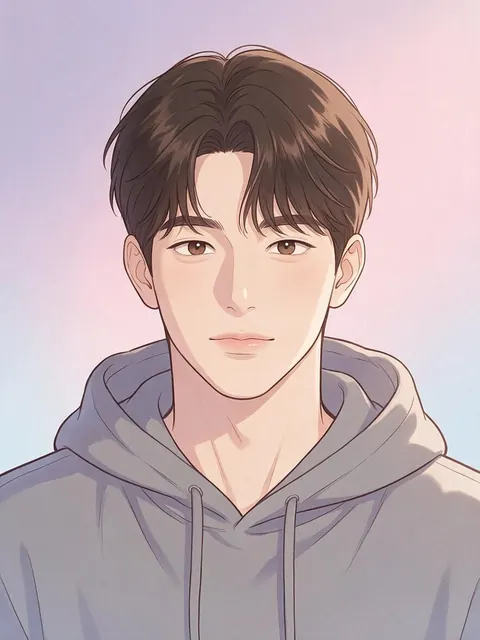
Streamer
A streamer could convert a front-lit selfie with the Webtoon look on Qwen Image 3 for a clean anime profile picture that still looks like them.
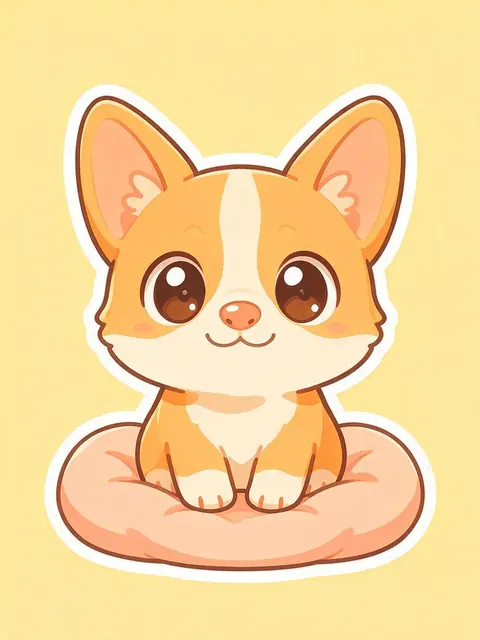
Pet owner
A pet owner could turn a photo of their corgi into a Chibi sticker on Kenerate Filter, then upscale it to print on a mug.
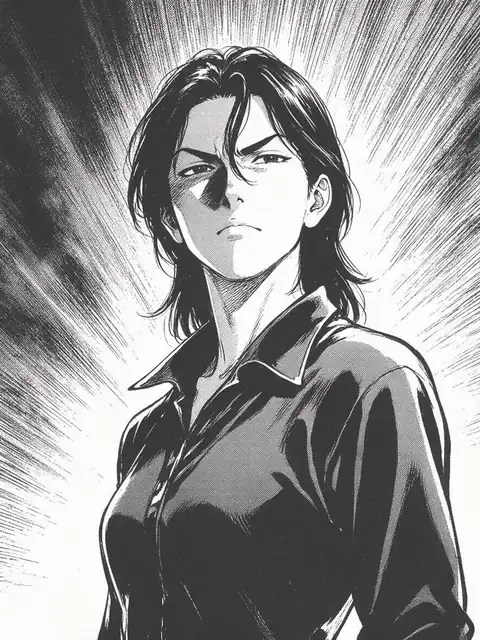
Comic hobbyist
A comic hobbyist could convert a side-lit portrait with Shonen Manga to get a black-and-white panel with screentone and speed lines for a zine cover.
FAQ
Photo to anime questions
8 questions
How do I convert a photo to anime?
Upload the photo to Kenerate AI Filter, pick one of the six anime looks — Ghibli, 90s Anime, Shonen Manga, Shoujo Sparkle, Chibi or Webtoon — and press Apply. On the default engine, Qwen Image 3, a result takes about 10–20 seconds. Drag the Compare slider to check it against the original, then download it or Tweak the look and run again.
Link to this answerWhich anime style suits my photo?
Match it to the light and setting. Outdoor scenes suit Ghibli, night and city shots suit 90s Anime, side-lit or intense portraits suit Shonen Manga, soft daylight portraits suit Shoujo Sparkle, profile pictures suit Chibi, and clean front-lit selfies suit Webtoon. The table on this page lists a starting engine for each.
Link to this answerCan I turn an image into anime and keep my face?
Yes. Every look is sent with an instruction to keep the same identity, facial features, expression, pose and framing. For the closest likeness use Qwen Image 3 and a sharp photo with your face large in the frame. Chibi and Shoujo Sparkle exaggerate eyes and proportions on purpose, so they look less literal.
Link to this answerWhat's the difference between this and the anime filter page?
Both use the same tool. The anime filter page explains each anime look on its own; this page is the converter guide — which look and engine to use for which kind of photo, which settings to change, and how to fix a result that drifts. Pick whichever helps, then open AI Filter.
Link to this answerCan I convert a photo to anime in black and white?
Yes, with Shonen Manga. It removes colour and redraws the photo as a manga panel with heavy ink lines, screentone shading and speed lines. Photos with strong side light work best, because the shadows become solid ink, and a plain background keeps the screentone clean.
Link to this answerCan I convert a group photo or a pet to anime?
Yes. The look is applied to everyone in the frame and the tool is told not to add or remove people. Small faces in big groups carry less detail into the drawing, so crop closer if you can. Pets are redrawn in the same style with their pose kept; Chibi and Ghibli tend to suit them.
Link to this answerDoes the anime version have a watermark?
No. The converted image downloads without a watermark on any of the four engines. You can also send it to Upscale for a larger file, open it in Edit, or use it as the next photo and stack another look on top.
Link to this answerIs the photo to anime converter free?
There's no subscription: new Kenerate accounts get starter credits to try AI Filter, every anime look and engine is open to every account, and a failed run is refunded automatically. Browsing the looks and this guide needs no account; sign in with a verified email to apply a look.
Link to this answerIn depth
Converting photos to anime, step by step
What the converter does with your photo, how to choose the input and the look, and what to change when the result is off.
On this page
What a photo-to-anime converter actually does
It doesn't trace your photo. The engine reads the picture and redraws it from scratch in the anime look you chose — ink outlines, flat cel shading, bigger eyes, simplified hair and backgrounds. Kenerate AI Filter sends every look with the same instruction attached: keep the same person or subject, their identity, facial features, expression, pose, framing and composition, and don't add or remove people. That is why the pose and crop of your photo survive while the surface changes completely.
Pick the photo before you pick the look
The input matters more than the look. These photos convert best:
- Sharp focus on the face, with the face filling a good part of the frame
- One clear light direction — window light, sunset, a streetlight
- A simple background, or one you want turned into scenery
- On Qwen Image 3, at least 384 px on the short side; larger than 2048 px is scaled down
- Saved to your device first — links from other sites are refused
Settings that change the result
Three controls do most of the work. The engine sets likeness versus texture: Qwen Image 3 stays closest to your face, Seedream 5 Pro paints more. Mix with a second look blends two styles at 70/30, Even or 30/70 — 90s Anime with Cyberpunk at 70/30 keeps the cel and adds neon rim light. The Twist adds one instruction of up to 300 characters, such as “evening sky” or “school uniform blazer”, without changing the look itself.
Three example conversions
Illustrative pairings, using the looks as the tool describes them:
- A selfie on a night train → 90s Anime on Qwen Image 3: the window lights become soft VHS-era highlights
- A hiking photo on a hill → Ghibli on Seedream 5 Pro: the sky and grass turn into painted storybook scenery
- A side-lit portrait by a window → Shonen Manga: the shadow side becomes solid ink with screentone
When the anime version doesn't look like you
Switch to Qwen Image 3, which the tool describes as faithful to the face, and use a photo where your face is larger and evenly lit. Chibi and Shoujo Sparkle change proportions on purpose, so they trade some likeness for the style. If a mix lets the second look take over, move Balance back toward 70/30. Remove a Twist that asks for a new hairstyle or outfit if it pulls the face away.
Converting a photo vs generating anime from text
A photo-to-anime converter keeps who and what is in your picture. An anime generator starts from a text prompt and invents the whole image, which suits original characters. Use AI Filter for you, your friends or your pet in anime style, and the AI anime generator for a character that doesn't exist in any photo. For a closer look at each anime style on its own, see the anime filter page.
Other people's photos
Convert photos of yourself, of people who have agreed, or pictures you own the rights to. Ask before posting an anime version of a friend, and don't use one to mock or impersonate anyone. The optional Twist is moderation-checked like every text field in the app.
Convert your photo to anime
New accounts get starter credits. No subscription required. No watermark.
Tried it? Tell us how it went