

Kuaishou (Kling AI)
Kling 3.0
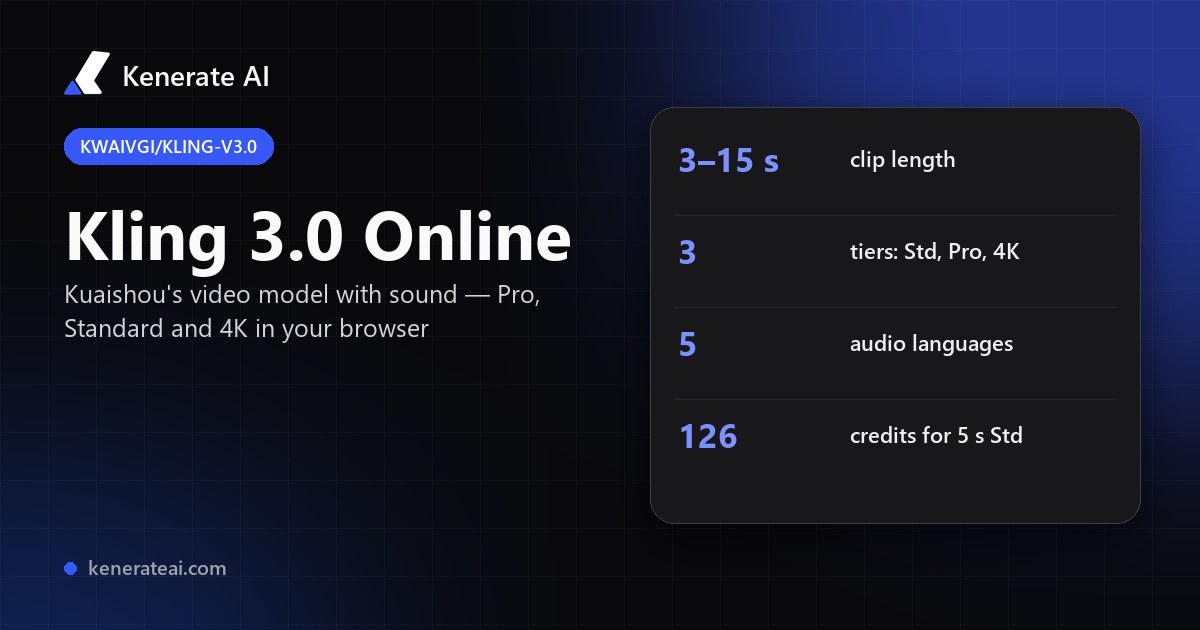
Kuaishou's Kling VIDEO 3.0 in your browser: 3–15 second clips from text or an image, with optional native sound, in Standard, Pro and 4K — no Kling subscription and no API key.
- Release
- Kling VIDEO 3.0 launched in early February 2026; Kling's user guide is dated 6 February 2026
- Modes
- Text to video, image to video, start and end frames to video; Kling's own app adds multi-shot storyboards and element references
- Length
- 3 to 15 seconds per clip (Kling 2.6 stopped at 10 seconds)
- Sound
- Native audio with dialogue and lip-sync in Chinese, English, Japanese, Korean and Spanish, per Kling's guide
- Tiers on Kenerate
- kenerate/kling-v3.0-std, kenerate/kling-v3.0-pro and kenerate/kling-v3.0-4k — 16:9, 9:16 or 1:1, sound on or off
- Real specs
- Official sources
- Free to start
- No watermark
Updated by the Kenerate AI team
On this page
What is Kling 3.0?
What is Kling 3.0?
Kling 3.0 (Kling VIDEO 3.0) is Kuaishou's video model, launched in February 2026, that makes 3–15 second clips from text or a start image, with optional native sound and dialogue in five languages. On Kenerate AI it runs in three tiers: Standard (25.2 credits a second silent, 37.8 with sound), Pro (33.6 / 50.4) and 4K (126 a second, sound included), so a 5-second Pro clip with sound costs 252 credits.
Key facts
- Official name
- Kling VIDEO 3.0
- API ID
- kwaivgi/kling-v3.0-pro · -std · -4k
- Maker
- Kuaishou (Kling AI)
- Released
- February 2026
- Clip length
- 3–15 s
- Aspect ratios
- 16:9 · 9:16 · 1:1
- Sound
- Optional, native
- Inputs
- Text, start frame, end frame
- On Kenerate
- Standard · Pro · 4K
- Billing
- Per second, no subscription
Models
Kling 3.0 on Kenerate
Every version in the generator, and what each is good at.
Kuaishou
Kling v3 Pro
- Reference images
- Start + end frame
- Output
- 3–15 s · sound optional
Open Kling v3 ProBest for
The default Kling 3.0 — best balance of quality and price
Kuaishou
Kling v3 Standard
- Reference images
- Start + end frame
- Output
- 3–15 s · sound optional
Open Kling v3 StandardBest for
Cheapest Kling 3.0 — drafts and social clips
Kuaishou
Kling v3 4K
Kuaishou
Kling v2.6 Pro
- Reference images
- Start + end frame
- Output
- 5 or 10 s
Open Kling v2.6 ProBest for
Previous generation, cheaper per second
From our tests
Strengths and limits
Good at
- Long single takes: up to 15 seconds per clip, 50% longer than Kling 2.6's 10-second limit.
- Sound in the same render — ambience, effects and spoken lines in five languages, so there is no separate audio step.
- Three price points from one model: draft on Standard, finish on Pro, and render the keeper in 4K.
- Start and end frames: give it the first and last image and it fills the motion between them.
Limits
- No real Kling 3.0 clips on this page yet — we only show a model's own outputs, so judge it by a short Standard test first.
- Not on Kenerate's free plan: video needs any one-time credit pack (from $15 for 1,300 credits).
- Sound adds 50% on Standard and Pro (25.2 → 37.8 and 33.6 → 50.4 credits a second); switch it off for silent b-roll.
- Kling's app-only features — multi-shot storyboards and saved elements — aren't exposed in the Kenerate studio; you get one shot per clip.
How to
How to use Kling 3.0 on Kenerate
Step 1
Open the video studio
Go to /app/video and pick Kling v3 Pro (the button on this page selects it). Video needs any one-time credit pack.
Step 2
Add a start frame (optional)
Upload the image the clip should start from — and an end frame if you want it to land on a set shot. Leave both empty for text to video.
Step 3
Describe the shot
Write subject, action, camera move and mood. Put spoken lines in quotes and say who speaks.
Step 4
Pick length, ratio and sound
Choose 3–15 seconds, 16:9, 9:16 or 1:1, and switch sound on or off. The credit cost updates before you generate.
See it in the app

Open Image Studio and type what you want to see — subject, style, lighting and mood.


Watch the tour · 1:19
Text, image & reference to video, models, edit, extend & chat
Chapters
FAQ
Kling 3.0 questions
10 questions
What is Kling 3.0?
Kling 3.0, officially Kling VIDEO 3.0, is Kuaishou's AI video model, launched in early February 2026. It makes 3–15 second clips from a text prompt or a start image, with optional native sound and lip-synced dialogue. On API platforms it appears as kwaivgi/kling-v3.0 in Standard, Pro and 4K versions; Kling also offers a separate VIDEO 3.0 Omni model.
Link to this answerWhat's the difference between Kling 3.0 Standard, Pro and 4K?
All three take the same inputs and make 3–15 second clips in 16:9, 9:16 or 1:1. Standard is the cheapest (25.2 credits a second silent on Kenerate), Pro is the higher-quality default (33.6), and 4K renders at 4K resolution for 126 credits a second with sound included. Draft on Standard, then re-run the prompt you like on Pro or 4K.
Link to this answerHow much does Kling 3.0 cost on Kenerate?
It's billed per second. Standard is 25.2 credits a second silent or 37.8 with sound, Pro is 33.6 or 50.4, and 4K is 126 with sound included. A 5-second clip costs 126 credits on silent Standard, 252 on Pro with sound and 630 in 4K. Credits come in one-time packs that never expire, starting at $15 for 1,300 credits.
Link to this answerIs Kling 3.0 free?
Not on Kenerate's free plan. Video generation needs a paid plan, which means buying any one-time credit pack — there is no subscription. New accounts get 25 starter credits for images. Kling's own app has its own free allowance and paid tiers; check kling.ai for its current terms.
Link to this answerHow long can Kling 3.0 videos be?
3 to 15 seconds per clip, in whole seconds, on all three tiers. That's up from 10 seconds on Kling 2.6. For longer pieces, generate several clips — using the last frame of one as the start frame of the next keeps the look consistent — and join them in an editor.
Link to this answerDoes Kling 3.0 make sound?
Yes, if you switch it on. Kling's guide says Kling 3.0 generates native audio with dialogue in Chinese, English, Japanese, Korean and Spanish, plus effects and ambience. On Kenerate sound is a toggle: it raises Standard to 37.8 and Pro to 50.4 credits a second, and the 4K tier includes it in the 126-credit rate.
Link to this answerCan Kling 3.0 animate an image?
Yes. Upload a start image in /app/video and Kling 3.0 animates it; add an end image as well and it moves from the first frame to the last. Image to video is the most reliable way to keep a product, a character or a face exactly as designed — make the still first, then animate it.
Link to this answerWhat is kwaivgi/kling-v3.0-pro?
It's the API name for Kling 3.0 Pro used by model platforms such as WaveSpeed — kwaivgi is Kuaishou's Kling namespace, with -std and -4k for the other tiers and separate text-to-video and image-to-video endpoints. On Kenerate you don't need an API key: the same model runs in the browser as Kling v3 Pro.
Link to this answerDoes Kling 3.0 do motion control?
Yes, as a separate mode. Kling 3.0 Motion and Kling 3.0 Pro Motion copy the movement of a 3–30 second reference video onto your character image and can keep the clip's original sound. On Kenerate they cost 37.8 and 50.4 credits a second — see the Kling motion control page.
Link to this answerKling 3.0 vs Kling 2.6 — what changed?
Clips go from a 5 or 10 second choice to anything from 3 to 15 seconds, native audio gets multi-language dialogue and lip-sync, and there is now a 4K tier. Kling's guide also adds multi-shot storyboards and element references in its own app. Kling 2.6 Pro stays cheaper per second on Kenerate (21 silent, 42 with sound).
Link to this answerIn depth
Kling 3.0, in depth
Background, how to prompt it, and when to pick something else.
On this page
Which Kling 3.0 tier to use
The three tiers share inputs, lengths and aspect ratios; they differ in quality and price [2][3][4]. Prices below are per 5-second clip on Kenerate.
- Standard — 126 credits silent, 189 with sound. Drafts, social clips, testing a prompt.
- Pro — 168 credits silent, 252 with sound. The everyday default for client work.
- 4K — 630 credits, sound included. Final renders where resolution matters.
Prompting Kling 3.0 for sound
Kling 3.0 writes the soundtrack from your prompt [1]. Name the sounds you want (rain on a tin roof, a crowd, footsteps), put dialogue in quotes and say which character speaks and in what language — English, Chinese, Japanese, Korean or Spanish. For silent b-roll switch sound off: it saves a third of the cost on Standard and Pro.
What Kenerate runs vs Kling's own app
Kenerate runs the kwaivgi/kling-v3.0 models for text to video and image to video with start and end frames, one shot per clip. Kling's own app also offers multi-shot storyboards, saved elements built from reference images or video, and the separate VIDEO 3.0 Omni model [1]. If you need those, use Kling's app; if you want Kling 3.0 next to Seedance, Veo and Wan on one credit balance, use Kenerate.