Photo to Halloween · vampire · witch · VHS horror
AI Halloween Photo Generator — turn your selfie into a Halloween portrait
Upload a selfie and get a Halloween portrait that still looks like you — a candlelit vampire, a witch in a pumpkin patch, skull face paint or a still from an 80s horror tape — with no costume to buy.
- Keeps your face
- Costume, makeup and scene
- Copy-ready prompts
- No watermark
Updated by the Kenerate AI team
On this page
Quick answer
How do you turn a photo into a Halloween picture with AI?
An AI Halloween photo generator redraws your photo as a Halloween picture: same face, new costume, makeup and spooky backdrop. On Kenerate AI you upload a selfie in Image Studio, write what you want — vampire, witch, skull face paint, haunted house — and GPT Image 2.5 Sunburst edits it for 11.7 credits. Our four tests below kept both faces recognisable, one try each.
Key facts
- Halloween edits made
- 4 (vampire · witch · skull · VHS)
- Face kept
- Yes, in all four
- Model
- GPT Image 2.5 Sunburst (OpenAI)
- Free start
- Starter credits
- Watermark
- None
Gallery
Two photos, four Halloween looks
Real GPT Image 2.5 Sunburst edits of our test photos, one try each. Open any one to copy the prompt.
Same prompt
The photo, then the Halloween version
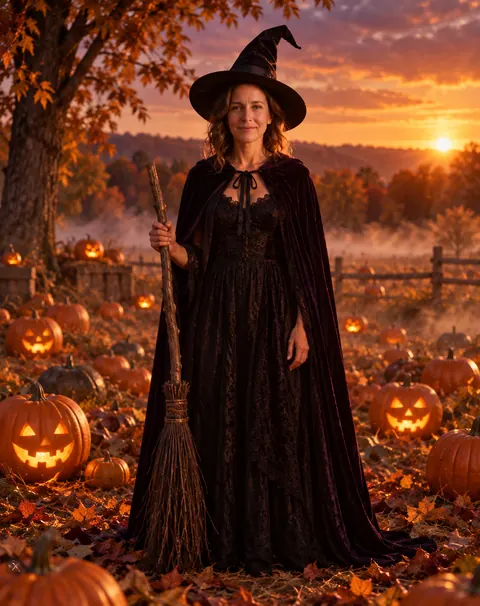
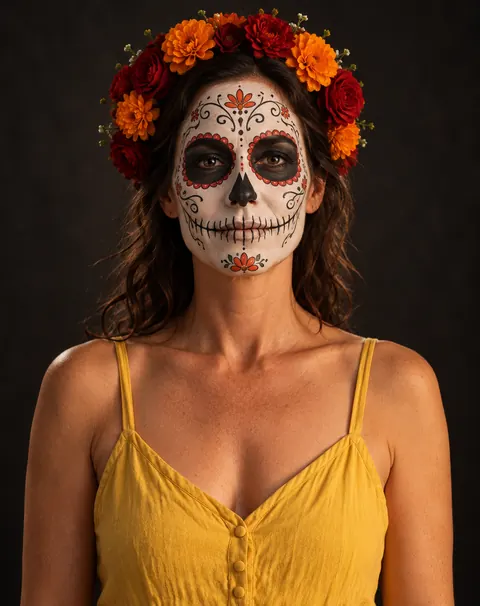
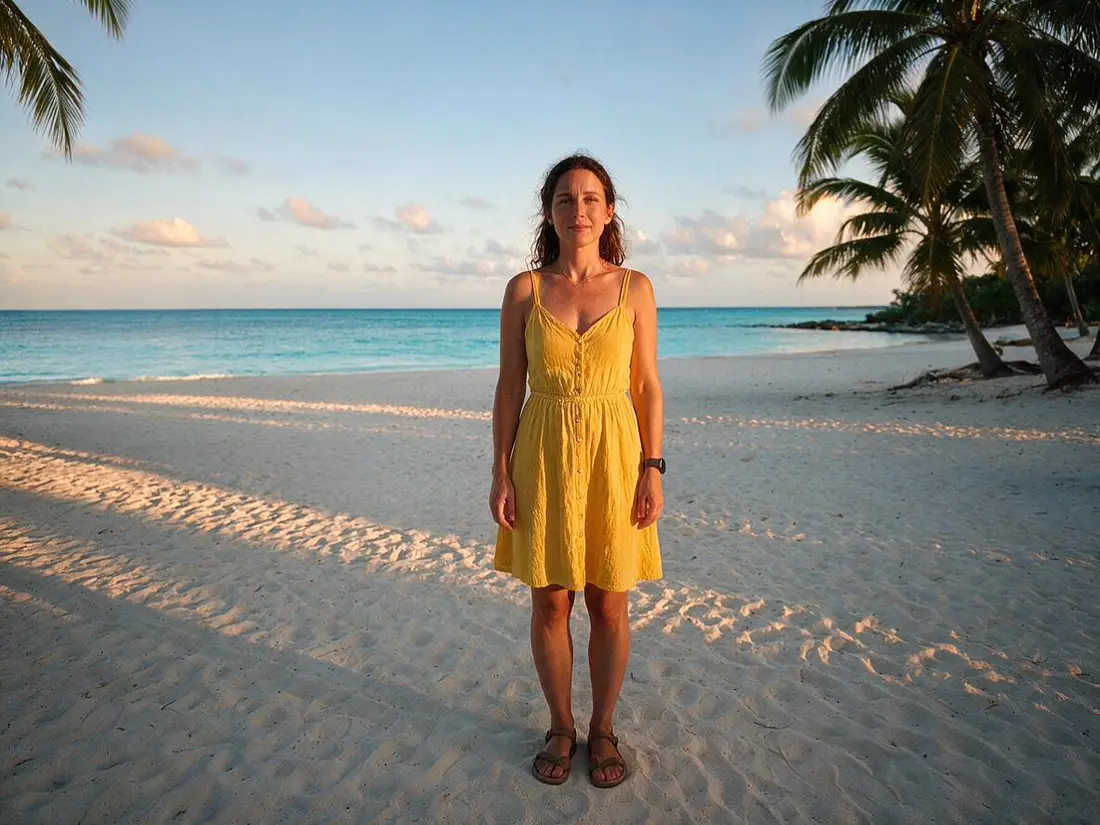
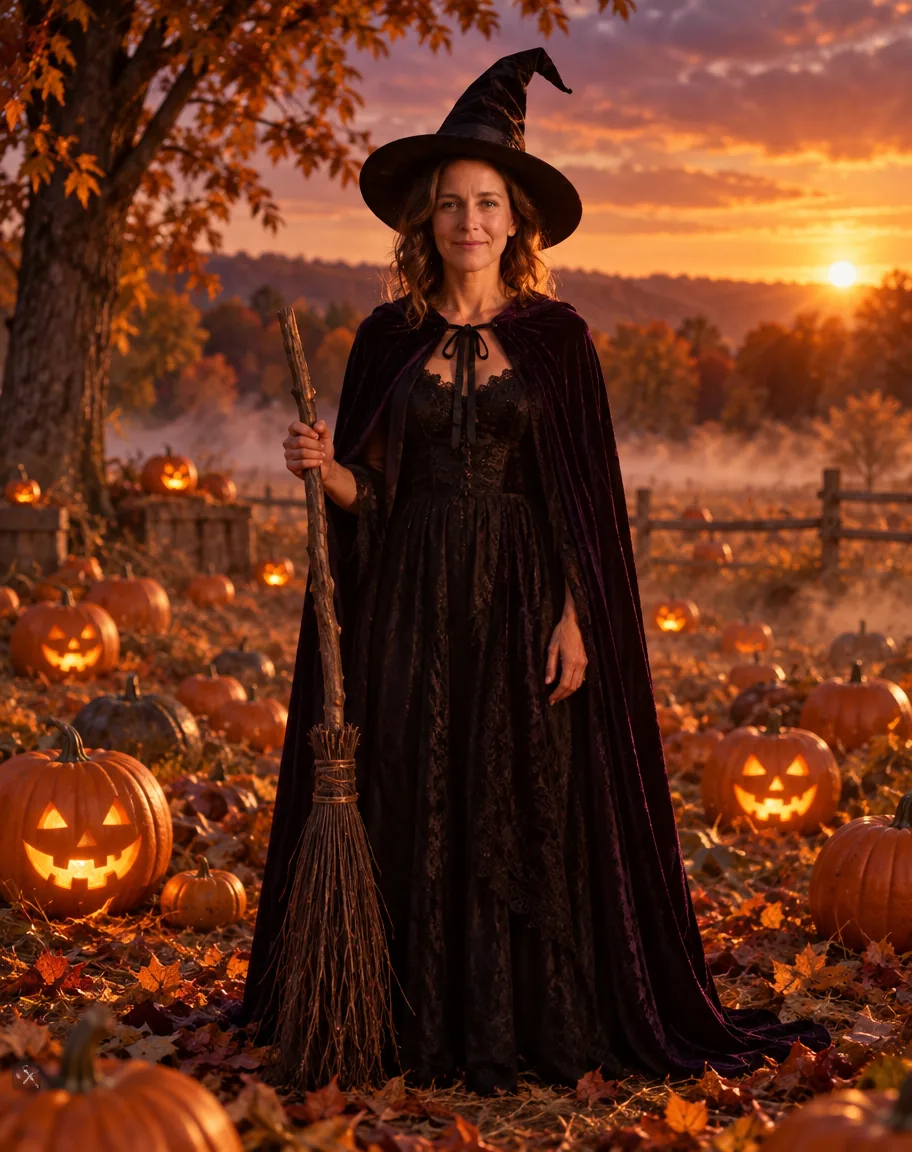
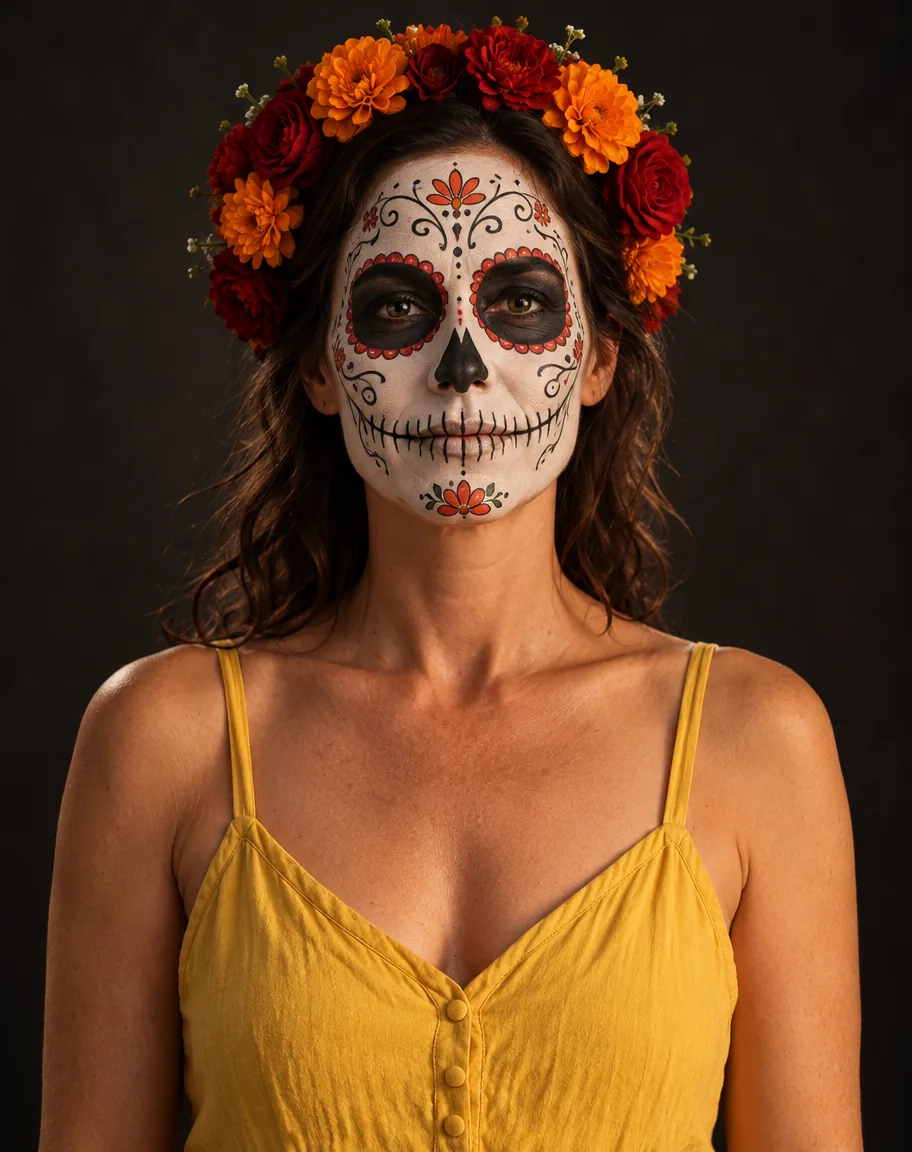
One photo in, two Halloween looks out. Her wavy hair and face carried into both; the witch came back full-length with a broom we didn't ask for, and the skull face paint kept her yellow sundress.
PromptTurn this photo into a Halloween witch portrait of the same woman. Keep her face recognisable — same wavy shoulder-length hair, smile and features. Black pointed witch hat and a dark velvet cloak, pumpkin patch at golden hour with glowing jack-o'-lanterns.
 PhotoInput
 WitchGPT Image 2.5 Sunburst
 Skull face paintGPT Image 2.5 Sunburst
How to
How to use the AI halloween photo generator
- Time needed
- Steps
- 4 steps
Step 1
Upload your selfie
In /app/image, add a clear photo as a reference. Sign in free for starter credits.
Step 2
Pick GPT Image 2.5 Sunburst
It kept the face in all four of our Halloween tests.
Step 3
Describe the Halloween look
Costume or makeup, the spooky backdrop and the light — or paste a prompt from the table below.
Step 4
Download
Regenerate if the likeness is off, then download without a watermark.
See it in the app

Open Image Studio and type what you want to see — subject, style, lighting and mood.


Watch the tour · 1:23
Prompts, styles, references, edit, Arena & chat
Chapters
Tips
Get a Halloween photo that still looks like you
What worked in our tests.
Use a clear, front-facing photo with good light — the face is what the model copies.
Say “keep the face recognisable” and name what to keep: hair, beard, glasses, smile.
Describe three things: the costume or makeup, the backdrop, and the light (candlelit, golden hour, moonlight).
Add “no gore, no text” — it keeps the result spooky rather than graphic, and stops stray lettering.
Want a film look? Name it: “1980s VHS horror still with scan lines and grain”.
Skip famous horror characters and masks; describe an original costume instead.
Models
Models for Halloween photos
What each model is good at. Open any one straight in the generator.

OpenAI
GPT Image 2.5 Sunburst
- Reference images
- Up to 16
- Output
- 1K–4K
Open GPT Image 2.5 SunburstBest for
Made all four Halloween photos
Google
Nano Banana 2.1

ByteDance
Seedream 5.0 Pro
- Reference images
- Up to 10
- Output
- Up to 2K
Open Seedream 5.0 ProBest for
Illustrated and painted Halloween styles
FAQ
AI Halloween Photo Generator questions
8 questions
How do I turn my photo into a Halloween picture with AI?
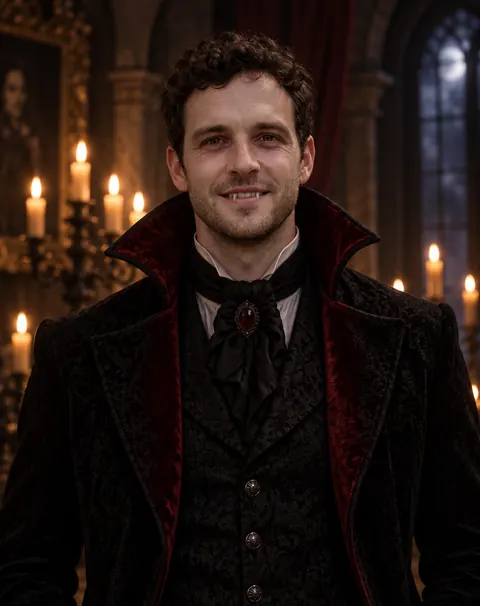
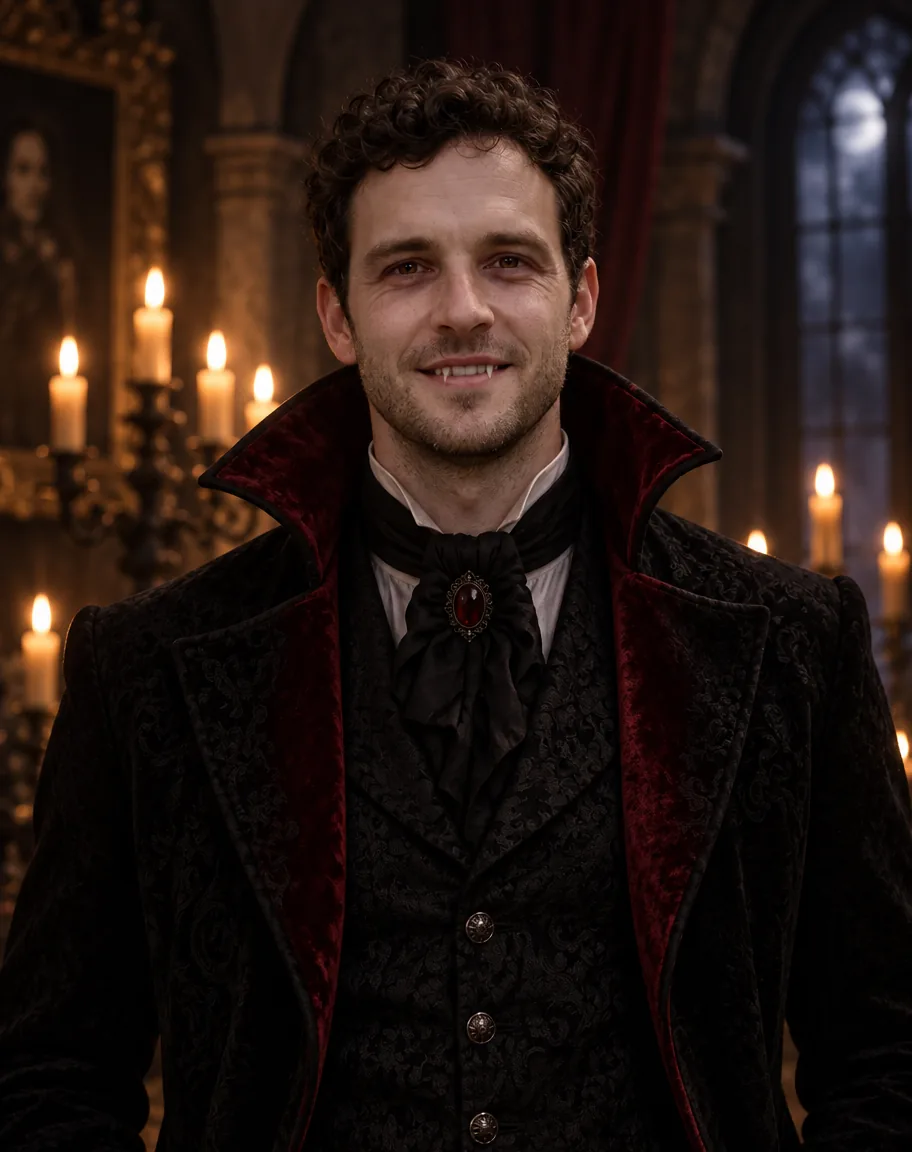
Upload a clear selfie in Kenerate's Image Studio, pick GPT Image 2.5 Sunburst and describe the look: “Turn this photo into a Halloween vampire portrait of the same man, keep his face recognisable, candlelit gothic hall, no gore.” Our test photo came back as a candlelit vampire with the same curls, stubble and smile.
Link to this answerHow do I do the AI Halloween photo trend?
Each October a new look spreads — in 2025 it was a grainy 90s-style horror portrait. The method is always the same: start from your own photo, describe the costume, the backdrop and the film look, and say what to keep. Copy one of the prompts on this page and change the costume or the setting.
Link to this answerIs the AI Halloween photo generator free?
Free to start. A new Kenerate account gets starter credits on sign-up. After that, a GPT Image 2.5 Sunburst edit costs 11.7 credits from one-time packs that never expire — no subscription. Downloads carry no watermark.
Link to this answerCan I make a Halloween profile picture or avatar?
Yes. Ask for a square crop and a head-and-shoulders portrait, for example the skull face paint or vampire prompt above, then use it as your profile picture. For more styles, see the AI profile picture generator.
Link to this answerCan I add a Halloween background to a photo?
Yes. Describe only the backdrop and say what must stay: “Keep this woman exactly as she is, replace the background with a misty pumpkin patch at golden hour with glowing jack-o'-lanterns.” The witch prompt above shows the same backdrop with a costume added.
Link to this answerWill it still look like me?
In our four tests, yes: hair, stubble, smile and face shape carried over. Two things to know: the model sometimes adds props you didn't ask for (our witch got a broom), and a prompt detail can drift — we asked for a closed-lip smirk and got an open smile with fangs. Regenerate or be more specific.
Link to this answerCan I use famous horror characters?
Use original costumes instead. Describe the look — “a vampire in a black velvet coat”, “a witch in a pumpkin patch” — rather than a named film character or a trademarked mask, and only upload photos of yourself or of adults who agreed.
Link to this answerCan I turn my Halloween photo into a video?
Yes. Send the result to Image to video in Image Studio to animate it, or use the AI costume changer to put a Halloween costume on a video clip. Video uses credits from a paid pack.
Link to this answerIn depth
AI Halloween Photo Generator, explained
What works, what to avoid, and how to pick a model.
On this page
Halloween AI prompts you can copy
Upload your photo, paste one of these and swap the details. The first four are shortened versions of the prompts behind the gallery above (open any image for the full one); the last four are untested starting points:
- Vampire: “Turn this photo into a Halloween vampire portrait of the same man. Keep his face recognisable. Pale skin, two small fangs, a black high-collared Victorian coat with red lining, candlelit gothic hall, no gore.”
- Witch: “Turn this photo into a Halloween witch portrait of the same woman. Keep her face recognisable. Black pointed hat, dark velvet cloak, pumpkin patch at golden hour with glowing jack-o'-lanterns.”
- Skull face paint: “Give this same person skeleton face paint: white base, black eye sockets and nose, painted teeth, decorative swirls, a crown of orange and red flowers. Studio portrait on a dark background.”
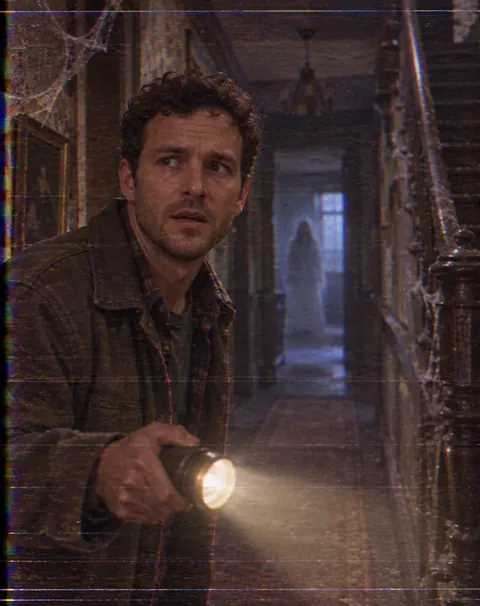
- VHS horror still: “Turn this photo into a still from a 1980s VHS horror movie: same face, holding a flashlight in a haunted-house hallway at night, scan lines, film grain, no gore, no timestamp.”
- Haunted-house backdrop: “Keep this person exactly as they are; replace the background with a foggy Victorian haunted house under a full moon, bare trees, bats in the sky.”
- Werewolf-lite: “Same person, face recognisable, with subtle werewolf makeup — fuller sideburns, amber eyes — in a moonlit forest, cinematic, no gore.”
- Pumpkin-patch family photo: “Keep everyone's faces; dress them in matching cosy autumn knits in a pumpkin patch at golden hour, hay bales and jack-o'-lanterns around them.”
- Black-and-white gothic: “Same person as a 1930s gothic film still: black-and-white, dramatic shadows, a long dark cape, a castle staircase behind.”
What makes a good AI Halloween photo
The model needs three things from you: a clear photo to copy the face from, a costume or makeup it can draw, and a place for it all to happen. Leave out the place and you get a costume on a plain background; leave out the light and you lose the mood.
Halloween edits work best spooky rather than graphic. Writing “no gore” kept our vampire elegant and the haunted-house still eerie without anything you couldn't post.
What we got
Four Halloween photos, one try each, on GPT Image 2.5 Sunburst:
- Vampire: face, curls and stubble kept; the fangs showed in an open smile, not the closed-lip smirk we asked for.
- Witch: same face and hair in a full-length shot with a broom the prompt didn't mention.
- Skull face paint: detailed paint and flower crown with her eyes and hair kept; her yellow sundress stayed.
- VHS horror: convincing scan lines and grain, a worried face that still reads as the same man, and a faint ghost in the corridor.