

Brick-toy style · not affiliated with the LEGO Group
Lego Filter — turn your photo into a brick minifigure
The Brick Minifig look rebuilds your photo as a plastic toy figure: cylindrical head, claw hands, a printed face and clothes, glossy studs and a baseplate — with your pose, hair and outfit kept.
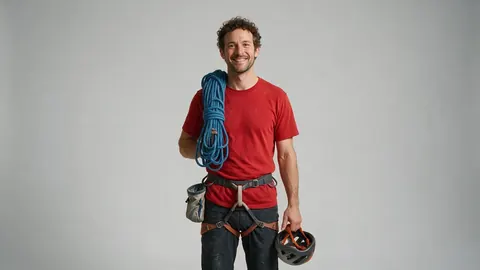
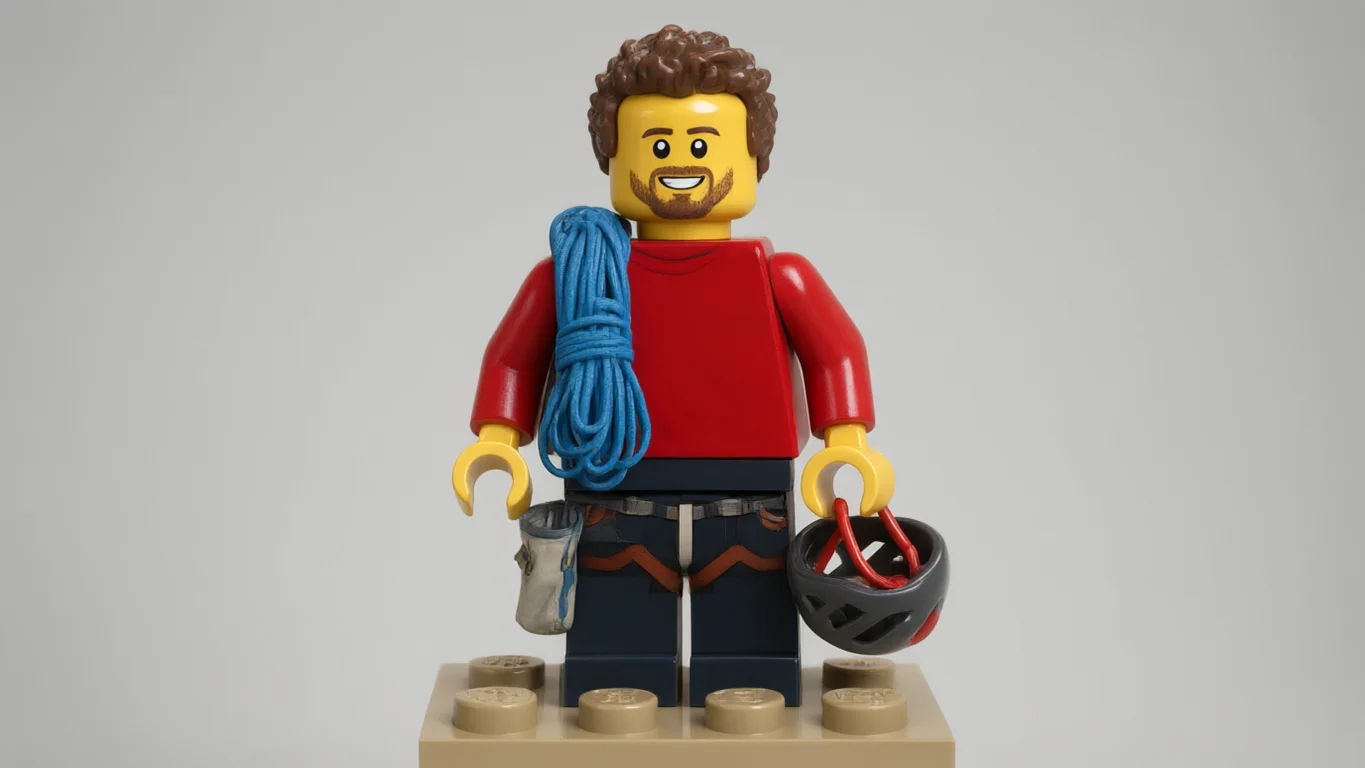
- Photo to minifigure
- Keeps hair and outfit
- No watermark
Updated by the Kenerate AI team
On this page
Quick answer
What is a Lego filter?
A Lego filter turns a photo into a plastic brick-toy minifigure. In Kenerate AI Filter, the Brick Minifig look gives you a cylindrical yellow head with a printed face, claw hands, printed clothes, glossy studs and a baseplate, while keeping your pose, hairstyle, outfit and props. One image costs 10 credits on the default engine. It's a brick-toy style; Kenerate is not affiliated with the LEGO Group.
Key facts
- Look
- Brick Minifig (Trending group, look id “lego”)
- Style
- Cylindrical head, claw hands, printed face and clothes, studs, baseplate
- Keeps
- Pose, hairstyle, clothing colours and props
- Input
- One photo · JPG, PNG or WebP · up to 20 MB
- Affiliation
- None — a brick-toy style, not the LEGO Group
Looks
Brick Minifig and five other toy looks
All six turn you into a toy; they differ in material and shape. Each card opens AI Filter with the look picked.
Brick Minifig
A plastic brick-toy minifigure: cylindrical head, claw hands, printed face and clothes, glossy studs, a baseplate. The demo above.
Action Figure
A boxed collectible figure in a blister pack, with your name on the backing card and tiny accessories.
Vinyl Figure
A vinyl collectible with an oversized square head and black button eyes, in a windowed box.
Voxel
Everything built from small cubes, with blocky shading — closer to a block game than a toy.
Plush Toy
A soft stuffed toy with fleece texture, stitched seams and embroidered eyes.
Claymation
Stop-motion plasticine with fingerprints and slightly lumpy shapes on a miniature set.
How to
How to turn a photo into a Lego-style minifigure
Four steps. The Brick Minifig card above opens the tool with the look picked.
- Time needed
- Steps
- 4 steps
- You need
- A web browser · One photo (JPG, PNG or WebP)
Step 1
Add one photo
Upload, snap with the camera, paste, or pick from History or your Library — JPG, PNG or WebP up to 20 MB. A clear, full or waist-up shot works best, because a minifigure is all about the outfit.
Step 2
Pick Brick Minifig
It's in the Trending row, right after Action Figure. Other toy looks are in the 3D & Toy group.
Step 3
Add a Twist if you want
One extra instruction of up to 300 characters, such as “holding a coffee cup” or “space helmet under my arm”. It's optional.
Step 4
Apply and compare
Drag the Compare slider, then Download, save to Cloud, Edit, Upscale, or use the result as the next photo to stack another look.
See it in the app

Open AI Filter and upload the photo you want to restyle.


Watch the tour · 1:46
56 looks in 7 groups, four engines, before / after, mix two looks, add a twist, hand-offs & chat
Chapters
Engines
Which engine for a brick minifigure?
The minifig shape is fixed, so the engine mostly decides how much of your outfit, hair and setting survives.
- Default
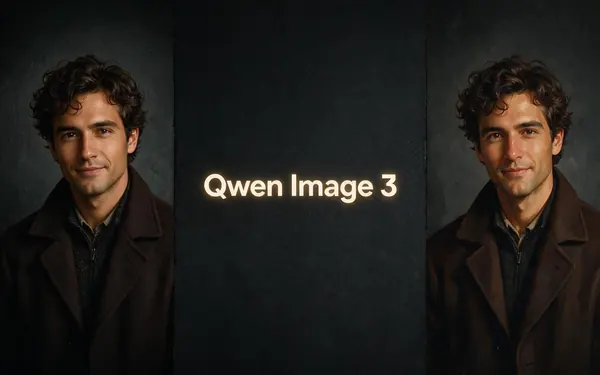
Alibaba
Qwen Image 3
- Strength
- Fast, faithful to the face · best value (default)
- Typical time
- About 10–20 s
Open Qwen Image 3Best for
The default and the demo engine: quickest, 10 credits, and faithful to clothes, hair and props.
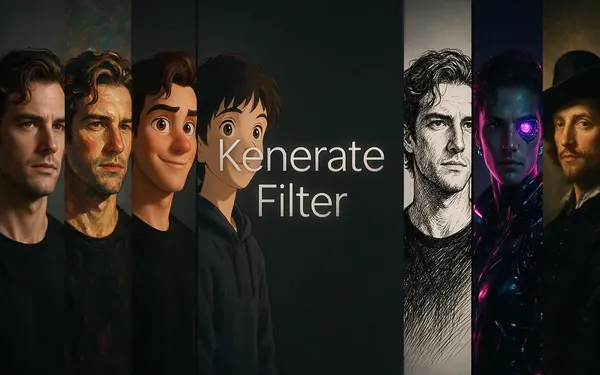
Kenerate
Kenerate Filter
- Strength
- Identity-locked re-render · bold style changes
- Typical time
- About 15–30 s
Open Kenerate FilterBest for
Identity-locked re-render: for when the printed face should still read as you.
ByteDance
Seedream 5 Pro
- Strength
- Painterly & cinematic looks · rich texture
- Typical time
- About 20–40 s
Open Seedream 5 ProBest for
For a richer toy-photo feel — brick-built backgrounds, depth of field and texture.

OpenAI
GPT Image 2
- Strength
- Smartest with complex mixes · toys & posters
- Typical time
- About 30–60 s
Open GPT Image 2Best for
Tagged for toys and posters: best for a group of minifigs, a box-art layout or lots of accessories.
Times are typical, not promised. Every engine returns one image per run, and a failed run is refunded automatically.
FAQ
Lego filter questions
8 questions
How do I turn my photo into a Lego minifigure?
Upload the photo to Kenerate AI Filter, pick the Brick Minifig look and press Apply. It rebuilds you as a plastic brick-toy minifigure — cylindrical head, printed face, claw hands, printed clothes, studs and a baseplate — while keeping your pose, hair and outfit. The default engine, Qwen Image 3, returns one image in about 10–20 seconds for 10 credits.
Link to this answerIs there an official Lego AI generator?
Not here. Kenerate's Brick Minifig look is a generic brick-toy style. Kenerate is not affiliated with, endorsed by or connected to the LEGO Group, and the look doesn't recreate official sets, minifigures or logos. It's one of 56 looks in Kenerate AI Filter, which restyles a photo you upload.
Link to this answerHow much does the Lego filter cost?
One image costs 10 credits on Qwen Image 3 or Kenerate Filter, 14 on Seedream 5 Pro and 21 on GPT Image 2. Each run returns one image, and a failed run is refunded automatically. New accounts get starter credits, and no subscription is required.
Link to this answerWill the minifigure still look like me?
As much as a minifig can. The face becomes a simple printed one, so likeness comes from your hairstyle, beard or glasses, clothing colours and props, which the look keeps. Use a waist-up or full-body photo so the outfit is visible, and switch to Kenerate Filter, the identity-locked engine, if the face print drifts too far.
Link to this answerCan I make a Lego version of a group or family photo?
Yes, if everyone in it agrees. Every look tells the engine to keep each person and their pose and not to add or remove anyone. People who are small in a wide shot carry less detail, so crop in. For several minifigs with props or a box-art layout, GPT Image 2 handles it best.
Link to this answerCan I make a Lego avatar for my profile?
Yes. Use a clear waist-up photo, apply Brick Minifig, and add a Twist such as “plain light background” for a clean avatar. Download the result and crop it square. Running everyone on a team through the same look and engine gives a matching set.
Link to this answerCan I turn the Lego picture into a video?
Not inside AI Filter, which returns one still image. Download the minifig and use it as the start frame in Kenerate image to video, then describe the motion, such as a wave or a walk across the baseplate. Video uses a different tool and is priced per second.
Link to this answerWhat other toy filters are there?
Five close relatives in the same tool: Action Figure for a boxed collectible, Vinyl Figure for a square-headed collectible, Voxel for a block-built look, Plush Toy and Claymation. Balloon Art, Crochet, Porcelain and Low Poly are in the 3D & Toy group too. You can mix any look with Brick Minifig at 70/30, Even or 30/70.
Link to this answerIn depth
Lego-style photos, explained
What makes a photo read as a brick minifigure, how to keep it recognisably you, and what the look isn't.
On this page
What makes a figure read as a brick minifigure?
A handful of shapes do almost all the work: a cylindrical head with a stud on top, a flat printed face, a trapezoid torso, claw hands, block legs and a glossy plastic finish. The Brick Minifig look asks for exactly those, then prints your clothes onto the torso and turns your hair into a moulded hairpiece. In the demo above, the climber keeps his curly hair, beard, red top, rope, chalk bag and helmet, and ends up standing on a baseplate.
Getting a minifig that looks like you
A minifigure face is two dots and a smile, so likeness comes from everything around it:
- Show the outfit — waist-up or full-body shots beat tight face crops
- Keep distinctive extras visible: glasses, beard, hat, hairstyle, a bag or tool you always carry
- Plain or simple backgrounds give a clean toy-on-a-baseplate shot; busy scenes get rebuilt in bricks
- Start on Qwen Image 3; try Kenerate Filter if the hair or face print drifts
Minifig avatars, cards and gifts
Common uses are a profile avatar, a team page where everyone is a minifig, a birthday or retirement card, or a print for someone's desk. For a team, run each person's photo with the same look and engine so the set matches. Upscale before printing anything bigger than a postcard.
From photo to a Lego-style video
AI Filter makes a still image. To animate it, download the minifig and use it as the start frame in Kenerate image to video, then describe the motion — a wave, a walk across the baseplate, a slow camera push. Starting from the still keeps the figure's look consistent through the clip.
Not affiliated with the LEGO Group
LEGO is a trademark of the LEGO Group. Kenerate is not affiliated with, endorsed by or connected to the LEGO Group, and the Brick Minifig look is a generic brick-toy style, not an official minifigure, set or logo. Restyle your own photos, don't present the result as official LEGO art or packaging, and check the rules of anywhere you sell it.
Become a brick minifigure
New accounts get starter credits. No subscription required. Not affiliated with the LEGO Group.
Tried it? Tell us how it went