Headshots · editorial · fantasy · anime
AI Woman Generator — realistic and illustrated women from text
Describe a woman — age, hair, clothes, mood, setting and style — and get a portrait of someone who doesn't exist: a studio headshot, a fashion editorial, a fantasy character or an anime illustration.
- Photo or illustration
- Any age 18+, any look
- Free credits to start
- No watermark
Updated by the Kenerate AI team
On this page
Quick answer
How do you generate a woman with AI?
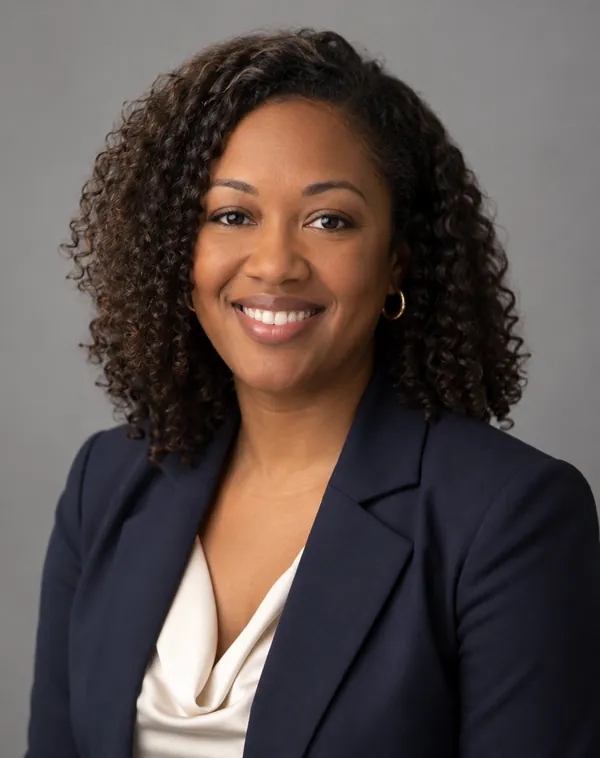
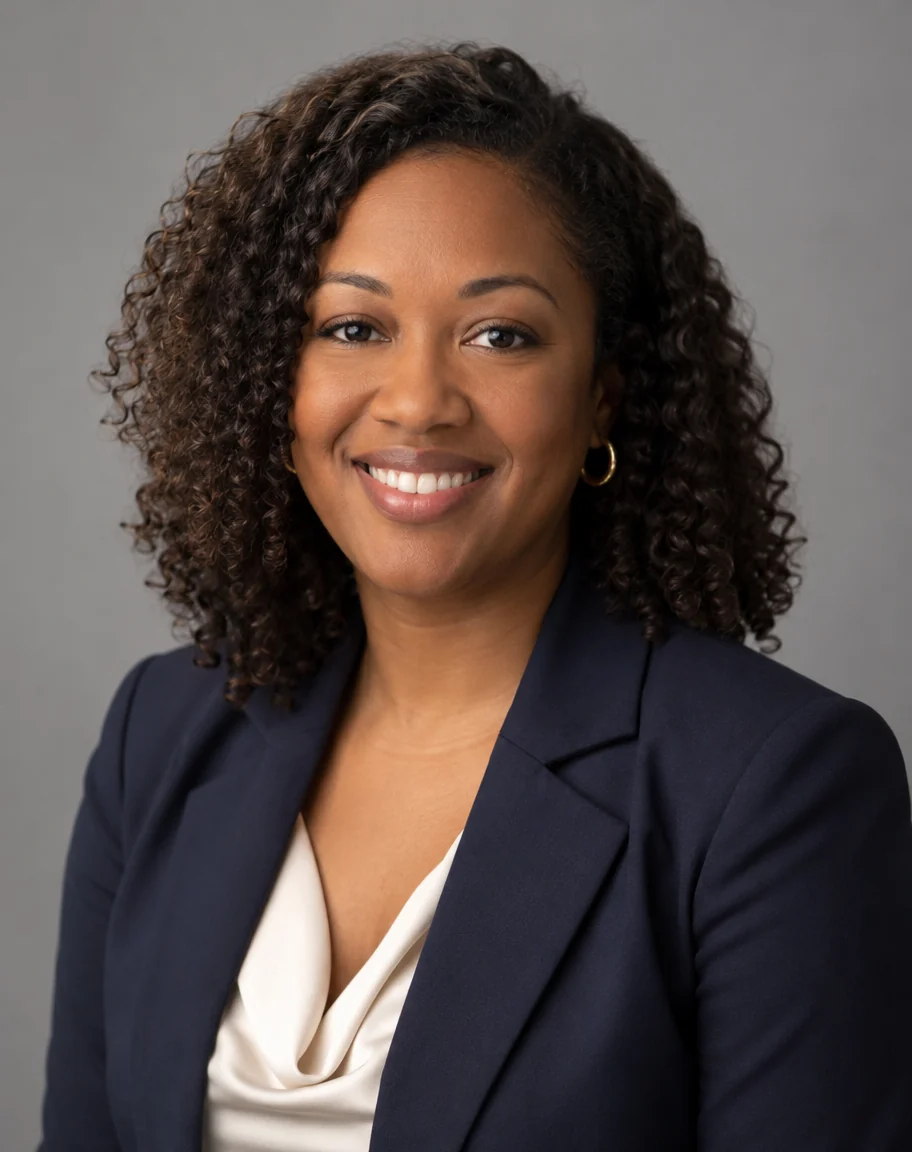
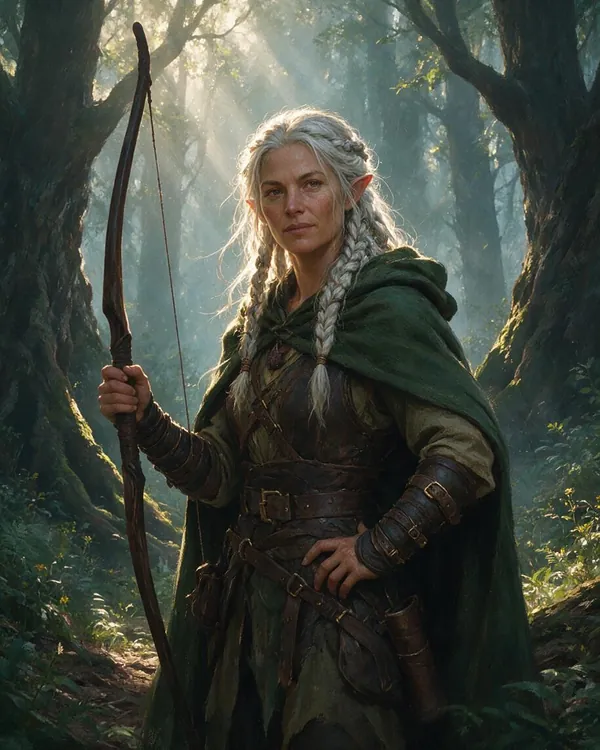
An AI woman generator turns a text description into a portrait of a fictional woman. On Kenerate AI you write her age, hair, clothing, expression, setting and style, then pick a model: GPT Image 2.5 Sunburst for photoreal headshots, Seedream 5.0 Pro for editorial and painted looks, or Qwen Image 3.0 (on the free plan) for illustration. All four of our test portraits came back usable on the first try; the one miss was age — a silver-haired elf asked to be in her 30s looked closer to 50.
Key facts
- Portraits made
- 4 (headshot · editorial · fantasy · anime)
- Models used
- GPT Image 2.5 Sunburst · Seedream 5.0 Pro · Qwen Image 3.0
- First-try hits
- 4 of 4
- Watch out for
- Stated age drifts with grey or silver hair
- Watermark
- None
Gallery
Four women, four styles, one try each
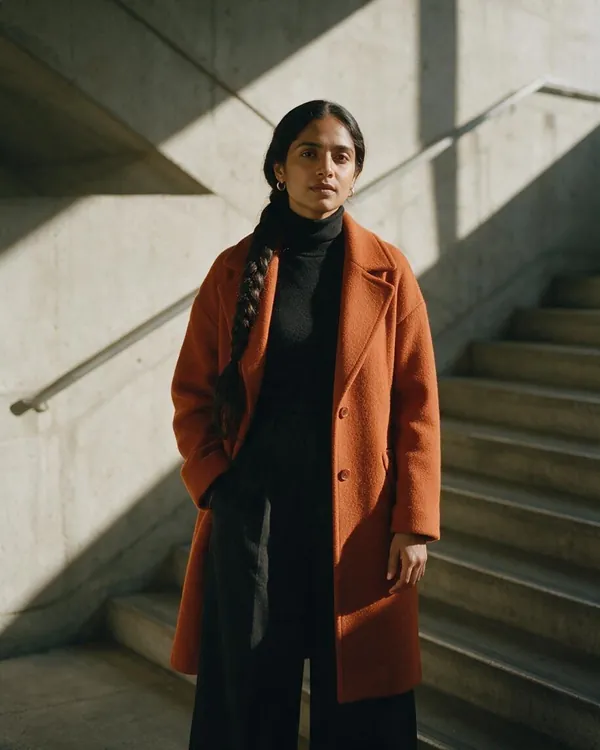
Real outputs from Kenerate's Image Studio, 20 October 2026 — not retouched or cherry-picked from batches. Open any one to copy the exact prompt.
How to
How to use the AI woman generator
- Time needed
- Steps
- 4 steps
Step 1
Open the Image Studio
Go to /app/image and sign in free — new accounts get 25 credits.
Step 2
Pick a model
GPT Image 2.5 Sunburst for photo headshots, Seedream 5.0 Pro for editorial or painted looks, Qwen Image 3.0 for illustration on the free plan.
Step 3
Describe her
Age range, hair, clothes, expression, setting, light and style — or copy a prompt from the examples above.
Step 4
Generate and download
Pick 4:5 for portraits, regenerate if something is off, then download without a watermark.
See it in the app

Open Image Studio and type what you want to see — subject, style, lighting and mood.


Watch the tour · 1:23
Prompts, styles, references, edit, Arena & chat
Chapters
Tips
Prompt tips for AI women that look right
What made the difference in our four tests.
Start with “a fictional woman in her early 30s” — the word fictional and an age range keep the result a made-up adult.
Name hair, skin tone or heritage, and one detail (gold hoops, round glasses, a long braid) so she isn't a generic face.
Describe the clothes fully — the coat, the top, the trousers. Models follow outfits closely.
Say the style up front: “real photograph”, “magazine editorial”, “painterly concept art” or “anime, clean line art, cel shading”.
For photos add a lens and light: “85mm, soft key light from the left” gave the studio headshot look.
Grey or silver hair ages the face: if she must look 30, add “young face, smooth skin” or pick another hair colour.
To keep the same woman across many images, save your best one and use it as a reference image on Nano Banana 2.1 or GPT Image 2.5 Sunburst.
Models
Models for generating women
What each model is good at. Open any one straight in the generator.

OpenAI
GPT Image 2.5 Sunburst
- Reference images
- Up to 16
- Output
- 1K–4K
Open GPT Image 2.5 SunburstBest for
Made the studio headshot

ByteDance
Seedream 5.0 Pro
- Reference images
- Up to 10
- Output
- 1K · 2K
Open Seedream 5.0 ProBest for
Made the editorial and fantasy portraits
- Free plan

Alibaba
Qwen Image 3.0
- Reference images
- Up to 3
- Output
- 1K · 2K
Open Qwen Image 3.0Best for
Made the anime portrait · free plan
Google
Nano Banana 2.1
FAQ
AI Woman Generator questions
8 questions
How do I generate a woman with AI?
Open Kenerate's Image Studio, pick a model and describe her: age range, hair, clothes, expression, setting and style — for example “professional headshot of a fictional woman in her late 30s with curly shoulder-length hair, navy blazer, grey studio background, 85mm”. Our headshot on GPT Image 2.5 Sunburst came back photographic on the first try.
Link to this answerIs the AI woman generator free?
Free to start. New Kenerate accounts get 25 credits on sign-up, and Qwen Image 3.0 — the model behind our anime portrait — is on the free plan. GPT Image 2.5 Sunburst and Seedream 5.0 Pro use credits from one-time packs that don't expire. Downloads carry no watermark.
Link to this answerWhich AI model makes the most realistic women?
For photoreal portraits we used GPT Image 2.5 Sunburst (studio headshot) and Seedream 5.0 Pro (fashion editorial); both gave real-looking skin, hair and fabric on the first try. Seedream 5.0 Pro also handled the painted fantasy look. For anime and illustration, Qwen Image 3.0 drew clean line art and shading.
Link to this answerCan I make the same AI woman in different photos?
Yes. Save the portrait you like, then add it as a reference image and describe only the new scene — “same woman, now in a café, same hair and face”. Nano Banana 2.1 takes up to 14 reference images and GPT Image 2.5 Sunburst up to 16, which helps keep the face consistent across a set.
Link to this answerCan I choose her age, ethnicity and body type?
Yes — write it in the prompt. All four of our women followed the stated heritage, hair and outfit. Age was the one thing that drifted: an elf with silver hair asked to be in her 30s looked about 50. Add “young face” or change the hair colour if the age matters. Kenerate is for adults only: keep every person clearly 18+.
Link to this answerCan I generate illustrated or anime women, not just photos?
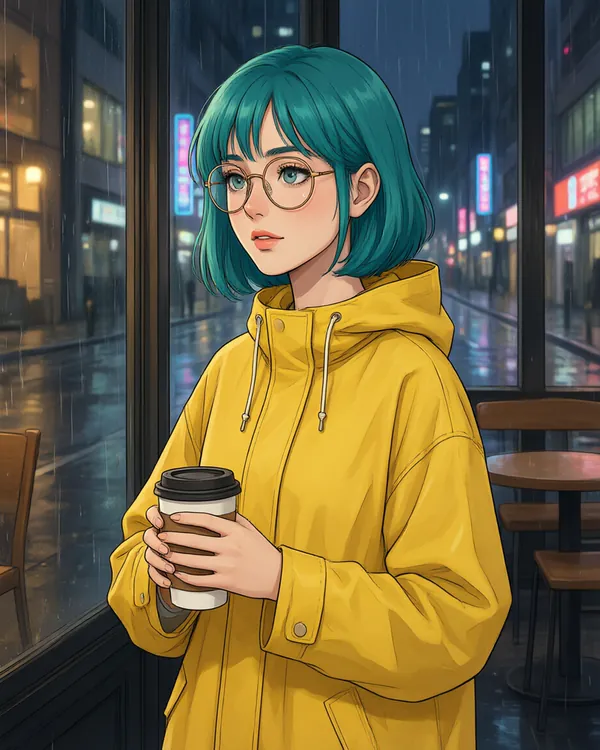
Yes. Put the style first: “anime-style illustration, clean line art, soft cel shading” or “fantasy digital painting, painterly concept art”. Our anime café portrait (Qwen Image 3.0) and elven ranger (Seedream 5.0 Pro) are both from one prompt each.
Link to this answerCan I use AI-generated women commercially?
The women are generated, not photos of real people, and Kenerate downloads carry no watermark. Check Kenerate's terms of service for usage rights, and generate fictional women only — don't prompt for a real, named person or make a portrait look like someone identifiable.
Link to this answerWhat's the difference between this and the AI influencer generator?
This page is about single portraits of women in any style. The AI influencer generator is for building one consistent persona with a name, a look and a feed; the AI fashion model generator puts your own clothing product on a model.
Link to this answerIn depth
AI Woman Generator, explained
What works, what to avoid, and how to pick a model.
On this page
What an AI woman generator is good for
Most people want one of four things: a placeholder or stock-style headshot for a site or deck, a fashion or lifestyle image for a mood board, a character for a story or game, or an illustrated avatar. Each needs a different style word in the prompt, and often a different model.
Everything here is a fictional adult. Prompting for a real, named woman, or editing someone's photo without consent, is against Kenerate's rules.
Which model for which kind of woman
From our four tests on 20 October 2026, one try each:
- Studio or LinkedIn-style headshot: GPT Image 2.5 Sunburst — natural skin, accurate earrings and blazer.
- Fashion editorial or lifestyle photo: Seedream 5.0 Pro — the coat colour, braid and hard shadows came out as asked.
- Fantasy or game character: Seedream 5.0 Pro — rich painted detail, but the stated age drifted older.
- Anime or cartoon woman: Qwen Image 3.0 — clean line art on the free plan; background signs are made-up lettering.
A prompt formula that works
Write it in this order and you rarely need a second try:
- Style: “real photograph”, “magazine editorial”, “fantasy digital painting” or “anime illustration”.
- Who: “a fictional woman in her early 30s” plus heritage, hair and one detail.
- Clothes: every visible layer.
- Pose and expression: “warm confident smile, looking at the camera”.
- Setting and light: “grey studio background, soft key light from the left”.
- Camera (photos only): “85mm lens, shallow depth of field”.