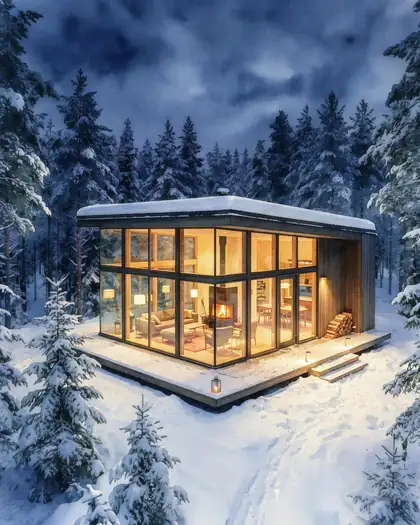
Wet-on-wet · ink and wash · botanical · pastel
Watercolor filter — turn a photo into a watercolor painting
Upload a photo and get a watercolor painting of it: translucent washes, soft bleeding edges and white paper showing through — with the same people, pose and scene. One click in AI Filter, or pick a style below.
- One-click watercolor look
- Keeps faces and the scene
- 6 watercolor styles
- No watermark
Updated by the Kenerate AI team
On this page
Quick answer
How do you turn a photo into a watercolor painting?
To turn a photo into a watercolor painting, upload it and ask for the medium: “a loose watercolor painting with translucent washes, wet-on-wet edges and white paper showing through — keep the same people and scene”. Kenerate's watercolor filter is a one-click AI Filter style that does exactly that, on Qwen Image 3 by default. For other looks — ink and wash, botanical, pastel — use the prompt words below in Image Studio.
Key facts
- Works on
- Any photo you have the right to edit
- One-click look
- AI Filter › Art & Paint › Watercolor
- Keeps
- Identity, pose, framing, the scene
- Styles covered
- Wet-on-wet, wet-on-dry, ink and wash, botanical, pastel, monochrome
- Default engine
- Qwen Image 3 (AI Filter)
- Watermark
- None
Watercolor styles
Watercolor styles, and the words that make them
Real watercolour techniques, written as prompt words. Use them in Image Studio with your photo, or add one as a note in AI Filter.
| Style | What it looks like | Use it for | Prompt words |
|---|---|---|---|
| Loose wet-on-wet | Soft bleeding edges, colour blooms, white paper showing | Portraits, skies, flowers | a loose wet-on-wet watercolor painting: soft bleeding edges, colour blooms, white paper showing through |
| Detailed wet-on-dry | Crisp edges, layered transparent glazes | Buildings, travel scenes, pets | a detailed wet-on-dry watercolor with crisp edges and layered transparent glazes on cold-press paper |
| Ink and wash | Fine pen outlines with loose washes inside and outside them | Urban sketches, travel journals, maps | a pen-and-ink line and wash painting: fine black ink outlines with loose watercolor washes |
| Botanical | Precise, delicate shapes and soft graded washes on white | Plants, food, products, wedding stationery | a botanical watercolor illustration on white paper: precise delicate shapes, soft graded washes, no background |
| Pastel storybook | Soft pastel palette, simple rounded shapes | Nursery prints, invitations, cards | a soft pastel children's-book watercolor illustration: simple rounded shapes, gentle washes, light pencil lines |
| Monochrome wash | One colour — indigo or sepia — in light-to-dark washes | Moody portraits, minimalist prints | a monochrome indigo watercolor wash painting, light to dark tones of one colour, white paper highlights |
Prompts
Watercolor prompts to copy
Each one opens Image Studio on Seedream 5.0 Pro with the prompt filled in — add your photo and press Create.
- Medium
- Watercolor on paper
- Technique
- Wet-on-wet, wet-on-dry, line and wash
- Paper
- White showing through
- Lock
- Same people and scene
Loose wet-on-wet
Turn this photo into a loose wet-on-wet watercolor painting: soft bleeding edges, colour blooms, white paper showing through. Keep the same people, faces, pose and composition.
Detailed wet-on-dry
Turn this photo into a detailed wet-on-dry watercolor with crisp edges and layered transparent glazes on cold-press paper. Keep the same people, faces, pose and composition.
Ink and wash
Turn this photo into a pen-and-ink line and wash painting: fine black ink outlines with loose watercolor washes. Keep the same people, faces, pose and composition.
Botanical
Turn this photo into a botanical watercolor illustration on white paper: precise delicate shapes, soft graded washes, no background. Keep the same people, faces, pose and composition.
More prompts (2)
Pastel storybook
Turn this photo into a soft pastel children's-book watercolor illustration: simple rounded shapes, gentle washes, light pencil lines. Keep the same people, faces, pose and composition.
Monochrome wash
Turn this photo into a monochrome indigo watercolor wash painting, light to dark tones of one colour, white paper highlights. Keep the same people, faces, pose and composition.
Gallery
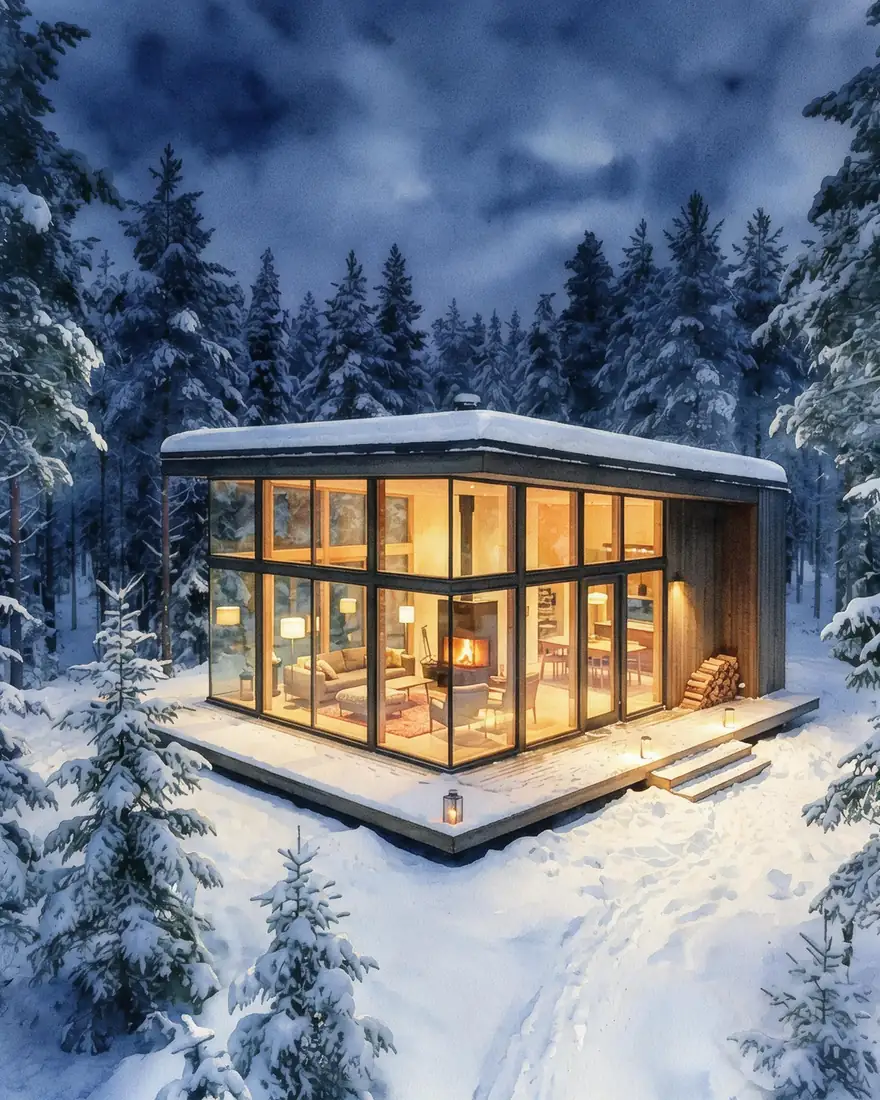
A real watercolor edit
One Seedream 5.0 Pro edit, one try. Open it to copy the prompt.
Same prompt
The picture, then the watercolor
Same cabin, trees and lights. The sky turned into soft blooming washes; the cabin and trees stayed close to the original — ask for “loose wet-on-wet” and “simplified shapes” for a looser painting.
PromptTurn this photo into a delicate watercolor painting with soft washes and white paper showing through. Keep the same composition and subject.
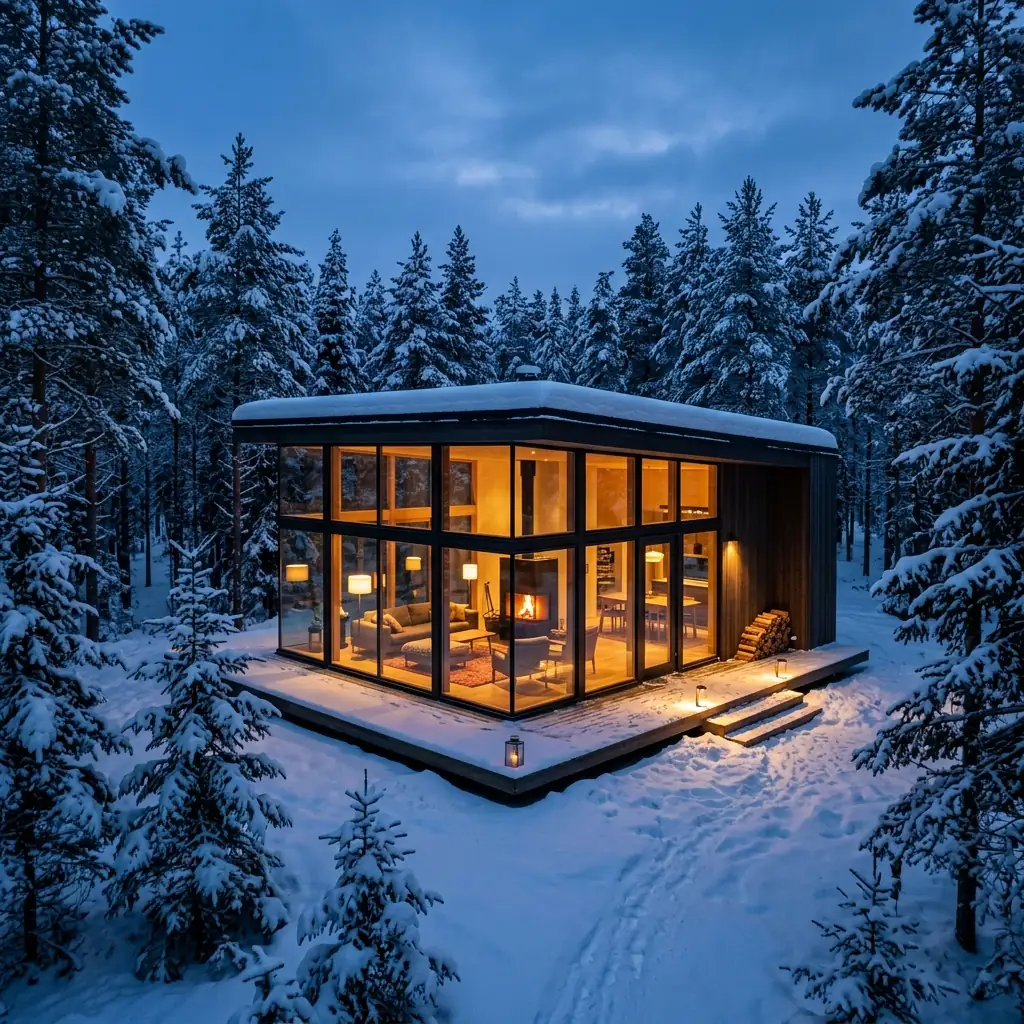 OriginalNano Banana 2 image
- WatercolorSeedream 5.0 Pro edit
How to
How to use the watercolor filter
- Time needed
- Steps
- 4 steps
Step 1
Open the watercolor filter
Press “Add your photo”. AI Filter opens with the Watercolor style picked. Sign in free for starter credits.
Step 2
Upload your photo
Add a portrait, a pet, a place or a product — a sharp, well-lit photo works best.
Step 3
Pick the engine
Qwen Image 3 keeps faces closest; Seedream 5 Pro gives richer, more painterly texture.
Step 4
Create and download
Press Create, compare two takes, and download the one you like without a watermark.
See it in the app

Open Edit Studio and upload an image, or pick one from your history.


Watch the tour · 1:23
Prompts, styles, references, edit, Arena & chat
Chapters
Tips
A watercolor, not a blurred photo
What makes the result read as paint.
Ask for white paper showing through — it's the single strongest watercolour cue.
Name the technique: wet-on-wet for soft blooms, wet-on-dry for crisp edges, line and wash for outlines.
Want it looser? Add “simplified shapes, fewer details” — models keep too much detail by default.
For portraits, add “keep the face recognisable” and leave the background loose.
Busy photo? Ask for a plain white background so the painting has room to breathe.
Printing it? Run it at 2K or upscale the result before printing.
Models
Engines and models for watercolor
What each model is good at. Open any one straight in the generator.
Kenerate tool
AI Filter · Watercolor
- Reference images
- 1 photo
Open AI Filter · WatercolorBest for
One click, no prompt: washes, bleeding edges, paper

ByteDance
Seedream 5.0 Pro
- Reference images
- Up to 10
- Output
- Up to 2K
Open Seedream 5.0 ProBest for
Made the cabin watercolor · painterly texture
- Free plan

Alibaba
Qwen Image 3.0
- Reference images
- Up to 3
- Output
- 1K or 2K
Open Qwen Image 3.0Best for
Faithful to faces · free plan

OpenAI
GPT Image 2.5 Sunburst
- Reference images
- Up to 16
- Output
- 1K to 4K
Open GPT Image 2.5 SunburstBest for
Ink and wash, lettering on cards
FAQ
Watercolor Filter questions
8 questions
How do I turn a photo into a watercolor painting?
Upload the photo to Kenerate's AI Filter and pick the Watercolor style — it repaints the picture with translucent washes, wet-on-wet edges and white paper showing through, and keeps the same person, pose and framing. Or upload it in Image Studio and describe the watercolour style you want, such as ink and wash or botanical.
Link to this answerIs there a free watercolor filter?
Yes, to start. A new Kenerate account gets free starter credits, which cover AI Filter on its default engine, Qwen Image 3. Qwen Image 3.0 is also a free-plan model in Image Studio. Other engines use credits from a one-time pack, with no subscription. Results download without a watermark.
Link to this answerWill the watercolor filter keep my face?
AI Filter's prompt locks identity, facial features, expression, pose and framing, and its default engine, Qwen Image 3, is the one the app lists as most faithful to the face. It still repaints the picture, so run it twice if a likeness drifts, and add “keep the face recognisable” in Image Studio.
Link to this answerWhat is the difference between wet-on-wet and wet-on-dry watercolor?
Wet-on-wet means painting onto wet paper so the colour spreads into soft, blooming edges — the loose, dreamy look. Wet-on-dry means painting onto dry paper for crisp, controlled edges and layered glazes — the detailed look. Name the one you want in the prompt; AI Filter's Watercolor style is wet-on-wet.
Link to this answerHow do I do the watercolor effect in Photoshop?
Adobe's steps: duplicate the background layer, then go to Filter › Filter Gallery › Artistic › Watercolor and adjust Brush Detail, Shadow Intensity and Texture. For ink outlines, Adobe suggests Find Edges on another copy set to Multiply. An AI watercolor filter does the repainting from one click or one sentence instead.
Link to this answerCan I mix watercolor with another style?
Yes. AI Filter blends two looks — for example Watercolor with Ghibli or with Pop Art — at 70/30, 50/50 or 30/70, and writes one fused instruction rather than two. Try Watercolor × Charcoal Sketch for a drawn-then-painted look.
Link to this answerCan I make a watercolor picture without a photo?
Yes. In Image Studio, pick the Soft Watercolor style and describe the scene; it adds delicate washes and pigment bleeding on textured paper to a picture made from text.
Link to this answerWhat photos work best?
Sharp, well-lit photos with a clear subject: a portrait, a pet, a building, flowers, a landscape. Busy scenes turn muddy in watercolour, so ask for simplified shapes or a plain white background. Only upload photos you took or have permission to edit.
Link to this answerIn depth
Watercolor Filter, explained
What works, what to avoid, and how to pick a model.
On this page
AI watercolor filter vs a classic effect
Photoshop's Watercolor filter and most app presets simplify and texture your pixels with a few sliders. An AI watercolor filter repaints the picture: it decides where the washes go, lets edges bleed, leaves white paper as highlights and can follow a named technique. The trade-off is that it redraws, so check faces and small details.
What makes a picture read as watercolor
Four cues, the same ones painters use:
- Transparency: colours are layered washes you can see through, not opaque paint.
- White paper: highlights are the paper left unpainted, never white paint.
- Edges: soft and bleeding where paint met wet paper, crisp where it met dry paper.
- Texture: the grain of cold-press paper and pigment settling in it.
Other ways to draw your photo
For clean black outlines with no shading, use the line art generator. For pencil or charcoal, use photo to sketch. For oil, Van Gogh-style or ukiyo-e, see photo to painting.