Sketch to render · colourways · product shots
AI Shoe Designer — design your own shoes from a sketch or a sentence
Draw a rough sneaker or describe a boot, heel or sandal, and get a finished concept render — then try colourways, new angles and product shots of the same shoe. It makes design images for pitching, portfolios and mood boards, not a pair you can wear.
- Sketch or text to render
- Same shoe in every shot
- Colourways and angles
- No watermark
Updated by the Kenerate AI team
On this page
Quick answer
How do you design your own shoes with AI?
An AI shoe designer turns a sketch or a description of a shoe into a finished concept render, then lets you change its colourway, angle and setting. On Kenerate AI, upload your sketch to Seedream 5.0 Pro and say “same shape”: our ballpoint sneaker sketch came back as a studio product photo with the same chunky sole, panels and pull tab. It makes images, not shoes — to wear your design, use a customiser such as Nike By You or a footwear maker.
Key facts
- Start from
- A sketch, a photo or a text prompt
- Model used here
- Seedream 5.0 Pro (2K)
- Sketch kept
- Sole, panels, pull tab, lacing
- Same shoe, new scene
- Yes — 2 of 2 edits unchanged
- Edit tools
- Color Palette · Change Region · Camera Angle · Remove BG
- Output
- Images (PNG/JPEG), not CAD or tech packs
- Free start
- Starter credits
Gallery
From a sketch to product shots
Real Seedream 5.0 Pro edits at 2K, one try each: a sneaker sketch turned into a render, then one concept shoe placed in two scenes. Open any one to copy the prompt.
Same prompt
The sketch, then the shoe
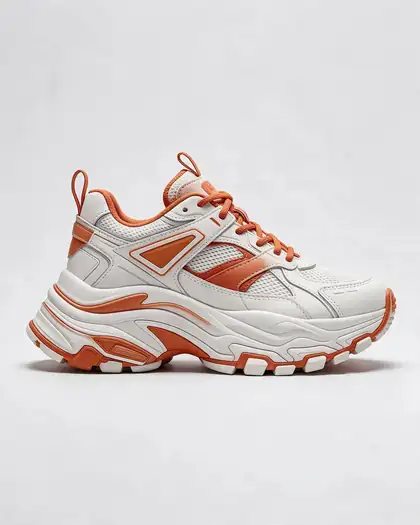
One ballpoint sketch in, one product render out. The chunky sole, the side panel, the heel pull tab and the lacing all carried over; the colours came from the prompt.
PromptTurn this sketch into a studio product photo of the same sneaker design in white leather with orange accents, same shape, seamless grey background
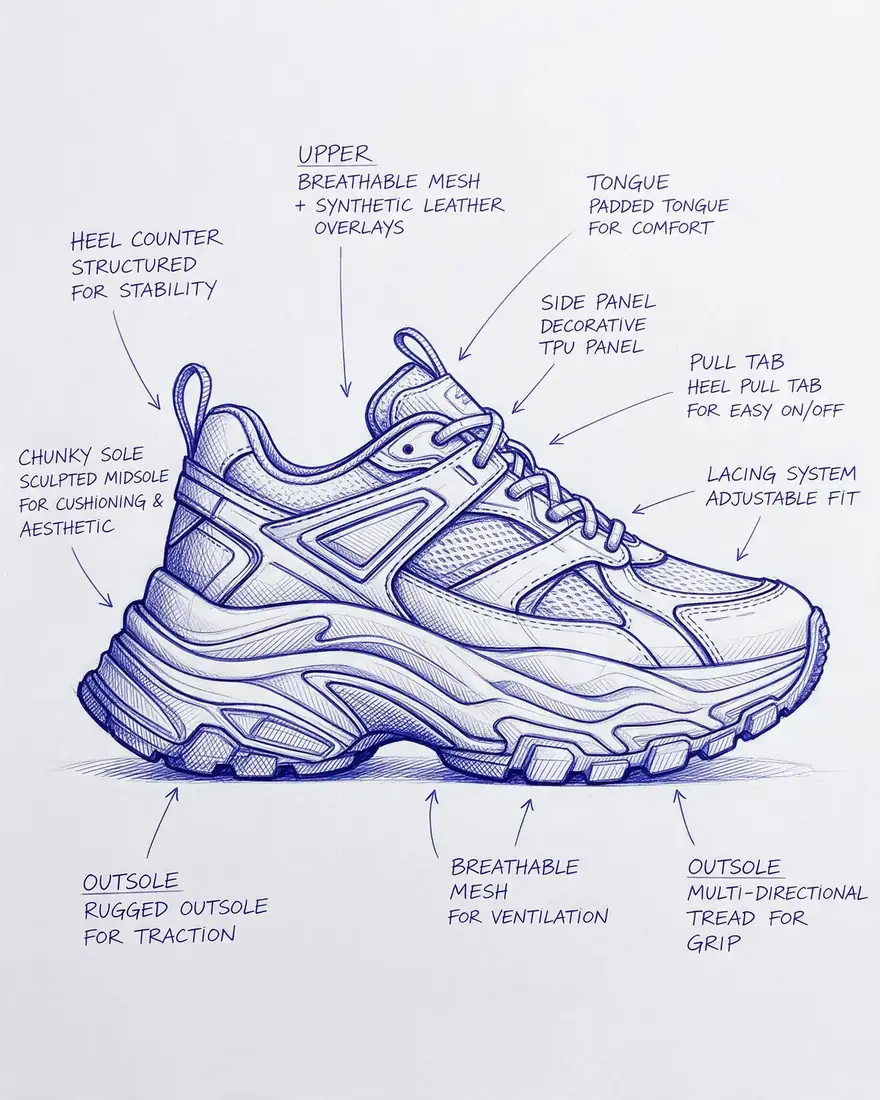 Your sketchInput
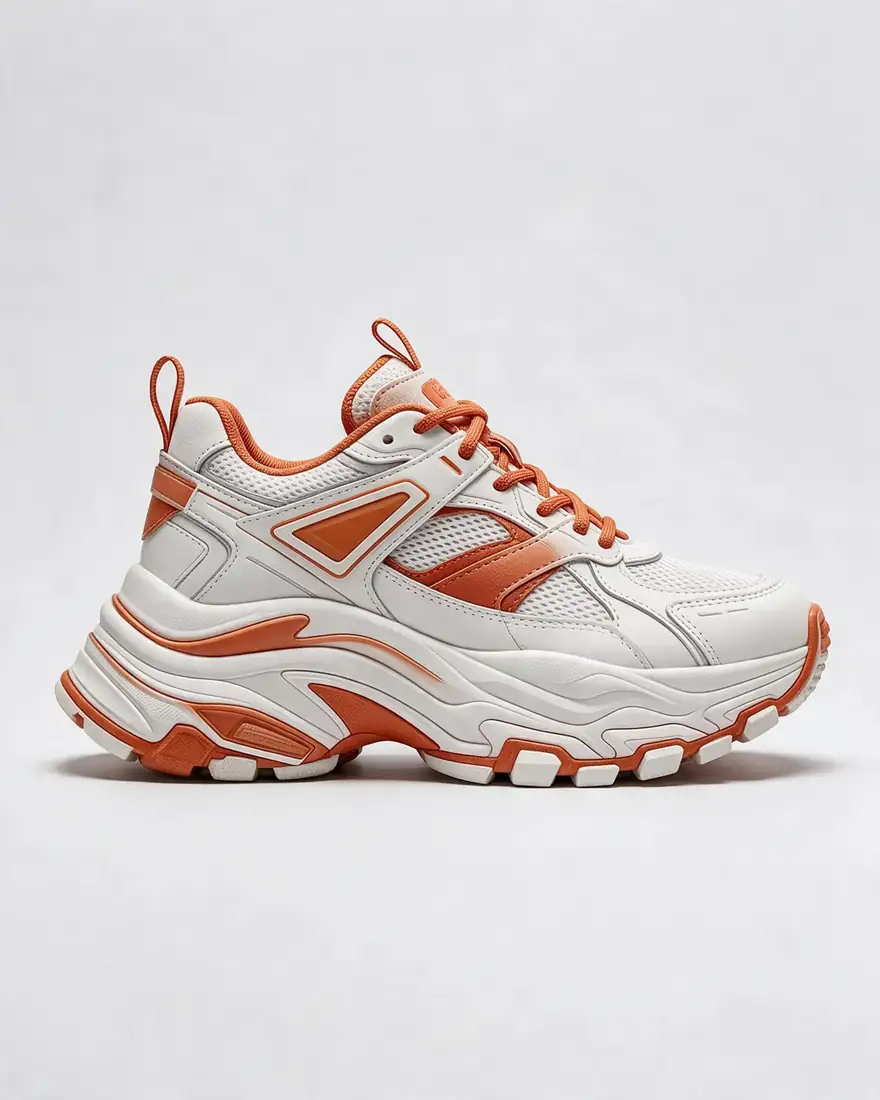 Concept renderSeedream 5.0 Pro · 2K
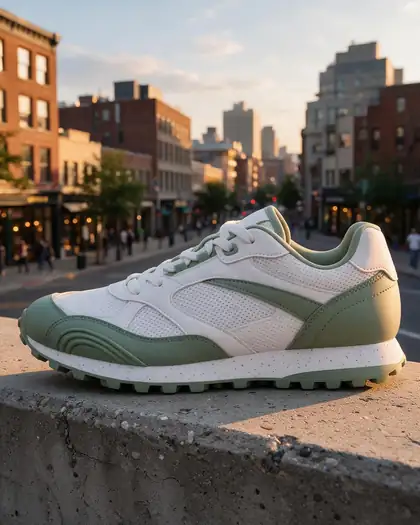
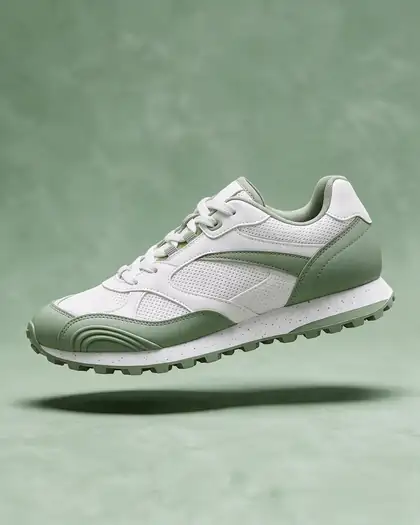
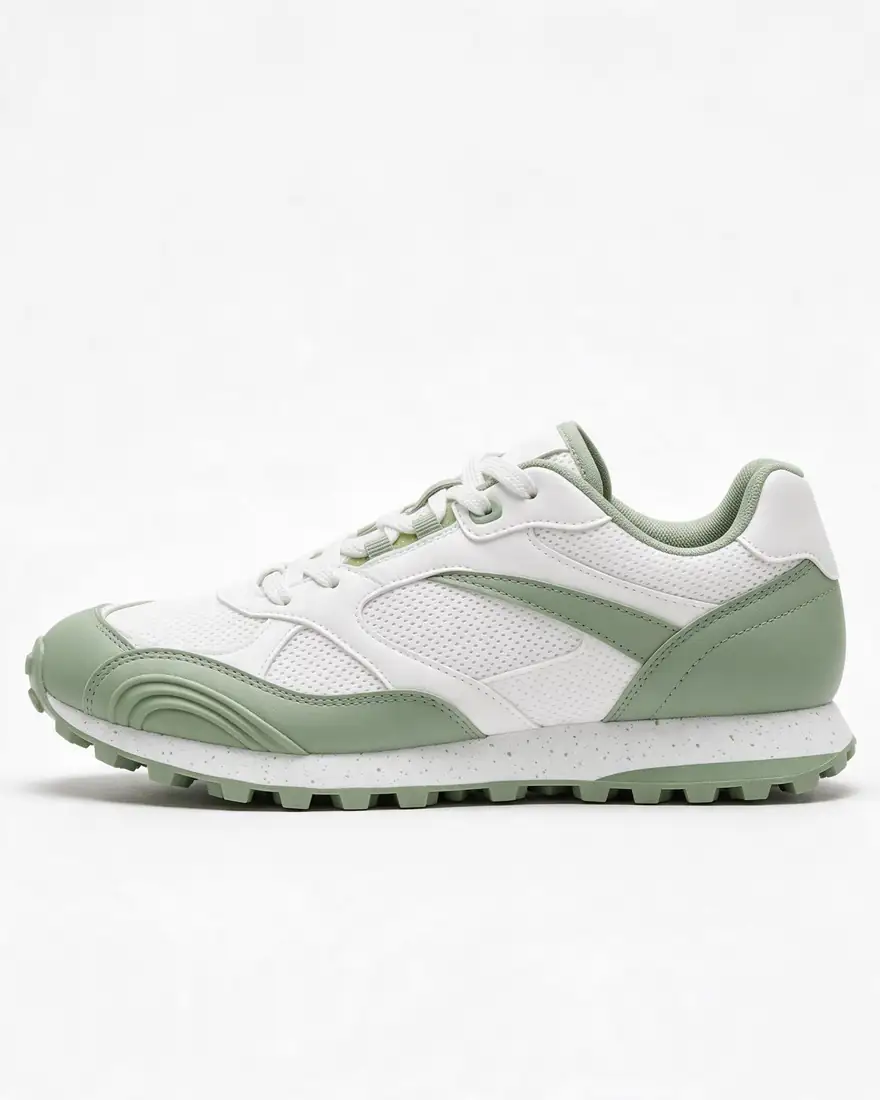 Another conceptPackshot for the scenes above
How to
How to use the AI shoe designer
- Time needed
- Steps
- 4 steps
Step 1
Sketch or describe the shoe
Photograph a sketch, or write the type, silhouette, materials and colours. Sign in free for starter credits.
Step 2
Render it in Image Studio
Upload the sketch as a reference to Seedream 5.0 Pro and say “same shape, studio product photo”.
Step 3
Try colourways and angles
Recolour with Color Palette or one sentence, change one part with Change Region, and get new views with Camera Angle.
Step 4
Make the product shots
Place the same shoe in scenes, remove the background for a white listing shot, and upscale for print.
See it in the app

Open Image Studio and type what you want to see — subject, style, lighting and mood.


Watch the tour · 1:23
Prompts, styles, references, edit, Arena & chat
Chapters
Tips
Prompts that design better shoes
Name the parts the way a footwear designer would — the model follows them.
Say the type and silhouette first: chunky trainer, low-top court shoe, Chelsea boot, block-heel mule.
Name the parts: upper, toe box, vamp, eyestay, tongue, heel counter, midsole, outsole, pull tab.
Give materials per part: “tumbled leather upper, mesh side panels, gum rubber outsole”.
For a sketch, add “same shape, keep every line” so the model doesn't redesign it.
Ask for a side view on a plain background first — it's the easiest view to judge and reuse.
Change one thing per edit (colour, a material, the sole) and say “keep everything else the same”.
Models
Models for shoe design
What each model is good at. Open any one straight in the generator.

ByteDance
Seedream 5.0 Pro
- Reference images
- Up to 10
- Output
- Up to 2K
Open Seedream 5.0 ProBest for
Made every shoe on this page; most faithful to a sketch
Google
Nano Banana 2.1
- Reference images
- Up to 14
- Output
- Up to 4K
Open Nano Banana 2.1Best for
Keeping one shoe the same across many shots

OpenAI
GPT Image 2.5 Sunburst
- Reference images
- Up to 16
- Output
- 1K–4K
Open GPT Image 2.5 SunburstBest for
Lettering and logos on the tongue or heel, precise edits
- Free plan

Alibaba
Qwen Image 3.0
- Reference images
- Up to 3
- Output
- 1K · 2K
Open Qwen Image 3.0Best for
Free plan — quick concept drafts
FAQ
AI Shoe Designer questions
8 questions
How do I design my own shoes with AI?
Start from a sketch or a description. In Kenerate's Image Studio, upload the sketch to Seedream 5.0 Pro and write “turn this sketch into a studio product photo of the same sneaker, same shape, white leather with orange accents”. Then recolour it, change single parts and make product shots of the same shoe. Our ballpoint sketch came back with the same sole, panels and pull tab.
Link to this answerCan AI turn my shoe sketch into a realistic design?
Yes. Add the sketch as a reference image and say “same shape, keep every line”. In our test, Seedream 5.0 Pro kept the chunky sole, side panel, heel pull tab and lacing and took the colours and materials from the prompt. Clean pen lines on white paper work better than faint pencil.
Link to this answerIs there a free AI shoe designer?
Kenerate is free to start: a new account gets starter credits, and Qwen Image 3.0 is on the free plan for quick drafts. Seedream 5.0 Pro, used on this page, costs 13.5 credits at 1K or 27 at 2K from one-time packs that never expire. Downloads carry no watermark.
Link to this answerCan I try different colourways of the same shoe?
Yes. Upload your render and use Edit Studio's Color Palette, or write one sentence such as “make the upper navy suede and the sole off-white, keep the shape and everything else the same”. Nano Banana 2.1 is built to keep the same object across many images, which helps when you want a full colourway set.
Link to this answerCan I see my shoe from other angles?
Edit Studio's Camera Angle tool makes new views of the same object from one image, such as a three-quarter or back view. Sides the original image didn't show are guessed by the model, so check details like the heel and the outsole tread before you share them.
Link to this answerWill the AI make a real pair of shoes?
No. It makes images — concept renders, colourways and product shots — not patterns, lasts, CAD files or tech packs, and nothing is manufactured. To wear a custom pair, use a brand customiser such as Nike By You or Vans Customs, or take your renders to a footwear designer or factory as a visual brief.
Link to this answerCan I make a 3D model of my shoe?
Kenerate's 3D Studio can turn a single image into a 3D model file (GLB) on a paid plan. Treat it as a visual model for previews, not a production-ready shoe last or mould.
Link to this answerCan I use the designs commercially?
Kenerate's terms say you own the images you generate, including for commercial use. Don't copy another brand's logos or trademarked designs — a design that looks like a famous sneaker can still infringe even if AI drew it.
Link to this answerIn depth
AI Shoe Designer, explained
What works, what to avoid, and how to pick a model.
On this page
Two meanings of “design your own shoes”
Some people want to wear their design: brand customisers such as Nike By You and Vans Customs let you pick colours and materials on an existing model and ship you a real pair. Others want to invent a shoe — a new silhouette, a sole, a colourway — and see it before anyone makes it. An AI shoe designer is for the second job.
That's also its limit. An image model draws a convincing shoe, but it doesn't know whether the sole can be moulded, the upper can be stitched or the last fits a foot. Use the renders to decide and to brief; leave construction to a footwear designer or factory.
The shoe-part vocabulary, as prompts
Image models respond to the same words designers use. Name the parts you care about:
- Upper: the body of the shoe — leather, suede, knit, mesh, canvas.
- Toe box and vamp: the front and the part over the instep.
- Eyestay and lacing: where the laces run; or a strap, zip or slip-on.
- Tongue and collar: padding, branding, pull loops.
- Heel counter and pull tab: the back that holds the heel.
- Midsole and outsole: thickness, foam texture, tread pattern, gum or colour.
What we got
Three edits, one try each, all on Seedream 5.0 Pro at 2K:
- The input: a ballpoint side-view sneaker sketch with labelled callouts.
- Sketch to render: same sole, panels, pull tab and lacing; colours and materials from the prompt.
- One concept, two scenes: the sage-and-white sneaker on a city ledge and floating over a studio backdrop, unchanged both times.
- Not tested yet: colourway sets and camera angles — the tools are listed above, results aren't shown.