

Engagement rings · pendants · earrings · cuffs
AI Jewelry Design Generator — rings, necklaces, earrings and bracelets from a prompt
Describe the piece — the metal, the stone, the cut and the setting — and get a concept render, a design sheet or a catalogue-style product shot. Then put the same ring on a hand or in a new scene. It makes design images for briefs, mood boards and listings, not CAD files for casting.
- Text or reference to render
- Same piece in every shot
- Design sheets and packshots
- No watermark
Updated by the Kenerate AI team
Made with Kenerate
On this page
Quick answer
How do you design jewelry with AI?
An AI jewelry design generator turns a description of a piece — metal, stone, cut, setting and finish — into a concept render or product photo. On Kenerate AI, GPT Image 2.5 Sunburst made every piece on this page in one try, from an oval engagement ring to an art deco earring design sheet, and then put the same ring on a hand without changing the stone or prongs. It makes images, not CAD or casting files — take the renders to a jeweller to have the piece made.
Key facts
- Start from
- A text prompt, a sketch or a photo
- Model used here
- GPT Image 2.5 Sunburst (1K, 4:5)
- Pieces shown
- Ring · earrings · pendant · cuff
- Same ring, new shot
- Yes — stone, prongs and band kept
- Reference images
- Up to 16 (GPT Image 2.5 Sunburst)
- Edit tools
- Color Palette · Change Region · Multiple Angles · Upscale
- Output
- Images (PNG/JPEG), not CAD, STL or casting files
- Free start
- Starter credits
Gallery
Rings, earrings, a pendant and a cuff
Real GPT Image 2.5 Sunburst outputs at 1K, one try each, made 21 October 2026. Open any one to copy the prompt.
Same prompt
One ring, from packshot to the hand
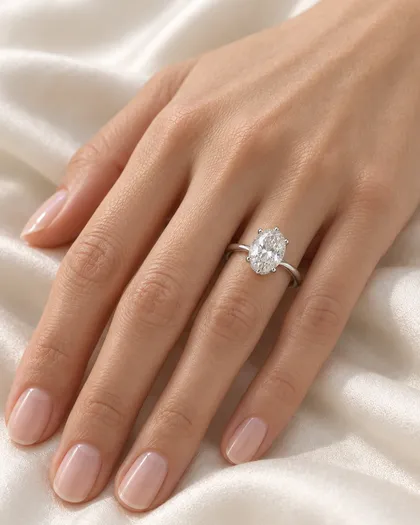
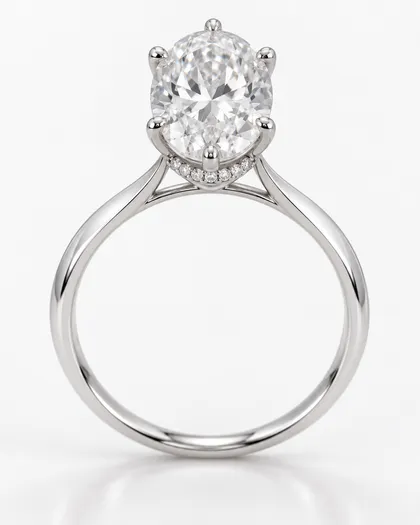
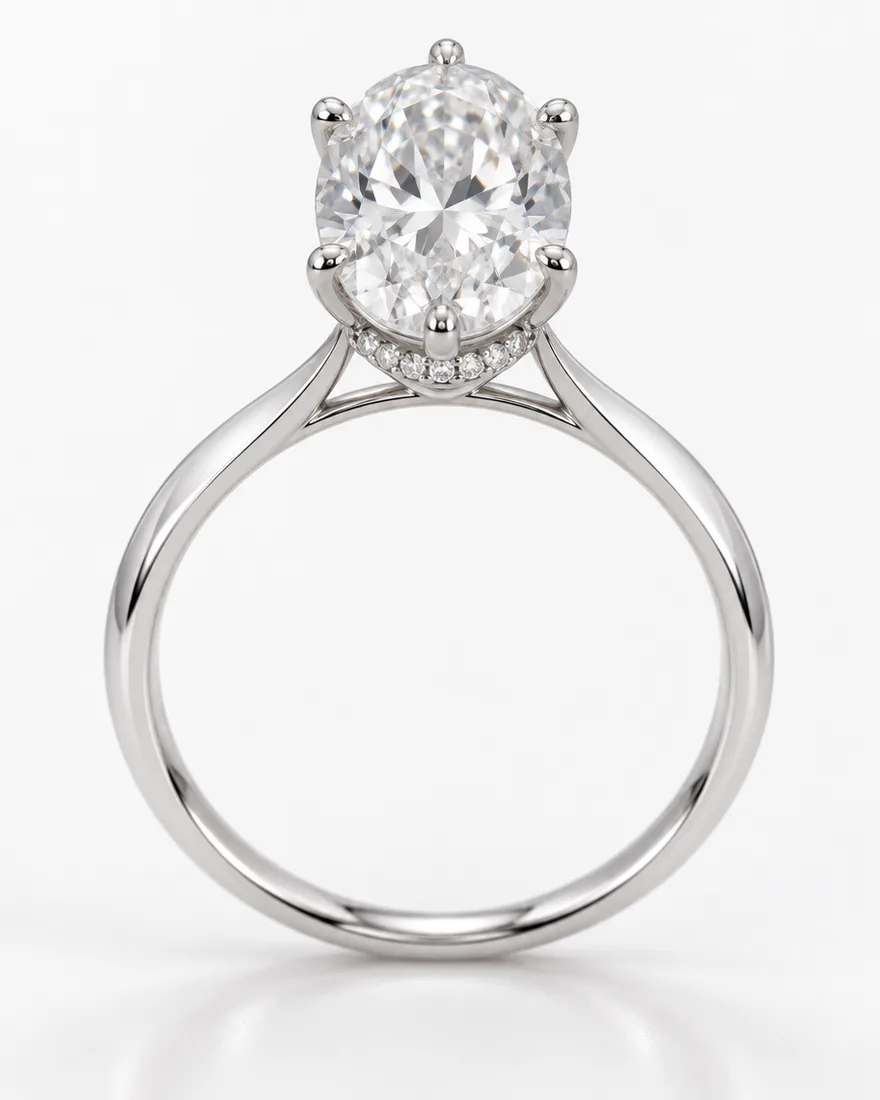
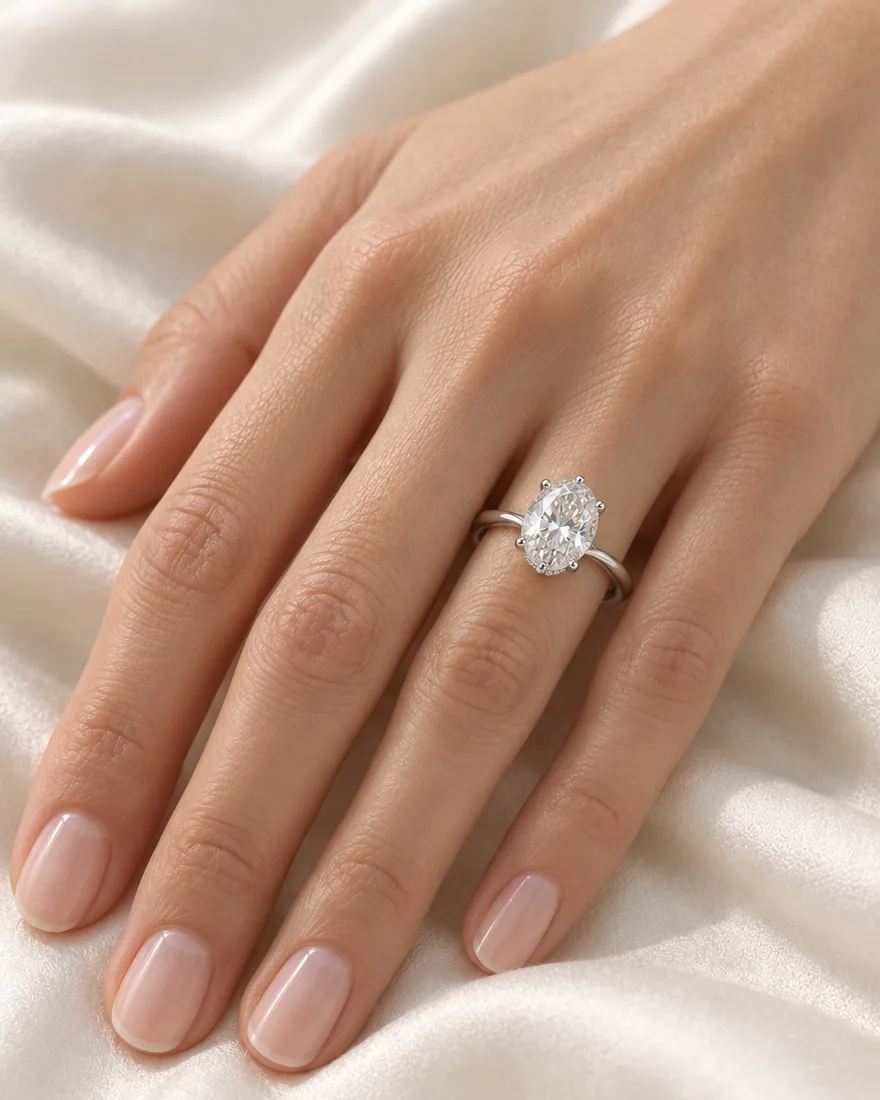
We made the ring first, then uploaded it and asked for the same ring on a hand. The oval stone, the six prongs, the hidden halo and the thin platinum band all carried over.
PromptShow this exact ring worn on the ring finger of an adult woman's hand with a natural manicure, hand resting on cream silk, soft daylight, close-up lifestyle jewelry photo. Keep the ring exactly the same: oval stone, six prongs, hidden halo, thin platinum band.
 The conceptText to image
 Worn on a handEdit · same ring
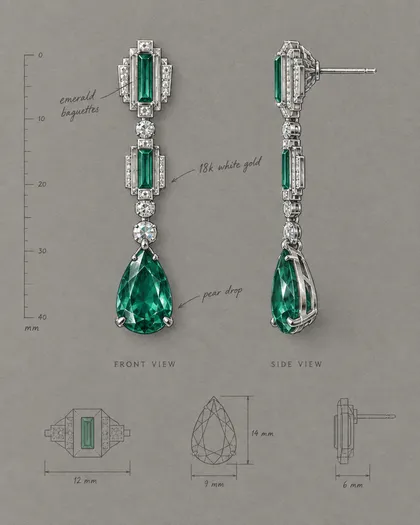
 A design sheetAnother piece, drawn
How to
How to use the AI jewelry design generator
- Time needed
- Steps
- 4 steps
Step 1
Describe the piece
Type, metal, stone, cut, setting and finish. Sign in free for starter credits.
Step 2
Render it in Image Studio
Pick GPT Image 2.5 Sunburst, 4:5, and ask for a product photo on white or a design sheet.
Step 3
Change one thing at a time
Swap the metal with Color Palette, change one stone with Change Region, or get new views with Multiple Angles.
Step 4
Make the shots you need
Upload the piece and put the same ring on a hand or in a scene, then upscale for print.
See it in the app

Open Image Studio and type what you want to see — subject, style, lighting and mood.


Watch the tour · 1:23
Prompts, styles, references, edit, Arena & chat
Chapters
Tips
Prompts that design better jewelry
Write it the way a jeweller would describe it — the model follows the trade words.
Start with the piece and its style: solitaire engagement ring, art deco drop earrings, minimalist disc pendant.
Name the metal and colour: platinum, 18k white gold, 14k yellow gold, rose gold, sterling silver.
Name the stone, its cut and how it's held: oval-cut diamond in six prongs, bezel-set sapphire, emerald baguettes.
Add the finish: high polish, hammered, brushed, oxidised, molten texture.
Pick the shot: “on a white background” for a packshot, “design sheet in gouache” for a sketch, a surface for a lifestyle photo.
To keep a piece the same, upload it and say “keep the ring exactly the same” plus the parts that matter.
Models
Models for jewelry design
What each model is good at. Open any one straight in the generator.

OpenAI
GPT Image 2.5 Sunburst
- Reference images
- Up to 16
- Output
- 1K–4K
Open GPT Image 2.5 SunburstBest for
Made every piece on this page; precise edits and engraved text
Google
Nano Banana 2.1
- Reference images
- Up to 14
- Output
- Up to 4K
Open Nano Banana 2.1Best for
Keeping one piece the same across many shots

ByteDance
Seedream 5.0 Pro
- Reference images
- Up to 10
- Output
- Up to 2K
Open Seedream 5.0 ProBest for
Turning a pencil sketch into a render
- Free plan

Alibaba
Qwen Image 3.0
- Reference images
- Up to 3
- Output
- 1K · 2K
Open Qwen Image 3.0Best for
Free plan — quick concept drafts
FAQ
AI Jewelry Design Generator questions
8 questions
How do I design jewelry with AI?
Describe the piece the way a jeweller would: the type, metal, stone, cut, setting and finish, plus the kind of shot you want. In Kenerate's Image Studio, pick GPT Image 2.5 Sunburst and write, for example, “oval-cut diamond in a six-prong platinum setting, thin knife-edge band, on a white background”. Then change one detail per edit until the design is right.
Link to this answerIs there a free AI jewelry design generator?
Kenerate is free to start: a new account gets starter credits, and Qwen Image 3.0 is on the free plan for quick drafts. GPT Image 2.5 Sunburst, used for every piece on this page, costs 7.2 credits per image at 1K from one-time packs that never expire. Downloads carry no watermark.
Link to this answerCan AI design an engagement ring?
It can design how one looks. Name the centre stone and cut (oval, round, emerald, pear), the setting (prongs, bezel, halo, hidden halo), the band (thin, knife-edge, pavé) and the metal. Our oval six-prong platinum ring came out as described in one try. A jeweller still has to check stone size, prong strength and finger size before anything is made.
Link to this answerCan I see the ring on a hand?
Yes. Upload the ring image and ask for it on a hand, saying “keep the ring exactly the same” and naming the parts that matter. In our test, GPT Image 2.5 Sunburst kept the oval stone, six prongs, hidden halo and band. An edit with one reference costs 11.7 credits at 1K.
Link to this answerCan I turn my jewelry sketch into a render?
Yes. Photograph the sketch, upload it as a reference and say “same design, keep every line, studio product photo in 18k yellow gold”. Seedream 5.0 Pro is the most faithful to a sketch in our other sketch tests; GPT Image 2.5 Sunburst is better when the design has engraving or lettering.
Link to this answerWill it make a CAD or STL file I can cast?
No. It makes images — concept renders, design sheets and product shots — not CAD, STL or casting files, and the measurements a model draws on a sheet are not real measurements. Kenerate's 3D Studio can turn one image into a GLB model on a paid plan, but treat that as a preview; a jeweller or CAD designer has to build the production model.
Link to this answerCan I use the designs for my jewelry shop?
Kenerate's terms say you own the images you generate, including for commercial use. Use them for mood boards, briefs, pre-order pages and social posts — and label concept renders as concepts until the real piece exists. Don't copy another brand's signature designs or trademarks.
Link to this answerWhich model is best for jewelry?
GPT Image 2.5 Sunburst made every piece here and follows exact wording for metals, cuts and settings. Nano Banana 2.1 is built to keep one product identical across many shots, which suits a full listing set. Seedream 5.0 Pro is good for sketch-to-render, and Qwen Image 3.0 is the free-plan option for drafts.
Link to this answerIn depth
AI Jewelry Design Generator, explained
What works, what to avoid, and how to pick a model.
On this page
What an AI jewelry generator is for — and what it isn't
It's for seeing a piece before anyone makes it: trying a stone in a bezel instead of prongs, gold instead of platinum, a hammered finish instead of a polish. It's also for the photos around a piece — a white-background listing shot, the ring on a hand, a campaign image on slate.
It isn't a CAD program. An image model draws a convincing ring, but it doesn't know whether the prongs will hold the stone, whether the band is thick enough to size, or what the piece weighs. Use the renders to decide and to brief a jeweller; leave the build to them.
The jeweller's vocabulary, as prompts
Image models respond to the words jewellers use. Name the parts you care about:
- Cut: round brilliant, oval, emerald, pear, marquise, cushion, baguette.
- Setting: prong (four or six), bezel, halo, hidden halo, pavé, channel, tension.
- Metal: platinum, 18k white, yellow or rose gold, 14k gold, sterling silver.
- Finish: high polish, brushed, hammered, oxidised, milgrain edges.
- Shot: packshot on white, on a hand, on linen or slate, gouache design sheet, top and side view.
What we got
Five images on GPT Image 2.5 Sunburst at 1K, one try each:
- Engagement ring: oval stone, six prongs, a small hidden halo and a thin platinum band, as described.
- The same ring, worn: stone, prongs, halo and band unchanged on the hand.
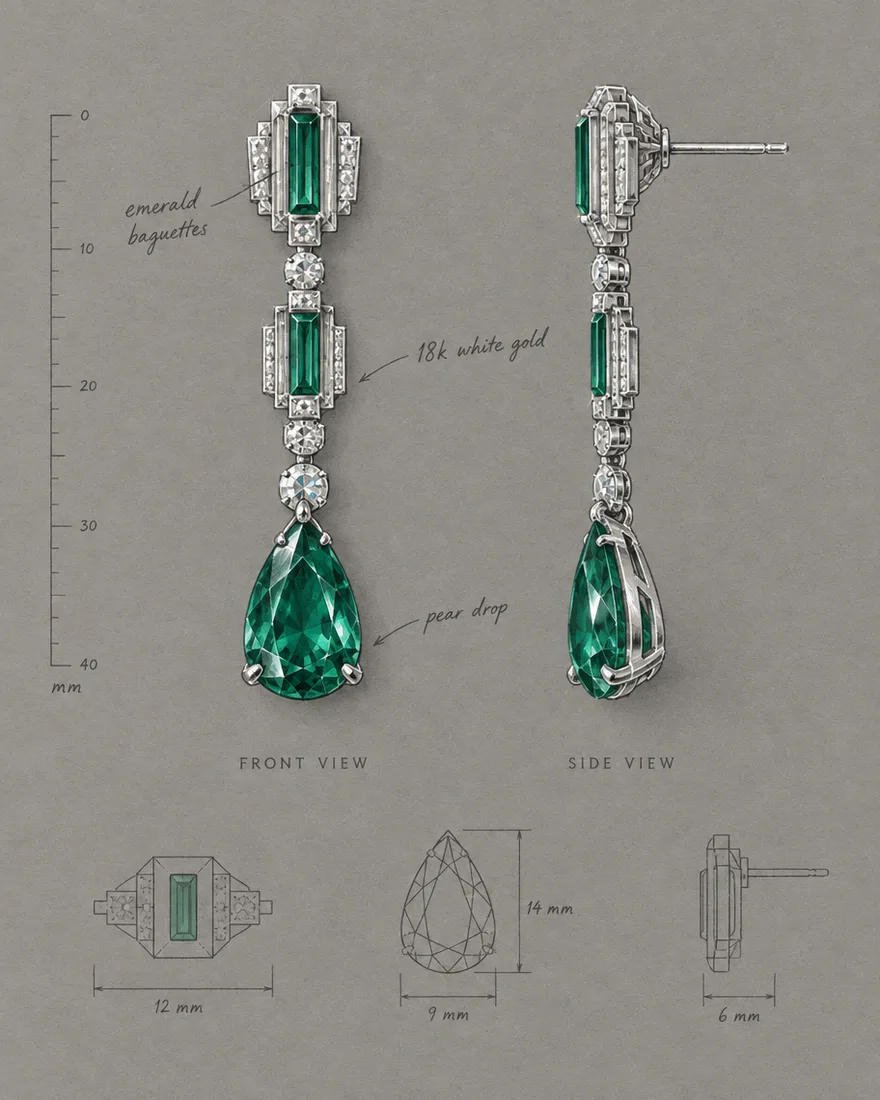
- Earring design sheet: front and side views with the three handwritten notes we asked for. The model added millimetre dimensions on its own — they're drawn, not measured.
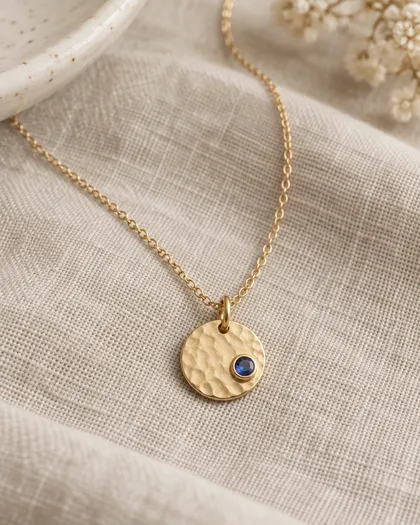
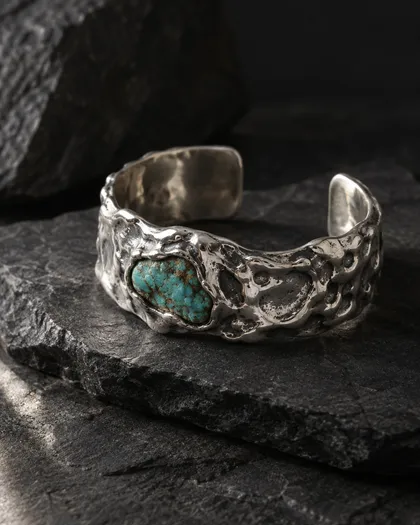
- Pendant and cuff: the hammered gold disc with its bezel-set sapphire, and the molten silver cuff with raw turquoise.