Your walls or siding · any hex colour · confirm with real samples
AI Paint Color Visualizer — try paint colours on a photo of your room or house
Upload a photo of your room or the outside of your house, paint over the walls, siding or trim, and see them in sage, navy, warm white or any hex colour — while the floor, furniture, windows and light stay the same.
- Only the walls change
- Any hex colour
- Room or exterior
- No watermark
Updated by the Kenerate AI team
On this page
Quick answer
What is an AI paint color visualizer, and how accurate is it?
An AI paint color visualizer shows a new paint colour on a photo of your own room or house before you buy a can. On Kenerate AI you open the photo in Edit Studio, use Change Region to paint over just the walls (or the siding, or the trim) and ask for the colour by name and hex code — everything you didn't paint stays the same. It is close, not exact: screens and AI both shift colours, so use it to narrow your choice, then test real samples on the wall, as paint makers themselves advise.
Key facts
- Colour input
- Name + hex code, e.g. “sage green #9CAF88”
- Rooms and exteriors
- Walls, ceilings, siding, trim, front door
- Colour accuracy
- Right hue, slightly off in shade (our hex test)
- Before you buy
- Physical sample, two coats, morning to evening
- Free start
- 25 starter credits
- Watermark
- None
Gallery
One room, new wall colour
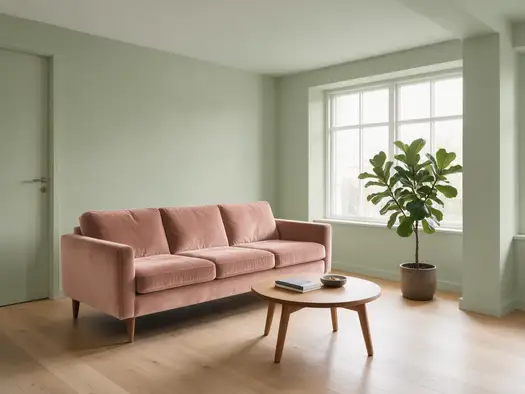
A real Qwen Image 3.0 edit from our recolour tests: a white living room with the walls asked to go sage green. Open it to copy the prompt.
Same prompt
Before and after
The walls went sage and the sofa blush, as asked; the window frames, floor, table, plant and camera angle didn't move. The door turned sage along with the walls — a whole-picture edit can't tell a door from a wall. Paint the walls with Change Region and the door stays as it is.
PromptRecolor only the sofa to dusty blush pink velvet and the walls to a soft sage green. Keep the furniture, floor, plant, lighting and camera angle exactly the same.
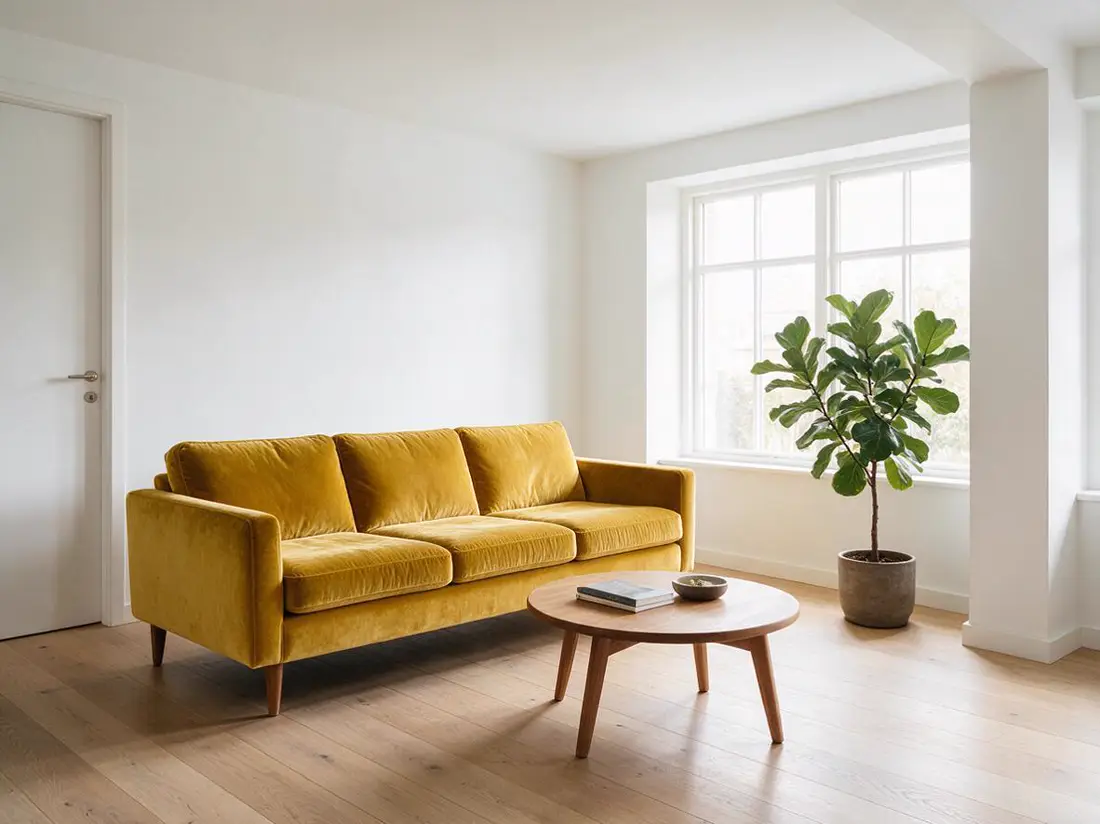 OriginalWhite walls
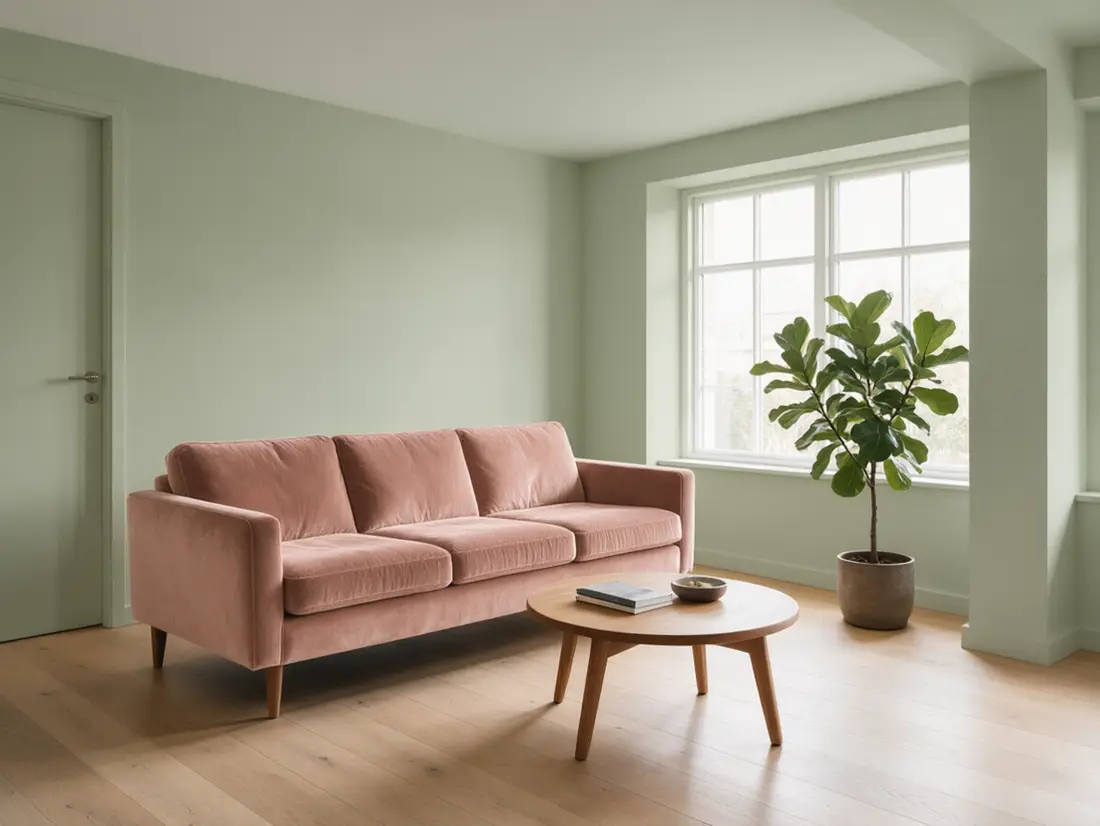 Sage wallsQwen Image 3.0 edit · 1K
How to
How to use the AI paint color visualizer
- Time needed
- Steps
- 4 steps
Step 1
Photograph the room or house
Daylight, lights on, level; the walls or siding you want to paint in frame.
Step 2
Open it in Edit Studio
Go to /app/edit, upload the photo and pick Change Region. Sign in free for 25 starter credits.
Step 3
Paint the walls and name the colour
Brush over just the walls (not trim or doors), then write the colour name, hex code and finish — plus “keep everything else the same”.
Step 4
Compare, then sample
Try two or three colours, shortlist one or two, and test real paint samples before you buy.
See it in the app

Open Image Studio and type what you want to see — subject, style, lighting and mood.


Watch the tour · 1:23
Prompts, styles, references, edit, Arena & chat
Chapters
Tips
Paint previews you can actually choose from
What gives a fair comparison.
Shoot in daylight with the room's own lights on, level, with the wall you'll paint filling most of the frame.
Paint over only the walls with Change Region — leave out the trim, doors, ceiling and window frames unless they change too.
Ask for the colour by name and hex: “soft sage green #9CAF88, matte finish”. A name alone drifts more.
Keep everything else the same in the prompt: “keep the floor, furniture, trim, lighting and camera angle exactly the same”.
Compare two or three colours on the same photo, one at a time, so only the paint changes.
For a house exterior, do the body, the trim and the front door as separate regions.
Treat the result as a shortlist: then put real samples on the wall and look at them morning to evening.
Models
Tools and models for trying paint colours
What each model is good at. Open any one straight in the generator.

ByteDance
Seedream 5.0 Pro
- Reference images
- Up to 10
- Output
- 1K · 1.5K · 2K
Open Seedream 5.0 ProBest for
Default model of Change Region: repaints only the area you mark

OpenAI
GPT Image 2.5 Sunburst
- Reference images
- Up to 16
- Output
- 1K–4K
Open GPT Image 2.5 SunburstBest for
Literal, instruction-following repaint when the edges are tricky
Google
Nano Banana 2.1
- Reference images
- Up to 14
- Output
- 1K–4K
Open Nano Banana 2.1Best for
Also on Change Region; add a photo of a real paint chip as a reference
- Free plan

Alibaba
Qwen Image 3.0
- Reference images
- Up to 3
- Output
- 1K · 2K
Open Qwen Image 3.0Best for
Free plan: AI Edit and Recolor (whole picture), not Change Region
FAQ
AI Paint Color Visualizer questions
10 questions
What is an AI paint color visualizer?
A tool that shows a new paint colour on a photo of your own room or house, so you can compare colours before you buy paint. On Kenerate AI you open the photo in Edit Studio, paint over the walls with Change Region and type the colour by name and hex code; only the area you painted changes.
Link to this answerHow accurate is an AI paint visualizer?
Close, not exact. In our hex test on the recolor image page, Qwen Image 3.0 got the right hue every time but a little darker or duller — #1E3A8A came back as #253B78. Your screen, the photo's white balance and your room's light shift it further. Sherwin-Williams' own visualizer says the actual colour may vary from the on-screen one and to check a physical chip or painted sample before you buy.
Link to this answerCan I see a paint colour on my own wall?
Yes. Upload a photo of the room to Edit Studio, choose Change Region, brush over the walls only and write, for example, “paint these walls soft sage green #9CAF88, matte, keep everything else the same”. Change Region costs 13.5 credits per result on Seedream 5.0 Pro, its default model.
Link to this answerWhich Kenerate tool changes only one wall?
Change Region. You paint the area — one accent wall, all the walls, the ceiling, the siding — and only that area is repainted. The Recolor tool does something different: it maps every colour in the picture to a palette you pick, which suits posters and mood boards, not walls. AI Edit works from text alone, so the colour can spread to doors or trim, as it did in our example.
Link to this answerCan I use a Sherwin-Williams or Benjamin Moore colour?
Use the colour's name plus a hex code in the prompt. Don't rely on an image model knowing what a paint maker's colour number looks like — a hex code tells it the colour directly. Any hex value you find for a paint colour is a screen approximation — confirm the choice with the maker's physical chip or sample.
Link to this answerDoes it work for the outside of my house?
Yes. Photograph the house straight on, then repaint the body, the trim and the front door as three separate Change Region passes. For siding, roof, windows or a porch, see AI home exterior design. Benjamin Moore notes its liquid samples are for interior use only and suggests a white foam board for exterior samples.
Link to this answerIs there a free AI paint color visualizer?
You can start free: a new Kenerate account gets 25 starter credits. Qwen Image 3.0 is on the free plan and costs 9.9 credits for an edit with one photo, through AI Edit or Recolor. Change Region, the best tool for walls, runs on Seedream 5.0 Pro for 13.5 credits per result from one-time credit packs. Downloads have no watermark.
Link to this answerCan it show matte versus gloss or satin?
Only loosely. You can ask for “matte” or “satin”, and the model may add a soft sheen, but it is guessing from your photo's light, not measuring the paint. Finish changes how a colour looks; that is one more reason to judge the real sample on your wall.
Link to this answerHow should I test paint after using the visualizer?
Follow the paint makers' own advice. Benjamin Moore says to brush on at least two coats on a white or light wall or a white foam board, move it around the room, and look at it from morning to evening under daylight and lamps; bigger swatches are more reliable than small chips. Sherwin-Williams suggests warmer colours with a higher LRV for north-facing rooms, which get the least light.
Link to this answerWhat is LRV and does the AI know it?
LRV, light reflectance value, is how much light a colour reflects on a scale from 0 (none) to 100 (all), according to Sherwin-Williams; paint makers list it for their colours. The AI doesn't know or render LRV — it just paints a colour into your photo — so check the LRV on the maker's colour page if your room is dark.
Link to this answerIn depth
AI Paint Color Visualizer, explained
What works, what to avoid, and how to pick a model.
On this page
Which Edit Studio tool should you use to try paint?
Three tools change colour, and only one keeps the change to the walls. Credits per result, from the app's price code on 22 October 2026:
- Change Region — paint over the walls (or siding, trim, a door) and describe the colour; everything else is kept. Default Seedream 5.0 Pro, 13.5 credits. Also runs on GPT Image 2.5 Sunburst (20.7) and Nano Banana 2.1 (21). This is the paint visualizer.
- AI Edit — describe the change in words, no painting. Quick, and Qwen Image 3.0 does it for 9.9 credits on the free plan, but the colour can spread to things that look like wall, such as a door.
- Recolor (palette) — pick up to 8 colours and the whole picture is remapped to them. Right for a mood board or a poster; wrong for walls, because the sofa, floor and art change too. Qwen Image 3.0, 9.9 credits.
- Adjust (hue, warmth) is free and runs in your browser, but it shifts every colour in the photo, not the paint.
Why the screen colour isn't the paint colour
Three things stand between the preview and the can. Your screen shows colour its own way — brightness, white point and settings differ between phones and monitors. Your photo has its own white balance and the light at the moment you took it. And the AI model paints a colour that is close to what you asked for, not a measured match.
We measured that last part on the recolor image page: asked for three hex colours, Qwen Image 3.0 got the right hue every time but a little darker or duller (#F59E0B amber came back as #D87E0D). That is fine for choosing between sage and grey, not for choosing between two sages. Sherwin-Williams' own visualizer carries the same warning: the actual colour may vary from the on-screen one.
How to name a colour so the AI gets close
Give the model a name, a hex code and a finish. Some starting points (screen colours, not paint products):
- Warm white — “warm white #F2EEE3, matte”: soft, not stark, for most rooms.
- Greige — “warm greige #C9C0B1, eggshell”: neutral with a little warmth.
- Sage — “soft sage green #9CAF88, matte”.
- Navy — “deep navy #2C3E50, eggshell” for an accent wall or a front door.
- Terracotta — “muted terracotta #B86B4B, matte” for a warm accent.
- Charcoal — “charcoal #36393B, satin” for exterior siding or trim.
- If you already have a paint colour in mind, use its name plus the closest hex value you can find, and treat that hex as an approximation.
Room light changes everything
The same paint looks different on every wall. Sherwin-Williams' guidance: north-facing rooms get the least light, so warm undertones and colours with a higher LRV (light reflectance value, 0 to 100) work better there; south-facing rooms have warm light all day and take most colours; east- and west-facing rooms flip between warm and cool light from morning to evening.
An AI preview uses the light in your photo, at the moment you took it. Take two photos — morning and evening — and compare the same colour on both before you shortlist it.
Exterior paint: body, trim and door
For a house, repaint in three passes with Change Region: the siding (body) first, then the trim and window frames, then the front door. Each pass changes one thing, so you can see which combination works. Keep the roof, brick or stone and windows out of the painted area unless they change too.
Benjamin Moore says its liquid samples are for interior use only and recommends a white foam board for exterior samples — paint it, hold it against the siding and look at it at different times of day. For new siding, roofing, windows or a porch, use the AI home exterior design page.
From preview to paint
The visualizer gets you from twenty colours to two. The last step is real paint, the way the paint makers recommend:
- Get a physical chip, card or sample of each shortlisted colour — Sherwin-Williams asks you to confirm with one before you buy.
- Brush on at least two coats (Benjamin Moore), on a white or light wall or a white foam board.
- Make the swatch big; larger swatches give a more reliable picture than small chips.
- Look at it from morning to evening, under daylight and your own lamps, on more than one wall.
- Hold chips up against the wall, not flat in your hand, and on white paper so nearby colours don't skew them.