Your photo · studio, beach or announcement
AI Pregnant Filter — see a maternity look on your own photo
Upload a clear photo of yourself and see a maternity version — a studio portrait, a beach shoot at sunset or a cosy announcement photo — with your face, hair and smile kept.
- One photo of you
- Face kept the same
- Studio, beach or announcement
- No watermark
Updated by the Kenerate AI team
On this page
Quick answer
How do you add a pregnancy look to your own photo with AI?
An AI pregnant filter redraws a photo of you with a pregnancy bump and maternity clothes while keeping your face. On Kenerate AI you add one clear photo to the Image Studio, describe the bump, outfit and scene, and an edit model makes the picture. In our test, Nano Banana 2.1 turned a plain headshot into a studio maternity portrait with her face kept, for 21 credits. Use it only on your own photo, or with the person's clear agreement.
Key facts
- Photos made
- 3 (studio · beach · announcement)
- Photo in
- 1 headshot
- Face kept
- Closely in 2 of 3
- Best model
- Nano Banana 2.1
- Free plan
- Qwen Image 3.0
- Watermark
- None
Gallery
One photo, three maternity looks
Real edits of the same AI-made test photo, one try each. Open any one to copy the prompt.
Same prompt
A plain headshot in, a maternity portrait out
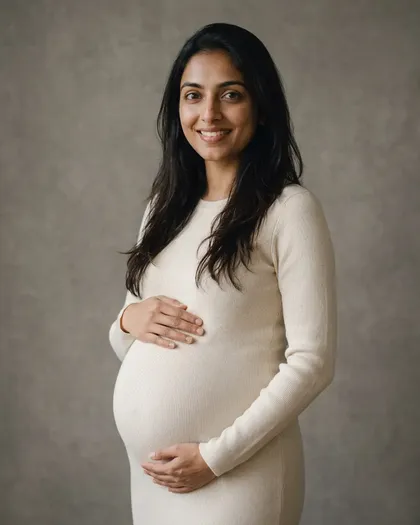
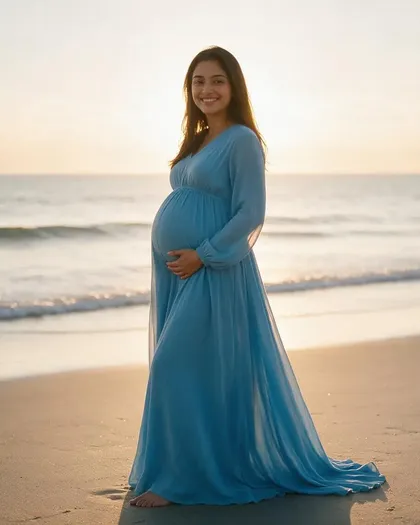
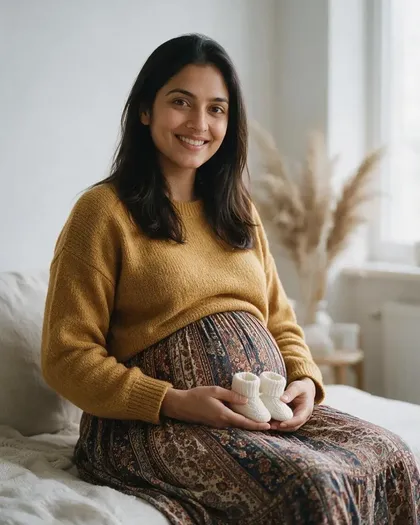
The face, long dark hair and smile carried over in the studio and announcement edits; the bump, clothes, pose and scene are new, as the prompt asked. The beach edit drifted most — her face came out lighter and rounder.
PromptTurn this into a tasteful studio maternity portrait of the same woman, about seven months pregnant with a visible rounded pregnancy bump. Keep her face exactly the same — same features, skin tone, long dark hair and smile.
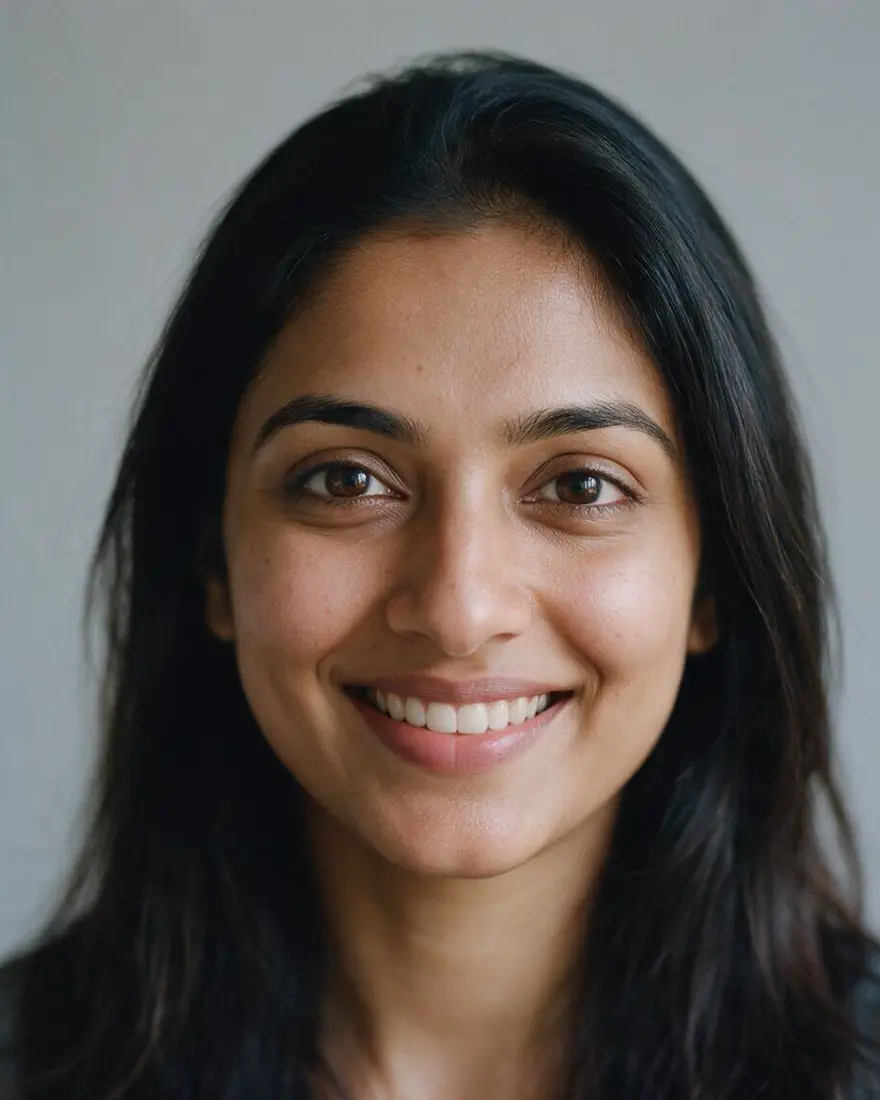 PhotoInput
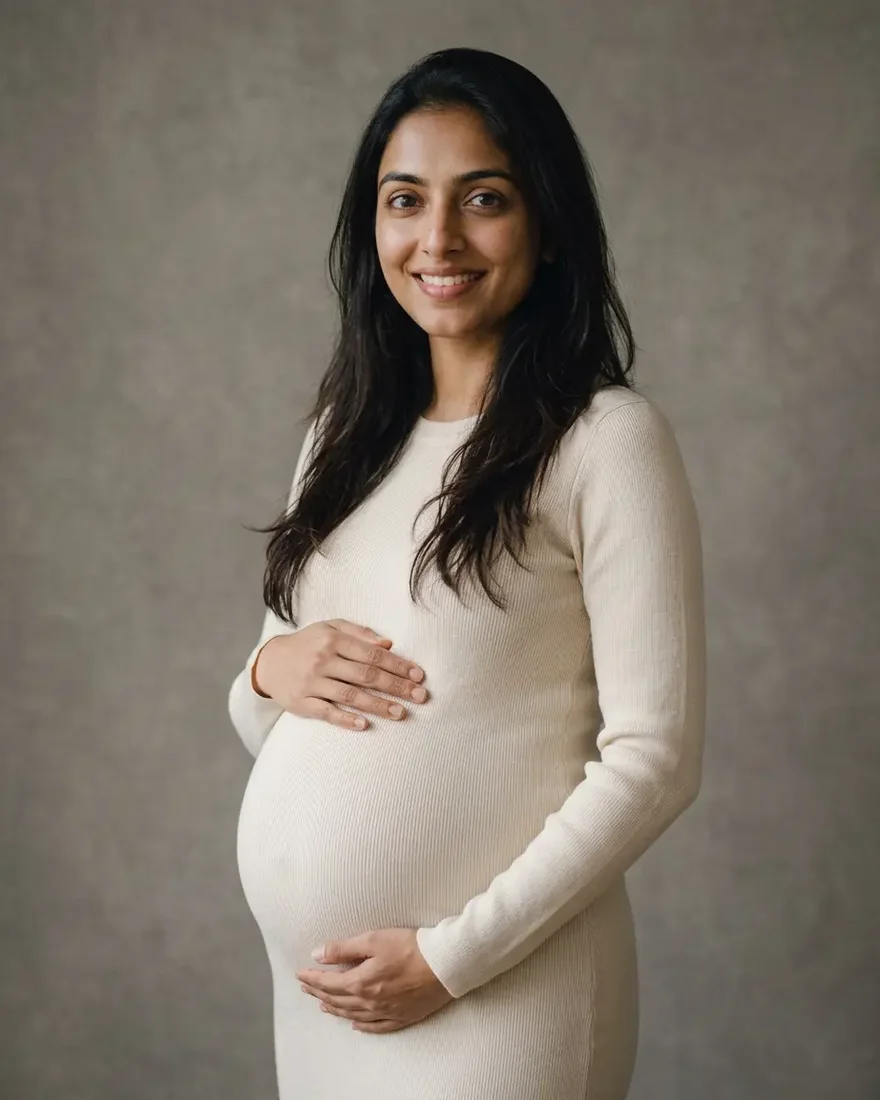 StudioNano Banana 2.1
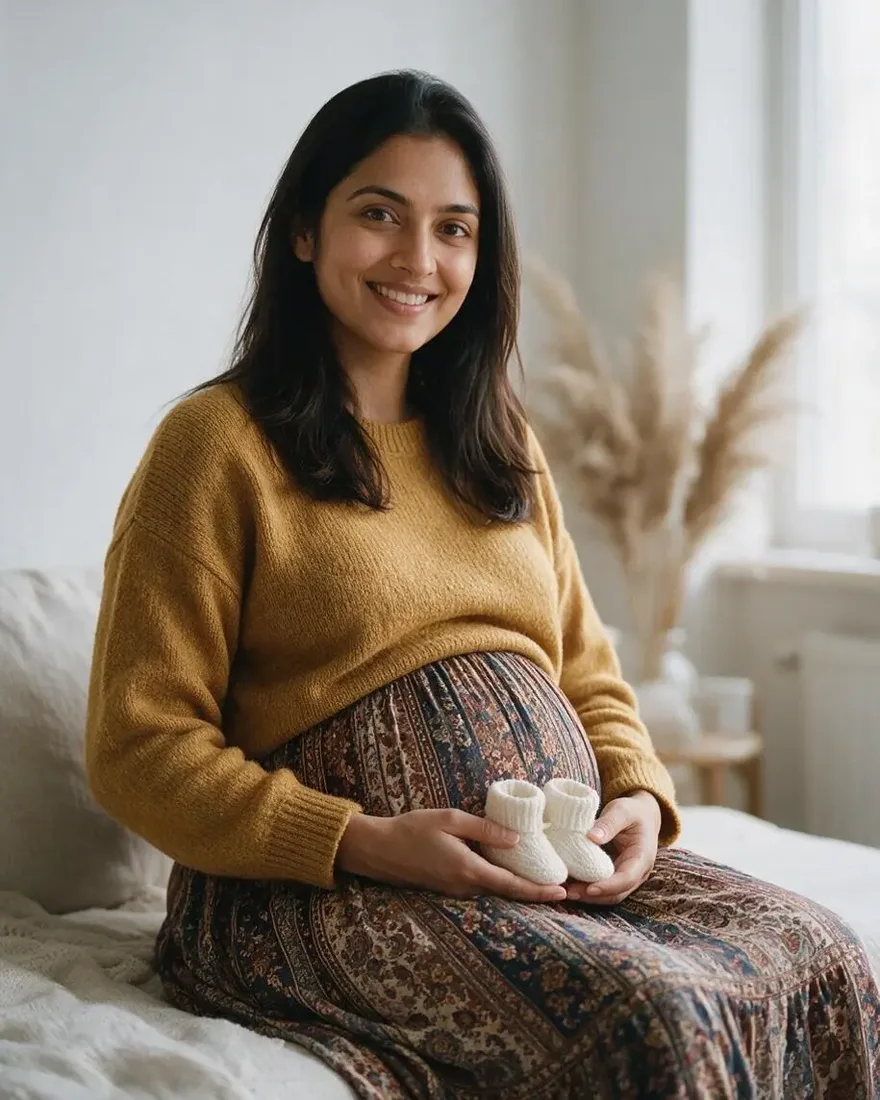 AnnouncementSeedream 5.0 Pro
How to
How to use the AI pregnant filter
- Time needed
- Steps
- 4 steps
Step 1
Add your photo
In /app/image, add one clear photo of yourself as a reference. Sign in free for starter credits.
Step 2
Pick Nano Banana 2.1
It kept the face most closely in our tests; Seedream 5.0 Pro costs less.
Step 3
Describe the look
How far along, the maternity outfit, the pose and the scene, then “keep her face exactly the same”.
Step 4
Download
Regenerate if the face drifts, then download without a watermark.
See it in the app

Open Edit Studio and upload an image, or pick one from your history.


Watch the tour · 1:23
Prompts, styles, references, edit, Arena & chat
Chapters
Tips
Get a pregnancy photo that still looks like you
What worked in our tests.
Use one sharp, front-facing photo in good light — the face is what the model copies.
Say how far along: “about seven months pregnant with a visible rounded pregnancy bump”.
Write “keep her face exactly the same — same features, skin tone, hair and smile”.
Avoid the word “baby” in the prompt: the studio's safety filter refuses it. Write “pregnancy bump” or “booties” instead.
Name a maternity outfit — a fitted knit dress, a flowing maxi dress, a sweater and long skirt — and add “fully clothed”.
Pick the scene last: studio backdrop, beach at golden hour, or a living room for an announcement.
Models
Models for the pregnant filter
What each model is good at. Open any one straight in the generator.
Google
Nano Banana 2.1
- Reference images
- Up to 14
- Output
- 1K–4K
Open Nano Banana 2.1Best for
Made the studio portrait · kept the face best

ByteDance
Seedream 5.0 Pro
- Reference images
- Up to 10
- Output
- Up to 2K
Open Seedream 5.0 ProBest for
Made the beach and announcement photos

OpenAI
GPT Image 2.5 Sunburst
- Reference images
- Up to 16
- Output
- 1K–4K
Open GPT Image 2.5 SunburstBest for
Precise edits, good with text on the photo
- Free plan

FAQ
AI Pregnant Filter questions
9 questions
What is an AI pregnant filter?
It's a photo edit that redraws you with a pregnancy bump and maternity clothes while keeping your face. On Kenerate AI it isn't a one-tap preset: you add your photo to the Image Studio and describe the look, so you choose how far along, the outfit and the scene.
Link to this answerHow do I use the pregnant filter on my photo?
Open the Image Studio, add one clear photo of yourself, pick Nano Banana 2.1 and write something like “the same woman, about seven months pregnant with a visible rounded pregnancy bump, fitted cream knit maternity dress, hands on the bump, grey studio backdrop, keep her face exactly the same”. Our plain headshot came back as a studio maternity portrait with her face kept.
Link to this answerIs the AI pregnant filter free?
Free to start. A new Kenerate account gets 25 starter credits, and Qwen Image 3.0 is on the free plan at 9 credits plus 0.9 per photo. Nano Banana 2.1 (21 credits) and Seedream 5.0 Pro (13.5 credits) use one-time credit packs that never expire. No subscription, and downloads carry no watermark.
Link to this answerWhy was my pregnancy prompt refused?
The studio's safety filter blocks the word “baby” in image prompts, so a prompt like “baby bump” is refused before it runs. Write “pregnancy bump”, “maternity” or “booties” instead — that's how we made all three examples on this page.
Link to this answerWill it still look like me?
Usually. Nano Banana 2.1 and one of the two Seedream 5.0 Pro edits kept the face, hair and smile closely. The beach edit drifted — the face came out lighter and rounder — so use a sharp, front-facing photo and regenerate if the face changes.
Link to this answerCan I make a maternity photo shoot with AI?
Yes. Keep the same photo and change only the scene line: a grey studio backdrop, a beach at golden hour in a flowing maxi dress, or a living room with soft window light. Each edit is a separate run, so you can build a small set from one photo.
Link to this answerCan I make a pregnancy announcement photo?
Yes. Ask for a cosy scene with a prop, for example “holding a tiny pair of white knitted booties in front of the bump”. To add the date or a message, put the exact words in quotes; GPT Image 2.5 Sunburst handles text on images best.
Link to this answerCan I put the pregnant filter on a friend or partner?
Only with their clear agreement. A fake pregnancy photo of someone else can be hurtful or spread as a false announcement, so don't use it on other people's photos, public figures or anyone under 18, and label AI images as AI when you share them.
Link to this answerDoes the filter say anything about a real pregnancy?
No. The picture is a guess drawn by an image model — it doesn't predict how your body would look, the bump size, or anything medical. Treat it as a fun or planning preview only.
Link to this answerIn depth
AI Pregnant Filter, explained
What works, what to avoid, and how to pick a model.
On this page
How a pregnant filter works
An edit model reads your photo, keeps what you ask it to keep — the face, hair and smile — and redraws the rest: body shape, clothes, pose and background. The bump is drawn new each time, so how far along it looks depends on your words, not on any measurement.
That's why the prompt matters more than the tool: “about seven months”, a named outfit and one scene give a believable photo; “make her pregnant” alone leaves the model to guess everything.
A pregnant filter prompt, written out
The structure that worked for all three photos:
- Edit: “turn this into a [studio maternity portrait / beach maternity photo / pregnancy announcement photo] of the same woman”.
- Stage: “about seven months pregnant with a visible rounded pregnancy bump” — not “baby bump”, which the filter refuses.
- Face: “keep her face exactly the same — same features, skin tone, hair and smile”.
- Outfit and pose: “long fitted cream knit maternity dress, both hands resting on the bump”, plus “fully clothed”.
- Scene: grey studio backdrop with soft key light, a beach at golden hour, or a sunny living room with a small prop.
What we got
Three edits of the same photo, one try each:
- Studio (Nano Banana 2.1, 21 credits): closest to the original face; cream knit dress, hands on the bump, grey backdrop as asked.
- Beach (Seedream 5.0 Pro, 13.5 credits): the best-looking scene, but the face drifted — lighter skin and a rounder face.
- Announcement (Seedream 5.0 Pro, 13.5 credits): face kept well, mustard sweater, booties and pampas grass; the room reads more like a bedroom than a living room.