Native audio · dialogue · sound effects
AI Video Generator with Voice — clips that talk, with sound built in
Write a line of dialogue in quotes and the model speaks it, in the same render as the picture — with footsteps, rain, crowd noise and music to match. Wan 3.0, Seedance 2.5, Veo 3.1 and Kling 3 all generate sound natively, and you can switch it off when you only need the picture.




- Dialogue, effects and ambience
- Clips up to 30 s
- Sound on or off per clip
- Separate voice-over and lip-sync too
Updated by the Kenerate AI team
On this page
Quick answer
Which AI video generator makes voice and sound?
An AI video generator with voice makes the soundtrack in the same render as the picture. Put the spoken line in quotes in your prompt — the chef looks up and says “Dinner's ready” — and models with native audio such as Wan 3.0, Seedance 2.5, Veo 3.1 and Kling 3 produce the voice, sound effects and ambience together, lip movement included. On Kenerate, Wan 3.0 is the cheapest way in at 15 credits a second at 480p (sound costs nothing extra), and it runs up to 30 seconds. Need a narrator instead? Use the separate AI voice-over tool, or lip sync to make a face speak an existing track. Video needs a paid plan.
Key facts
- How voice is made
- Native audio: dialogue, effects and ambience in one render
- How to get dialogue
- Write the spoken line in quotes in the prompt
- Models with sound
- Wan 3.0, Seedance 2.5 / 2.0, Veo 3.1, Kling 3, Pixverse v6, Vidu Q3…
- Longest clip with sound
- 30 s (Wan 3.0, Seedance 2.5)
- Sound off
- Toggle per clip; Veo and Kling cost less silent
- Plan needed
- Paid plan for video
Gallery
Start frames that became clips with sound
These Seedream 5.0 Pro stills were animated by Wan 3 on our image-to-video page — 5 seconds, 720p, with native sound. The motion-and-sound prompts are further down; reuse them as a pattern.
How to
How to use the AI video generator with voice
- Time needed
- Steps
- 4 steps
Step 1
Pick a model with sound
Open the video studio and choose Wan 3.0 (value, up to 30 s), Seedance 2.5 (cinematic, up to 4K) or Veo 3.1 (short clips). Leave the sound switch on.
Step 2
Write picture, dialogue and sound
Describe the scene and camera, put each spoken line in quotes with who says it, then add the sounds: “café at night, rain on the window, she smiles and says ‘You came back’, soft jazz”.
Step 3
Set length and shape
Choose seconds and resolution — the credit cost updates as you go — and 9:16 for Reels and Shorts, 16:9 for YouTube, 1:1 for feeds. Add a start image if a face or product must stay exact.
Step 4
Generate and download
The clip renders with its soundtrack in a few minutes and is saved to your history as an MP4 with audio. Not happy with the voice? Re-roll, or turn sound off and add a voice-over.
See it in the app

Open Video Studio in Text to Video mode and write the shot — subject, action, camera move and light.


Watch the tour · 1:23
Prompts, styles, references, edit, Arena & chat
Chapters
Tips
Get clean voice and sound
What works with native-audio video models.
Put dialogue in quotes and name who says it: “the old fisherman turns to the camera and says ‘Storm's coming’”.
One or two short lines per clip. Long speeches drift out of sync; split them across clips.
Describe the sound as well as the picture: rain on a tin roof, distant traffic, a soft piano bed.
Say how it's said: whispering, shouting, laughing, calm narrator voice. Tone in the prompt carries into the voice.
Draft at 480p on Wan 3.0 (sound is free there), then re-render only the keeper at 1080p or on Seedance 2.5.
Need an exact script read by a chosen voice? Make it with AI voice-over first, then use lip sync or a talking photo to put it on a face.
Models
Video models that generate voice and sound
What each model is good at. Open any one straight in the generator.
Alibaba
Wan 3.0
- Reference images
- Up to 10
- Output
- 2–30 s · up to 1080p
Open Wan 3.0Best for
Cheapest with sound — 15 credits/s at 480p, sound included
ByteDance
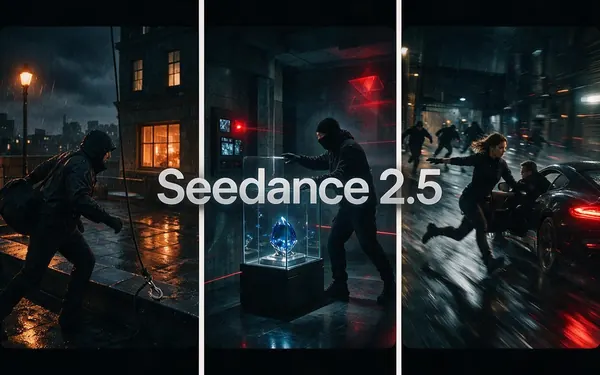
Seedance 2.5
- Reference images
- Up to 30
- Output
- 4–30 s · up to 4K
Open Seedance 2.5Best for
Cinematic multi-shot clips with dialogue — 108 credits/s at 720p
ByteDance
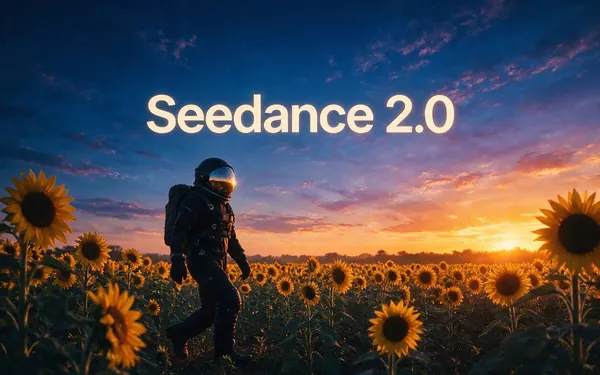
Seedance 2.0
- Reference images
- Up to 9
- Output
- 4–15 s · up to 4K
Open Seedance 2.0Best for
Dialogue, lip-sync-style ads, anime — 72 credits/s at 720p
Google
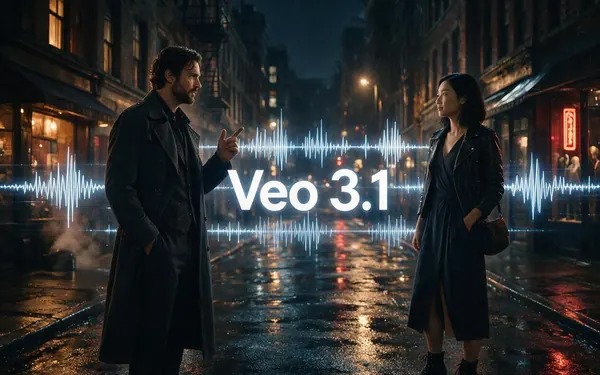
Veo 3.1
- Reference images
- Up to 3
- Output
- 4, 6 or 8 s · up to 4K
Open Veo 3.1Best for
Short clips with speech — 120 credits/s with sound at 1080p, 60 silent
Kuaishou
Kling v3 Pro
Pixverse
Pixverse v6
FAQ
AI Video Generator with Voice questions
10 questions
Which AI video generator can make voices?
Models with native audio make speech in the same render as the picture. On Kenerate those are Wan 3.0, Seedance 2.5, Seedance 2.0, Veo 3.1, Kling 3, Pixverse v6 / C1, Vidu Q3, FLUX 3 Video and Seedance 1.5. Put the spoken line in quotes in the prompt and the character says it, with matching lip movement.
Link to this answerDoes it add a voice automatically?
Sound is on by default on these models, so you get ambience and effects that match the scene even without dialogue. A character only speaks words you write in quotes; if you don't write any, the clip usually has sound and music but no speech. No narrator is added on its own — that's a separate voice-over.
Link to this answerCan I turn the audio off?
Yes. Each model with sound has a switch in the video studio. On Veo 3.1 and Kling 3 a silent clip also costs less (Veo 3.1: 60 credits a second instead of 120; Kling v3 Pro: 33.6 instead of 50.4). On Wan 3.0 and Seedance the price is the same either way.
Link to this answerWhich model is best for dialogue?
For one or two lines in a short shot, Veo 3.1 and Seedance 2.0 are strong. For longer scenes or several shots with speech, Seedance 2.5 (up to 30 s, 4K). For drafts and social clips on a budget, Wan 3.0 at 480p. Try the same prompt on two models at a short length before rendering long.
Link to this answerIs there an AI video generator for free with voice?
Not on Kenerate: video, with or without sound, needs a paid plan. New accounts get free credits for images. The cheapest clip with sound is Wan 3.0 at 480p — 15 credits a second, so 75 credits for 5 seconds. Free tiers elsewhere usually add watermarks or cap clip length.
Link to this answerCan I use my own script or a voice-over?
Yes, two ways. For narration over a video, make the voice with AI voice-over (pick a voice, paste the script) and add it in your editor. For a person or character speaking your exact audio, use lip sync on a video or a talking photo from a single picture — both take your audio file.
Link to this answerHow long can a video with sound be?
Wan 3.0 and Seedance 2.5 go up to 30 seconds per clip, Seedance 2.0, Kling 3 and Pixverse v6 up to 15, Veo 3.1 up to 8. For longer pieces, render several clips and join them in an editor.
Link to this answerWhat languages can the characters speak?
Write the line in the language you want and the model attempts it in that language. English is the most reliable; accents and less common languages vary by model, so test a short clip first. For a guaranteed language or accent, use AI voice-over and lip sync.
Link to this answerCan I get background music without speech?
Yes — describe it: “soft piano bed”, “upbeat electronic music”, “no dialogue”. For a full custom track, make music separately with the AI music generator and add it in your editor.
Link to this answerCan I use the videos commercially?
Clips you make on a paid plan are yours to use, including ads and client work. You're responsible for not imitating real people's voices or likenesses — Kenerate refuses content involving minors, sexual content of real people and illegal content.
Link to this answerIn depth
AI Video Generator with Voice, explained
What works, what to avoid, and how to pick a model.
On this page
Native audio vs. a voice-over track
Most “video with voice” tools you'll find are editors: they put stock footage or an avatar on screen and lay a text-to-speech track over it. Native-audio video models work differently — they generate the picture and the sound together, so a door slam lands on the frame where the door shuts and a character's mouth moves with the words.
Native audio is best for short scenes, dialogue, ambience and effects. A separate voice-over is better when you need an exact script, a specific voice, or narration over several clips — and lip sync bridges the two by making a face speak your track.
Which route to pick
Match the tool to the job:
- A character saying a line in a generated scene → a native-audio model (Wan 3.0, Seedance 2.5, Veo 3.1).
- A narrator reading your script over b-roll → AI voice-over, then your editor.
- Your photo or avatar speaking your audio → talking photo.
- An existing video re-voiced or in another language → lip sync.
- Background music only → describe it in the video prompt, or make a track with the music generator.
The motion-and-sound prompts behind the frames above
Each still was animated with Wan 3 at 720p for 5 seconds with sound. The sound part is the last clause:
- Storm: “Huge waves crash against the cliff, the lighthouse beam sweeps through the storm, the brush strokes shimmer, thunder and surf.”
- Product reveal: “The sneaker spins slowly in mid-air and bounces softly on the pink backdrop, playful product reveal, upbeat music.”
- Anime train: “The little red train chugs across the hills, clouds drift, grass waves in the breeze, whimsical anime style, cheerful music.”
- Dragon: “The jade dragon slowly uncoils around the temple, mist rolling off its scales, it opens its eyes, deep rumble.”