

MeiGen-AI; paper arXiv 2508.14033, "InfiniteTalk: Audio-driven Video Generation for Sparse-Frame Video Dubbing"
InfiniteTalk
MeiGen-AI's InfiniteTalk in your browser: turn one photo and a voice track into a talking video up to 10 minutes long, or re-voice an existing video with new lip sync — for one speaker or two. No GPU, no ComfyUI.
- What it does
- Lip-syncs a face to your audio and moves the head, posture and expression with it — from a single photo, or by re-dubbing an existing video
- Versions on Kenerate
- InfiniteTalk, InfiniteTalk Fast, Duo and Fast Duo (two speakers) for photos; Fast · Video, Duo · Video and Fast Duo · Video for re-voicing footage
- Length
- Speech from 3 seconds (shorter is billed as 3) up to 10 minutes per video
- Resolution
- InfiniteTalk and Duo: 480p or 720p. Fast versions: one fixed size; Fast Duo is a 360p draft (624×352 from a 16:9 photo)
- Two speakers
- Duo versions take one audio track per person — left and right — played together or in turn
- Controls
- Optional text prompt for expression and motion, and a seed to repeat a result
- Real specs
- Official sources
- Free to start
- No watermark
Updated by the Kenerate AI team
On this page
What is InfiniteTalk?
What is InfiniteTalk?
InfiniteTalk is an open-source (Apache 2.0) audio-driven video model from MeiGen-AI, released on 19 August 2025 and built on Wan2.1, that lip-syncs a photo or an existing video to any speech track while moving the head, body and expression with the audio. On Kenerate AI it runs in Avatar Talk for up to 10 minutes per video: 9 credits a second at 480p, 18 at 720p, or 4.5 on InfiniteTalk Fast — with two-speaker and video-to-video versions.
Key facts
- Official name
- InfiniteTalk
- Repo ID
- MeiGen-AI/InfiniteTalk
- Maker
- MeiGen-AI
- Released
- 19 August 2025
- Licence
- Apache 2.0 (open weights)
- Base model
- Wan2.1-I2V-14B-480P
- Inputs
- Photo or video + speech audio
- Length on Kenerate
- 3 s to 10 min
- Resolution
- 480p · 720p
Models
InfiniteTalk on Kenerate
Every version in the generator, and what each is good at.
MeiGen-AI
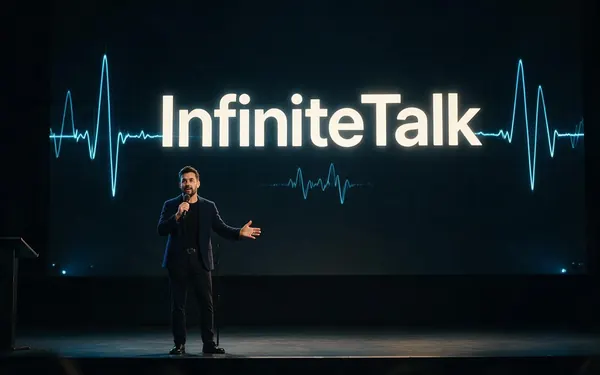
InfiniteTalk
- Reference images
- 1 photo · 1 audio
- Output
- Up to 10 min · 480p–720p
Open InfiniteTalkBest for
Expressive talking heads with natural head and hand motion
MeiGen-AI
InfiniteTalk Fast
- Reference images
- 1 photo · 1 audio
- Output
- Up to 10 min
Open InfiniteTalk FastBest for
Cheapest InfiniteTalk — drafts and long explainers
MeiGen-AI
InfiniteTalk Duo
- Reference images
- 1 photo · 2 audio tracks
- Output
- Up to 10 min · 480p–720p
Open InfiniteTalk DuoBest for
Two people in one photo — interviews, podcasts, dialogue
MeiGen-AI
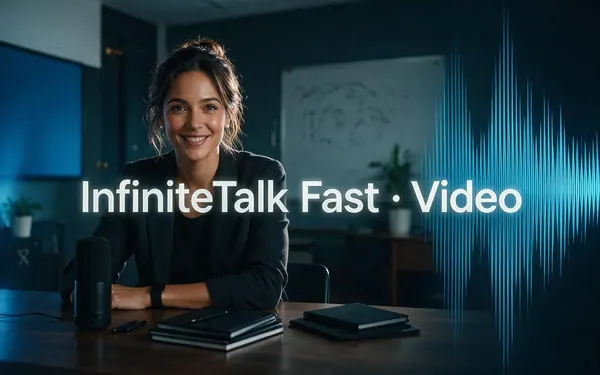
InfiniteTalk Fast · Video
- Reference images
- 1 video · 1 audio
- Output
- Up to 10 min
Open InfiniteTalk Fast · VideoBest for
Re-voice an existing video with new lip sync
MeiGen-AI
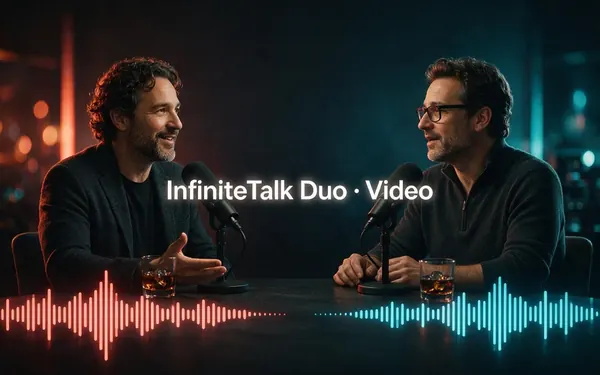
InfiniteTalk Duo · Video
- Reference images
- 1 video · 2 audio tracks
- Output
- Up to 10 min · 480p–720p
Open InfiniteTalk Duo · VideoBest for
Re-voice a two-person video, one track per speaker
From our tests
Strengths and limits
Good at
- Long takes: up to 10 minutes of speech in one video — far beyond the 5–15 s of most video models.
- Cheap per minute: InfiniteTalk Fast costs 4.5 credits a second, 270 credits for a full minute.
- Whole-face performance: head, posture and expression follow the audio, not just the mouth.
- Two speakers from one photo or video with the Duo versions, talking together or in turn.
Limits
- No InfiniteTalk clips on this page yet — try a short 480p or Fast test with your own photo first.
- Tops out at 720p. For 1080p presenters, Kenerate Avatar or OmniHuman 1.5 in the same studio fit better.
- The makers note colour drift past about one minute in photo-to-video; for long talks, split the script into segments.
- It animates a still or existing footage — it doesn't write a scene, move the camera or add sound. You bring the audio.
How to
How to use InfiniteTalk on Kenerate
Step 1
Open Avatar Talk
Go to /app/avatar-talk and pick InfiniteTalk (the button on this page selects it). Choose Talking photo, or Lip sync a video to re-voice footage.
Step 2
Add the face
Upload a clear, front-facing photo — or a video of the speaker. For Duo, use one image or video with both people, left and right.
Step 3
Add the voice
Upload a speech file from 3 seconds to 10 minutes, or make one in Kenerate's voice studio. Duo takes one track per person.
Step 4
Set it up and generate
Pick 480p or 720p (or a Fast version), add an optional prompt for expression or gestures, and generate. The credit cost shows first.
See it in the app

Open Image Studio and type what you want to see — subject, style, lighting and mood.


Watch the tour · 2:23
Talking photos, script to video, engines, any language, presenters, lip sync & chat
Chapters
FAQ
InfiniteTalk questions
9 questions
What is InfiniteTalk?
InfiniteTalk is an audio-driven video model from MeiGen-AI, released on 19 August 2025. Its paper calls it sparse-frame video dubbing: given a photo or a video plus a speech track, it generates a new video where the lips match the audio and the head, posture and expression move with it. It's built on Alibaba's Wan2.1 image-to-video model.
Link to this answerIs InfiniteTalk open source?
Yes. The weights and code are on GitHub and Hugging Face under MeiGen-AI/InfiniteTalk with the Apache 2.0 licence, and ComfyUI workflows exist. Running it locally needs a strong GPU because it builds on a 14-billion-parameter Wan2.1 model; Kenerate runs it online so you don't need one.
Link to this answerHow long can InfiniteTalk videos be?
The research model is designed for unlimited length, but the makers note that colour drift becomes more visible after about one minute in photo-to-video. On Kenerate each video takes 3 seconds to 10 minutes of audio. For long talks, a few one-to-two-minute segments usually look cleaner than one 10-minute take.
Link to this answerHow much does InfiniteTalk cost on Kenerate?
It's billed per second of audio: InfiniteTalk and InfiniteTalk Duo cost 9 credits a second at 480p and 18 at 720p; every Fast version costs 4.5 credits a second. A one-minute talking photo is 540 credits at 480p or 270 on Fast. Clips under 3 seconds are billed as 3.
Link to this answerIs InfiniteTalk free?
The model itself is free to download and self-host. On Kenerate, Avatar Talk doesn't require a paid plan, so the starter credits on a new, verified account can cover a short InfiniteTalk Fast test. Longer videos use one-time credit packs that never expire.
Link to this answerWhat's the difference between InfiniteTalk and InfiniteTalk Fast?
Fast is the cheaper, quicker variant at 4.5 credits a second with a fixed output size, good for drafts and long explainers. Regular InfiniteTalk lets you choose 480p or 720p and costs 9 or 18 credits a second. Fast Duo, the two-speaker budget version, outputs a 360p draft.
Link to this answerCan InfiniteTalk do two people talking?
Yes. InfiniteTalk Duo and Fast Duo take one photo with two people and one audio track per person; the speakers can talk together, or left first then right, or right first. Duo · Video and Fast Duo · Video do the same for an existing two-person video.
Link to this answerCan InfiniteTalk dub an existing video?
Yes — that's what the paper was built for. Choose Lip sync a video in Avatar Talk, pick InfiniteTalk Fast · Video (or a Duo · Video version for two people), and upload the footage plus the new speech. It re-generates the mouth, head and expression to match the new audio, for up to 10 minutes.
Link to this answerInfiniteTalk vs Kenerate Avatar vs OmniHuman — which should I use?
InfiniteTalk is the cheapest way to make long talking heads and the only one here that also re-dubs footage with two speakers. Kenerate Avatar gives cleaner 1080p presenter videos with prompt-driven body movement, and OmniHuman 1.5 suits cinematic full-body performance up to 60 seconds. All three are in Avatar Talk, so you can test each on the same photo.
Link to this answerIn depth
InfiniteTalk, in depth
Background, how to prompt it, and when to pick something else.
On this page
What an InfiniteTalk video costs
Price depends on the version, the resolution and how long your audio is:
- 30 s on InfiniteTalk Fast — 135 credits. A quick test or social clip.
- 1 min at 480p — 540 credits. A short explainer with full expression.
- 1 min at 720p — 1,080 credits. The sharper final.
- 10 min on InfiniteTalk Fast — 2,700 credits. A full lesson or talk in one go.
How InfiniteTalk works
Classic lip-sync tools only repaint the mouth, so a new voice often clashes with the head and body. InfiniteTalk regenerates the whole frame from a few sparse reference frames of the original, guided by the audio, so head turns, posture and expression change with the speech while identity and background stay put [1][3].
It builds on Wan2.1's 14B image-to-video model with a wav2vec2 audio encoder and runs at 480p or 720p [1]. A separate multi-person checkpoint powers the two-speaker versions. The makers report that photo-to-video holds up for about a minute before colour shifts become noticeable [1].
Getting good results
Use a sharp, evenly lit photo with the face looking at the camera and the mouth closed or relaxed. Clean speech works best — remove music and background noise first. Keep the optional prompt short and about performance ("calm, nods occasionally, small hand gestures"). For anything over a minute or two, cut the script into segments and generate each from the same photo.