

Free prompt builder · AI Enhance · Nano Banana 2.1
Nano Banana prompt generator — build the prompt, then run it on 2.1
Pick a format, type the subject, choose the shot and the light, add any exact text, and the builder below writes a Nano Banana prompt in the shape Google recommends. Copy it, or open it straight in Image Studio — where the Enhance button can rewrite it with AI for 1 credit.
- Free builder, no sign-up
- 12 prompt templates
- Real 2.1 outputs
Updated by the Kenerate AI team
Made with Kenerate
On this page
Quick answer
What is a Nano Banana prompt generator?
A Nano Banana prompt generator turns a rough idea into a full prompt for Google's Nano Banana image model. Kenerate has two: the free builder on this page, which assembles format, subject, setting, shot, style, light and exact text into one sentence (no AI, no credits), and the Enhance button in Image Studio, which rewrites your prompt with AI for 1 credit, refunded if it fails. Both feed Nano Banana 2.1.
Key facts
- Free builder (this page)
- Rule-based, runs in your browser, no sign-up
- What Enhance adds
- Visual detail, camera, textures, lighting · English · one scene
- Prompt tags
- 32 in 5 groups (camera, light, style, mood, composition)
- Surprise me
- 8 built-in prompts, free
- Our real prompts
- 17–39 words, most 20–26
Free tool
Build a Nano Banana prompt
Fill in the parts; the prompt updates as you type. Nothing is sent anywhere until you press Generate.
Photo of a red fox curled up asleep under autumn leaves on a forest floor, close-up, natural colours, realistic textures, shot on a 50mm lens, warm golden-hour light
28 words · set the ratio to 4:5 in Image Studio
Free and rule-based: it runs in your browser, uses no AI and no credits. For an AI rewrite, press Enhance in Image Studio (1 credit).
Gallery
The formula, in six real outputs
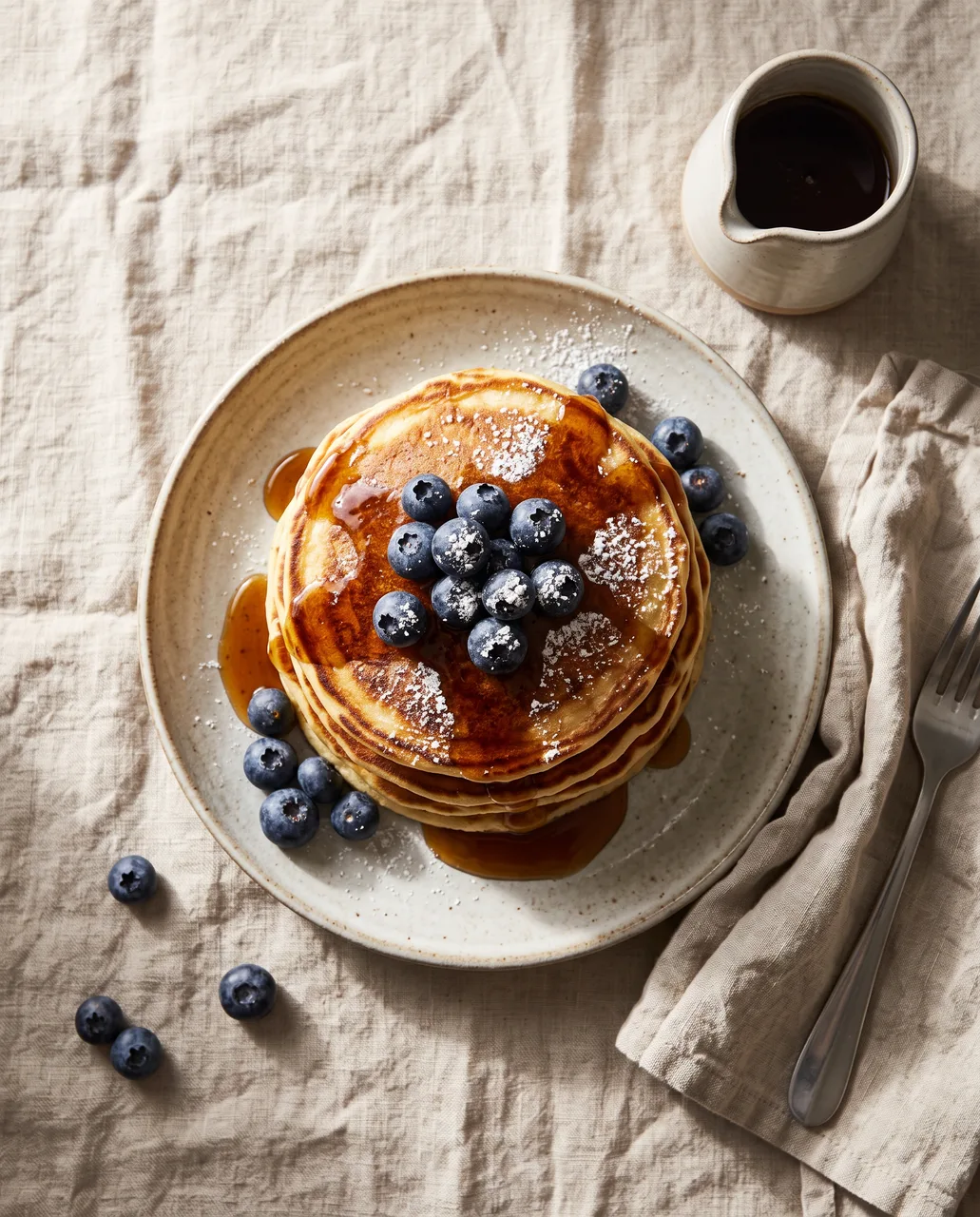
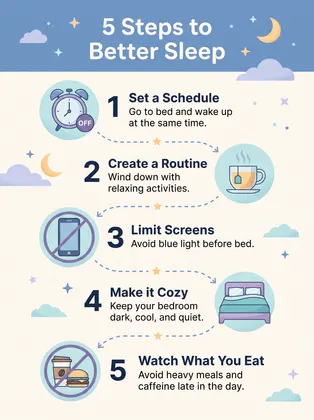
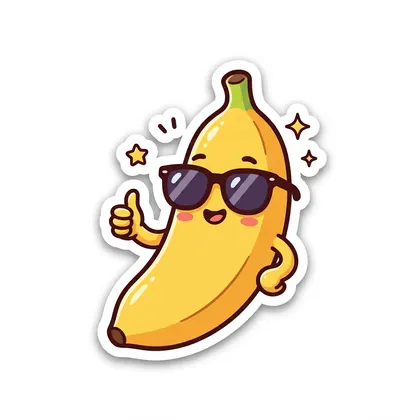
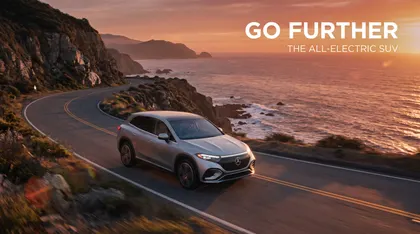
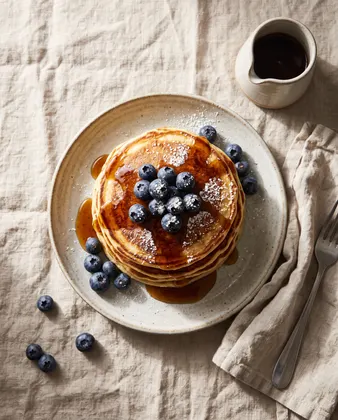
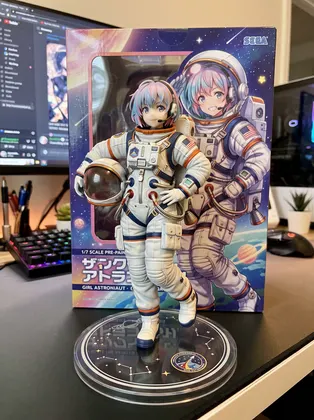
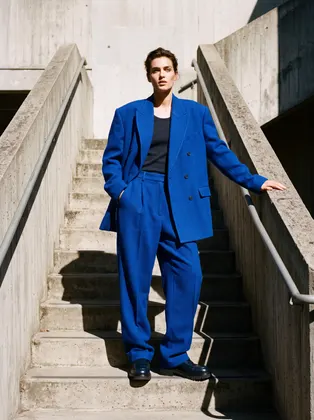
Each image is an unretouched Nano Banana 2.1 output made from the prompt under it: format, subject, setting, style and light, in that order. Open one to copy the prompt or run it.
Formula
The Nano Banana prompt formula
Every prompt behind our real Nano Banana 2.1 outputs follows this order. The builder above fills it in for you.
Format
Say what the image is first: photo, product shot, poster, infographic, logo, sticker, thumbnail. The layout follows that word.
Subject
Who or what, with the details that matter: 'a stack of fluffy pancakes with blueberries', not 'food'.
Setting
Where it is: 'on a linen table', 'on a minimal concrete staircase', 'above a waterfall canyon'.
Shot
Camera and composition: close-up, overhead, low angle, 85mm, centered with space for text.
Style
Medium and look: watercolour, flat vector, cel-shaded anime, screen print, editorial photo.
Light
One clear light: golden-hour backlight, soft window light, hard sunlight with long shadows.
Exact text
Words in quotes plus a font feel: the title 'BLUE NOTE NIGHTS' in big art-deco letters. Then 'no other text'.
Ratio
Not in the words — pick it in Image Studio: 9:16 for stories, 16:9 for thumbnails, 8:1 for banners.
How to
How to use the nano banana prompt generator
- Time needed
- Steps
- 4 steps
Step 1
Build the prompt
Use the builder on this page: pick a format, type the subject and setting, choose the shot and light, and add any exact text.
Step 2
Open it in Image Studio
Press Generate with Nano Banana 2.1 — the prompt opens in Image Studio with the model selected. Set the ratio the builder suggests.
Step 3
Enhance if you want (1 credit)
Press Enhance to let AI add detail, camera and lighting words. Read the result and put back anything it dropped.
Step 4
Generate and refine
Generate at 1K, change one part of the formula at a time, and re-run the keeper at 2K or 4K.
See it in the app

Open Image Studio and type what you want to see — subject, style, lighting and mood.


Watch the tour · 1:23
Prompts, styles, references, edit, Arena & chat
Chapters
Tips
Prompt tips for Nano Banana 2.1
From Google's prompting guide and the outputs on our Nano Banana pages.
Write sentences that describe a scene; Google's guide asks for rich, specific detail rather than loose keywords.
20 to 30 words is plenty. Every one of our 26 real Nano Banana prompts is between 17 and 39 words.
Quote exact text and give a font feel, then add 'no other text' — Nano Banana likes to add taglines of its own.
For stickers and illustrations name the medium, outlines, colours and shading, as Google's guide suggests.
After Enhance, check your quoted words and key details are still in the prompt; it is a general optimizer, not tuned for Nano Banana.
With reference images, say 'image 1 is…' and list what must stay identical.
Templates
12 Nano Banana prompts built with the formula
Templates written for this page in the formula's order — swap the subject and keep the shape. We didn't run these (the six images above are the real outputs), so expect a try or two.
- Format
- what the image is
- Subject + setting
- who, what, where
- Shot + style
- camera, medium
- Light
- one clear light
- Text
- in quotes, then no other text
Portrait
Close-up portrait of an elderly potter with clay-dusted hands at her wheel in a sunlit workshop, natural skin texture, shallow depth of field, soft window light, 85mm photo
Product
Product photo of a frosted glass skincare bottle standing on wet river stones, a single fern leaf beside it, crisp reflections, soft studio softbox lighting, clean pale green background, no text
Food
Overhead food photo of a bowl of ramen with a soft-boiled egg, nori and spring onions on a dark wooden table, steam rising, warm side light
Poster with title
Retro travel poster with the title "KYOTO IN AUTUMN" in big rounded letters at the top, a red pagoda among maple trees, flat screen-print illustration, red, orange and cream, no other text
More prompts (8)
Infographic
Clean infographic titled "How to Brew Pour-Over Coffee" with five numbered steps, simple line icons and short labels, flat vector, warm brown and cream palette, no other text
Sticker
Cute die-cut sticker of a sleepy cat curled up inside a teacup, kawaii style, pastel colours, thick white border, white background, no text
Thumbnail
YouTube thumbnail: a surprised woman holding a tiny cactus next to a giant cactus, bold yellow text "I GREW THIS?" on the right, high contrast, bright background
Anime
Anime key visual of a boy and his robot dog walking along a seaside railway at dusk, summer clouds, clean line art, cel shading, warm cinematic light, no text
Interior
Japandi bedroom with a low oak bed, linen bedding, paper lantern and a bonsai on a side table, large window with morning mist outside, calm architectural photo
9:16 story
Vertical travel story frame of a cyclist riding past lavender fields towards a stone village in Provence, morning light, wide shot, natural colours
Same product, new scene (attach a photo)
Image 1 is our product. Place this exact bottle on a marble bathroom shelf beside folded white towels and a eucalyptus sprig, soft morning light, product photography. Keep the bottle's shape, label and colour identical.
Character sheet (attach your character)
Image 1 is our character. Make a clean reference sheet on a plain light grey background: front, side and back views plus four facial expressions, same outfit, colours and art style in every view, no text.
Models
Where the prompt runs
What each model is good at. Open any one straight in the generator.
Google
Nano Banana 2.1
- Reference images
- Up to 14
- Output
- 1K · 2K · 4K, 14 ratios
Open Nano Banana 2.1Best for
Every output on this page
Google
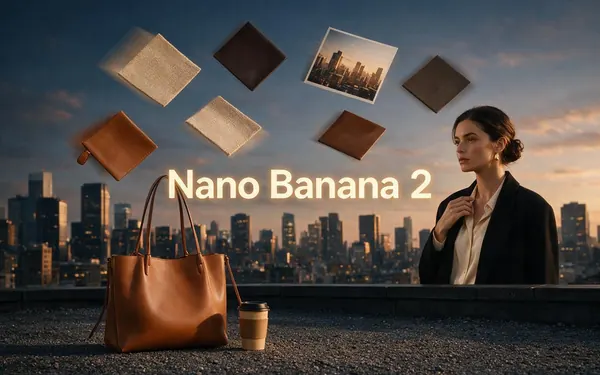
Nano Banana 2
- Reference images
- Up to 14
- Output
- 1K
Open Nano Banana 2Best for
Same prompts work on the previous version

OpenAI
GPT Image 2.5 Sunburst
- Reference images
- Up to 16
- Output
- 1K–4K
Open GPT Image 2.5 SunburstBest for
Try the same prompt for dense text
Nano Banana guides
More on Nano Banana
The model, the generator, a prompt library with outputs, photo edits, video and free access.
FAQ
Nano Banana prompt generator questions
9 questions
What is a Nano Banana prompt generator?
A tool that turns a short idea into a complete prompt for Nano Banana, Google's image model. A good one fills in the parts Nano Banana responds to — format, subject, setting, shot, style, light and any exact text — so you don't start from a blank box. The builder on this page does that for free; Image Studio's Enhance button does it with AI.
Link to this answerDoes Kenerate have a Nano Banana prompt generator?
Yes, two. The builder on this page is free and rule-based: it runs in your browser, calls no AI and needs no account. In Image Studio, the Enhance button sends your prompt to an AI prompt optimizer that adds visual detail, camera optics, textures and lighting, in English and as one scene. Enhance costs 1 credit and the credit is refunded if it fails.
Link to this answerWhat is the best prompt format for Nano Banana?
Format, subject, setting, shot, style, light, then exact text in quotes and 'no other text'. Google's prompting guide asks for specific, descriptive scenes; for text it recommends stating the exact words, a font style and the overall design. Pick the aspect ratio in the app rather than writing it in the prompt.
Link to this answerHow long should a Nano Banana prompt be?
Around 20 to 30 words is enough for most images. The 26 prompts behind our real Nano Banana 2.1 outputs run from 17 to 39 words, most of them 20 to 26. Longer prompts help only when they add specific detail.
Link to this answerCan I use JSON prompts with Nano Banana?
Some prompt sites share JSON-style prompts. Google's own guide uses plain descriptive sentences, and every output on our Nano Banana pages came from plain sentences; we haven't tested JSON prompts, so we can't say they do better.
Link to this answerHow do I write a Nano Banana prompt for editing a photo?
Say the change first, then everything that must stay: "Change his outfit to a tailored navy suit. Keep his face, pose, the brick wall and the light the same." Our Nano Banana image editor page shows six real edits made that way.
Link to this answerIs the Nano Banana prompt generator free?
The builder on this page is free with no sign-up. Enhance needs a Kenerate account and 1 credit; every new account gets 25 free credits. Generating with Nano Banana 2.1 itself needs a one-time credit pack (21 credits per 1K image).
Link to this answerWhere can I find ready-made Nano Banana prompts?
Our Nano Banana prompts page has 26 prompts with the real Nano Banana 2.1 image each one made, and this page lists 12 more templates built with the formula.
Link to this answerIn depth
Nano Banana prompt generator, explained
What works, what to avoid, and how to pick a model.
On this page
Why the formula works on Nano Banana
Google's prompting guide for its Nano Banana models asks for specific scene descriptions; for stylized art it says to name the style, subject and medium with outlines, colours and shading, and for text to give the exact words, a font style and the overall design [4]. Nano Banana 2.1 improved text rendering and infographic layout over Nano Banana 2 [1], which is why exact text belongs in the prompt.
Other prompt helpers in Image Studio
Tags adds keyword phrases from 32 presets in five groups — camera and lens, lighting, aesthetics and styles, mood and atmosphere, composition. Surprise me drops in one of eight built-in example prompts. Both are free. Your recent prompts are kept in the prompt history on your device.
About the examples
The six gallery images are unretouched Nano Banana 2.1 outputs made on 7 October 2026 for our Nano Banana pages. No new images were generated for this page, and the 12 templates were written for it without being run.
Sources
Sources
Prompt advice and model facts come from Google; Enhance, Tags and credits from Kenerate's code. Checked 31 October 2026.