

Lookbook photos · flat lays · any occasion
AI Outfit Generator — outfit ideas from a sentence
Describe the occasion, season and style and get a complete outfit back as a lookbook photo or a top-down flat lay: tops, bottoms, shoes, layers and accessories that go together. Then try the look on your own photo.
- Any occasion or season
- Lookbook or flat lay
- Try it on your photo next
- No watermark
Updated by the Kenerate AI team
Made with Kenerate
On this page
Quick answer
What is an AI outfit generator?
An AI outfit generator turns a short brief — occasion, season, style, colours — into a picture of a complete outfit. On Kenerate AI you type the brief in the Image Studio and pick a model: Kenerate Flash for fast, cheap ideas, Seedream 5.0 Pro or GPT Image 2.5 Sunburst for polished lookbook shots. Ask for a flat lay to see every piece laid out, or an on-model photo to see how it hangs together. It shows ideas, not sizes or fit.
Key facts
- Input
- A text brief (occasion, season, style, colours); optional reference photos
- Output
- Lookbook photo on a fictional adult model, or a top-down flat lay
- Fastest model
- Kenerate Flash — both new examples here, one try each
- Polished looks
- Seedream 5.0 Pro · GPT Image 2.5 Sunburst · Nano Banana 2.1
- Your own photo
- Change clothes in a photo with the AI image editor
- Free start
- Starter credits; Qwen Image 3.0 is on the free plan
- Watermark
- None
Compare
Which kind of AI outfit generator do you need?
“AI outfit generator” covers four different tools. Pick by what you start with — a sentence, your own clothes, a product you sell, or a photo of a person.
| Kind of tool | You give it | You get | Examples | On Kenerate |
|---|---|---|---|---|
| Outfit idea generator | A written brief: occasion, season, style, colours | A new outfit as a lookbook photo or a flat lay | getimg.ai, idea tools like the one listed on Indie Hackers | This page — the Image Studio |
| Wardrobe planner | Photos of clothes you own, plus season, weather and occasion | Sets of outfits made only from your own items | Wardrobe app: 10 outfits a run free, 20–30 for AI credits | Partly — add photos of your pieces as reference images; no saved wardrobe |
| Try-on for sellers | Photos of a garment or product | The garment worn by a model, for listings and ads | huhu.ai, Perfect Corp | AI fashion model generator (Fashion Studio) |
| Clothes changer | An existing photo or video of a person | The same person in different clothes | Most AI photo editors | AI clothes changer · clothes swap AI · change clothes color |
Gallery
Outfits made on Kenerate
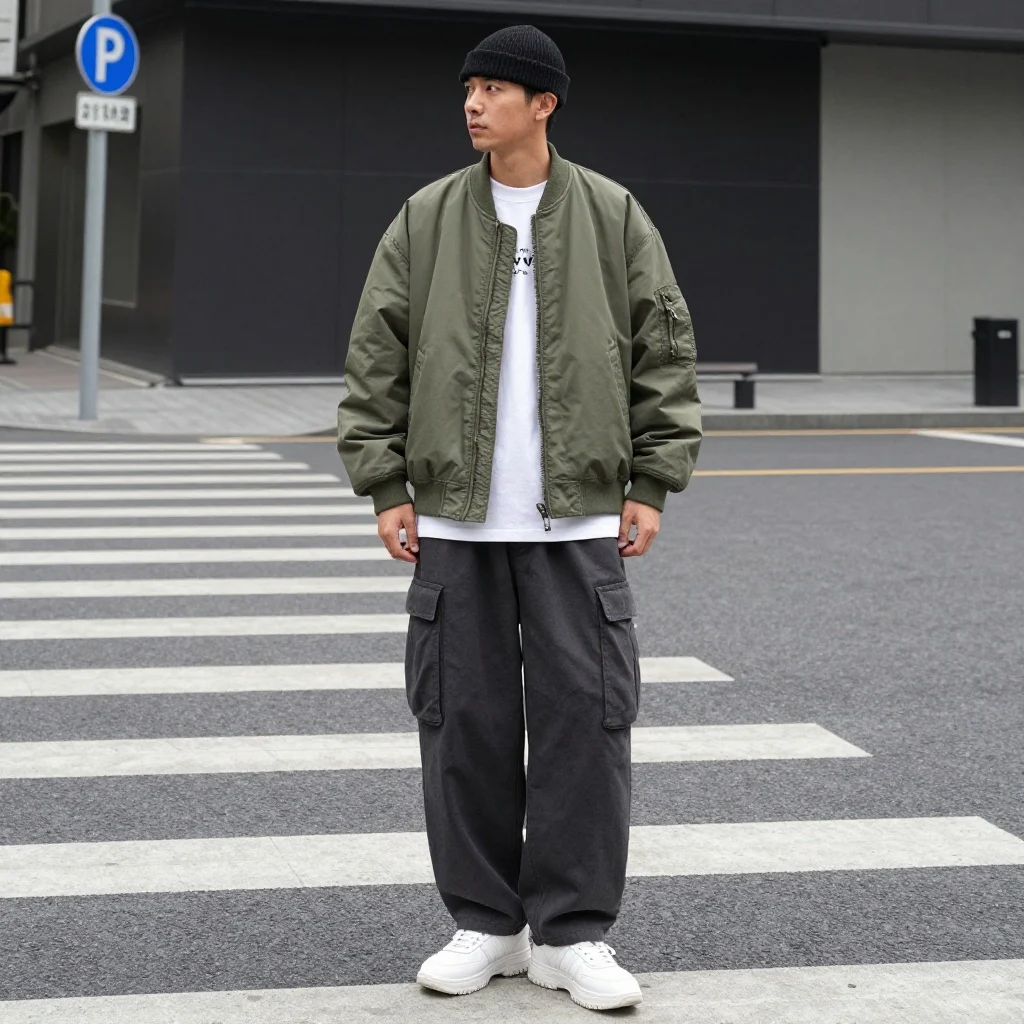
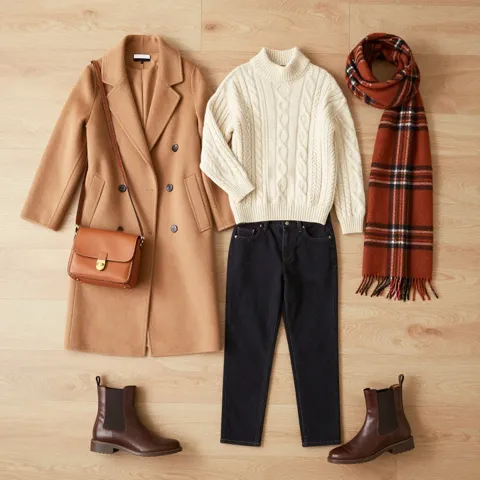
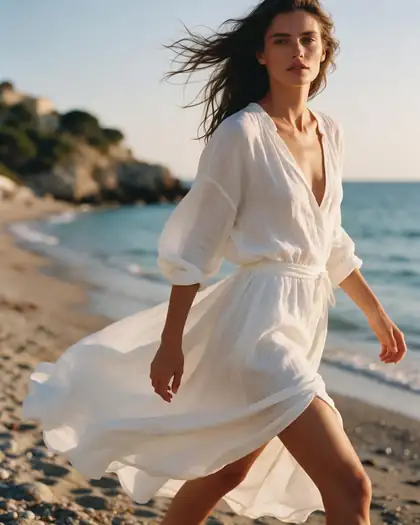
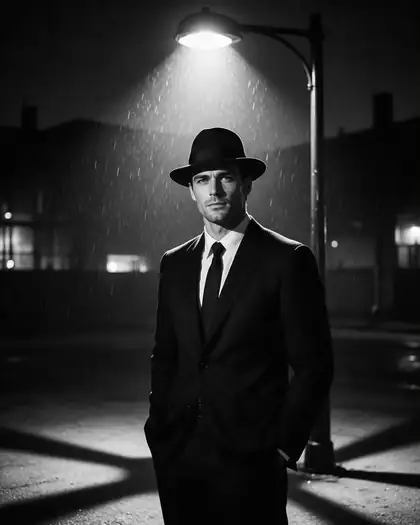
The first two are new Kenerate Flash outfits, one try each. The rest are earlier real outputs from other models, shown with the prompt and model that made them. Open any one to copy the prompt.
How to
How to use the AI outfit generator
- Time needed
- Steps
- 4 steps
Step 1
Open the Image Studio
Go to /app/image. Sign in free for starter credits.
Step 2
Pick a model
Qwen Image 3.0 on the free plan; with a credit pack, Kenerate Flash for quick ideas and Seedream 5.0 Pro or GPT Image 2.5 Sunburst for a finished lookbook shot.
Step 3
Write the brief
Occasion, season, each piece with colour and fabric, then “flat lay” or “full-length lookbook photo”.
Step 4
Try it on and download
Regenerate for variations, put the look on your own photo with the editor, then download without a watermark.
See it in the app

Open Image Studio and type what you want to see — subject, style, lighting and mood.


Watch the tour · 1:23
Prompts, styles, references, edit, Arena & chat
Chapters
Tips
Write a brief that gives you a whole outfit
What made the difference in our tests.
List every piece: top, bottom, outer layer, shoes, one or two accessories. Unnamed pieces get guessed.
Give each piece a colour and a fabric — “camel wool overcoat”, “cream cable-knit sweater”.
Say the occasion and season: wedding guest in June, office in winter, festival, airport.
Ask for “top-down flat lay, no people” to see the pieces, or “full-length lookbook photo” to see the look worn.
Plain backgrounds keep the clothes the subject; add “no text” — our “graphic-free” t-shirt still got a small print.
Like a look? Put it next to your own photo in the AI image editor and ask for the same outfit on you.
Models
Models for outfit ideas
What each model is good at. Open any one straight in the generator.
Kenerate AI
Kenerate Flash
ByteDance
Seedream 5.0 Pro
- Reference images
- Up to 10
- Output
- Up to 2K
Open Seedream 5.0 ProBest for
Editorial fashion photos
OpenAI
GPT Image 2.5 Sunburst
- Reference images
- Up to 16
- Output
- 1K–4K
Open GPT Image 2.5 SunburstBest for
Follows long briefs; outfit on your photo
Google
Nano Banana 2.1
- Free plan
FAQ
AI Outfit Generator questions
10 questions
What is an AI outfit generator?
A tool that turns a written brief — occasion, season, style, colours — into a picture of a complete outfit. On Kenerate you write the brief in the Image Studio and get a lookbook photo or a flat lay of every piece. Our two Kenerate Flash tests came back as a streetwear look and a fall-layers flat lay.
Link to this answerIs the outfit generator free?
Free to start. A new Kenerate account gets starter credits on the free plan, which runs Qwen Image 3.0 and the Flux 2 models. Kenerate Flash, which made the new examples here, and the other models in the table need a one-time credit pack; bought credits never expire. Downloads have no watermark.
Link to this answerWhat is the best AI outfit generator?
It depends on what you start with. From a written brief, use an outfit idea generator like this one. From clothes you already own, a wardrobe planner such as the Wardrobe app builds 10 to 30 outfits per run from items you have photographed. From a product you sell, use a try-on tool such as the AI fashion model generator. From a photo of yourself, use a clothes changer. Kenerate covers ideas, seller shots and clothes changes; it doesn't keep a catalogue of your wardrobe.
Link to this answerCan an AI outfit generator use clothes I already own?
Yes, as reference images. Photograph each piece on a plain background, add the photos in the Image Studio — Kenerate Flash takes up to 5, Seedream 5.0 Pro up to 10, GPT Image 2.5 Sunburst up to 16 — and ask for “one outfit built from these pieces, top-down flat lay”. It won't remember your wardrobe or plan by the weather; a wardrobe app does that.
Link to this answerCan I see the outfit on myself?
Yes, as a second step. Generate the look, then open the AI image editor with your own photo and the outfit image as references and ask for “the same outfit on this person, keep the face and pose”. For clothes in a video, use the AI clothes changer.
Link to this answerFlat lay or on-model — which should I ask for?
A flat lay (“top-down, no people”) shows each piece clearly, which helps when you want to shop or match items. An on-model lookbook photo shows proportions and how the layers sit together. Many people make one of each from the same brief.
Link to this answerWhat outfit styles can it make?
Anything you can describe: streetwear, business casual, wedding guest, date night, old money, Y2K, dark academia, athleisure, festival, travel, rain or snow layers. Name the pieces and colours and the model follows them; vague briefs give generic results.
Link to this answerWill the clothes fit me or match real products?
No. Generated outfits are visual ideas, not size or fit predictions, and the pieces are not real products. To show a real garment you own or sell, add its photo as a reference — brands shooting catalogs should use the AI fashion model generator.
Link to this answerCan I keep the same model across several outfits?
Yes. Use one generated person (or your own photo, with consent) as a reference image and change only the clothes. Nano Banana 2.1 takes up to 14 references and is built for keeping the same face.
Link to this answerWho appears in the photos?
Fictional adults made by the model, or yourself if you upload your own photo. Upload only photos of people who agreed.
Link to this answerIn depth
AI Outfit Generator, explained
What works, what to avoid, and how to pick a model.
On this page
Outfit ideas by occasion
Start a brief from one of these and change the colours to yours:
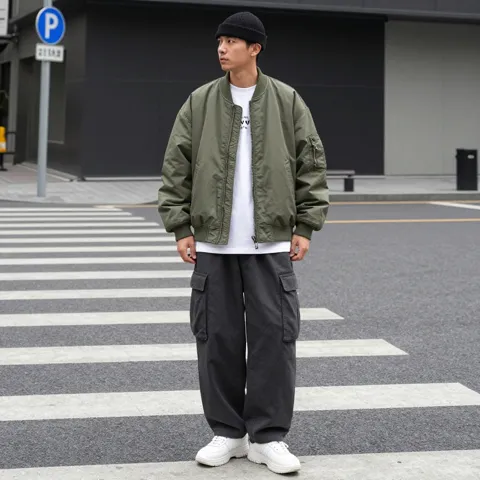
- Streetwear: oversized bomber or hoodie, white tee, loose cargo trousers, chunky sneakers, beanie.
- Business casual: navy blazer, light-blue oxford shirt, stone chinos, brown loafers, leather watch.
- Wedding guest (summer): midi dress in sage or dusty blue, block heels, small clutch — or a linen suit with loafers.
- Fall layers: camel wool coat, cable-knit sweater, dark jeans, Chelsea boots, plaid scarf.
- Date night: black slip dress or dark shirt and tailored trousers, minimal jewellery, ankle boots.
- Travel day: knit set or joggers, oversized cardigan, clean white sneakers, crossbody bag.
How this differs from a clothes changer
An outfit generator starts from words and invents the whole look. A clothes changer starts from an existing photo or video and replaces what the person is wearing. They work well together: generate ideas here, then use the clothes changer or the image editor to put the chosen look on a real photo.
From outfit idea to your own photo in three steps
The workflow that uses each tool for what it does best:
- Generate the idea: write the brief and ask for a flat lay, so every piece is visible. Make two or three versions.
- See it worn: run the same brief as a “full-length lookbook photo” to check proportions and how the layers sit.
- Put it on you: open the AI image editor with your own photo and the outfit image as references and ask for “the same outfit on this person, keep the face and pose”.
What we got
Two new Kenerate Flash images, one try each:
- Streetwear look: every named piece right — bomber, cargo trousers, sneakers, beanie — but the “graphic-free” t-shirt still has a small print.
- Fall flat lay: all six pieces laid out cleanly with even spacing, as asked.
- Both came back square (1024 × 1024) although we asked for 4:5; crop or pick another model if the ratio matters.