Copperplate · brush script · blackletter · Chinese · Arabic-style
AI Calligraphy Generator — script lettering for names, quotes and invitations
Type a name or a short quote in quotes, pick a hand — copperplate, modern brush, italic, gothic blackletter or Chinese brush — and get finished calligraphy on paper, a card or a transparent background. Honest notes on what AI can and can't letter in Arabic, Chinese and Devanagari.
- English script styles spelled right
- Chinese text models
- Transparent PNG option
- No watermark
Updated by the Kenerate AI team
On this page
Quick answer
How do you make calligraphy with AI?
An AI calligraphy generator renders words in a hand-lettered script — copperplate, brush, italic or blackletter — from a text prompt. On Kenerate AI, GPT Image 2.5 Sunburst letters English names and short quotes for 7.2 credits at 1K (21 at 4K); for Chinese, Qwen Image 3.0 (free plan) and ERNIE Image are built for Chinese text. No model we run claims Arabic or Devanagari lettering, so treat that output as decorative and have a native reader check any non-Latin text before you print it.
Key facts
- Best for
- Names, short quotes, invitations, wall art, place cards
- English scripts
- Copperplate, Spencerian, italic, brush, blackletter, uncial
- Chinese
- Qwen Image 3.0 (free plan), Qwen Image Max, ERNIE Image
- Arabic, Devanagari
- Not claimed by any model here — decorative; check with a reader
- Keep it short
- One name or a line of under ~10 words is most reliable
- Free start
- 25 starter credits · Qwen Image 3.0 on the free plan
- Watermark
- None
Gallery
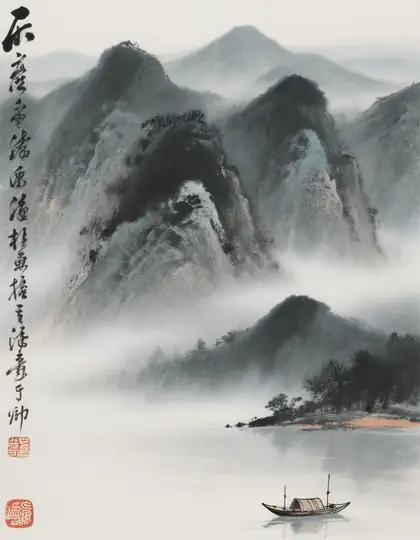
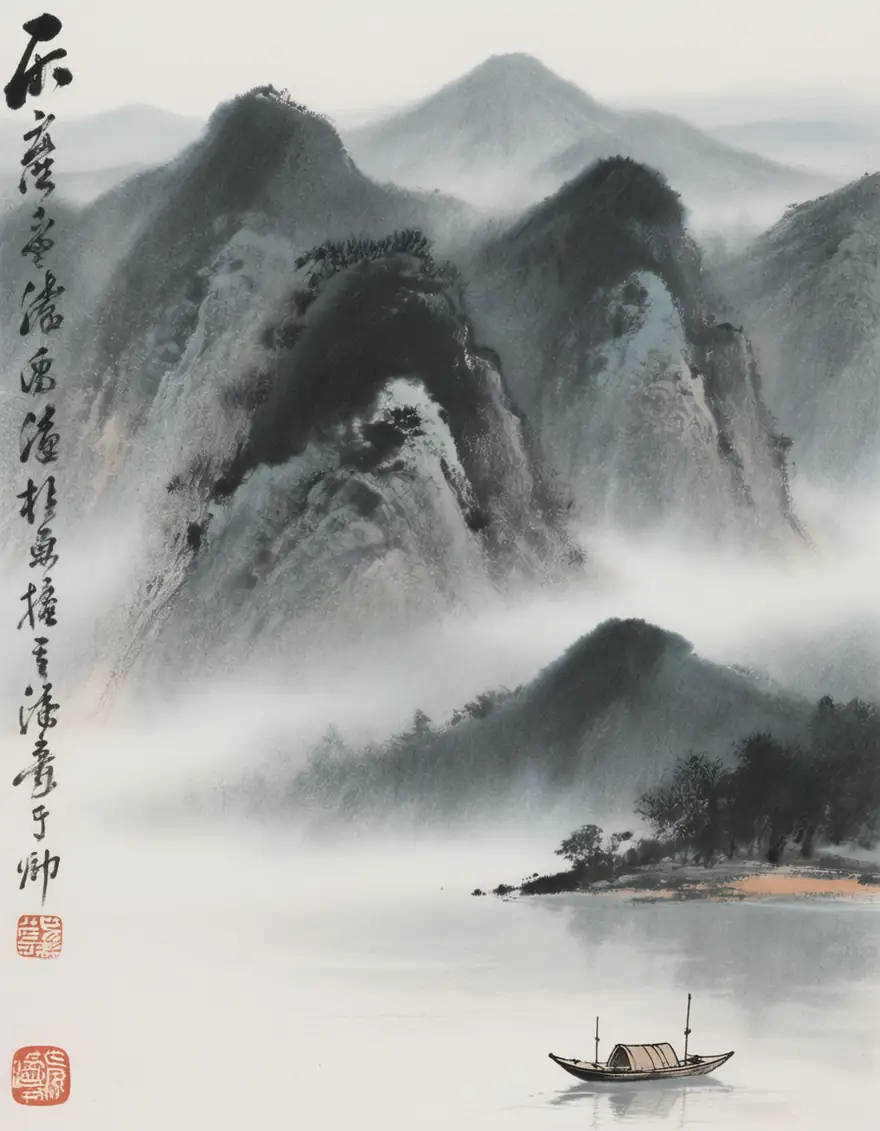
A real AI calligraphy picture
Made with Hunyuan Image 3. The brushwork and the column of characters look the part, but we haven't had a Chinese reader check what they say, which is exactly why you should when it matters. More calligraphy prompts are in the guide below.
How to
How to use the AI calligraphy generator
- Time needed
- Steps
- 4 steps
Step 1
Open Image Studio
Go to /app/image and pick GPT Image 2.5 Sunburst for English, or Qwen Image 3.0 for Chinese. Sign in free for 25 starter credits.
Step 2
Write the words in quotes
One name or a short line, exactly as it should read, with capitals and punctuation.
Step 3
Describe the hand and the page
Script style, ink colour, paper or background, and the layout — centred, one line, two lines, with a flourish underneath.
Step 4
Check and export
Zoom in on every letter, upscale to 4K or 8K for print, or remove the background for invitations and overlays.
See it in the app

Open Image Studio and type what you want to see — subject, style, lighting and mood.


Watch the tour · 1:23
Prompts, styles, references, edit, Arena & chat
Chapters
Tips
Get calligraphy that's spelled right
Calligraphy is all about the letters, so most of the work is keeping them correct.
Put the exact words in quotes: “the name ‘Eleanor’ in copperplate script”. Nothing outside the quotes should be lettered.
Keep it short — a name, a date or one line. Long passages are where letters get dropped or doubled.
Name the hand: copperplate, Spencerian, italic, modern brush, gothic blackletter, uncial. “Fancy writing” gets a generic script.
Describe the medium: “black ink on cream paper”, “white chalk on a slate board”, “gold foil on navy card”.
Ask for “no extra words, no flourishes that form letters” when the script is ornate.
For any language you can't read yourself, have a native reader check it before it's printed, engraved or tattooed.
Models
Which AI model is best for calligraphy?
What each model is good at. Open any one straight in the generator.

OpenAI
GPT Image 2.5 Sunburst
- Reference images
- Up to 16
- Output
- 1K–4K · 15 ratios
Open GPT Image 2.5 SunburstBest for
English scripts; attach your own lettering as a reference

- Free plan

Alibaba
Qwen Image 3.0
- Reference images
- Up to 3
- Output
- 1K · 2K
Open Qwen Image 3.0Best for
English and Chinese prompts; free plan
Alibaba
Qwen Image Max
- Reference images
- Up to 3
- Output
- 2048–4096 px
Open Qwen Image MaxBest for
Strongest text rendering in the Qwen family
Baidu
ERNIE Image
All models (7)
Tencent
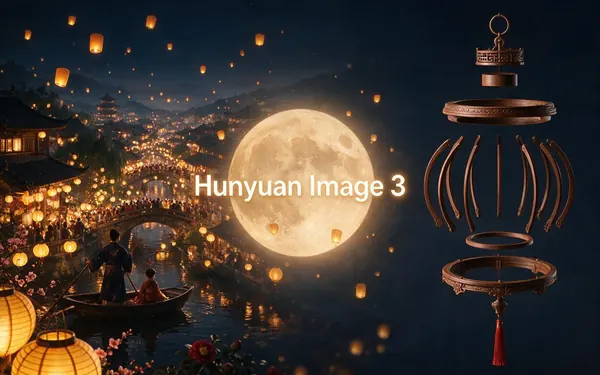
Hunyuan Image 3
- Output
- Standard sizes
Open Hunyuan Image 3Best for
Ink-wash scenes with calligraphy, like the one above
FAQ
AI Calligraphy Generator questions
9 questions
How do I make calligraphy with AI?
Open Kenerate's Image Studio, pick GPT Image 2.5 Sunburst, and describe the words and the hand: “the name ‘Eleanor’ in elegant copperplate calligraphy, black ink on cream paper, a single flourish underneath, centred, no other text”. Generate a few versions, zoom in on every letter, and download the best — upscale it if you're printing.
Link to this answerWhich calligraphy styles can the AI write?
For English and other Latin-alphabet languages: copperplate (English roundhand), Spencerian, italic, modern brush lettering, gothic blackletter and uncial all work as style words in a prompt. Chinese styles can be asked for by name too — seal, clerical, regular, running and cursive script — with a Chinese-text model. Name the style; “calligraphy font” alone gets a generic script.
Link to this answerCan AI write Arabic calligraphy?
It can make images in the style of Arabic calligraphy — Kufic, Naskh, Thuluth or Diwani — but none of the models on Kenerate claim accurate Arabic lettering, and we haven't verified it. Arabic is cursive and right to left, and each letter changes shape depending on where it sits in a word, so a model can produce something that looks right but isn't real text. For words that must be correct, use a reader-checked version: set the text in an Arabic font, or have a calligrapher or native reader review it.
Link to this answerCan AI write Chinese calligraphy?
Better than any other non-Latin script. Qwen's own model card says Qwen-Image is especially strong at Chinese text, and on Kenerate Qwen Image 3.0 (free plan), Qwen Image Max and ERNIE Image take Chinese prompts. Still, brush styles like cursive script are hard even for people to read, and generated characters can be wrong or invented. Keep it to a few characters and have a Chinese reader check them.
Link to this answerCan AI write Hindi or Devanagari calligraphy?
We don't recommend relying on it. No model we run claims Devanagari text, which depends on joined consonant clusters (conjuncts), vowel signs placed around letters, and the headline bar that links a word together — all easy for an image model to get subtly wrong. Use AI for the ornament, background or brush texture, and put the words in with a real Devanagari font, or have a native reader check the result.
Link to this answerHow do I make sure non-English calligraphy says the right thing?
Three ways, from safest: 1) Generate the background and ornament only, then add the words yourself in a design app with a proper font. 2) Type the words in a real font, save it as an image, attach it as a reference in GPT Image 2.5 Sunburst and ask to restyle it as brush calligraphy while keeping every letter. 3) Generate it directly. Whichever you choose, a native reader should check it before it's printed, engraved or tattooed.
Link to this answerCan I make a calligraphy name for a wedding or place cards?
Yes — names are where AI calligraphy works best, because they're short. Generate each guest's name in the same style and size (keep the prompt identical and change only the name), on a transparent background, then place them on your card template. For the couple's initials, the AI monogram generator has letter-order rules and layouts.
Link to this answerCan I use AI calligraphy for a tattoo?
As a design draft, yes — try the AI tattoo generator for script tattoos. Check spelling letter by letter, and for any language you don't read, have a native speaker confirm both the characters and the meaning before you book; a tattoo artist will also redraw the lettering to work on skin.
Link to this answerIs the AI calligraphy generator free?
Free to start. A new Kenerate account gets 25 credits on sign-up — three GPT Image 2.5 Sunburst designs at 1K — and Qwen Image 3.0 is a free-plan model. After that, credits come in one-time packs that never expire, with no subscription. Downloads carry no watermark.
Link to this answerIn depth
AI Calligraphy Generator, explained
What works, what to avoid, and how to pick a model.
On this page
What AI can and can't letter, script by script
Image models learn writing from pictures, so they're strongest where they've seen the most text. What we can say from our model list and the vendors' own documents:
- Latin alphabet (English, Spanish, French…): the text models here — GPT Image 2.5 Sunburst, Recraft V4.1, Ideogram v4 — handle names and short lines well. Check accents (é, ñ, ü) carefully.
- Chinese: Qwen Image 3.0, Qwen Image Max and ERNIE Image are built for Chinese prompts and text. Strongest non-Latin option; still check every character.
- Japanese: ERNIE Image takes Japanese prompts. We haven't checked its kana or kanji output with a reader.
- Arabic, Persian, Urdu: no model here claims it. Expect calligraphy-looking strokes that may not be real words.
- Devanagari (Hindi, Marathi, Sanskrit) and other Indic scripts: no model here claims it. Use a real font for the words.
- Any script: OpenAI's own guide says its image models can still struggle with precise text placement and clarity. Short text, many variants, careful checking.
Calligraphy styles to name in your prompt
Using the real name of a hand gets you far closer than “fancy writing”:
- Copperplate / English roundhand: thin hairlines, swelling downstrokes, steep slant — wedding invitations.
- Spencerian: lighter, rounder American script with loops — vintage labels and letters.
- Italic (chancery): slanted, narrow, broad-nib — certificates and quotes.
- Modern brush lettering: bouncy, uneven baseline, brush-pen texture — social posts and signs.
- Gothic blackletter (textura): dense, angular, medieval — logos, labels, posters.
- Uncial: rounded, early medieval capitals — fantasy and Celtic designs.
- Chinese: seal script (ancient, formal), clerical, regular, running (semi-cursive) and cursive (grass) script.
- Arabic-style: Kufic (angular, geometric), Naskh (rounded, book hand), Thuluth (large, sweeping) and Diwani (flowing, ornate) — as a look, not as checked text.
12 calligraphy prompt ideas
Put your own words inside the quotes, and end each prompt with “no other text”:
- The name ‘Eleanor’ in copperplate calligraphy, black ink on cream paper, one flourish underneath.
- ‘Thank you’ in modern brush lettering, dusty pink, on a white card with a watercolour wash.
- Wedding place card: ‘Daniel’ in gold copperplate on a transparent background.
- ‘Carpe diem’ in gothic blackletter, deep red ink on parchment with a small illuminated initial.
- A quote ‘Stay curious’ in italic calligraphy, sepia ink, ruled guidelines faintly visible.
- Chalkboard menu header ‘Today's Specials’ in white chalk script on slate.
- ‘Bonjour’ in Spencerian script with loops, navy ink, vintage postcard look.
- Chinese brush calligraphy of the characters ‘和平’ in running script, black ink on rice paper, a red seal (have a reader check it).
- Ink wash landscape with a short vertical line of Chinese calligraphy and a red seal.
- Uncial capitals ‘THE WANDERING ISLE’ for a fantasy book title, green and gold.
- Neon sign in brush script: ‘Good vibes’, pink neon on a dark brick wall.
- Arabic-style decorative border of geometric Kufic-inspired patterns, gold on deep green, no readable words.
From AI calligraphy to print
How to use the result:
- Invitations and cards: generate on a transparent background with GPT Image 1.5, or use Remove BG in Edit Studio.
- Wall art: render at 4K, or upscale to 8K with Image Upscaler before printing.
- Fix one wrong word: Edit Text in Image in Edit Studio can replace or remove printed text, then check again.
- Laser engraving or foil: trace the PNG to vector in Inkscape or Illustrator first — the models return raster images, not SVG.
- Lots of names: keep the prompt identical and change only the name, so every card matches.
What an AI calligraphy generator can't do
It doesn't guarantee correct spelling in any script, and it can't read the result back to you — that's your job, or a native reader's. It isn't a font: you can't type with it. And for scripts its makers don't claim, like Arabic and Devanagari, treat the output as decoration and set the real words in a proper font.