Carving ideas · printable stencils · shaved three-tone designs
AI Pumpkin Carving Generator — carving ideas and stencils you can print
Describe what you want on your jack-o'-lantern — a cat, an owl, your dog, a spooky house — and get a carving idea plus a black-and-white stencil with bridges, ready to print, tape on and carve before Halloween on Saturday 31 October.
- Carving ideas from text
- Printable black-and-white stencils
- Three-tone shaved designs
- Preview the lit pumpkin
Updated by the Kenerate AI team
On this page
Quick answer
How do you make a pumpkin carving stencil with AI?
An AI pumpkin carving generator turns a short description into a printable carving stencil — pure black shapes on white, with bridges so the design doesn't fall out — and a picture of how the lit jack-o'-lantern could look. On Kenerate AI you describe it in Image Studio and GPT Image 2.5 Sunburst draws it for 7.2 credits at 1K (12 at 2K for a sharper print). Print it, tape it to the pumpkin, poke holes along the lines about 3–5 mm apart, then carve with a carving kit, not a kitchen knife.
Key facts
- Stencil from text
- GPT Image 2.5 Sunburst, 1K to 4K
- Print size
- 2K for a sharp letter / A4 print
- Output
- PNG / JPG, black on white (no SVG)
- Styles
- Cut-through, shaved three-tone, outline
- Transfer
- Tape on, poke holes 3–5 mm apart
- Safest light
- Battery LED instead of a candle
- Halloween 2026
- Saturday 31 October
- Free start
- Starter credits · Qwen Image 3.0 on the free plan
Gallery
A stencil, a lit pumpkin and a shaved design
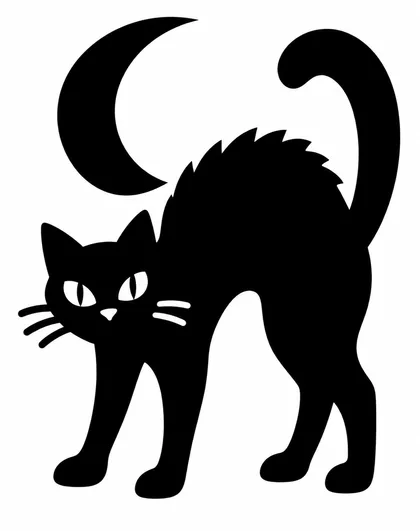
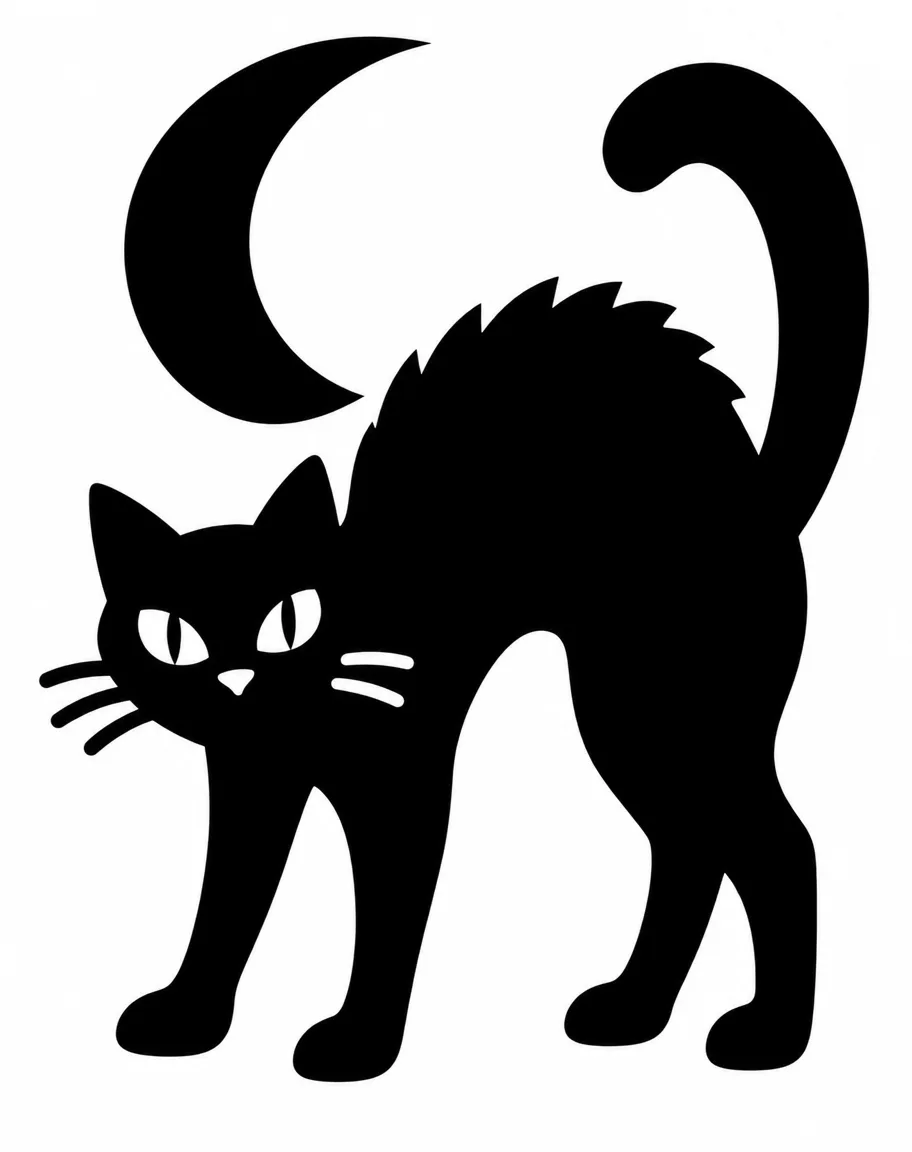
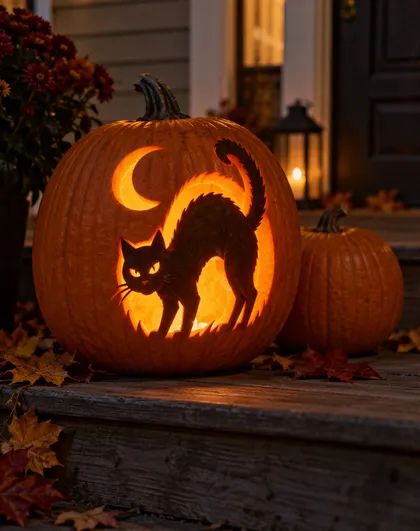
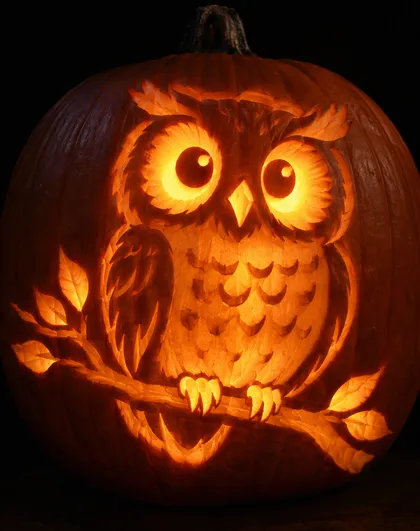
Three real GPT Image 2.5 Sunburst outputs made for this page on 22 October 2026, one try each — open any one to copy the prompt. Read “What we got” below before you carve the cat: the stencil has a catch.
How to
How to use the AI pumpkin carving generator
- Time needed
- Steps
- 4 steps
Step 1
Describe the design
In /app/image, pick GPT Image 2.5 Sunburst and describe the subject plus the stencil rules: pure black on white, thick bridges, bold shapes. Sign in free for 25 starter credits.
Step 2
Check it like a carver
Look for white islands floating inside black areas and lines thinner than a pencil — regenerate or ask the model to fix just that part. 7.2 credits at 1K, 12 at 2K.
Step 3
Print and transfer
Print it at the size of the pumpkin's face, tape it flat, and poke holes along every line about 3–5 mm apart with a pushpin. Peel it off and join the dots with a marker if they're hard to see.
Step 4
Carve and light it
Carve from the smallest details outward with a carving-kit saw, in small strokes away from your hand. Light it with a battery LED.
See it in the app

Open Image Studio and type what you want to see — subject, style, lighting and mood.


Watch the tour · 1:23
Prompts, styles, references, edit, Arena & chat
Chapters
Tips
Prompt rules for a stencil you can actually carve
A pumpkin isn't paper — these words keep the design in one piece.
Say “pure black shapes on a plain white background, no grey, no shading” — a stencil has two colours: cut and leave.
Ask for “thick bridges connecting every white area to the edge”, so no piece of skin floats loose and falls out.
Ask for “bold simple shapes, nothing thinner than a pencil line” — thin lines snap on a real pumpkin.
Decide which part glows: black = cut out and lit, white = skin left on. Say it in the prompt.
For three-tone designs, ask for black (cut through), grey (shave the skin only) and white (leave).
Ask for the subject centred and filling about 70% of the frame, so it fits the flat face of the pumpkin.
Add “no text, no border” unless you want a name or a date on it — then put the exact words in quotes.
Models
Which model is best for pumpkin stencils?
What each model is good at. Open any one straight in the generator.

OpenAI
GPT Image 2.5 Sunburst
- Reference images
- Up to 16
- Output
- 1K–4K
Open GPT Image 2.5 SunburstBest for
Follows stencil rules; names and dates in quotes

Recraft
Recraft V4.1
- Reference images
- None
- Output
- Aspect ratios
Open Recraft V4.1Best for
Clean graphic shapes and lettering

ByteDance
Seedream 5.0 Pro
- Reference images
- Up to 10
- Output
- Up to 2K
Open Seedream 5.0 ProBest for
Illustrated carving ideas and mood pictures
- Free plan

FAQ
AI Pumpkin Carving Generator questions
9 questions
How do I make a pumpkin carving stencil with AI?
Describe the subject and the stencil rules in one prompt — for example “printable pumpkin carving stencil of a black cat under a crescent moon, pure black shapes on white, no grey, thick bridges, bold simple shapes, no text”. On Kenerate's Image Studio, GPT Image 2.5 Sunburst makes it for 7.2 credits at 1K. Check it for floating pieces, print it, tape it on and transfer the lines with a pushpin.
Link to this answerIs there a free AI pumpkin carving generator?
You can start free. A new Kenerate account gets 25 starter credits — enough for three stencils on GPT Image 2.5 Sunburst at 1K — and Qwen Image 3.0 is on the free plan for quick drafts. After that, credits come in one-time packs with no subscription. Downloads have no watermark.
Link to this answerWhat are bridges and islands in a pumpkin stencil?
An island is a piece of skin you want to keep that ends up completely surrounded by cut-out area — like the eyes inside a cut-out cat's face. When you cut around it, it falls out. A bridge is a strip of skin that links that piece back to the rest of the pumpkin and holds it in place. AI models don't always respect this, so ask for “thick bridges” and check the result before you carve.
Link to this answerWhich part of the stencil do I cut out?
By convention the black (or dark) parts are cut out and glow, and the white parts are the skin you leave on. You can also flip it — carve away the background so a dark silhouette stands in front of the light, as in our porch example. Decide before you start, and say which way round you want it in the prompt.
Link to this answerHow do I transfer an AI stencil to a pumpkin?
Print it at the size of the pumpkin's flattest side, trim the paper, and tape it on flat — small cuts in the paper edge help it follow the curve. Poke holes along every line with a pushpin about 3–5 mm apart, peel the paper off, and join the dots with a washable marker if they're hard to see. Sewing transfer paper from a craft store also works.
Link to this answerCan AI make shaved or three-tone pumpkin designs?
Yes. Ask for three tones: black for areas cut all the way through (brightest), grey for areas where you only shave off the orange skin (soft glow), and white for skin you leave untouched (dark). Shave with a loop tool from a carving kit. Our owl example shows the look, but it's a picture of a finished pumpkin — for a stencil, ask for flat black, grey and white shapes.
Link to this answerWhat are good pumpkin carving ideas to try?
Classics carve best as bold silhouettes: a black cat, a bat, an owl, a haunted house, a witch on a broom, a crescent moon. Personal ones work too — your dog's profile, your house number, a band logo you're allowed to use, your initials in a spooky font. Keep fine detail for shaved designs; cut-through designs need thick shapes.
Link to this answerCan it make a stencil of my pet?
Yes. Upload a clear side-on photo of your pet as a reference in Image Studio and ask for “a pumpkin carving stencil of this dog's profile, pure black on white, thick bridges”. GPT Image 2.5 Sunburst takes up to 16 reference images; a photo edit costs 11.7 credits at 1K with one photo. Profiles carve better than front-on faces.
Link to this answerHow do I carve a pumpkin safely?
The American Society for Surgery of the Hand advises: adults do the cutting, use a carving kit's small saws rather than the sharpest kitchen knife (it can go through the wall into your hand), cut in small controlled strokes away from you, and keep hands and tools dry. For a minor cut, press with a clean cloth; if it still bleeds after about 15 minutes, get medical help. Light it with a battery LED rather than a candle.
Link to this answerIn depth
AI Pumpkin Carving Generator, explained
What works, what to avoid, and how to pick a model.
On this page
Pumpkin carving generator, line art generator or Halloween photo generator?
Three Kenerate pages, three different jobs:
- AI pumpkin carving generator (this page) — you want a design to carve. Text in, a two- or three-tone stencil with bridges out, plus a picture of the lit pumpkin. GPT Image 2.5 Sunburst, 7.2 credits at 1K.
- Line art generator — you want clean outlines for a print, a colouring page or a tattoo. Outlines aren't carvable on their own: a pumpkin needs filled shapes.
- AI Halloween photo generator — you want yourself in a Halloween look. Your selfie in, the same face in costume out.
Pumpkin carving ideas to try (untested prompts)
Starting points we haven't run yet — paste one after the stencil rules from the tips above (pure black on white, thick bridges, bold shapes, no text):
- Bats: “three bats flying across a full moon, the moon cut out, the bats left as skin”.
- Haunted house: “a crooked haunted house on a hill with two glowing windows and a bare tree”.
- Witch on a broom: “a witch silhouette on a broomstick crossing a crescent moon, seen from the side”.
- Classic face: “a classic jack-o'-lantern face with triangle eyes and a gap-toothed grin, extra-thick teeth”.
- Ghost: “a friendly ghost with round eyes and an open mouth, waving”.
- Spider web: “a spider web from the top corner with one spider hanging on a thread, web lines as thick as a marker”.
- Your house number: “the number “42” in a spooky dripping font with bridges inside the 4 and the 2”.
- Owl, shaved: “a friendly owl on a branch as a three-tone shaving stencil: black cut through, grey shave the skin, white leave”.
From printout to glowing pumpkin
Pick a pumpkin with a flat, smooth face and cut the lid at an angle so it doesn't drop in, or cut the opening in the back or base for an LED. Scoop the inside and scrape the wall under the design thinner, especially where you plan to shave — light passes through thin flesh more evenly.
Tape the stencil flat, poke holes along every line about 3–5 mm apart, then carve the smallest details first and the big areas last, leaving cut pieces in place until a section is done so the wall stays strong. If a bridge snaps, pin the piece back with a toothpick.
Carving is the part that hurts people. Adults do the cutting with a carving-kit saw, in small strokes away from the hand holding the pumpkin, with dry hands and tools. Kids can draw the design, scoop the seeds and help with the transfer.
What we got
The three outputs above, one try each on GPT Image 2.5 Sunburst at 1K:
- Black cat stencil: clean, pure black shapes on white with no grey, as asked. The catch: the eyes and whiskers are white islands inside the black body — if you cut out the black, they would fall out. Either carve the background and keep the cat as skin, or shave the eyes instead of cutting them.
- Carved cat on a porch: a convincing lit jack-o'-lantern — but it's carved the other way round (dark cat, glowing background), and the fine fur edges would be hard to cut by hand. Treat it as a mood picture, not a stencil.
- Shaved owl: a good picture of the three-tone look, with bright cut-through eyes and softly glowing shaved feathers. It's a photo-style idea, not a printable stencil — ask for flat black, grey and white shapes to get one.