Costume ideas · DIY pieces · groups, couples and pets
AI Halloween Costume Generator — costume ideas you can actually make
Describe a theme, a budget and what's already in your wardrobe, and get a picture of an original costume — then a flat-lay of every piece to buy or make, matching looks for your group, and a preview on your own photo before Halloween on Saturday 31 October.
- Original costume ideas
- Pieces to buy or make
- Group and couple sets
- Try it on your photo
Updated by the Kenerate AI team
On this page
Quick answer
How do you come up with a Halloween costume idea with AI?
An AI Halloween costume generator turns a few words — a theme, the people in your group, a budget — into a picture of an original costume, so you can see the idea before you buy or make anything. On Kenerate AI you describe it in Image Studio and GPT Image 2.5 Sunburst draws it for 7.2 credits at 1K; ask for a flat-lay of the pieces to get your shopping or DIY list, then preview it on your own selfie with the AI Halloween photo generator. Witch and vampire are the two most popular adult costumes of 2026, per the NRF.
Key facts
- Costume idea from text
- GPT Image 2.5 Sunburst, 1K to 4K
- Preview on your photo
- AI Halloween photo generator (same model)
- Group / couple sets
- Up to 16 reference photos (Sunburst) · 14 (Nano Banana 2.1)
- Top adult costumes 2026
- Witch 4.8M · vampire 4.2M (NRF)
- US spend on costumes
- 4.4 billion dollars, 71% of shoppers (NRF 2026)
- Who it's for
- Adults, couples, friend groups, pets
- Not for
- Children's costumes — blocked by moderation
- Free start
- Starter credits · Qwen Image 3.0 on the free plan
Gallery
Three costume ideas, previewed on a photo
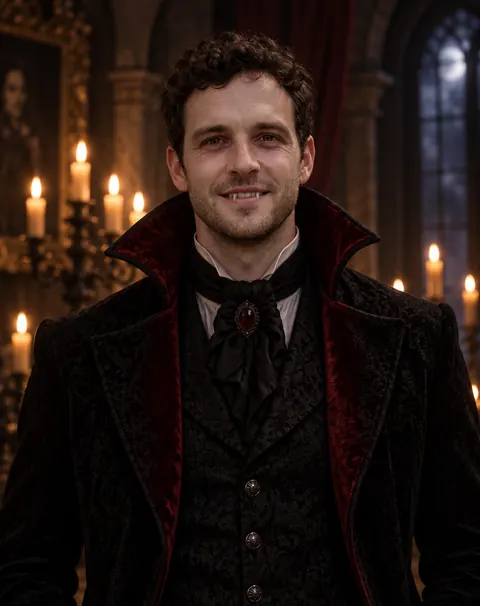
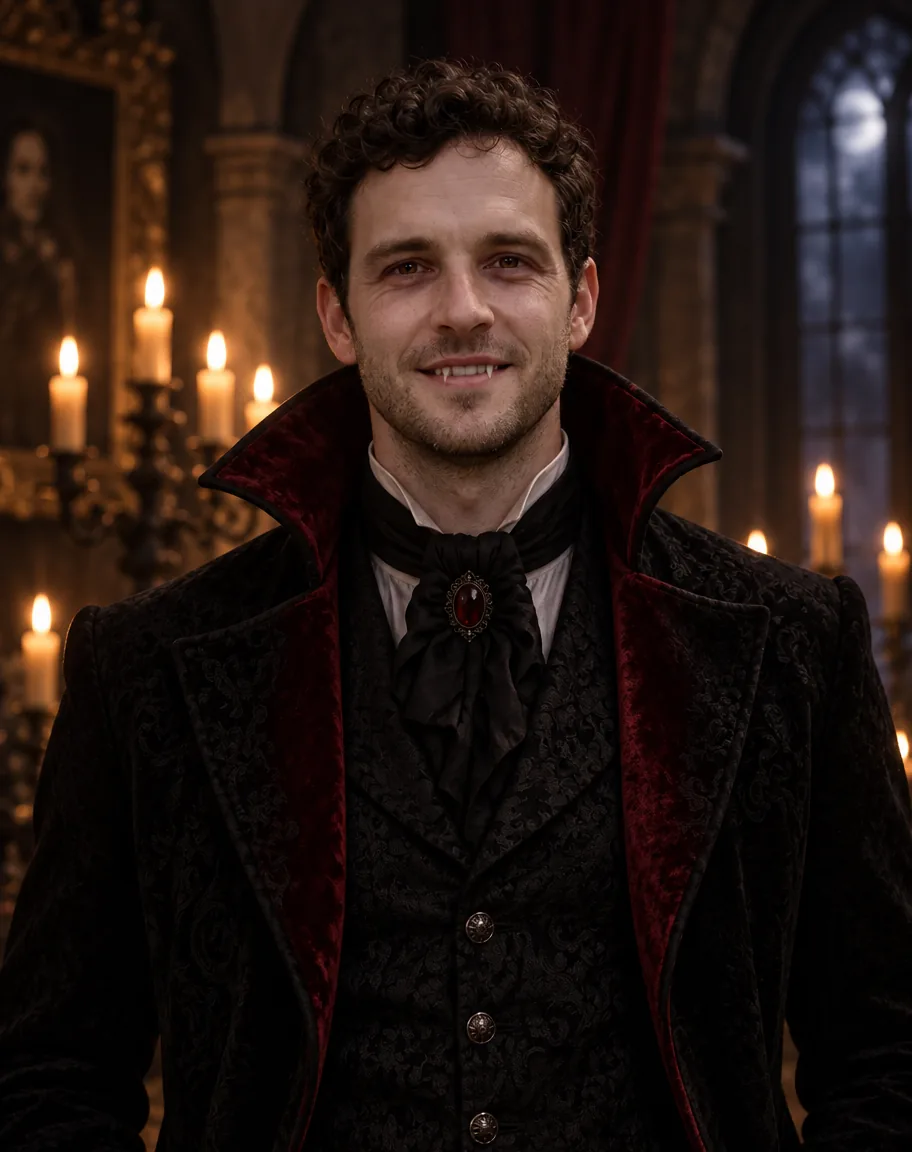
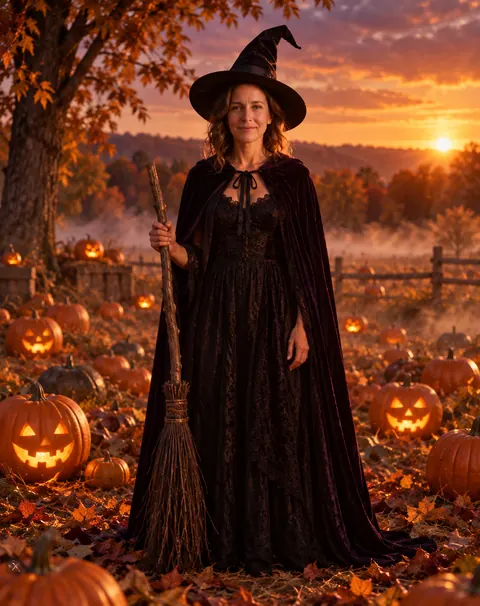
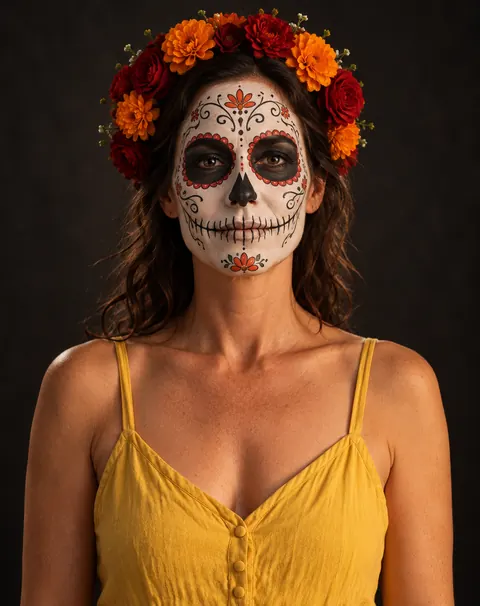
The 2026 top two — witch and vampire — plus a no-buy face-paint look, tried on AI-made test photos. Real GPT Image 2.5 Sunburst edits from our AI Halloween photo generator tests, one try each; open any one to copy the prompt.
How to
How to use the AI halloween costume generator
- Time needed
- Steps
- 4 steps
Step 1
Describe the idea
In /app/image, pick GPT Image 2.5 Sunburst and write the theme, who it's for and what you already own. Sign in free for 25 starter credits.
Step 2
See the full costume
Ask for a full-length shot on a plain background at 2:3 — one idea costs 7.2 credits at 1K. Regenerate or change one detail at a time.
Step 3
Get the pieces
Ask for a flat-lay of every piece and prop, then decide what to buy, borrow or make.
Step 4
Try it on yourself
Open the AI Halloween photo generator, upload your selfie and paste the costume description — or put it on a video clip with the AI costume changer.
See it in the app

Open Image Studio and type what you want to see — subject, style, lighting and mood.


Watch the tour · 1:23
Prompts, styles, references, edit, Arena & chat
Chapters
Tips
Costume ideas you can actually pull off
What to put in the prompt so the picture turns into a real costume.
Start with the theme and one twist: “a witch who runs a plant shop”, “a vampire on his way to the office”.
Say what you already own — “black jeans, a white shirt, a long coat” — and ask the model to build the costume around it.
Ask for a full-length shot on a plain background, so every piece is visible.
Then ask for a flat-lay of the pieces: hat, cape, makeup, props laid out on a table — that's your shopping or DIY list.
For a group, list each person's role in one prompt so the looks match: “four friends as the four seasons”.
Describe an original look instead of a film or comic character; you get a costume nobody else at the party has.
Add “no gore” to keep it spooky rather than graphic, and “no text” to stop stray lettering.
Models
Which model is best for costume ideas?
What each model is good at. Open any one straight in the generator.

OpenAI
GPT Image 2.5 Sunburst
- Reference images
- Up to 16
- Output
- 1K–4K
Open GPT Image 2.5 SunburstBest for
Follows long costume descriptions; previews on your photo

ByteDance
Seedream 5.0 Pro
- Reference images
- Up to 10
- Output
- Up to 2K
Open Seedream 5.0 ProBest for
Illustrated and concept-art costume sheets
Google
Nano Banana 2.1
- Reference images
- Up to 14
- Output
- Up to 4K
Open Nano Banana 2.1Best for
Keeps several faces the same for a group set
- Free plan

FAQ
AI Halloween Costume Generator questions
9 questions
How do I use AI to come up with a Halloween costume?
Describe the theme, who it's for and what you already own, and ask for a full-length picture on a plain background — for example “an original witch costume for a woman who runs a plant shop: black dress, moss-green cape, a hat with dried flowers, plain grey background”. On Kenerate's Image Studio, GPT Image 2.5 Sunburst makes it for 7.2 credits at 1K. Then ask for a flat-lay of the pieces to see what to buy or make.
Link to this answerIs there a free AI Halloween costume generator?
You can start free. A new Kenerate account gets 25 starter credits — enough for three costume ideas on GPT Image 2.5 Sunburst at 1K — and Qwen Image 3.0 is on the free plan for quick drafts. After that, credits come in one-time packs that never expire, with no subscription. Downloads have no watermark.
Link to this answerCan AI show me what a costume looks like on me?
Yes. Upload a clear selfie and describe the costume — that's what the AI Halloween photo generator does, with the same GPT Image 2.5 Sunburst model at 11.7 credits for a 1K edit with one photo. In our tests the face stayed recognisable, but the model sometimes added things we didn't ask for, like a broom for the witch. For a video of you in the costume, use the AI costume changer.
Link to this answerWhat are the most popular Halloween costumes in 2026?
For adults, the NRF's 2026 survey puts witch first (4.8 million people), then vampire (4.2 million), Batman, Spider-Man and ghost. Pumpkin and hot dog lead for pets. If you want to stand out, use the classics as a base and give them a twist — a vintage vampire, a witch with a job, a ghost in 1920s evening wear.
Link to this answerCan it make group or couple costume ideas?
Yes. Put every person's role in one prompt so the looks match — “four friends as the four seasons, each in a different colour, full-length, plain background” — or add each person's photo as a reference. GPT Image 2.5 Sunburst takes up to 16 reference images and Nano Banana 2.1 up to 14. Only upload photos of adults who agreed.
Link to this answerCan I make kids' costume ideas?
No. Kenerate's moderation blocks prompts that mention children, kids, babies, toddlers or teens, every time, so this tool is for adults, couples, friend groups and pets. For children's costumes, use a costume shop's catalogue or a pattern book instead.
Link to this answerCan it help with DIY and last-minute costumes?
Yes — tell it what you already have. “A last-minute costume using only black jeans, a white shirt, a long coat and face paint” gives you an idea built from your own wardrobe. Ask for a flat-lay of the pieces next, so you know what to borrow or pick up. Halloween 2026 falls on a Saturday, so party night may be Friday the 30th.
Link to this answerCan I use famous characters?
Describe an original look instead of a named film, comic or game character, and don't copy logos. You get a costume that's yours, and you avoid trademarked designs. “A caped crime-fighter in midnight blue with a silver moth emblem” works better than a character's name anyway, because it tells the model exactly what to draw.
Link to this answerHow do I make the costume safe to wear?
The FDA's Halloween tips: look for costumes labelled flame resistant (polyester or nylon if you sew one), keep hems short enough not to trip on, use face paint and hats instead of masks that block your view, patch-test makeup on your arm 24–48 hours before, and wear decorative contact lenses only if an eye care professional fitted them.
Link to this answerIn depth
AI Halloween Costume Generator, explained
What works, what to avoid, and how to pick a model.
On this page
Costume generator, photo generator or costume changer — which one do I need?
Three Kenerate tools, three steps of the same job:
- AI Halloween costume generator (this page) — you don't have a costume yet. Text in, a picture of an original costume and its pieces out. GPT Image 2.5 Sunburst, 7.2 credits at 1K.
- AI Halloween photo generator — you know the costume and want to see it on yourself. Your selfie in, the same face in costume out. GPT Image 2.5 Sunburst edit, 11.7 credits with one photo.
- AI costume changer — you want a video of yourself in the costume. A 2–30 second clip in, the same moves in the new costume out. Genjutsu's Change outfit mode.
Halloween costume ideas to try (untested prompts)
Starting points we haven't run yet — paste one, then change the twist. Each asks for a full-length shot on a plain background so you can see every piece:
- Vintage vampire: “an original 1920s vampire costume for a man: black tailcoat, burgundy waistcoat, a silk cravat, slicked hair, pale makeup, full-length, plain grey background, no gore”.
- Witch with a job: “a witch who runs a plant shop: black dress, moss-green cape, a pointed hat trimmed with dried flowers, a watering can as her wand”.
- Elegant ghost: “a ghost in faded 1920s evening wear: pale grey beaded dress, a long chiffon veil, silver face paint, a vintage clutch”.
- Moth: “a moth costume: dusty brown and cream wings made of layered felt, a fuzzy collar, antennae headband, soft brown eye makeup”.
- Retro astronaut: “a 1960s space-age astronaut costume made from a white boiler suit, silver tape details and a cardboard helmet with a clear visor”.
- Scarecrow: “a friendly scarecrow costume built from a flannel shirt, denim overalls, a straw hat, raffia at the cuffs and stitched-mouth face paint”.
- Bat: “a bat costume from a black hoodie with scalloped fabric wings sewn to the sleeves, small ears on the hood, smoky eye makeup”.
- Tarot card: “a costume of the Moon tarot card: midnight-blue dress with a gold crescent, a gold frame shape worn like a sandwich board with the card's title, star face gems”.
Group, couple and pet costume ideas
List every role in one prompt so the colours and style match:
- Four seasons for four friends: spring florals, summer sun, autumn leaves, winter frost — one colour each.
- Salt and pepper, or ketchup and mustard, for a couple: matching shapes, contrasting colours.
- Day of the Dead skull face paint for a whole group: the same white base, a different flower colour for each person.
- A haunted-house family portrait for adults: four Victorian ghosts in grey, posed like an old photograph.
- Office team: the planets, with name sashes so everyone knows who's who.
- Owner and pet: you as a witch, your dog as a pumpkin (the top pet costume of 2026, per the NRF), the same orange and black.
From picture to real costume
A generated costume is a mood board, not a sewing pattern. Ask for a flat-lay of every piece — hat, cape, accessories, makeup, props — on a table, then sort them into wear (already own), buy and make. Felt, a hot-glue gun and cardboard cover most props; face paint replaces a mask and lets you see.
Check the safety basics before the night: a flame-resistant label on bought costumes, nothing long enough to trip on, makeup patch-tested a day or two before, and no decorative contact lenses unless an eye doctor fitted them — the FDA warns that lenses sold without a prescription can injure your eyes.
What we got
The three previews above were made on GPT Image 2.5 Sunburst for our Halloween photo tests, one try each:
- Vampire: face, curls and stubble kept; the fangs showed in an open smile, not the closed-lip smirk we asked for.
- Witch: same face and hair, in a full-length shot with a broom the prompt didn't mention.
- Skull face paint: detailed paint and a flower crown with her eyes and hair kept; her yellow sundress stayed.