

Alibaba's Wan (Tongyi Wanxiang) team; the Wan2.6 series (R2V, T2V, I2V and two image models) was announced in Hangzhou on 16 December 2025
Wan 2.6
Alibaba's Wan 2.6 in your browser: 5, 10 or 15-second clips from text, a start image or up to 5 reference images and clips, at 720p or 1080p — plus the Wan 2.6 image model for stills and edits. No GPU, no API key.
- Modes on Kenerate
- Text to video, image to video (start frame), reference to video and video extend — no end frame
- Length
- Text and image to video: 5, 10 or 15 seconds. Reference to video: 5 or 10. Extend adds 5, 10 or 15 seconds to an existing clip
- Resolution and shape
- 720p (1280×720) or 1080p (1920×1080), in 16:9 or 9:16
- References
- Up to 5 files per clip — images and videos together, with at most 3 videos — for a character, animal or product to appear in a new scene
- Audio
- Attach a wav or mp3 voice or music track for the clip to follow; Kenerate has no sound on/off switch for Wan 2.6

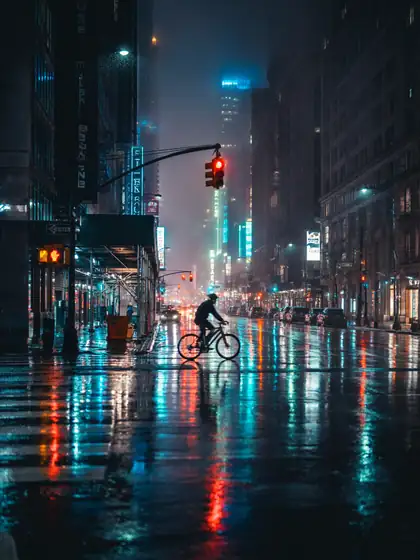
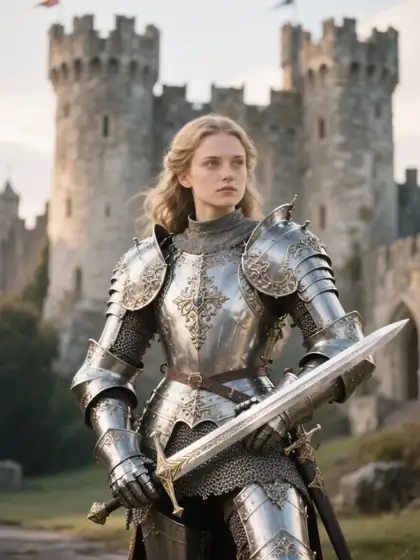

- Real outputs
- Official sources
- Free to start
- No watermark
Updated by the Kenerate AI team
Made with Kenerate



On this page
What is Wan 2.6?
What is Wan 2.6?
Wan 2.6 is Alibaba's AI video model series, announced on 16 December 2025, that makes clips of up to 15 seconds from text, a start image or reference images and videos of a person, animal or object, with multi-shot storytelling and better audio sync than Wan 2.5. Its weights are closed. On Kenerate AI it costs 30 credits a second at 720p and 45 at 1080p — 150 credits for a 5-second 720p clip — and the Wan 2.6 image model makes stills for 9 credits.
Key facts
- Official name
- Wan 2.6 (Wan2.6 series)
- API ID
- alibaba/wan-2.6
- Maker
- Alibaba (Tongyi Wanxiang)
- Announced
- 16 December 2025
- Weights
- Closed (hosted only)
- Clip length
- 5, 10 or 15 s · reference 5 or 10 s
- Resolution
- 720p · 1080p
- Aspect ratios
- 16:9 · 9:16
- References
- Up to 5 images and clips (max 3 clips)
Gallery
Wan 2.6 examples
Real outputs made on Kenerate. Open any image to copy its prompt and run it yourself.
Models
Wan 2.6 on Kenerate
Every version in the generator, and what each is good at.
Alibaba
Wan 2.5
- Reference images
- Start frame · audio track
- Output
- 3–10 s · 480p–1080p
Open Wan 2.5Best for
Previous version — 480p drafts, clips up to 10 s
Alibaba
Wan 2.6
- Reference images
- Start frame · up to 5 references
- Output
- 5, 10 or 15 s · 720p–1080p
Open Wan 2.6Best for
This model — 15-second clips and reference to video
Alibaba
Wan 2.7
- Reference images
- Start + end frame · references
- Output
- 2–15 s · 720p–1080p
Open Wan 2.7Best for
Adds end frames, video editing and more aspect ratios
Alibaba
Wan 3.0
- Reference images
- Start frame · references
- Output
- 2–30 s · 480p–1080p · sound
Open Wan 3.0Best for
Newest Wan — generated sound and 30-second clips
From our tests
Strengths and limits
Good at
- 15-second clips in one generation — 50% longer than Wan 2.5's 10-second limit.
- Reference to video: put the same character, pet or product into a new scene from up to 5 images and clips.
- Audio-driven clips: attach your own voice-over or music and the video is generated to follow it.
- Same price as Wan 2.5 at 1080p (45 credits a second), with longer clips and references on top.
Limits
- No Wan 2.6 clips on this page yet — the gallery shows the Wan 2.6 image model, so judge the video model with a short 720p test.
- No 480p: the cheapest Wan 2.6 clip is 150 credits (5 s at 720p). Draft on Wan 2.5 at 480p or Wan 3.0 if you need cheaper tests.
- Reference to video stops at 10 seconds and adds a fixed 150–225 credits for reading the references.
- No end frame and only 16:9 and 9:16. Video needs a paid plan: any one-time credit pack, from $15 for 1,300 credits.
How to
How to use Wan 2.6 on Kenerate
Step 1
Open the video studio
Go to /app/video and pick Wan 2.6 (the button on this page selects it). Video needs any one-time credit pack.
Step 2
Choose a mode
Text to video for a prompt alone, image to video to start from a still, or reference to video to cast a character, pet or product from up to 5 images and clips.
Step 3
Describe the shot
Say who or what is in frame, the action, the camera move and the light. For a sequence, describe each shot in order. Attach a voice or music file if the clip should follow it.
Step 4
Pick length and resolution
5, 10 or 15 seconds (5 or 10 for references), 720p to test, 1080p to finish. The credit cost shows before you generate.
See it in the app

Open Video Studio in Text to Video mode and write the shot — subject, action, camera move and light.


Watch the tour · 1:19
Text, image & reference to video, models, edit, extend & chat
Chapters
FAQ
Wan 2.6 questions
10 questions
What is Wan 2.6?
Wan 2.6 is Alibaba's AI video model series, announced on 16 December 2025. It includes upgraded text-to-video and image-to-video models, a new reference-to-video model (Wan2.6-R2V) that puts a person, animal or object from your references into new scenes, and two image models. Clips run up to 15 seconds with multi-shot storytelling and improved audio-visual sync.
Link to this answerIs Wan 2.6 open source?
No. Some reseller pages call it open, but only Wan 2.1 and Wan 2.2 have open weights under Apache 2.0. Wan 2.5, 2.6, 2.7 and 3.0 are hosted models available through Alibaba Cloud Model Studio, wan.video and API platforms. You can't download Wan 2.6 for ComfyUI; you run it online, for example in Kenerate's video studio.
Link to this answerHow much does Wan 2.6 cost on Kenerate?
It's billed per second by resolution: 30 credits a second at 720p and 45 at 1080p. A 5-second clip costs 150 or 225 credits and a 15-second 1080p clip 675. Reference to video adds a fixed 150 credits at 720p or 225 at 1080p. Credits come in one-time packs that never expire, starting at $15 for 1,300 credits.
Link to this answerHow long can Wan 2.6 videos be?
Up to 15 seconds per clip: text and image to video take 5, 10 or 15 seconds, reference to video 5 or 10. To go longer, use video extend, which adds another 5, 10 or 15 seconds to an existing clip, or start a new clip from the last frame of the previous one.
Link to this answerWhat is Wan 2.6 reference to video?
It's the mode Alibaba launched as Wan2.6-R2V. You give the model references of a subject — a person, a pet, a product, or several subjects — and a prompt, and it generates a new scene with that subject looking the same. On Kenerate you can attach up to 5 references per clip, mixing images and up to 3 short videos.
Link to this answerDoes Wan 2.6 generate sound?
Alibaba says Wan 2.6 improved audio-visual sync and audio-to-video generation. On Kenerate you can attach your own wav or mp3 track for the clip to follow; there's no sound on/off switch for Wan 2.6, so if you want sound written from the prompt alone, Wan 3.0 is the more predictable pick.
Link to this answerCan Wan 2.6 animate an image?
Yes. Upload a start image in /app/video, choose 5, 10 or 15 seconds and describe the motion. Wan 2.6 keeps the image as the first frame, which is the most reliable way to keep a product, character or layout exactly as designed. It doesn't take an end frame; Wan 2.7 does.
Link to this answerIs Wan 2.6 free?
Not on Kenerate's free plan: video needs a paid plan, which means buying any one-time credit pack. New accounts get starter credits for images on free-plan models such as Qwen Image 3.0. The Wan 2.6 image model costs 9 credits an image and is not a free-plan model either.
Link to this answerWhat is the Wan 2.6 image model?
It's Alibaba's image model from the same release, listed in Kenerate's image studio as Wan 2.6. Alibaba highlights style control and more realistic portraits. On Kenerate it makes images up to 1440 px a side, supports a seed and edits with up to 3 reference images, for 9 credits per image and 10.5 per edit. The examples on this page are its real outputs.
Link to this answerWan 2.6 vs Wan 2.5 vs Wan 2.7 — which should I use?
Wan 2.6 is the pick for 15-second clips and for casting the same subject from references. Wan 2.5 is cheaper for drafts (480p at 15 credits a second, which 2.6 doesn't offer) but stops at 10 seconds. Wan 2.7 costs the same as 2.6 and adds end frames and video editing, and Wan 3.0 makes up to 30 seconds with generated sound.
Link to this answerIn depth
Wan 2.6, in depth
Background, how to prompt it, and when to pick something else.
On this page
What each Wan 2.6 clip costs
Wan 2.6's price on Kenerate depends on mode, length and resolution:
- 5 s at 720p — 150 credits. Testing a prompt, motion and timing.
- 15 s at 720p — 450 credits. Full-length social clips.
- 15 s at 1080p — 675 credits. The final render.
- Reference to video, 5 s — 300 credits at 720p, 450 at 1080p (includes the fixed reference fee).
Where Wan 2.6 sits in the Wan family
Wan 2.1 (February 2025) and 2.2 (July 2025) are the open-weights releases. Wan 2.5 (September 2025) was the first hosted-only Wan and added synced audio. Wan 2.6 (December 2025) stretched clips to 15 seconds, added multi-shot storytelling and introduced reference to video, which Alibaba pitched as letting anyone star in a video [1]. Wan 2.7 followed with end frames and editing, and Wan 3.0 with 30-second clips and sound.
On API platforms Wan 2.6 text to video runs at 1280×720 or 1920×1080, landscape or vertical, for 5, 10 or 15 seconds, with an optional audio input and negative prompt [2]. Kenerate runs the same alibaba/wan-2.6 model for text, image and reference to video plus video extend.
Prompting Wan 2.6
For one shot, write subject, action, camera move, light and mood in that order. For a 10–15 second sequence, describe the shots in order ("Shot 1: … Shot 2: …") and keep the character description identical in each, so the model holds the look across cuts. With reference to video, name the subject the same way the references show it and spend the prompt on the new scene, not on re-describing the face or product.