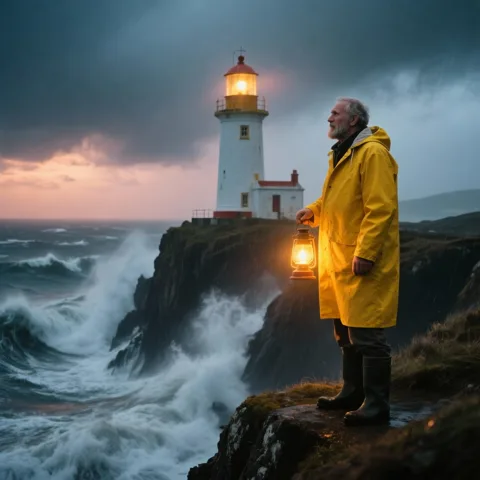
Alibaba's Wan (Tongyi Wanxiang) team; previewed as Wan2.5-Preview at Alibaba Cloud's Apsara conference in September 2025
Wan 2.5
Alibaba's Wan 2.5 in your browser: 3–10 second clips from text or an image at 480p, 720p or 1080p, synced to your own voice or music track — plus the Wan 2.5 image model for stills. No GPU, no API key.
- Modes on Kenerate
- Text to video, image to video (start frame) and video extend — no end frame
- Length
- Text to video: 5 or 10 seconds. Image to video: any whole number from 3 to 10. Extend adds 3–10 seconds to an existing clip
- Resolution and shape
- 480p, 720p or 1080p, in 16:9 or 9:16
- Audio
- Built for one-pass audio and video with lip-sync; you can attach a wav or mp3 voice or music track (3–30 s, up to 15 MB on the provider) for the clip to follow




- Real outputs
- Official sources
- Free to start
- No watermark
Updated by the Kenerate AI team
On this page
What is Wan 2.5?
What is Wan 2.5?
Wan 2.5 is Alibaba's video model, previewed in September 2025, that makes clips of up to 10 seconds at up to 1080p from text or a start image and was the first Wan built to generate synced audio with the picture. Unlike Wan 2.1 and 2.2 its weights are closed. On Kenerate AI it costs 15, 30 or 45 credits a second at 480p, 720p or 1080p — 75 credits for a 5-second 480p draft — and the Wan 2.5 image model makes stills for 9 credits.
Key facts
- Official name
- Wan 2.5 (Wan2.5-Preview)
- API ID
- alibaba/wan-2.5
- Maker
- Alibaba (Tongyi Wanxiang)
- Released
- September 2025
- Weights
- Closed (hosted only)
- Clip length
- Text 5 or 10 s · image 3–10 s
- Resolution
- 480p · 720p · 1080p
- Aspect ratios
- 16:9 · 9:16
- Audio
- Sync to your wav / mp3
Gallery
Wan 2.5 examples
Real outputs made on Kenerate. Open any image to copy its prompt and run it yourself.
Models
Wan 2.5 on Kenerate
Every version in the generator, and what each is good at.
Alibaba
Wan 2.5
- Reference images
- Start frame · audio track
- Output
- 3–10 s · 480p–1080p
Open Wan 2.5Best for
This model — 480p drafts, 1080p finals, audio-driven clips
Alibaba
Wan 2.6
- Reference images
- Start frame · references
- Output
- 5, 10 or 15 s · 720p–1080p
Open Wan 2.6Best for
Next version: 15-second clips and reference-to-video
Alibaba
Wan 2.7
- Reference images
- Start frame · references
- Output
- 2–15 s · 720p–1080p
Open Wan 2.7Best for
Adds video editing and more aspect ratios
Alibaba
Wan 3.0
- Reference images
- Start frame · references
- Output
- 2–30 s · 480p–1080p · sound
Open Wan 3.0Best for
Newest Wan — generated sound and 30-second clips
From our tests
Strengths and limits
Good at
- Cheap drafts: 480p costs 15 credits a second, so a 5-second test is 75 credits before you commit to 1080p.
- Flexible length from a start image: any 3–10 seconds, not just 5 or 10.
- Audio-driven clips: attach your own voice-over or music and the video is generated to follow it.
- One name, two tools: the Wan 2.5 image model makes the start frame (9 credits) and the video model animates it.
Limits
- No Wan 2.5 clips on this page yet — the gallery shows the Wan 2.5 image model, so judge the video model with a short 480p test.
- Video needs a paid plan: any one-time credit pack, from $15 for 1,300 credits. The image model is also not on the free plan.
- Kenerate has no sound on/off switch for Wan 2.5 — for sound generated from the prompt, Wan 3.0 is the safer pick.
- Text to video only takes 5 or 10 seconds, there's no end frame, and only 16:9 and 9:16. In our image tests small sign text came out garbled.
How to
How to use Wan 2.5 on Kenerate
Step 1
Open the video studio
Go to /app/video and pick Wan 2.5 (the button on this page selects it). Video needs any one-time credit pack.
Step 2
Add a start frame or audio (optional)
Upload the image the clip should start from, and a voice or music file if the clip should follow it. Leave both empty for text to video.
Step 3
Describe the shot
Say who or what is in frame, the action, the camera move and the light. Add a negative prompt for things to avoid.
Step 4
Pick length and resolution
5 or 10 seconds for text, 3–10 for an image; 480p to draft, 1080p to finish. The credit cost shows before you generate.
See it in the app

Open Video Studio in Text to Video mode and write the shot — subject, action, camera move and light.


Watch the tour · 1:19
Text, image & reference to video, models, edit, extend & chat
Chapters
FAQ
Wan 2.5 questions
10 questions
What is Wan 2.5?
Wan 2.5 is Alibaba's AI video model, first shown as Wan2.5-Preview in September 2025. It makes clips of up to 10 seconds at up to 1080p from a text prompt or a start image, and it was the first Wan model built to generate audio — voices, music and effects — in sync with the picture. There is also a Wan 2.5 image model for stills.
Link to this answerIs Wan 2.5 open source?
No. Wan 2.1 and Wan 2.2 have open weights under Apache 2.0, but Wan 2.5 and every later version (2.6, 2.7, 3.0) run only as hosted models through Alibaba Cloud and API platforms. You can't download Wan 2.5 for ComfyUI; you run it online, for example in Kenerate's video studio.
Link to this answerHow much does Wan 2.5 cost on Kenerate?
It's billed per second by resolution: 15 credits a second at 480p, 30 at 720p and 45 at 1080p. A 5-second clip costs 75, 150 or 225 credits, and a 10-second 1080p clip 450. Credits come in one-time packs that never expire, starting at $15 for 1,300 credits — no subscription.
Link to this answerHow long can Wan 2.5 videos be?
Up to 10 seconds per clip. Text to video takes 5 or 10 seconds; image to video accepts any whole number from 3 to 10. To go longer, use video extend, which adds another 3–10 seconds to an existing clip, or chain clips by starting each from the last frame of the one before.
Link to this answerDoes Wan 2.5 generate sound?
Alibaba built Wan 2.5 to make audio and video in one pass, including lip-synced speech, though one launch review found music and drumming drifting out of sync. On Kenerate you can attach your own wav or mp3 track for the clip to follow; there's no sound toggle, so for sound written from the prompt alone use Wan 3.0.
Link to this answerCan Wan 2.5 animate an image?
Yes. Upload a start image in /app/video, choose 3–10 seconds and describe the motion. Wan 2.5 keeps the image as the first frame, which is the most reliable way to keep a product, character or layout as designed. It doesn't take an end frame; Wan 2.7 and Kling 3.0 do.
Link to this answerIs Wan 2.5 free?
Not on Kenerate's free plan: video needs a paid plan, which means buying any one-time credit pack. New accounts get starter credits for images on free-plan models such as Qwen Image 3.0. The Wan 2.5 image model costs 9 credits an image and is not a free-plan model.
Link to this answerWhat is the Wan 2.5 image model?
It's Alibaba's text-to-image model from the same release, listed in Kenerate's image studio as Wan 2.5. It makes images up to 1440 px a side, supports a negative prompt and a seed, and can edit or blend up to 2 reference images. It costs 9 credits per image and 10.5 per edit. The four examples on this page are its real outputs.
Link to this answerWan 2.5 vs Wan 2.6 vs Wan 3.0 — which should I use?
Wan 2.5 is the cheapest way to draft Wan video (15 credits a second at 480p, which Wan 2.6 and 2.7 don't offer) and costs the same as them at 1080p (45 a second) when 10 seconds is enough. Wan 2.6 adds 15-second clips and reference images, Wan 2.7 adds editing and more aspect ratios, and Wan 3.0 makes up to 30 seconds with generated sound. Draft on Wan 2.5 at 480p, then move up if you need length or sound.
Link to this answerWhat is alibaba/wan-2.5?
It's the API name model platforms such as WaveSpeed use for Wan 2.5, with separate text-to-video, image-to-video and video-extend endpoints. On Kenerate you don't need an API key or a provider account: the same model runs in the browser as Wan 2.5 and is billed in credits.
Link to this answerIn depth
Wan 2.5, in depth
Background, how to prompt it, and when to pick something else.
On this page
Which resolution to use
Wan 2.5's price on Kenerate depends only on length and resolution. Prices below are for a 5-second clip:
- 480p — 75 credits. Testing a prompt, motion and timing.
- 720p — 150 credits. Social clips and previews.
- 1080p — 225 credits (450 for 10 seconds). The final render.
Where Wan 2.5 sits in the Wan family
Wan 2.1 (February 2025) and 2.2 (July 2025) are the open-weights releases. Wan 2.5 (September 2025) was the first closed, hosted-only Wan and the first to pair video with synced audio [1][2]. Wan 2.6 followed with 15-second clips, Wan 2.7 with end frames and editing, and Wan 3.0 with 30-second clips and sound.
On API platforms Wan 2.5 runs at 480p, 720p and 1080p for up to 10 seconds, with an optional wav or mp3 track to drive the voice or music [3]. Kenerate runs the same alibaba/wan-2.5 model for text to video, image to video and video extend.
Prompting Wan 2.5
Write one shot per prompt: subject, action, camera move, light and mood, in that order. Use the negative prompt for things you keep seeing and don't want — extra people, text, blur. If the clip should follow speech or music, attach the audio file and describe the speaker or the scene's rhythm; the launch review found music sync weaker than speech, so check timing on a 480p draft first [1].