

ByteDance Seed — successor to Seedream 4.5 and 4.0
Seedream 5.0
ByteDance's Seedream 5.0 family in your browser: Pro for the most detail and precise edits, Lite for 2K–4K at a low price, Flash for fast drafts — all with up to 10 reference images and no API key.
- 5.0 Pro
- Flagship: complex information layouts, point / lasso / box / sketch editing, Hex colour edits, layer separation, realistic portraits
- 5.0 Lite
- Cheaper 2K and 4K version; ByteDance's API adds web retrieval (not enabled on Kenerate)
- 5.0 Flash
- Fastest and cheapest 5.0 — one flat price at 1K, 1.5K or 2K
- Sizes on Kenerate
- Pro and Flash: 15 aspect ratios from 1:3 to 3:1 at 1K–2K · Lite: 13 presets from 2048×2048 to 4096×4096
- Licence
- Closed model; images you generate on Kenerate follow Kenerate's terms of service

- Real outputs
- Official sources
- Free to start
- No watermark
Updated by the Kenerate AI team
Made with Kenerate


On this page
What is Seedream 5.0?
What is Seedream 5.0?
Seedream 5.0 is ByteDance Seed's latest image generation and editing family, in three versions: 5.0 Lite (launched February 2026), 5.0 Pro (announced 8 July 2026) and the fast 5.0 Flash. Pro adds point, lasso and sketch editing, layer separation and native text in 10+ languages. On Kenerate AI, Pro costs 13.5 credits at 1K or 27 at 2K, Lite 10.5 at 2K–4K and Flash 8.1, each with up to 10 reference images.
Key facts
- Official name
- Seedream 5.0 (Pro · Lite · Flash)
- Maker
- ByteDance Seed
- Released
- Lite: Feb 2026 · Pro: 8 Jul 2026
- Abilities
- Text to image · multi-image editing
- References
- Up to 10 (all three)
- Languages
- 10+ for prompts and on-image text (Pro)
- Weights
- Closed (API only)
Gallery
Seedream 5.0 examples
Real outputs made on Kenerate. Open any image to copy its prompt and run it yourself.
Models
Seedream 5.0 on Kenerate
Every version in the generator, and what each is good at.

ByteDance
Seedream 5.0 Pro
- Reference images
- Up to 10
- Output
- 1K–2K
Open Seedream 5.0 ProBest for
Best detail, edits and text
ByteDance
Seedream 5.0 Lite
- Reference images
- Up to 10
- Output
- 2K–4K
Open Seedream 5.0 LiteBest for
Cheapest way to 4K
ByteDance
Seedream 5.0 Flash
- Reference images
- Up to 10
- Output
- 1K–2K
Open Seedream 5.0 FlashBest for
Fast drafts, flat price
ByteDance
Seedream 4.5
- Reference images
- Up to 10
- Output
- 2K–4K
Open Seedream 4.5Best for
Previous version — posters and type
From our tests
Strengths and limits
Good at
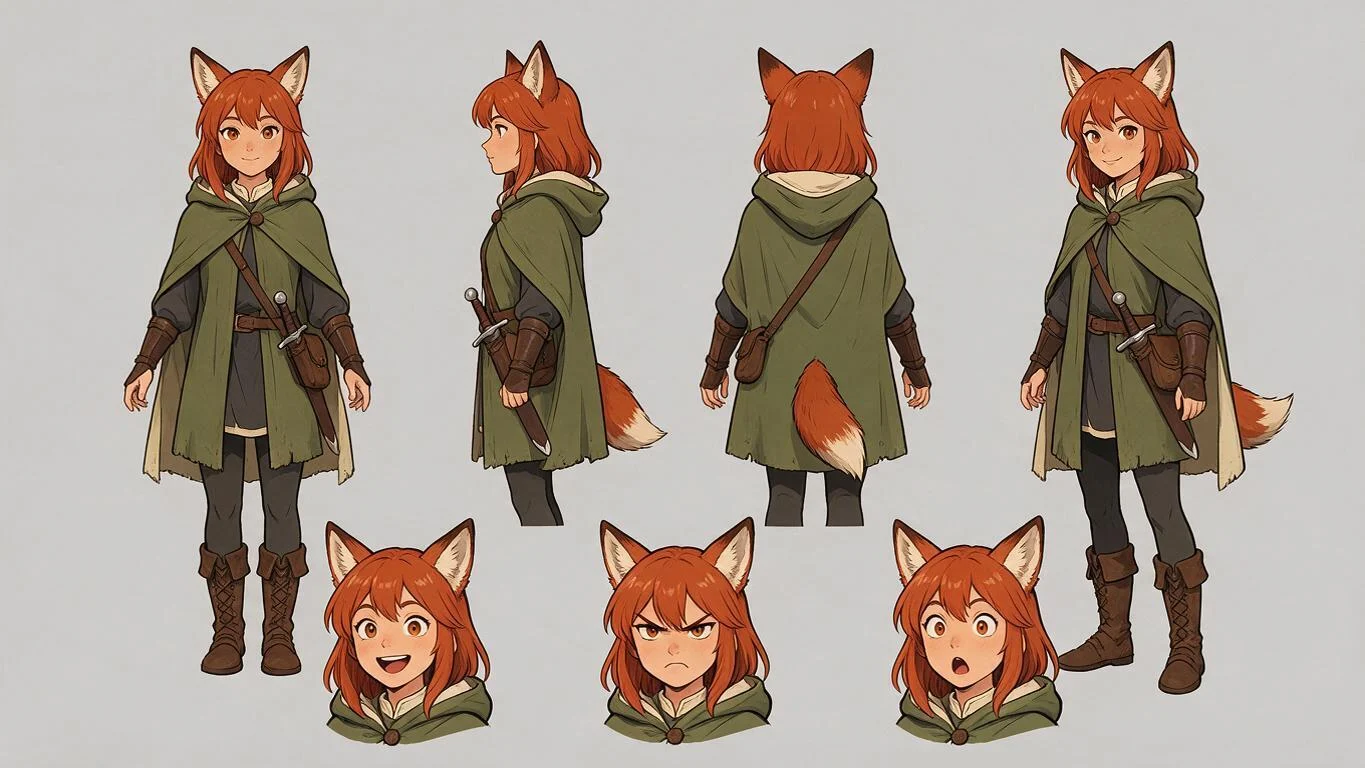
- Consistent characters: the fox-eared adventurer keeps the same face, hair, cloak and satchel across front, side, back and three-quarter views.
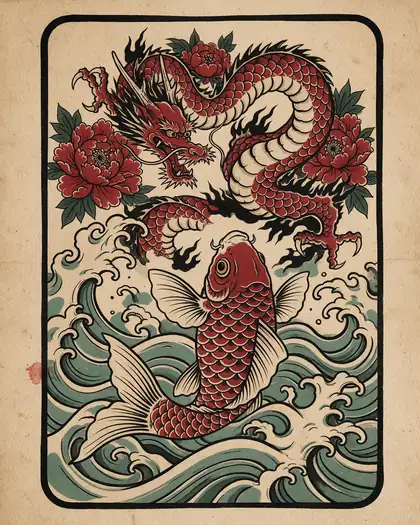
- Follows art-direction words closely — irezumi flash on aged paper, ukiyo-e, paper-cut mid-century poster and a hand-painted parallax game scene all came out in the asked style.
- Clean layouts: the turnaround sheet put four full-body views in a row with three expression heads below, as the prompt asked.
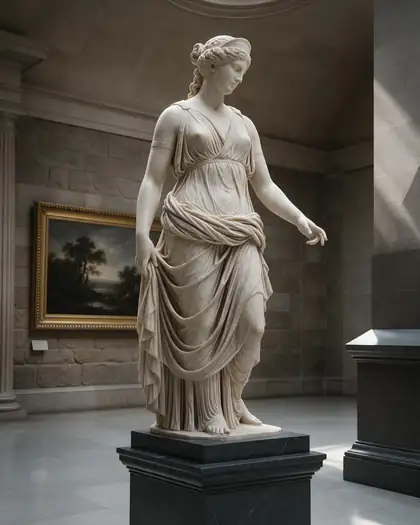
- Photoreal materials at 2K — the marble goddess has believable stone, drapery and skylight.
Limits
- Every output in this gallery is Seedream 5.0 Pro. We have not published Lite or Flash outputs yet, so judge those on your own tests.
- 5.0 Pro tops out at 2K on Kenerate — for 4K use 5.0 Lite (or upscale a Pro image).
- ByteDance's web retrieval and Pro's layer separation are not exposed in Kenerate's studio; you get text to image and reference-based edits.
- Not on Kenerate's free plan — all three 5.0 versions are paid models (8.1 to 27 credits per image).
How to
How to use Seedream 5.0 on Kenerate
Step 1
Open the model
Go to /app/image and pick Seedream 5.0 Pro, Lite or Flash (the button on this page selects Pro). Sign in free to get started.
Step 2
Write the prompt
Lead with the medium, then subject, setting, light and camera in plain sentences. Put on-image words in quotes and say where they go.
Step 3
Pick size and version
Draft in Flash or Pro at 1K, finish in Pro at 2K, or switch to Lite for 2K–4K sizes up to 4096×4096.
Step 4
Edit with references
Upload up to 10 images and describe the change first, then what must stay — face, product, logo or colours.
See it in the app

Open Video Studio in Text to Video mode and write the shot — subject, action, camera move and light.


Watch the tour · 1:23
Prompts, styles, references, edit, Arena & chat
Chapters
FAQ
Seedream 5.0 questions
9 questions
What is Seedream 5.0?
Seedream 5.0 is ByteDance Seed's image generation and editing model family and the successor to Seedream 4.5. It comes in three versions: 5.0 Lite (launched in February 2026), 5.0 Pro (announced on 8 July 2026) and 5.0 Flash. All are closed models available through APIs and apps such as Kenerate AI, with no downloadable weights.
Link to this answerWhat is the difference between Seedream 5.0 Pro, Lite and Flash?
Pro is the flagship: the most detail, the best edits, layer separation and point, lasso and sketch editing in ByteDance's own tools. Lite is the cheaper high-resolution version, rendering 2K to 4K. Flash is the fastest and cheapest. On Kenerate, Pro costs 13.5 credits at 1K or 27 at 2K, Lite 10.5 at any size, and Flash 8.1.
Link to this answerHow do I use Seedream 5.0 online?
Open Kenerate AI's image studio, pick Seedream 5.0 Pro, Lite or Flash, write a prompt and choose a size. It runs in the browser with no API key or install. You can upload up to 10 reference images to edit a photo or keep a character, product or logo consistent.
Link to this answerIs Seedream 5.0 free?
Not on Kenerate: all three 5.0 versions are paid, from 8.1 credits per image (Flash) to 27 (Pro at 2K), bought as one-time credit packs with no subscription required. The free plan covers models such as Qwen Image 3.0 and Flux 2 Dev. Third-party APIs list Seedream 5.0 Lite at about 3.6 cents per image.
Link to this answerWhat resolution does Seedream 5.0 support?
On Kenerate, 5.0 Pro and 5.0 Flash render at 1K, 1.5K or 2K in 15 aspect ratios from 1:3 to 3:1. 5.0 Lite renders only at 2K and 4K, with 13 sizes up to 4096×4096. For the sharpest 4K print, use Lite or upscale a 2K Pro image.
Link to this answerSeedream 5.0 or Seedream 4.5 — which is better?
For most new work, start with 5.0: Pro gives more detail and better edits, and Lite renders 2K–4K for 10.5 credits, less than 4.5's 12. Seedream 4.5 is still a good pick for type-heavy posters and labels, or to match earlier 4.5 projects.
Link to this answerCan Seedream 5.0 write text in images?
Yes. ByteDance says 5.0 Pro accepts prompts and renders text in more than ten languages, including English, Chinese, Japanese, Korean, Spanish, French, German, Russian and Arabic. Put the exact words in quotes and say where they go.
Link to this answerDoes Seedream 5.0 search the web?
ByteDance's API version of 5.0 Lite can pull in live web information while generating. That feature is not switched on in Kenerate's studio, so describe current products, logos or events in the prompt or upload them as reference images.
Link to this answerCan I use Seedream 5.0 images commercially?
Images you generate on Kenerate follow Kenerate's terms of service. Seedream 5.0 is a closed ByteDance model with no downloadable weights, so there is no separate model licence to accept. Check trademarks and likeness rights for anything you use in an ad or product.
Link to this answerIn depth
Seedream 5.0, in depth
Background, how to prompt it, and when to pick something else.
On this page
What's new in Seedream 5.0 Pro
ByteDance announced Seedream 5.0 Pro on 8 July 2026 with four focus areas [1]:
- Complex information visualisation — dense posters, charts and professional layouts.
- Interactive precision editing — point, lasso, box and sketch selection, Hex colour changes, material swaps and multi-image fusion.
- Layer separation — a poster split into more than 10 independent, transparent layers.
- Realistic imagery and portrait textures, plus native input and text in 10+ languages.
Seedream 5.0 Lite and Flash
Which Seedream 5.0 to pick on Kenerate
Use Flash (8.1 credits) or Pro at 1K (13.5) to test prompts, then finish in Pro at 2K (27) for portraits, edits and anything with text. Use Lite (10.5) when you need 4K — wallpapers, prints, large banners — at the lowest price per pixel.