Text to dragon · western · lung · chibi · tattoo
AI Dragon Generator — western, eastern, chibi or tattoo dragons from text
Describe a dragon and get a finished illustration: a western dragon on a mountain crag, a lung-style sea of clouds, a chibi dragon for a sticker, or a black-and-grey wyvern flash for a tattoo. No upload needed.
- Four dragon styles
- Text only, no upload
- Prompts shown
- No watermark
Updated by the Kenerate AI team
On this page
Quick answer
How do you generate a dragon with AI?
An AI dragon generator draws a dragon from a text description: the type (western, eastern lung, wyvern, chibi), the pose, the setting, the colours and the art style. On Kenerate AI you write the prompt and GPT Image 2.5 Sunburst renders it. Our four test dragons each came out on the first try in the style asked for. A text-to-image dragon costs 7.2 credits at 1K, and a new account starts with 25 credits.
Key facts
- Dragon examples
- 4 (western · eastern lung · chibi · tattoo flash)
- Tries per example
- 1, first result kept
- Model
- GPT Image 2.5 Sunburst (OpenAI)
- Watermark
- None
Gallery
Four dragons, four styles, one try each
Real GPT Image 2.5 Sunburst results, 1K, 4:5. Open any one to copy the full prompt.
How to
How to use the AI dragon generator
- Time needed
- Steps
- 4 steps
Step 1
Open the image studio
In /app/image, pick GPT Image 2.5 Sunburst. Sign in free for starter credits.
Step 2
Describe the dragon
Type, pose, colours, setting, light and style, in one sentence each.
Step 3
Set the ratio
4:5 for a poster or card, 1:1 for a sticker, 9:16 for a phone wallpaper.
Step 4
Download
Regenerate if the pose is off, then download without a watermark.
See it in the app

Open Image Studio and type what you want to see — subject, style, lighting and mood.


Watch the tour · 1:23
Prompts, styles, references, edit, Arena & chat
Chapters
Tips
Prompts that give you the dragon you picture
What worked in our tests.
Name the type first: western, eastern lung, wyvern, chibi, or a tattoo flash.
Set the pose and the scale: perched on a crag, coiled in clouds, sitting in a meadow.
Give the colours and the scales: red, jade green, pastel mint, black-and-grey.
Name the style: painterly digital art, ink-and-watercolour, soft cartoon, traditional tattoo linework.
Add a setting and a light: sunset rim light, misty mountains at dawn, a plain white background for a flash sheet.
For a tattoo or sticker, ask for a plain background and “no text” so the artwork stands alone.
Models
Models for dragon art
What each model is good at. Open any one straight in the generator.

OpenAI
GPT Image 2.5 Sunburst
- Reference images
- Up to 16
- Output
- 1K–4K
Open GPT Image 2.5 SunburstBest for
Made all four dragons on this page

ByteDance
Seedream 5.0 Pro
- Reference images
- Up to 10
- Output
- Up to 2K
Open Seedream 5.0 ProBest for
Illustration and anime-style dragons
- Free plan

FAQ
AI Dragon Generator questions
8 questions
How do I make a dragon with AI?
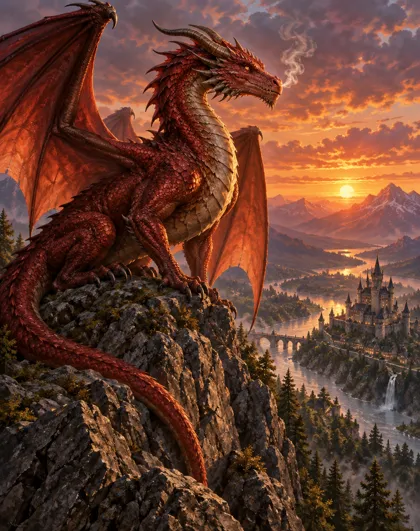
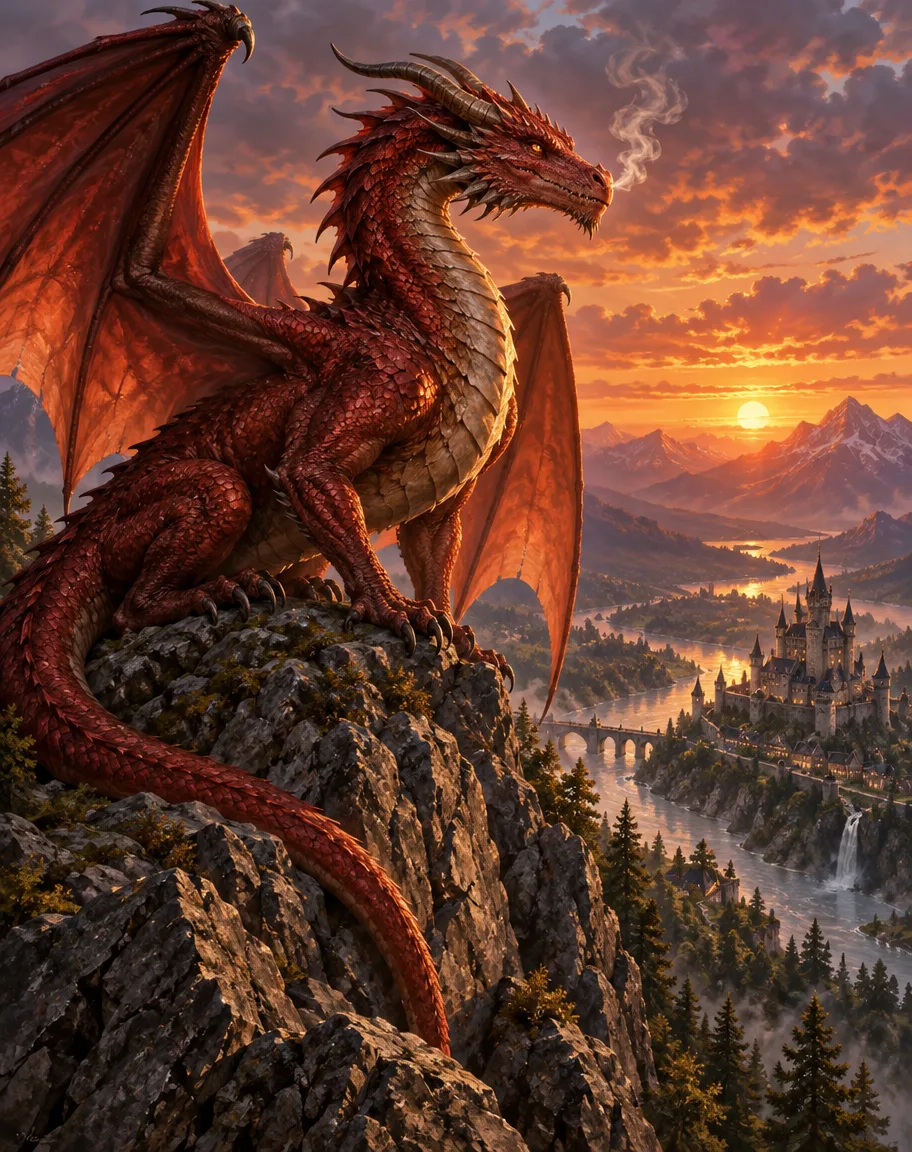
Open Kenerate's image studio, pick GPT Image 2.5 Sunburst and describe the dragon: “a red-scaled western dragon perched on a mountain crag at sunset, wings half open, painterly digital art.” Add the setting and the light. Our western dragon came back on the first try with those details.
Link to this answerWhat dragon types can I make?
Anything you can describe. Our tests covered four: a western dragon with wings and a crag, an eastern lung dragon coiled in clouds, a chibi dragon for stickers and cards, and a wyvern in black-and-grey tattoo style. Name the type first, then the pose and the style.
Link to this answerCan I make a dragon tattoo design?
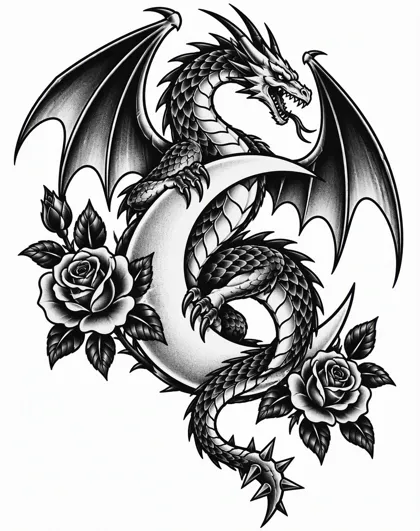
Yes. Ask for “black-and-grey traditional tattoo style”, “bold clean linework”, “solid black shading” and “plain white background”. Our wyvern flash came out with clean outlines and no lettering. It is a design to show your artist, not a stencil, so check the lines at full size.
Link to this answerIs the AI dragon generator free?
Free to start. A new Kenerate account gets 25 credits on sign-up, enough for three dragons on GPT Image 2.5 Sunburst at 7.2 credits each. Qwen Image 3.0 is on the free plan. After that, credits come in one-time packs that never expire, with no subscription. Downloads carry no watermark.
Link to this answerWhich model is best for dragons?
For painted and realistic dragons with detailed scenes, GPT Image 2.5 Sunburst made all four of our examples. For a cheaper illustration run, Seedream 5.0 Pro suits bold cartoon and anime-style dragons. Qwen Image 3.0 is free on the free plan for quick tries.
Link to this answerHow do I make a chibi or cute dragon?
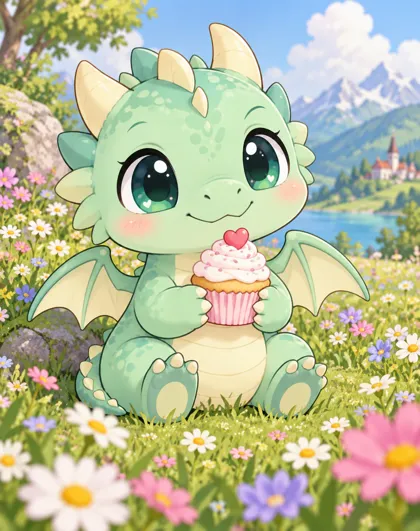
Ask for “small round dragon, big shiny eyes, tiny wings, soft cartoon illustration, clean outlines”. Add a pastel colour and a prop, like a cupcake or a flower meadow. That gave us a sticker-style dragon that reads as cute at a small size.
Link to this answerCan I animate a dragon?
Yes. Make the dragon as a still first, then use it as the first frame for an image-to-video model on Kenerate, so the dragon keeps its design. Our image-to-video page explains how to set the start frame and the length.
Link to this answerWhat is the difference between a dragon and a wyvern?
A wyvern has two legs and a pair of wings, while a western dragon usually has four legs. If you want a wyvern, say “wyvern, two legs, two wings” in the prompt, otherwise the model may draw four legs.
Link to this answerIn depth
AI Dragon Generator, explained
What works, what to avoid, and how to pick a model.
On this page
The four dragon styles
Each style reads differently at a glance, so the prompt should lead with the one you want:
- Western: a large winged dragon, usually four legs, with a landscape and a castle. Say “red-scaled”, “wings half open” and a setting.
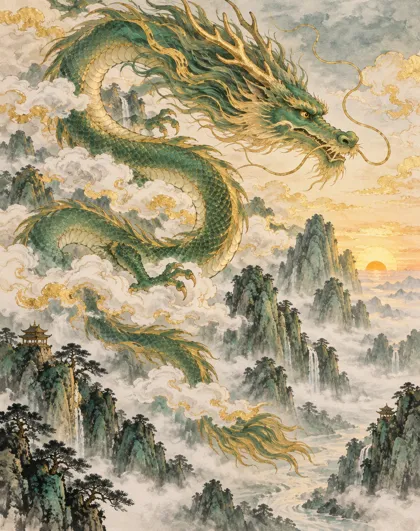
- Eastern lung: a long serpentine body, whiskers, a flowing mane and clouds. Say “ink-and-watercolour” and the mountains or sea.
- Chibi: a small round dragon with big eyes. Say “soft cartoon” and a prop, like a cupcake.
- Tattoo flash: a black-and-grey design on white with clean linework. Say “solid black shading” and “no text”.
A dragon prompt, piece by piece
Every example prompt on this page follows the same order:
- Type: western, eastern lung, wyvern, chibi.
- Pose and scale: perched on a crag, coiled in clouds, sitting in a meadow.
- Colours: red-scaled, jade green, pastel mint, black-and-grey.
- Setting and light: a river valley at sunset, misty mountains at dawn, a plain white background.
- Style and finish: painterly digital art, traditional tattoo linework, no text, no watermark.
What we got
Four dragons, one try each, on GPT Image 2.5 Sunburst at 1K and 4:5:
- Western: the pose, wings and sunset came out as asked; the castle and river sit far below as described.
- Eastern lung: golden whiskers, mane and clouds right; the gold ink lines are busier than the prompt suggested.
- Chibi: a round, cartoonish dragon with big eyes and a cupcake, as the soft cartoon style asked.
- Tattoo flash: clean linework, roses and a crescent moon on white, with no lettering as asked.