Creatures · tabletop beasts · cute · horror · OCs
AI Monster Generator — create original monsters from a prompt
Describe a monster — what it's made of, its size, where it lives and the mood you want — and get original creature art. Keep the same monster across new poses, then turn it into a short video clip or a 3D model.
- Original designs
- Same monster, new shots
- Image to video
- No watermark
Updated by the Kenerate AI team
On this page
Quick answer
What is an AI monster generator?
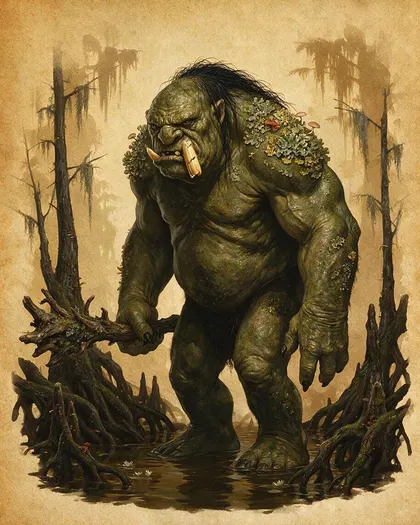
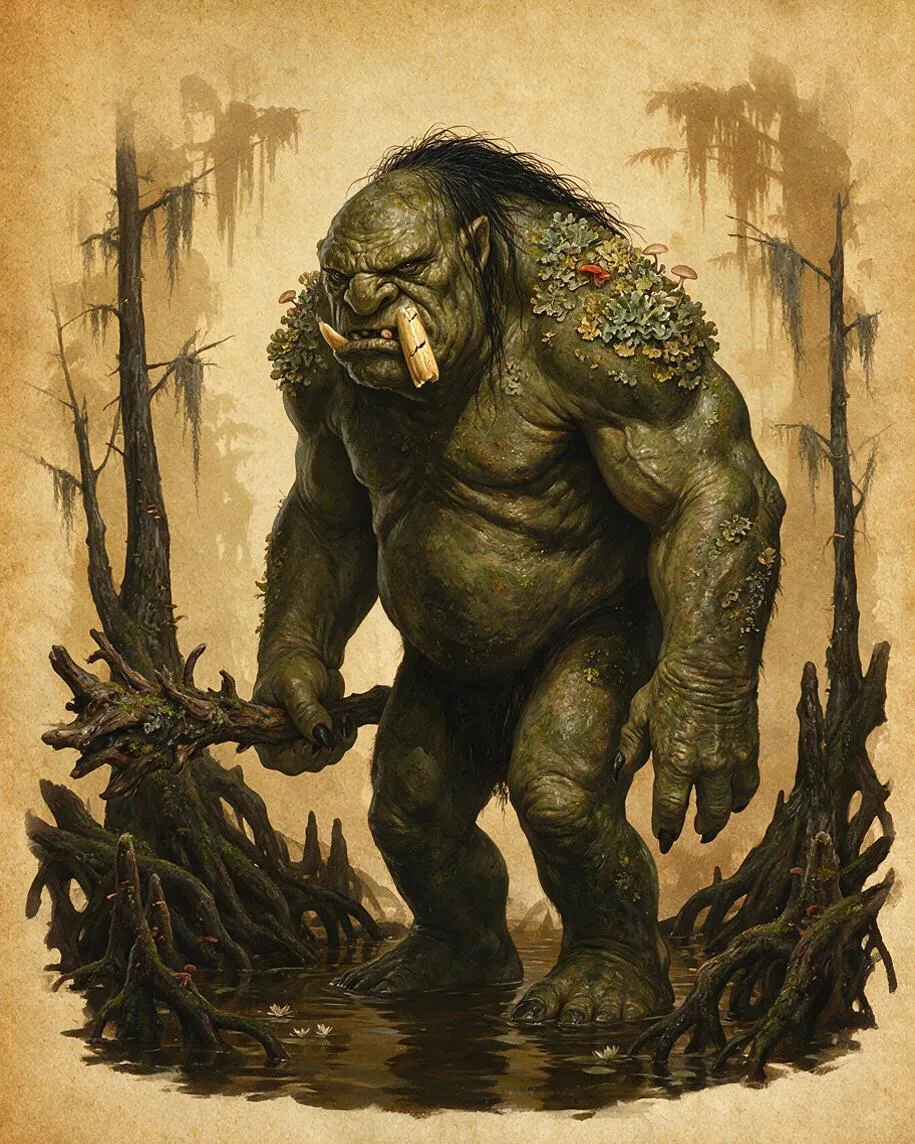
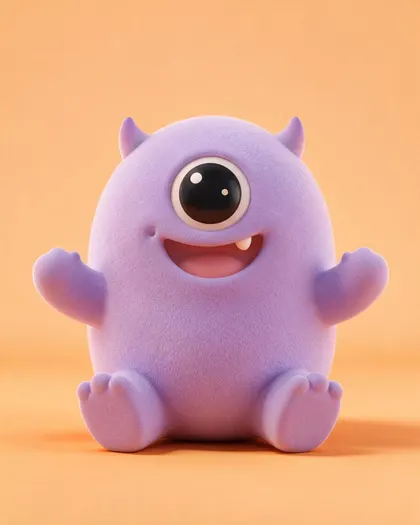
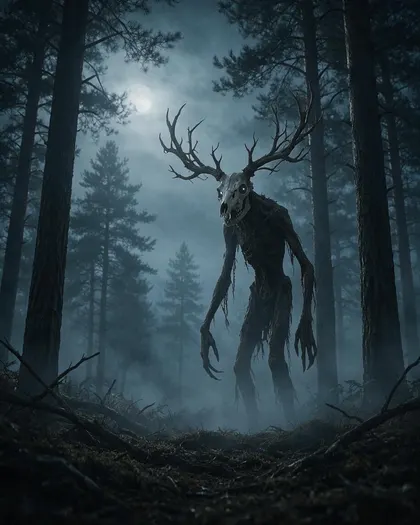
An AI monster generator turns a written description into monster art: a swamp troll for your tabletop game, a cute one-eyed mascot or a horror creature for a Halloween poster. On Kenerate AI you type the idea in Image Studio and Seedream 5.0 Pro draws it for 13.5 credits at 1K. The three monsters below are real Seedream outputs from the prompts shown, one try each. Add a monster as a reference in Nano Banana 2.1 to keep it the same in new scenes.
Key facts
- Same monster, new shots
- Nano Banana 2.1 · up to 14 refs
- Free plan
- Qwen Image 3.0
- Sign-up credits
- 25
- Watermark
- None
Gallery
Three monsters, three prompts
Real Seedream 5.0 Pro outputs, one try each. The troll was asked for one cracked tusk and got two tusks — small details can drift, so regenerate or edit. Open any one to copy the prompt.
How to
How to use the AI monster generator
- Time needed
- Steps
- 4 steps
Step 1
Open Image Studio
Go to /app/image and sign in free — new accounts get 25 credits.
Step 2
Describe the monster
Body, material, size, habitat, mood and style. Pick 4:5 for a full-body monster, 16:9 for a scene.
Step 3
Generate
Use Seedream 5.0 Pro, or Qwen Image 3.0 on the free plan. Regenerate until the silhouette reads at a glance.
Step 4
Reuse or animate it
Add the best image as a reference in Nano Banana 2.1 for new poses, or send it to image-to-video. Download without a watermark.
See it in the app

Open Image Studio and type what you want to see — subject, style, lighting and mood.


Watch the tour · 1:23
Prompts, styles, references, edit, Arena & chat
Chapters
Tips
How do you write a monster prompt?
One monster per prompt, in this order: body, material, size, habitat, mood, style.
Say what it's built from: “mossy green skin with lichen”, “bark-like skin and a deer-skull head”, “fluffy lilac fur”. Materials make a monster feel real.
Give the size and shape — “hulking, long arms”, “round and stubby”, “impossibly tall and thin” — and one feature people remember.
Put it somewhere: a swamp, a misty forest, a studio background. The habitat sets the colours and the light.
Name the mood and style: “painted bestiary illustration”, “3D vinyl toy”, “cinematic horror concept art”.
Write “original creature” and avoid describing a famous film or game monster. Our “reptilian giant with glowing back plates” came out looking like a well-known movie kaiju, so we didn't use it.
For horror without gore, add “eerie but not gory, no blood” — fog, scale and silhouette do the scaring.
Models
Which AI model is best for monsters?
What each model is good at. Open any one straight in the generator.

ByteDance
Seedream 5.0 Pro
- Reference images
- Up to 10
- Output
- 2K
Open Seedream 5.0 ProBest for
Creature art, painted and 3D styles
Google
Nano Banana 2.1
- Reference images
- Up to 14
- Output
- Up to 4K
Open Nano Banana 2.1Best for
Same monster across new poses and scenes

OpenAI
GPT Image 2.5 Sunburst
- Reference images
- Up to 16
- Output
- 1K–4K
Open GPT Image 2.5 SunburstBest for
Posters and cards with readable names
- Free plan

Alibaba
Qwen Image 3.0
- Reference images
- Up to 3
- Output
- 1K · 2K
Open Qwen Image 3.0Best for
Free plan; quick monster sketches
FAQ
AI Monster Generator questions
9 questions
Is there a free AI monster generator?
Free to start. A new Kenerate account gets 25 credits on sign-up, and Qwen Image 3.0 is on the free plan. Seedream 5.0 Pro costs 13.5 credits per image at 1K; after the starter credits you buy one-time credit packs, with no subscription needed. Downloads carry no watermark.
Link to this answerWhat kinds of monsters can I make?
Anything you can describe: tabletop and fantasy beasts (trolls, wyverns, golems), cute mascots and plush-style monsters, horror creatures for Halloween, giant kaiju, sea monsters, alien creatures, and monster OCs for your own stories. Name the material, size, habitat and art style and the model fills in the rest.
Link to this answerHow do I make a monster OC that stays the same?
Generate the monster once, pick the best image, then add it as a reference in Nano Banana 2.1 (up to 14 references) and write what must stay — colours, horns, eye count, markings — and what changes: pose, scene or expression. Keep each new prompt short and change one or two things at a time.
Link to this answerCan I turn my monster into a video?
Yes. Send the image to Kenerate's image-to-video tool and describe the movement: “the troll lifts its club and steps forward, swamp water ripples”. With Wan 3.0 a 5-second clip costs 75 credits at 480p or 150 at 720p, with sound. Video needs a paid plan.
Link to this answerCan I turn a photo or a drawing into a monster?
Yes. Upload a photo of your pet or a kid's monster drawing as a reference and ask for “a finished monster illustration of this drawing, same shapes and colours, painted style”. Nano Banana 2.1 or GPT Image 2.5 Sunburst keep the original shapes best.
Link to this answerCan I make D&D-style monsters with stats?
You can make the art for tabletop monsters — a painted bestiary illustration on a parchment background works well, as in the troll above. Write the stat block yourself or in your game's tools; for a card with a readable name and short text, use GPT Image 2.5 Sunburst.
Link to this answerHow do I make a scary monster without gore?
Use scale, silhouette and atmosphere: fog, moonlight, a creature that is too tall or too thin, and a muted palette. Add “eerie but not gory, no blood” to the prompt. The antlered forest creature above was made that way.
Link to this answerCan I copy a famous monster?
Don't. Film monsters and game creatures are owned by their studios, and describing one closely can produce a near copy — it happened in our own test with a harbour kaiju. Write “original creature”, mix two unexpected materials and give it a feature of its own.
Link to this answerWho owns the monsters I generate?
Downloads carry no watermark, and under Kenerate's terms you are responsible for how you use them. The U.S. Copyright Office's 2025 report says prompts alone generally don't make an image copyrightable; your own edits, drawings and arrangement can be.
Link to this answerIn depth
AI Monster Generator, explained
What works, what to avoid, and how to pick a model.
On this page
What makes a good monster design?
A memorable monster reads at a glance: one clear silhouette, one or two materials (moss, bone, fur, bark, crystal) and one feature people remember — a single eye, antlers, a cracked tusk. The habitat explains the design: swamp monsters are green and dripping, forest creatures look like the trees they hide in.
Decide the mood before the details. Cute monsters are round with big eyes and soft colours; horror creatures are too tall, too thin or almost human; tabletop beasts look heavy and dangerous but still readable on a small card.
Monster prompts you can copy
Swap the materials, habitat and style for your own idea:
- Sea monster: “Original sea monster: a long eel-like creature with translucent fins and bioluminescent blue spots, coiling around a shipwreck on the ocean floor, god rays through the water, cinematic concept art, no text.”
- Crystal golem: “Original fantasy golem made of purple amethyst crystals and grey stone, glowing cracks, standing guard in a cave, painted tabletop RPG illustration, full body.”
- Halloween mascot: “Original cute pumpkin monster with stubby legs, a jack-o'-lantern grin and a tiny witch hat, soft 3D toy render, autumn leaves, warm studio light.”
- Alien creature: “Original alien creature with six thin legs, a long neck and a head like a seed pod, walking across a red desert under two moons, wildlife-documentary style photo.”
- Monster OC sheet: “Character reference sheet of this exact monster: front, side and back views, same colours, horns and markings, plain white background, no text.”
From monster image to video, 3D or a game
Once you have a monster you like, the same image can go further:
- Animate it: image-to-video with a short movement prompt — breathing, a roar, a step forward. Start with a 5-second 480p draft.
- Make it 3D: a clean front view on a plain background converts best in the image-to-3D converter.
- Put it in a game: ask for a 16-bit pixel sprite of the same monster, or turn it into a fakemon-style creature with an evolution line.
- Build a scene: add the monster and a background as two references and describe how they meet.