

Race · class · gear · VTT tokens
D&D Character Art Generator — portraits, tokens and your whole party
Describe your tiefling warlock, dwarf cleric or elf ranger — race, class, gear and mood — and get a painted fantasy portrait back in seconds. Then turn the same face into a round token for Roll20 or Foundry, or line up the whole party.
- Any race and class
- Round VTT tokens
- Same face across images
- No watermark
Updated by the Kenerate AI team
Made with Kenerate
On this page
Quick answer
How do you make D&D character art with AI?
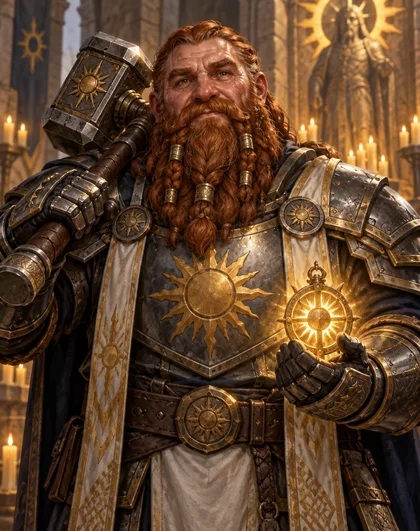
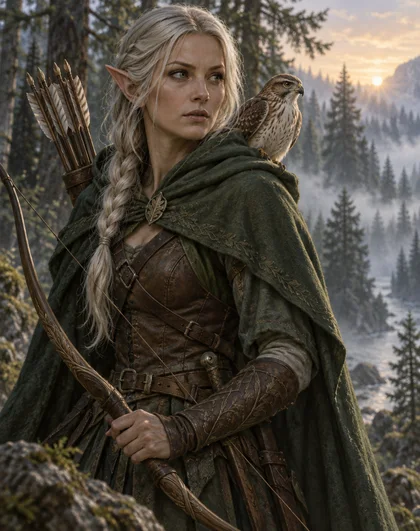
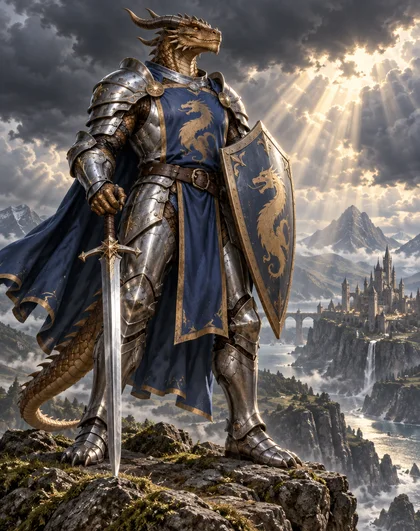
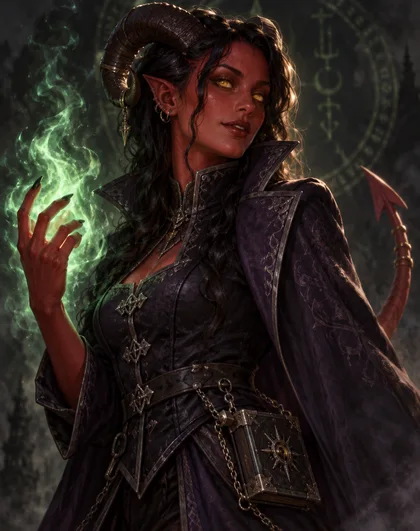
A D&D character art generator paints a tabletop RPG character from a text description: you name the race, class, gear, pose and setting, and an image model draws the portrait. On Kenerate AI, GPT Image 2.5 Sunburst made a tiefling warlock, a dwarf cleric, an elf ranger, a dragonborn paladin and a five-hero party lineup on the first try each, and turned the tiefling into a round VTT token that kept her face. It's AI art for personal and fan use — D&D-style, not official Wizards of the Coast artwork.
Key facts
- Characters made
- 4 portraits + 1 party of 5
- Token
- Round VTT token from the same portrait
- Model
- GPT Image 2.5 Sunburst (OpenAI)
- Free start
- Starter credits; Qwen Image 3.0 on the free plan
- Watermark
- None
Gallery
Four heroes, a token and a party
Real GPT Image 2.5 Sunburst results, one try each. Open any one to copy the full prompt and run it with your own character.
Same prompt
Portrait in, token out
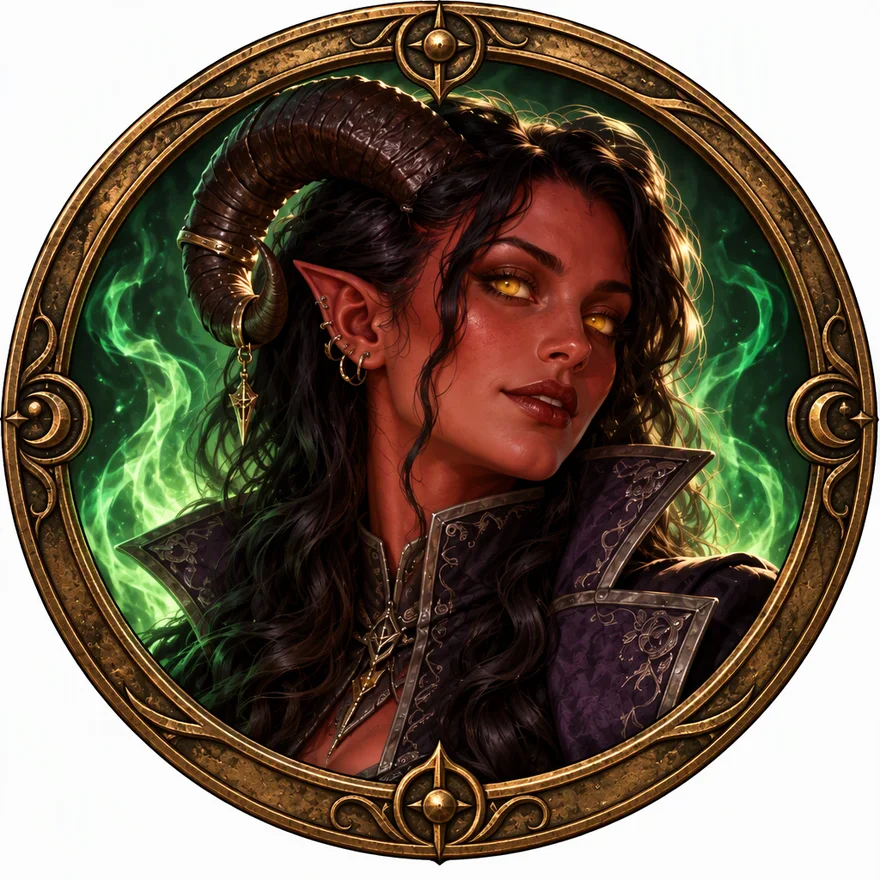
The tiefling portrait went back in as a reference with a short edit prompt. Face, horns, gold eyes, earrings and the violet coat carried over into a round token with a bronze ring.
PromptTurn this tiefling warlock into a round virtual tabletop token for Roll20 or Foundry VTT: her head and shoulders centred inside a circular frame with a thick ornate bronze ring border, keep the same face, crimson skin, curved ram horns, gold eyes, black wavy hair and violet high-collared coat, green eldritch flame glow at the edge. Plain flat white background outside the circle. No text.
 PortraitText to image
 VTT tokenEdit of the portrait
How to
How to use the d&d character art generator
- Time needed
- Steps
- 4 steps
Step 1
Open the Image Studio
Go to /app/image and sign in free for starter credits.
Step 2
Describe your character
Race, class, gear, pose, framing and art style — copy any prompt on this page as a start.
Step 3
Generate and pick
GPT Image 2.5 Sunburst made each of our characters in one try; regenerate if a detail is off.
Step 4
Make the token
Add the portrait as a reference and ask for a round token frame, then download — no watermark.
See it in the app

Open Image Studio and type what you want to see — subject, style, lighting and mood.


Watch the tour · 1:23
Prompts, styles, references, edit, Arena & chat
Chapters
Tips
Prompts that get your character right
What worked in our tests.
Start with race and class together: “adult tiefling warlock”, “dwarf cleric”, “dragonborn paladin”.
Name the features that make the race read: horns and tail, braided beard, pointed ears, scales and a dragon head.
Give the class its gear: a pact tome, a holy symbol, a longbow and quiver, a sword and shield.
Pick the framing for the job: chest-up for a character sheet, full body for a mini or standee, head and shoulders for a token.
Say “painterly digital fantasy illustration” and a light source — candlelight, rim light, dawn mist.
For a token, re-use your portrait as a reference and ask for a round frame on a plain background.
Models
Models for D&D character art
What each model is good at. Open any one straight in the generator.

OpenAI
GPT Image 2.5 Sunburst
- Reference images
- Up to 16
- Output
- 1K–4K
Open GPT Image 2.5 SunburstBest for
Made every image on this page
Google
Nano Banana 2.1
- Reference images
- Up to 14
- Output
- Up to 4K
Open Nano Banana 2.1Best for
Built for keeping the same character
- Free plan

FAQ
D&D Character Art Generator questions
8 questions
How do I make D&D character art with AI?
Open Kenerate's Image Studio, pick GPT Image 2.5 Sunburst and describe the character: race, class, gear, pose, framing and art style — for example “adult tiefling warlock with crimson skin, ram horns and gold eyes, holding a green eldritch flame, chest-up, painterly fantasy illustration”. Our tiefling, dwarf, elf and dragonborn each came out right on the first try.
Link to this answerIs there a free D&D character art generator?
You can start free: a new Kenerate account gets starter credits on sign-up, and Qwen Image 3.0 is on the free plan. GPT Image 2.5 Sunburst, used on this page, costs 7.2 credits a portrait at 1K, paid from one-time credit packs that never expire. Downloads carry no watermark.
Link to this answerCan it make tokens for Roll20 or Foundry VTT?
Yes. Add your portrait as a reference and ask for “a round virtual tabletop token, head and shoulders inside a circular frame, plain background”. Our tiefling token kept her face, horns and coat inside an ornate bronze ring. Kenerate gives you the image; you upload it to Roll20, Foundry or another VTT yourself, and you can cut out the background with a background remover if your VTT wants transparency.
Link to this answerCan I keep the same character across several pictures?
Yes — re-use an image you like as a reference and describe only what changes, such as a new pose, scene or token frame. GPT Image 2.5 Sunburst kept our tiefling's face in the token edit. Nano Banana 2.1 is also built for keeping the same character across shots.
Link to this answerWhich races and classes can I make?
Any you can describe. We tested a tiefling warlock, dwarf cleric, wood elf ranger and dragonborn paladin, plus a party with a half-orc barbarian, human wizard, halfling bard and tiefling rogue. Name the features that make the race recognisable — horns and tail, a braided beard, pointed ears, scales — and the class gear.
Link to this answerCan I make my whole party in one image?
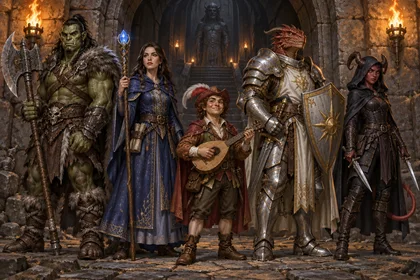
Yes. List every hero with race, class and one or two props, and ask for a lineup. Our five-hero party came out with every character distinct; the half-orc's tusks were barely visible, so call out any must-have detail clearly or regenerate.
Link to this answerIs this official D&D art?
No. It's AI-generated, D&D-style fan art made from your descriptions, not artwork from Wizards of the Coast. It's fine for your own character sheets, tokens and campaign handouts; if you plan to sell anything, check the rules for the game system and setting you use.
Link to this answerIs the art made by AI or a person?
By AI. Every image on this page came from GPT Image 2.5 Sunburst on Kenerate, one try each, with the full prompt shown. If you need hand-drawn art for a commission or a publication that bans AI art, hire an illustrator.
Link to this answerIn depth
D&D Character Art Generator, explained
What works, what to avoid, and how to pick a model.
On this page
What goes into a good D&D character prompt
An image model only knows what you write. “A tiefling” gives you horns and red skin; “an adult tiefling warlock with a pact tome on a chain and a green eldritch flame” gives you a character with a class you can read at a glance.
We built every prompt on this page from the same parts, and you can swap any of them:
- Race and age: “adult wood elf”, “adult dwarf”, “adult bronze dragonborn”.
- Class and gear: warlock + pact tome, cleric + holy symbol and warhammer, ranger + longbow and hawk, paladin + sword and shield.
- Look: hair, beard, skin or scale colour, eyes, armour colours, emblems.
- Framing: chest-up for a sheet, full body for a standee, head and shoulders for a token.
- Style and light: “painterly digital fantasy illustration”, candlelight, rim light, dawn mist.
From portrait to VTT token
Virtual tabletops like Roll20 and Foundry VTT show characters as small round tokens on the map. The quickest way to get one that matches your portrait is an edit: upload the portrait as a reference and ask for a circular frame on a plain background.
Ours kept the face, horns, gold eyes, earrings and coat. Tokens read best at small sizes when the face fills most of the circle, so ask for head and shoulders, not the full body.
What we got
Six images, one try each, on GPT Image 2.5 Sunburst:
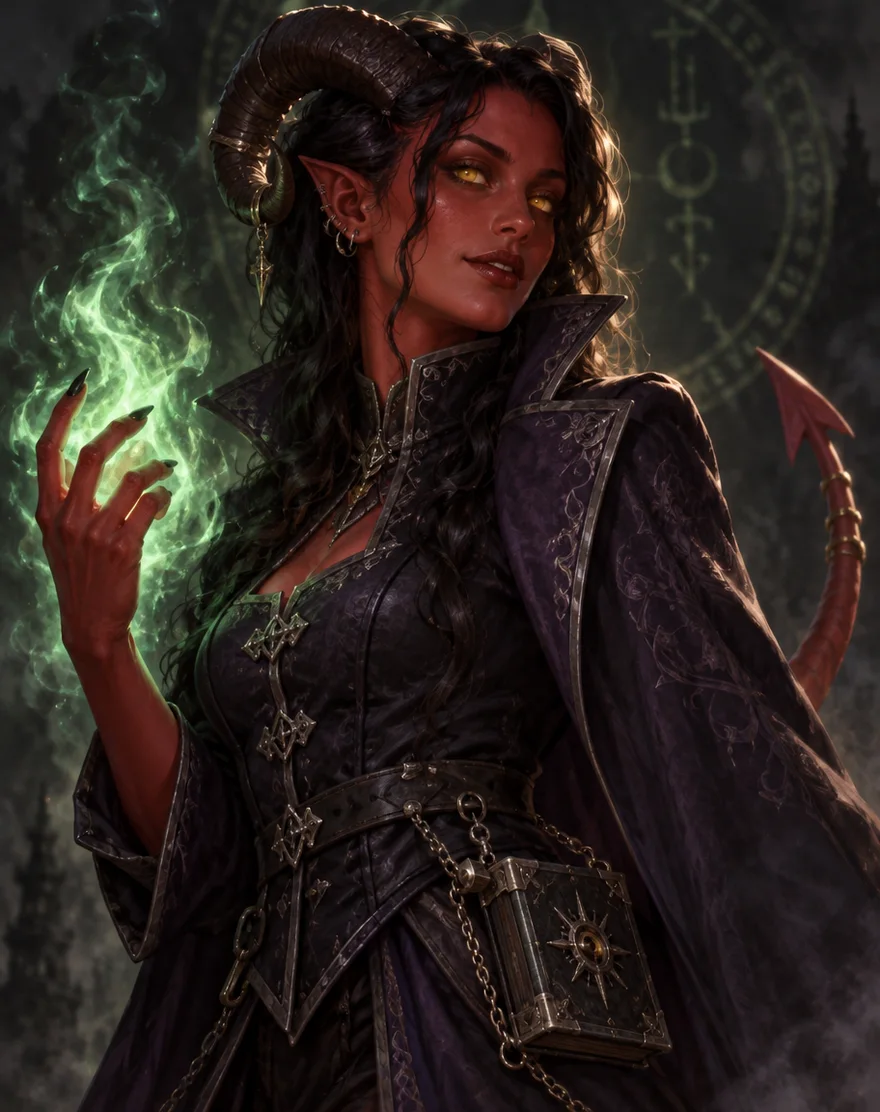
- Tiefling warlock: horns, tail, gold eyes, eldritch flame and the pact tome on its chain all there.
- Dwarf cleric: braided beard with bronze rings, sun emblem and a glowing holy symbol, as asked.
- Wood elf ranger: side braid, longbow, quiver and the hawk on her shoulder.
- Dragonborn paladin: every detail asked for, plus a castle in the background that wasn't in the prompt.
- Party lineup: five distinct heroes; the half-orc's tusks barely show.
- Token: the same tiefling, face intact, in a bronze ring.