

World maps · city maps · battle maps · hex maps
AI Fantasy Map Generator — world, city and D&D maps from a prompt
Describe your world — the continent, the mountains, the towns and their names — and get a fantasy map back in seconds: parchment world maps, walled cities, D&D battle maps with a grid, or hex-crawl regions.
- Labels spelled as you write them
- World, city, battle and hex maps
- Any aspect ratio
- No watermark
Updated by the Kenerate AI team
Made with Kenerate
On this page
Quick answer
How do you make a fantasy map with AI?
An AI fantasy map generator draws a map from a text description: you name the continent, regions, rivers and towns, pick a style such as aged parchment or a top-down battle map, and the image model renders it. On Kenerate AI, GPT Image 2.5 Sunburst spelled all 9 of 9 place names right on our parchment world map, and also made a walled city, a D&D battle map with a square grid and a hex-crawl region map — one try each.
Key facts
- Maps made
- 4 styles (world · city · battle · hex)
- Labels
- 9/9 spelled right on GPT Image 2.5 Sunburst
- Same prompt on Seedream 5.0 Pro
- 1 misspelt town, 1 repeated label
- Best model for maps with names
- GPT Image 2.5 Sunburst (OpenAI)
- Sizes
- 1K–4K, any common aspect ratio
- Watermark
- None
Gallery
Four kinds of fantasy map, one try each
Real outputs from Kenerate's Image Studio, not retouched. Open any map to copy its full prompt.
Same prompt
Same world-map prompt, two models
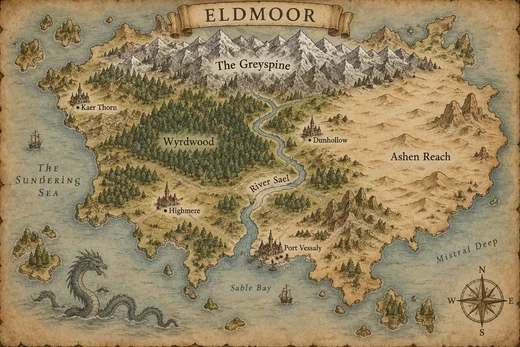
Nine place names in the prompt. GPT Image 2.5 Sunburst spelled all nine right; Seedream 5.0 Pro wrote “Port Vessally” and put “River Sael” on the map twice.
PromptA hand-drawn fantasy world map on aged parchment, in the style of a classic fantasy novel endpaper map. One large continent titled "ELDMOOR" in a decorative banner at the top. Snow-capped mountain range across the north labelled "The Greyspine", a dense forest labelled "Wyrdwood", a winding river labelled "River Sael" flowing to a southern bay, a desert in the east labelled "Ashen Reach", a few small islands, and four towns with tiny castle icons labelled "Highmere", "Port Vessaly", "Dunhollow" and "Kaer Thorn". A compass rose in the bottom-right corner, a sea serpent drawing in the ocean, sepia ink linework with soft watercolour washes. All labels spelled exactly as written, clean readable lettering.
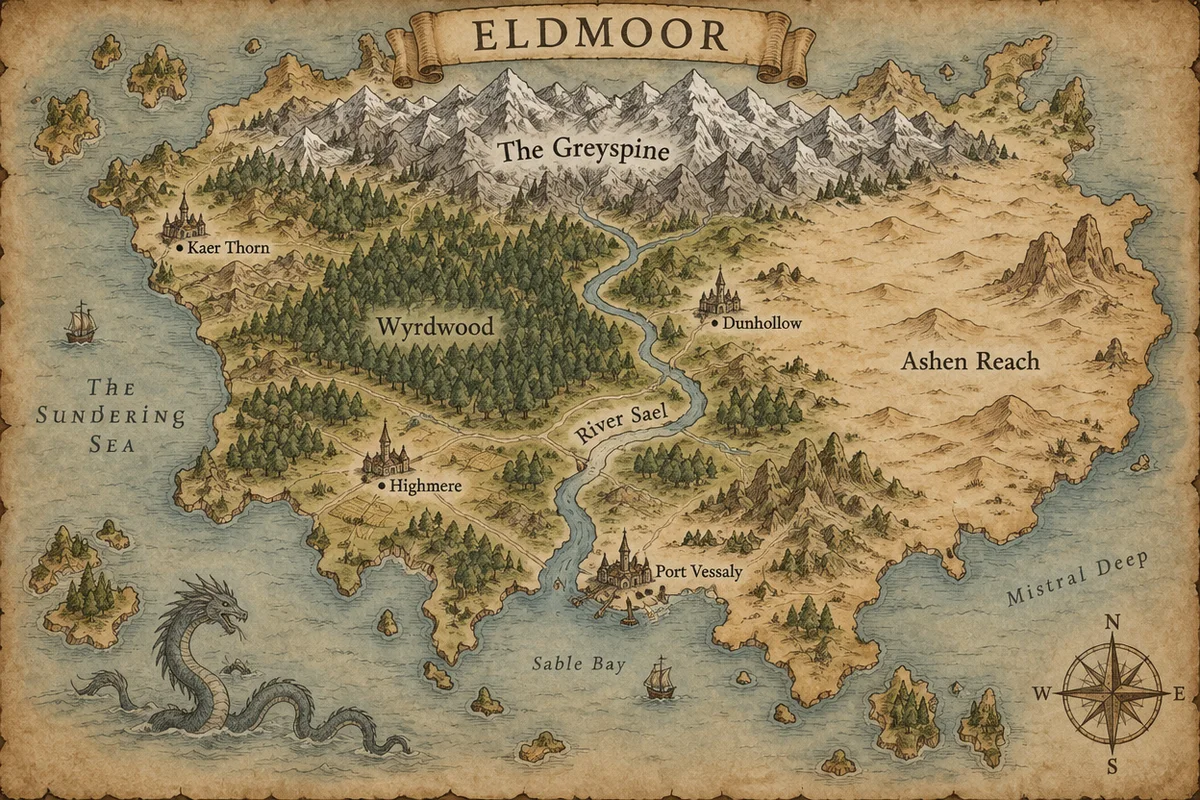 GPT Image 2.5 Sunburst9/9 labels right
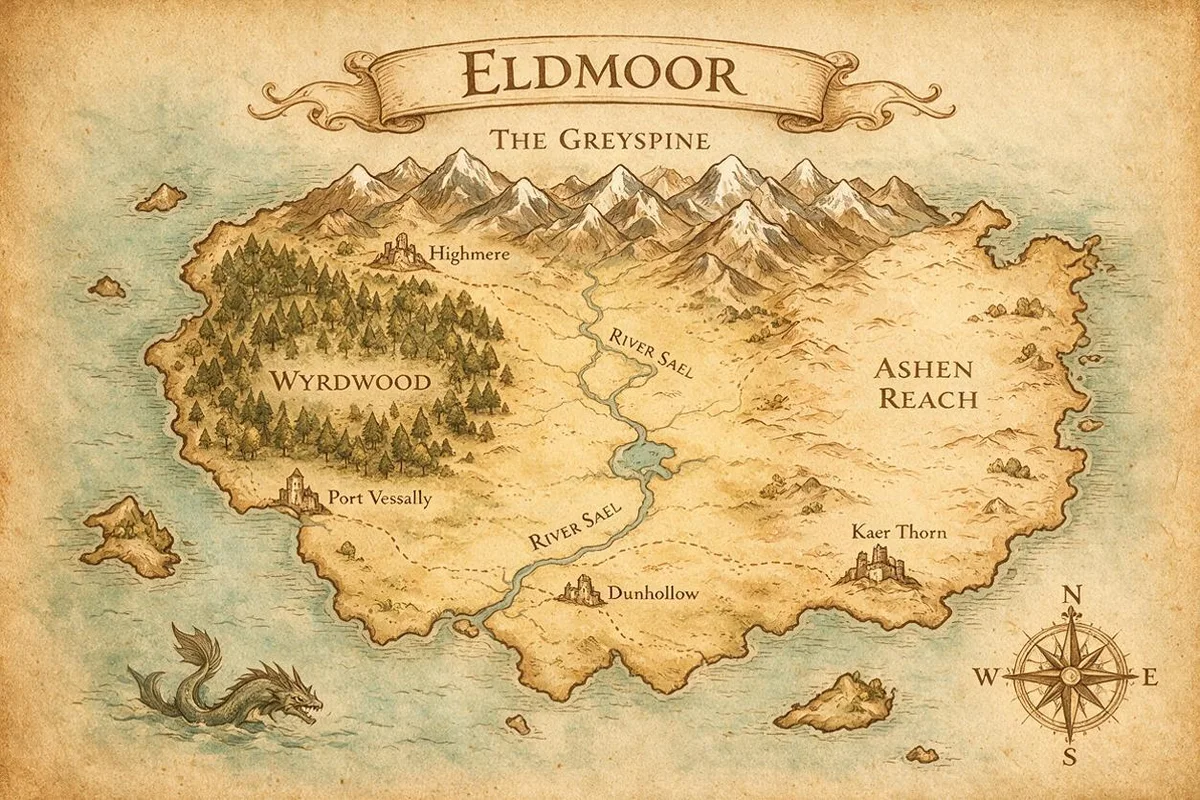 Seedream 5.0 Pro1 misspelling, 1 repeat
How to
How to use the AI fantasy map generator
- Time needed
- Steps
- 4 steps
Step 1
Open the Image Studio
Go to /app/image and pick GPT Image 2.5 Sunburst. Sign in free for starter credits.
Step 2
Describe the map
Scale, terrain, place names in quotes, style and a compass rose or grid if you want one.
Step 3
Pick the shape
3:2 or 16:9 for continents, 1:1 for battle maps, then generate.
Step 4
Fix and export
Change one region with the image editor, upscale to 4K for print, and download without a watermark.
See it in the app

Open Image Studio and type what you want to see — subject, style, lighting and mood.


Watch the tour · 1:23
Prompts, styles, references, edit, Arena & chat
Chapters
Tips
Prompt a fantasy map that works at the table
What made the difference in our tests.
Say the scale first: a whole continent, one region, one city or one battle encounter.
Put every place name in quotes and add “spelled exactly as written” — the model then copies them letter by letter.
Keep it to about ten labels; more names means smaller, harder-to-read text.
Name the look: aged parchment with sepia ink, ink on cream paper, painted battle map, or flat sourcebook style.
For battle maps ask for “strictly top-down orthographic view” and “square 1-inch grid” — and “thick grid lines” if you print it.
Use 3:2 or 16:9 for world maps, 1:1 for a dungeon room, and upscale the keeper before printing.
Models
Models for fantasy maps
What each model is good at. Open any one straight in the generator.

OpenAI
GPT Image 2.5 Sunburst
- Reference images
- Up to 16
- Output
- 1K–4K
Open GPT Image 2.5 SunburstBest for
Made all four maps; best labels

ByteDance
Seedream 5.0 Pro
- Reference images
- Up to 10
- Output
- 1K–2K
Open Seedream 5.0 ProBest for
Painterly look; check the names
- Free plan

FAQ
AI Fantasy Map Generator questions
9 questions
How do I make a fantasy map with AI?
Open Kenerate's Image Studio, pick GPT Image 2.5 Sunburst and describe the map: scale (continent, region, city or battle), terrain, place names in quotes and the style, e.g. “hand-drawn fantasy world map on aged parchment, sepia ink, compass rose”. Choose 3:2 or 16:9 and generate. Our Eldmoor map came back with every name spelled right on the first try.
Link to this answerCan the AI write the place names on the map?
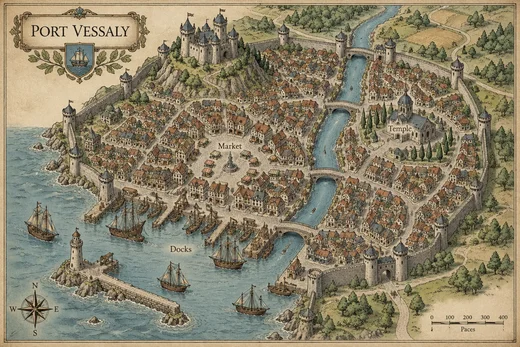
Yes, if you use a model that is good at text. GPT Image 2.5 Sunburst got 9 of 9 names right on our world map and all four labels on the city map. Put each name in quotes and add “spelled exactly as written”. Seedream 5.0 Pro, given the same prompt, misspelt one town and repeated a river label.
Link to this answerCan I make a D&D battle map with a grid?
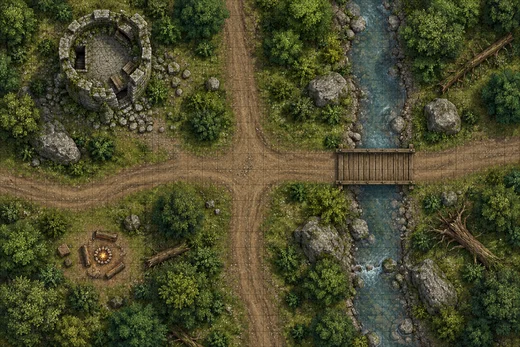
Yes. Ask for a “top-down tabletop RPG battle map”, list the features (road, bridge, ruins, campfire) and add “square 1-inch grid overlay”. Our forest crossroads came out strictly top-down with a grid across the whole map. The grid lines were thin, so ask for “thick grid lines” if you print it or use it in a virtual tabletop.
Link to this answerCan it make a hex map?
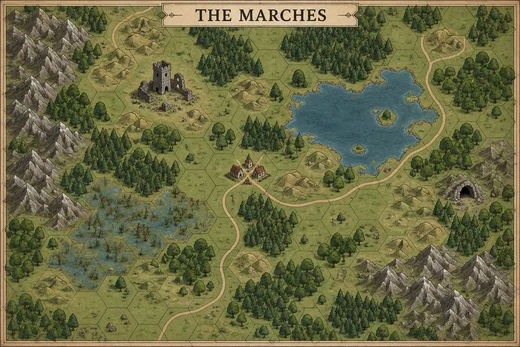
Yes — describe a “hex-crawl region map” with the terrain you want in the hexes. Our map had a full hex grid, forests, hills, a lake, a marsh, a village, a ruined keep and a cave. One honest limit: terrain is painted freely under the grid, so it doesn't snap to single hexes the way a hex-mapping tool would.
Link to this answerIs the AI fantasy map generator free?
Free to start: a new Kenerate account gets starter credits on sign-up, and Qwen Image 3.0 is on the free plan. GPT Image 2.5 Sunburst, which made the maps on this page, uses credits from one-time packs that never expire — no subscription. Downloads have no watermark.
Link to this answerCan I print my fantasy map large?
Generate at the size you need, then run the AI image upscaler to 4K before printing a poster or a novel endpaper. GPT Image 2.5 Sunburst renders 1K to 4K on its own. Pick the aspect ratio before you generate so you don't crop the coastline later.
Link to this answerCan I change one part of the map?
Yes. Upload the map to the image editor and describe only the change — “add a volcano island in the south-east sea, keep everything else the same”. Models such as GPT Image 2.5 Sunburst and Nano Banana 2.1 edit with reference images, so the rest of the map stays put.
Link to this answerHow is this different from Azgaar or Wonderdraft?
Azgaar's Fantasy Map Generator builds a procedural world in the browser, with real geography data you can edit; Wonderdraft is a paid desktop app where you draw the map yourself. An AI image generator gives you a finished illustrated map from a sentence — faster and more artistic, but as an image, not editable layers. Many worldbuilders sketch the layout in one and illustrate it with AI.
Link to this answerCan I use AI fantasy maps in my book or game?
Kenerate doesn't put a watermark on downloads. Copyright rules for AI-made images differ by country, so if a map goes in a commercial book or a published game, read Kenerate's terms and check the rules where you sell it.
Link to this answerIn depth
AI Fantasy Map Generator, explained
What works, what to avoid, and how to pick a model.
On this page
Pick the kind of map first
A fantasy map is really four different jobs. Saying which one you want in the first line of the prompt changes the camera, the scale and the style:
- World or continent map: coastlines, mountain ranges, forests and towns as icons — the endpaper map in a fantasy novel.
- City map: a bird's-eye view of walls, districts, docks and landmarks.
- Battle map: a single encounter seen strictly from above, with a square grid for miniatures or a virtual tabletop.
- Hex map: a region under a hexagon grid for hex-crawl exploration.
Getting the names right
Labels are where AI maps used to fail: invented letters, half-words, the same town twice. Text-strong models have changed that. In our test GPT Image 2.5 Sunburst wrote all nine names exactly, and even added three sea and bay names of its own in the same lettering. Seedream 5.0 Pro gave a lovely painterly map but misspelt one town.
If one name still comes out wrong, don't regenerate the whole map — fix it with an edit: “change the label ‘Port Vessally’ to ‘Port Vessaly’, keep everything else the same”.
What we got
Four maps on GPT Image 2.5 Sunburst, one try each, plus one comparison:
- World map: parchment, sea serpent, compass rose; 9/9 names right.
- City map: walls, hilltop castle, three bridges, Market, Temple and Docks labels, even a scale bar.
- Battle map: clean top-down forest crossroads with ruins and a campfire; grid present but thin.
- Hex map: full hex grid with every terrain type asked for; terrain doesn't align to individual hexes.