Line art · sketches · coloring pages · manga
AI Line Art Colorizer — auto coloring for drawings, comics and manga
Upload black-and-white line art, describe the colours and the style — flat cartoon, cel shading, watercolour — and get it back coloured with your lines kept.
- Keeps your lines
- Palette by prompt
- Free-plan model
- No watermark
Updated by the Kenerate AI team




On this page
Quick answer

How do you colour line art automatically with AI?
Auto coloring with AI means uploading black-and-white line art and letting an image model fill it with colour while the outlines stay where you drew them. On Kenerate AI you upload the drawing in the Image Studio, name the colours and the style, and add “keep every line exactly as drawn”. In our three tests GPT Image 2.5 Sunburst (11.7 credits) and Qwen Image 3.0 (9.9 credits, free plan) both kept the drawings' composition and outlines on the first try.
Key facts
- Drawings tested
- 3 coloring pages (kids, scene, detailed)
- Lines kept
- 3 of 3, first try
- Styles tried
- Flat cartoon · watercolour · flat colour
- Free-plan option
- Qwen Image 3.0
- Input
- Drawings, scans, coloring pages or phone photos of line art
- Watermark
- None
Gallery
Line art coloured with Kenerate AI
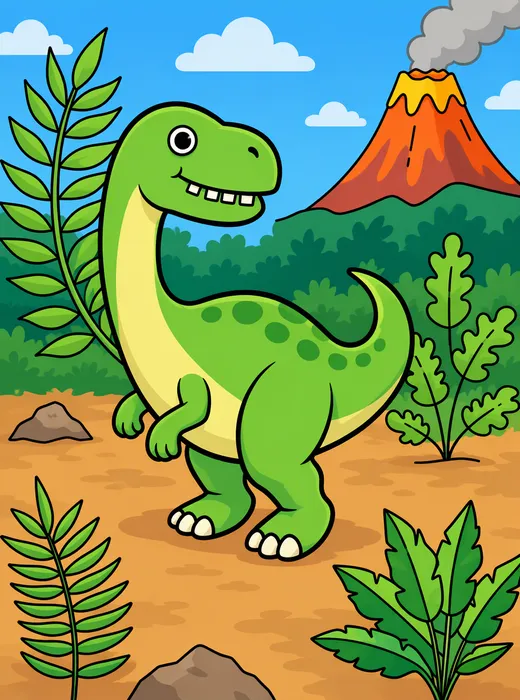
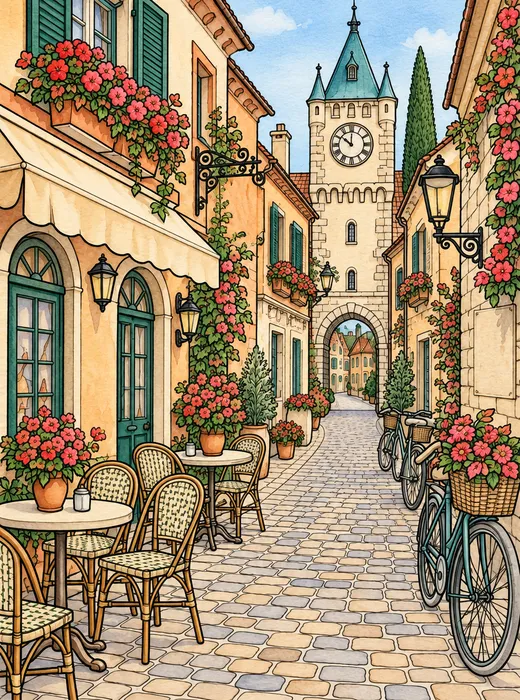
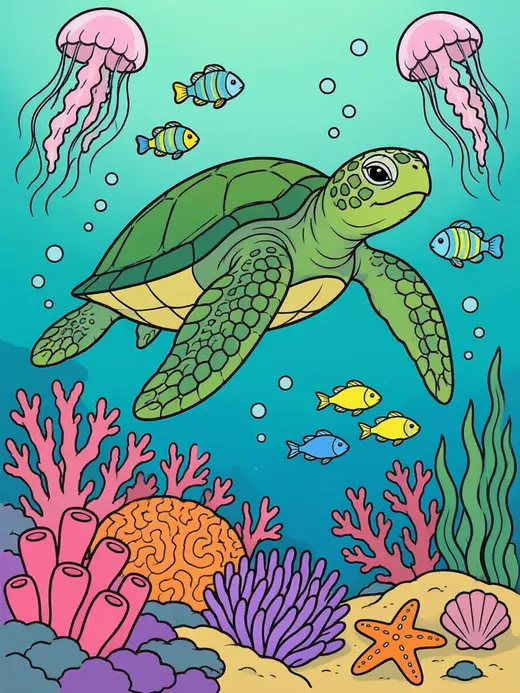
Three black-and-white coloring pages from our coloring page generator, coloured with one prompt each, first try. Open any one to copy the prompt.
Same prompt
Before and after: same lines, now in colour
The originals are coloring pages from our AI coloring page generator. The outlines, the composition and every small shape stayed; the colour and the style came from one sentence.
PromptColour this line art in a bright flat cartoon style … Keep every black outline exactly as drawn — same lines, same shapes, same composition.
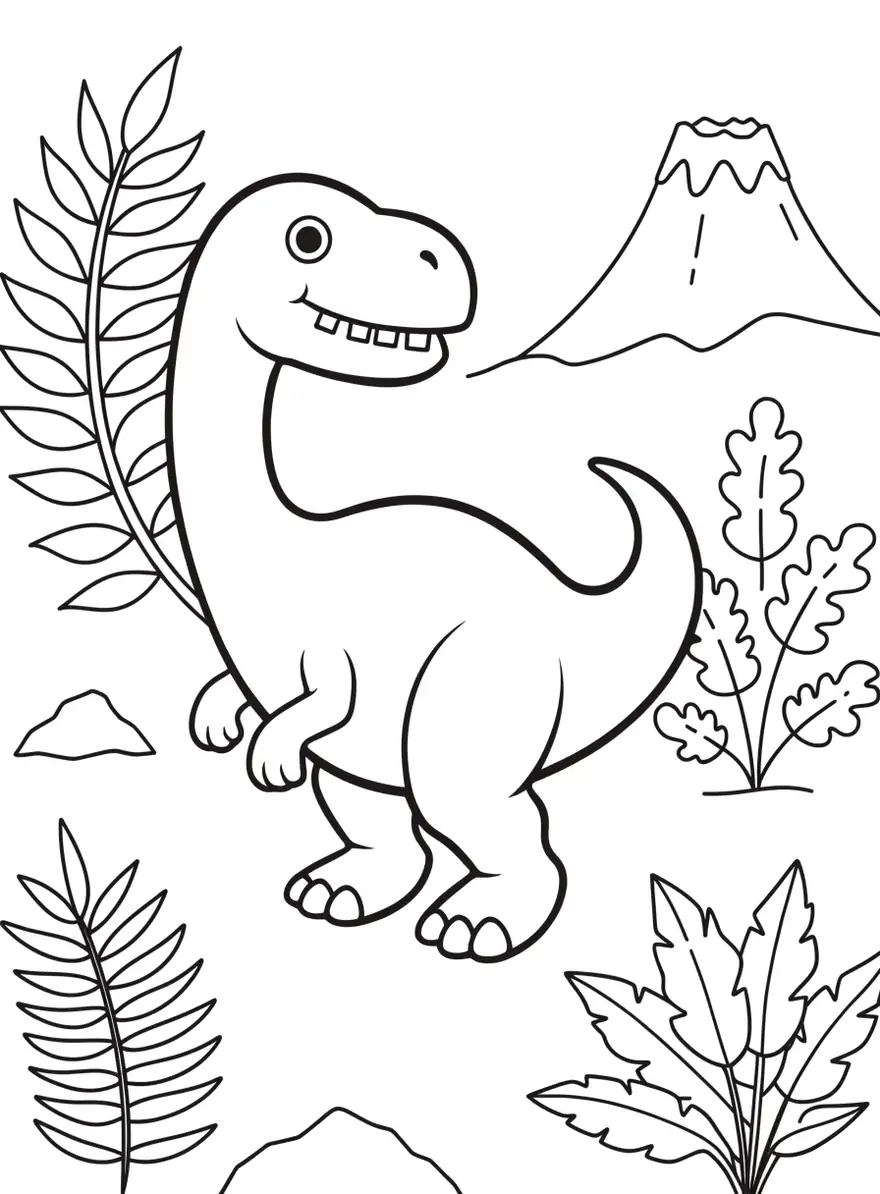 Line artColoring page
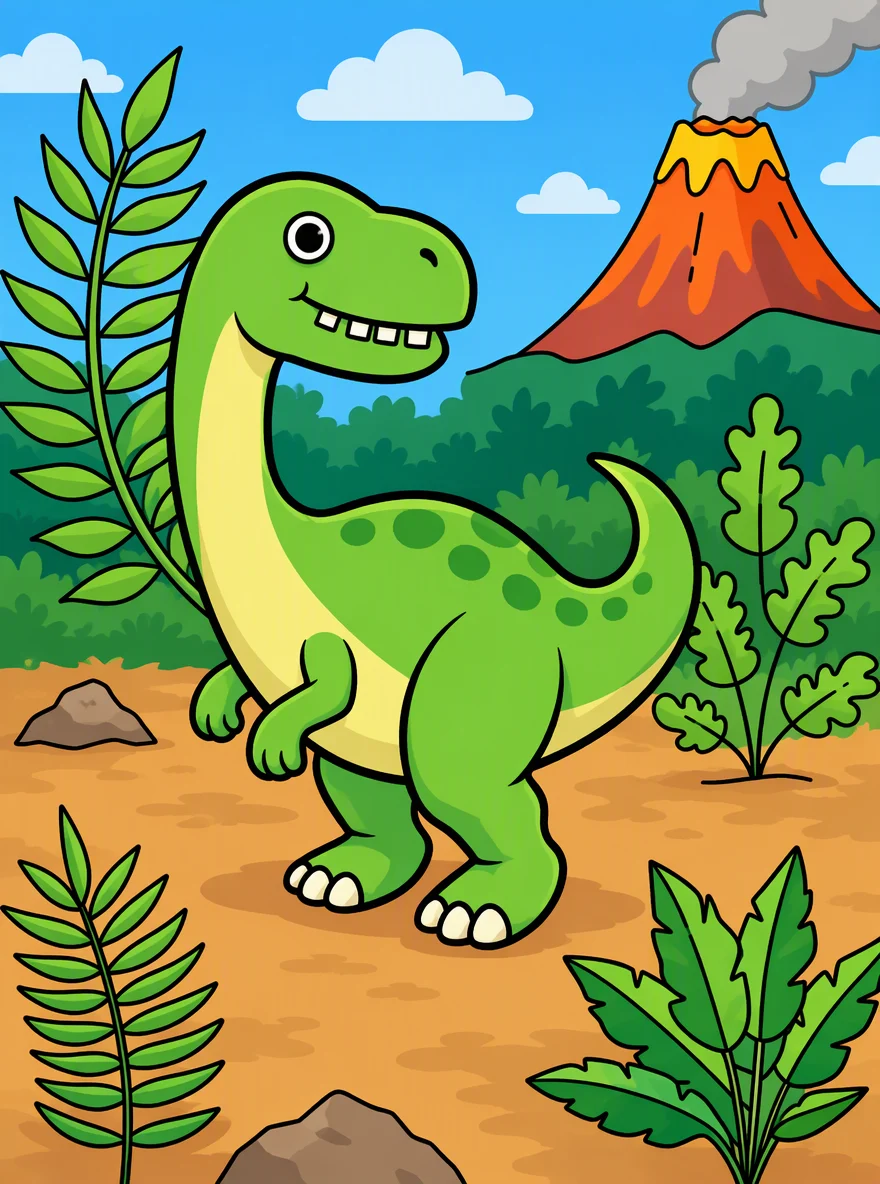 Flat cartoonSunburst edit · 11.7 credits
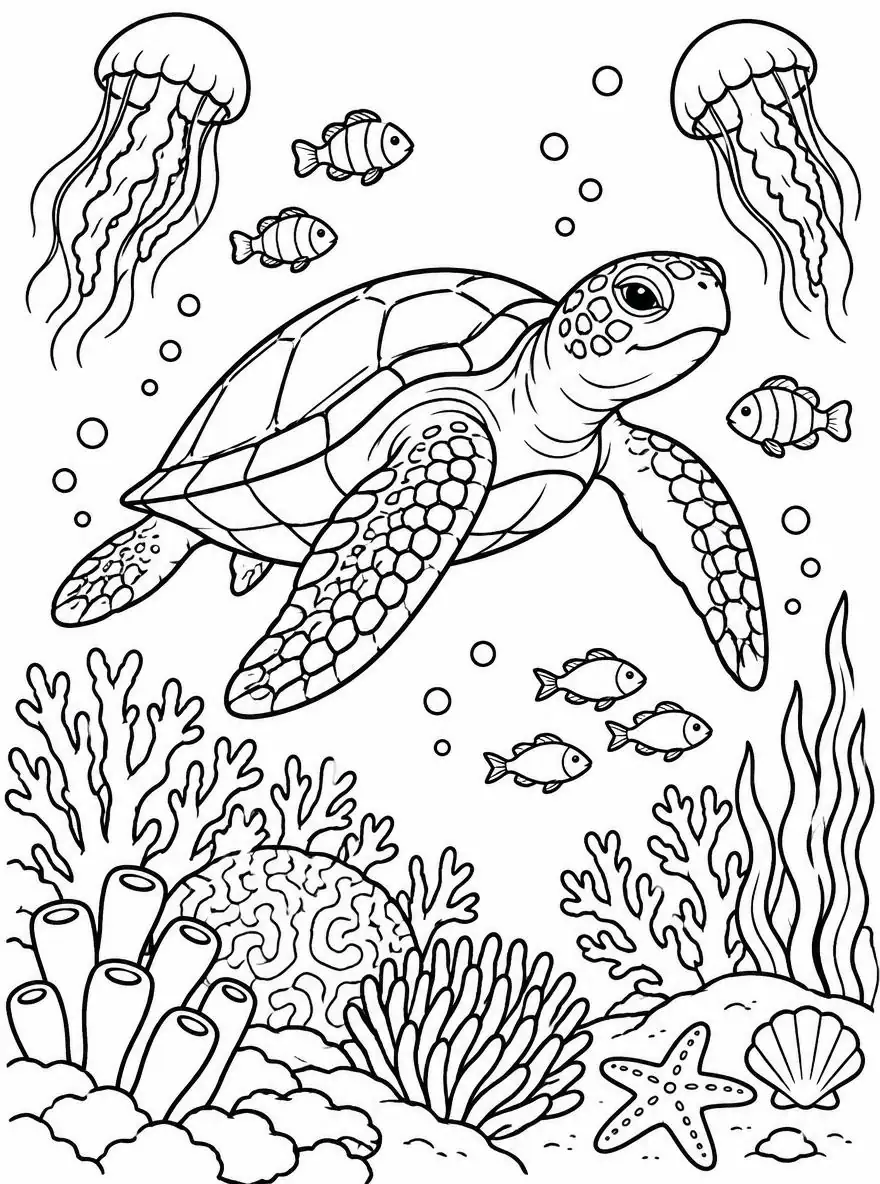 Line artColoring page
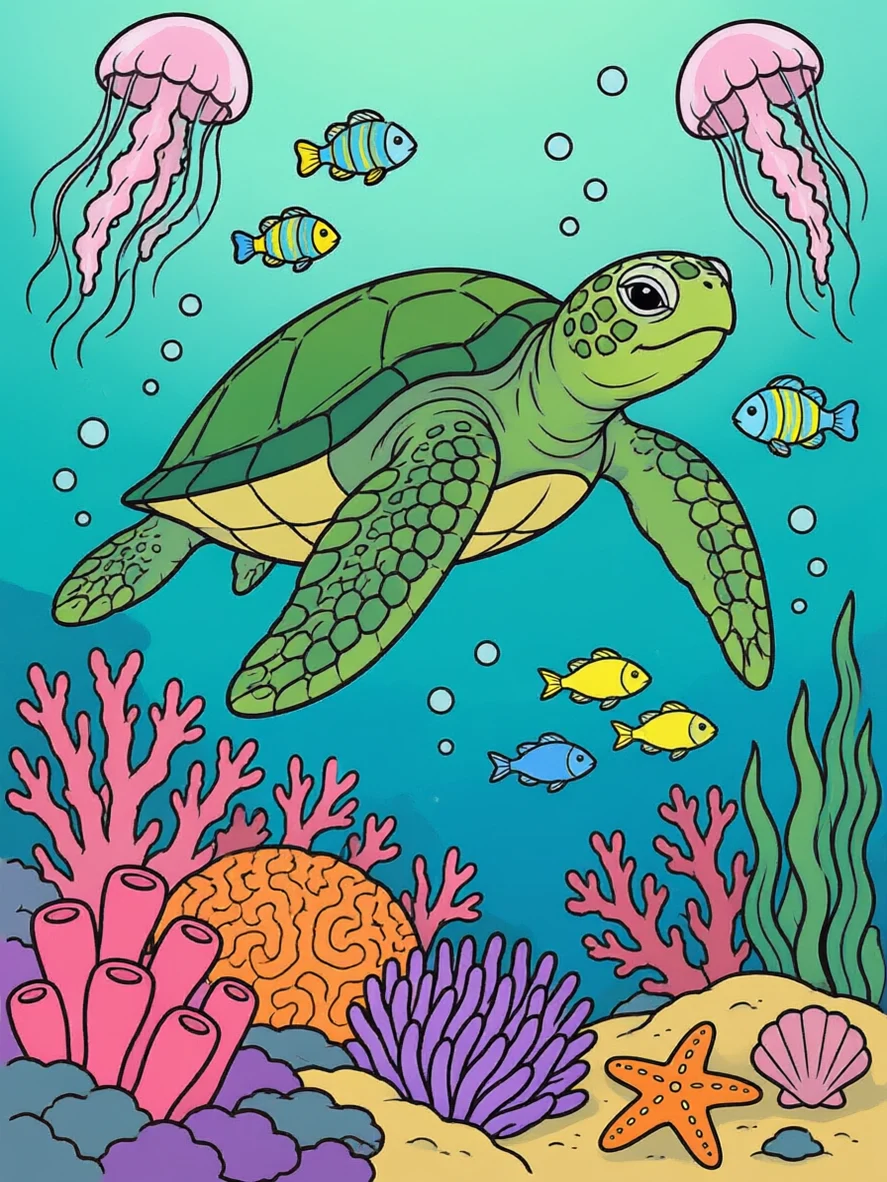 Flat colourQwen Image 3.0 · 9.9 credits · free plan
How to
How to use the AI line art colorizer
- Time needed
- Steps
- 4 steps
Step 1
Open the Image Studio
Go to /app/image. Sign in free for 25 starter credits.
Step 2
Upload your line art
Add the drawing, scan, comic panel or coloring page. Add a coloured page as a second reference to match a palette.
Step 3
Describe the colours
Name the colour of each main part and the style, and add “keep every line exactly as drawn”. Pick GPT Image 2.5 Sunburst, or Qwen Image 3.0 on the free plan.
Step 4
Download
Regenerate if a colour is off, then download without a watermark — or upscale up to 4K for printing.
See it in the app

Open Image Studio and type what you want to see — subject, style, lighting and mood.


Watch the tour · 1:23
Prompts, styles, references, edit, Arena & chat
Chapters
Tips
Get colour without losing your lines
What worked in our three tests.
Always add “keep every black outline exactly as drawn — same lines, same shapes, same composition”.
Name the colour of each main part: “green dinosaur, pale yellow belly, orange-red volcano”. Unnamed parts get the model's choice.
Name the style in two or three words: flat cartoon, cel shading, soft watercolour, marker, coloured pencil.
Say what to keep if it matters — our “no text or signs” prompt removed every café sign from the street drawing.
Scan or photograph the drawing flat, in even light, with dark lines on white paper; grey pencil sketches give softer results.
For a comic or manga page, colour one page and add it as a second reference for the next page so the character colours match.
Models
Models for coloring line art
What each model is good at. Open any one straight in the generator.

OpenAI
GPT Image 2.5 Sunburst
- Reference images
- Up to 16
- Output
- 1K–4K
Open GPT Image 2.5 SunburstBest for
Cartoon and watercolour examples on this page
- Free plan

Alibaba
Qwen Image 3.0
- Reference images
- Up to 3
- Output
- 1K · 2K
Open Qwen Image 3.0Best for
Free plan · kept the lines closest in our test

ByteDance
Seedream 5.0 Pro
- Reference images
- Up to 10
- Output
- 1K · 2K
Open Seedream 5.0 ProBest for
Anime and illustration styles
Google
Nano Banana 2.1
- Reference images
- Up to 14
- Output
- Up to 4K
Open Nano Banana 2.1Best for
Same character colours across many pages
FAQ
AI Line Art Colorizer questions
9 questions

What is auto coloring?
Auto coloring is filling black-and-white line art with colour automatically. With an AI image model you upload the drawing, describe the colours and style, and the model paints inside the lines. On Kenerate AI that happens in the Image Studio; GPT Image 2.5 Sunburst and Qwen Image 3.0 kept the outlines of all three drawings we tested.
Link to this answerIs the AI line art colorizer free?
Free to start. A new Kenerate account gets 25 credits on sign-up — enough for two colourings with Qwen Image 3.0 (9.9 credits each), which works on the free plan. GPT Image 2.5 Sunburst (11.7 credits per edit) unlocks once you buy a credit pack. Packs are one-time and don't expire; downloads carry no watermark.
Link to this answerWill the AI keep my lines?
Mostly, if you ask. Write “keep every black outline exactly as drawn — same lines, same shapes, same composition”. In our tests the outlines and layout stayed, but GPT Image 2.5 Sunburst also added small things on its own — spots on the dinosaur, clouds and a distant tree line. If an exact line matters, check it and regenerate.
Link to this answerCan I colour manga or comic pages?
Yes. Upload the page and name the colours of each character — hair, eyes, outfit — plus the style, for example “anime cel shading”. Seedream 5.0 Pro suits anime looks. To keep a character's colours the same across pages, add an already-coloured page as a second reference. Only colour pages you drew or have the rights to.
Link to this answerCan I choose the colours?
Yes — the colours come from your prompt. Name the main parts one by one (“green dinosaur, pale yellow belly, blue sky”). Anything you don't name is the model's choice. You can also add a coloured image as a palette reference and write “use the colours of the second image”.
Link to this answerWhat kind of line art works best?
Clean, dark lines on white: inked drawings, coloring pages, vector line art and flat scans. Phone photos work if the page is flat and evenly lit. Light pencil sketches with grey shading give softer, less exact results — trace or darken the lines first, or turn a photo into clean lines with the line art generator.
Link to this answerCan I get flat colours for further editing?
Ask for “flat colours, no shading, no texture”. The result is a normal image, not separate colour layers, so for production comics most artists use it as a colour guide and repaint on their own flats layer.
Link to this answerWhat resolution do I get?
Our examples came out at about 880 × 1184 pixels (1K, 3:4). GPT Image 2.5 Sunburst renders up to 4K, and the Image Upscaler takes any result up to 4K for printing.
Link to this answerHow is this different from colorizing a photo?
Colorizing a photo adds realistic colour to a black-and-white photograph — skin, sky, clothes as they would have looked. Line art coloring fills a drawing's outlines with paint-like colour in a style you choose. For old photos use the photo colorizer instead.
Link to this answerIn depth
AI Line Art Colorizer, explained
What works, what to avoid, and how to pick a model.
On this page
What you can colour
Anything with clear outlines. People searching for auto coloring usually have one of these:
- Coloring pages: printed or AI-made pages coloured as a preview, a cover or a finished print.
- Sketches and inked drawings: your own art turned into a colour concept in seconds.
- Comic and manga pages: a first colour pass or a colour guide for the colourist.
- Kids' drawings: a child's drawing coloured in the colours they pick.
- Tattoo and logo line art: try several colour schemes before committing to one.
8 coloring prompts you can copy
Upload your line art first, then use one of these. Each ends with the line-keeping sentence that worked in our tests:
- Flat cartoon: “bright flat colours with light cel shading, name each part's colour. Keep every black outline exactly as drawn.”
- Anime cel shading: “anime cel shading, two tones per colour, soft rim light, character with silver hair and blue eyes. Keep every black outline exactly as drawn.”
- Watercolour: “soft watercolour with light paper texture, warm palette. Keep every black outline exactly as drawn.”
- Coloured pencil: “coloured pencil texture, visible strokes, pastel palette, white paper showing through. Keep every black outline exactly as drawn.”
- Marker: “alcohol-marker look, bold saturated colours, slight streaks. Keep every black outline exactly as drawn.”
- Flats only: “flat colours only, no shading, no gradients, no texture. Keep every black outline exactly as drawn.”
- Night scene: “colour it as a night scene, deep blue sky, warm yellow window light. Keep every black outline exactly as drawn.”
- Match a palette: “use the colours of the second image for this drawing. Keep every black outline exactly as drawn.”
What we got
Three coloring pages from our coloring page generator, one prompt each, first try, 33.3 credits in total:
- All three kept the composition and the outlines — the turtle's shell plates, the cobblestones and every fern leaf are where they were drawn.
- GPT Image 2.5 Sunburst added details on its own in the dinosaur page: spots on the back, clouds and a distant tree line, even though the prompt said “do not add anything”.
- The street page came back as a real watercolour, but without its café signs — the prompt said “no text or signs”, and the model removed them. Leave that out if you want lettering kept.
- Qwen Image 3.0, the free-plan model, followed the turtle drawing most closely and used every colour we named.
By the Kenerate AI teamLast updated and reviewed
We build and run the Kenerate generator. Every example is a real output of the model named under it; models and presets were checked against the app's code.
Sources: Kenerate Image Studio · Kenerate terms of service