

Reve AI, Inc., a Palo Alto image-model startup (Reve Image 1.0 launched in 2025)
Reve AI — use Reve 2.1 online for images with real text and layout
Reve 2.1 is Reve AI's image model, released 9 July 2026, built to plan a layout before it renders and to set dense, legible text in the picture. On Kenerate it runs in the browser in 17 aspect ratios, with single-image edits, and no Reve account.
- Release
- Reve 2.1 announced on Reve's blog on 9 July 2026, about a month after Reve 2.0
- What's new in 2.1
- Sharper prompt understanding and world knowledge, stronger foreign-text rendering and finer layout planning, per Reve
- Rendering
- Reasons about structure, hierarchy and spatial relationships before it renders; native 4K (16 MP) on reve.com
- Editing
- Each element can be addressed, so one region can be changed and re-rendered
- Weights
- Proprietary — no open weights
- Real specs
- Official sources
- Free to start
- No watermark
Updated by the Kenerate AI team




On this page
What is Reve 2.1?

What is Reve 2.1?
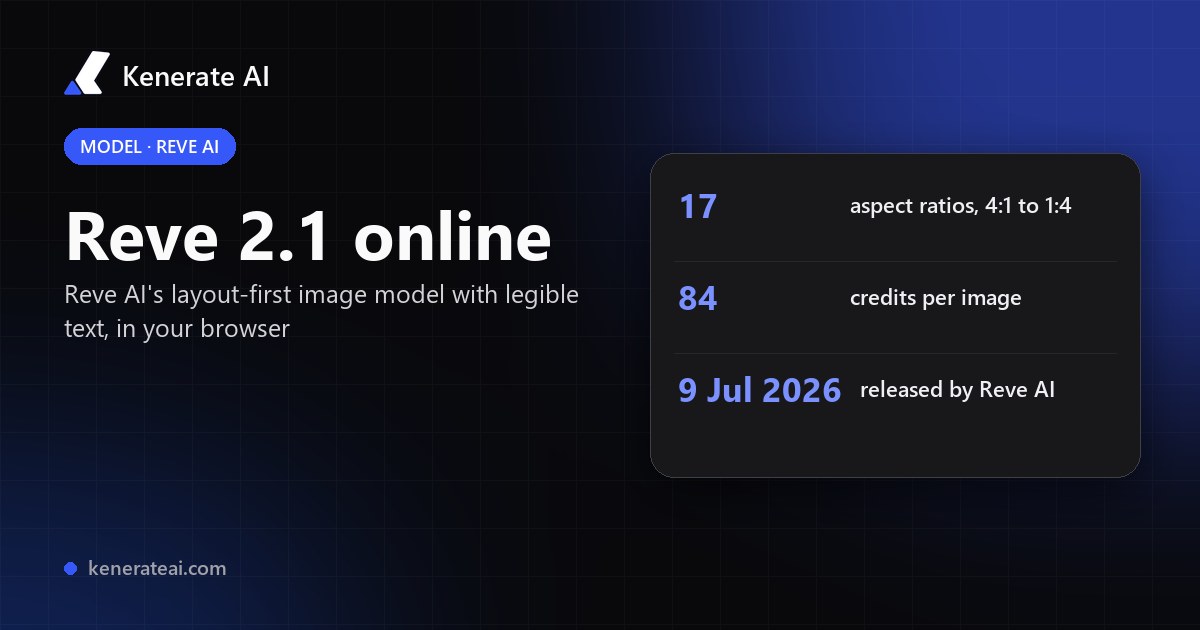
Reve AI is the image model lab behind Reve 2.1, released on 9 July 2026. Reve says 2.1 plans the layout, hierarchy and spacing of a scene before rendering, writes dense, legible text (now in foreign scripts too) and outputs native 4K (16 MP) on reve.com. On Kenerate AI, Reve 2.1 makes and edits images in 17 aspect ratios from 4:1 to 1:4 for 84 credits per image, with no Reve sign-up.
Key facts
- Maker
- Reve AI, Inc.
- Model
- Reve 2.1
- Released
- 9 July 2026
- Strengths (per Reve)
- Layout planning · legible text · precise edits
- Native output on reve.com
- 4K · 16 MP
- Weights
- Closed (not released)
- On Kenerate
- Text to image · edit one image
- Aspect ratios on Kenerate
- 17, from 4:1 to 1:4
Models
Reve 2.1 on Kenerate
Every version in the generator, and what each is good at.
Reve AI
Reve 2.1
- Reference images
- 1 (edit)
- Output
- 17 ratios, 4:1 to 1:4
Open Reve 2.1Best for
Layout-first images, legible text, edits

OpenAI
GPT Image 2.5 Sunburst
- Reference images
- 16
- Output
- Model sizes
Open GPT Image 2.5 SunburstBest for
Text, posters, UI, precise edits
Google
Nano Banana 2.1
- Reference images
- 14
- Output
- 1K · 2K · 4K
Open Nano Banana 2.1Best for
Same product or character across shots
From our tests
Strengths and limits
Good at

- Built for designed images: Reve says 2.1 plans layout and hierarchy first, which suits posters, covers and dense scenes.
- Legible text in the picture, now including non-Latin scripts, per Reve's launch post.
- The widest ratio list on Kenerate for one model: 17 ratios, from a 4:1 banner to a 1:4 tall strip.
- Edits in the same studio: upload one image and describe only the change.
Limits
- No real Reve 2.1 outputs on this page yet — we only show a model's own images, so test one prompt first.
- 84 credits per image is one of the higher prices in the studio; GPT Image 2.5 Sunburst starts at 7.2 and Nano Banana 2.1 at 21.
- One reference image per edit on Kenerate — for multi-reference work use Nano Banana 2.1 (14) or GPT Image 2.5 Sunburst (16).
- Not on the free plan, and Kenerate has no resolution, seed or negative-prompt fields for Reve 2.1.
How to
How to use Reve 2.1 on Kenerate
Step 1
Open Reve 2.1
Go to /app/image and pick Reve 2.1 (the button on this page selects it). Any credit pack unlocks it.
Step 2
Describe the image
Say what goes where: subject, layout, any text in quotes, style and light. Reve plans the layout from your words.
Step 3
Pick a ratio
Choose one of 17 ratios, from 4:1 banners and 21:9 cinema to 9:16 stories and 1:4 tall strips.
Step 4
Generate or edit
Generate for 84 credits, or upload one image and describe only the change to edit it. Download with no watermark.
See it in the app

Open Image Studio and type what you want to see — subject, style, lighting and mood.


Watch the tour · 1:23
Prompts, styles, references, edit, Arena & chat
Chapters
FAQ
Reve 2.1 questions
10 questions

What is Reve AI?
Reve AI, Inc. is a Palo Alto startup that builds its own image models. Its first public model, Reve Image 1.0, was noted in 2025 for readable text inside images. Reve 2.0 followed in 2026 and Reve 2.1 on 9 July 2026. You can use Reve on reve.com, or run Reve 2.1 on Kenerate AI next to other image models with one credit balance.
Link to this answerWhat is new in Reve 2.1?
Reve's launch post describes 2.1 as a leap in visual intelligence and world knowledge on the same foundation as 2.0: sharper prompt understanding, stronger rendering of foreign-language text and finer layout planning. The model reasons about structure, hierarchy and spacing before it renders, outputs native 4K (16 MP) on reve.com and supports region-level edits.
Link to this answerHow do I use Reve AI online without the app?
Open Kenerate's image studio at /app/image and pick Reve 2.1, or press the button on this page. Write a prompt, pick one of 17 aspect ratios and generate. There's no Reve account, download or API key involved; a Kenerate credit pack unlocks Reve 2.1 along with the other paid models.
Link to this answerIs Reve 2.1 free?
Not on Kenerate's free plan. Each Reve 2.1 image or edit costs 84 credits, shown before you generate. Credits come in one-time packs that never expire, with no subscription: $15 buys 1,300 credits, about 15 Reve images. The free plan covers models such as Flux 2 Dev and Qwen Image 3.0. Reve's own site has its own plans.
Link to this answerHow much does Reve 2.1 cost on Kenerate?
84 credits per image, the same for a new image or an edit, whatever the aspect ratio. With the $15 pack (1,300 credits) that's about $0.97 an image; at the $999 pack (100,000 credits) about $0.84. For cheaper drafts, GPT Image 2.5 Sunburst starts at 7.2 credits and Nano Banana 2.1 at 21.
Link to this answerCan Reve 2.1 edit images?
Yes. Reve describes 2.1 edits as region-level: each element can be addressed and re-rendered. On Kenerate, upload one image to Reve 2.1 and describe only the change and what must stay, such as replacing a headline or swapping a background. Edits cost 84 credits, the same as a new image. For several references at once, use Nano Banana 2.1.
Link to this answerIs Reve AI good at text in images?
Text is Reve's best-known strength: Reve Image 1.0 was praised for readable text in 2025, and Reve says 2.1 renders dense, legible type, now in foreign scripts too. Put the exact words in quotes in your prompt and say where they go. Check small print before you use an image, as with any image model.
Link to this answerWhat aspect ratios does Reve 2.1 support on Kenerate?
Seventeen: 1:1, 3:4, 2:3, 9:16, 4:5, 5:4, 1:2, 1:3, 1:4, 4:3, 3:2, 16:9, 17:9, 2:1, 21:9, 3:1 and 4:1. That covers square posts, stories, tall infographic strips, cinema frames and wide web banners from one model.
Link to this answerReve 2.1 vs GPT Image 2.5 vs Nano Banana 2.1 — which should I use?
Pick Reve 2.1 for layout-heavy designs with text and for extreme ratios such as 4:1 or 1:4. Pick GPT Image 2.5 Sunburst for posters, UI and precise edits with up to 16 references, at a lower price. Pick Nano Banana 2.1 to keep the same product or character across shots with up to 14 references, at 1K, 2K or 4K.
Link to this answerDoes Reve AI have an API, and is it open source?
Reve's site links to its own API console, and Reve 2.1 is proprietary: the weights aren't released. If you'd rather not integrate an API, Kenerate runs Reve 2.1 in the browser with no setup, billed in credits per image, alongside dozens of other image models.
Link to this answerIn depth
Reve 2.1, in depth
Background, how to prompt it, and when to pick something else.
On this page
What makes Reve 2.1 different
Most image models render a scene in one pass. Reve says 2.1 first reasons about structure, hierarchy and the spatial relationships between elements, then renders [1]. That is why it is pitched at dense scenes, posters and designs with a lot of text.
Reve calls 2.1 the top 4K model and the highest-ranked independent image lab on Arena and Design Arena [1]. Those are the company's own claims; Arena listed 2.1 as preliminary at launch, so treat rankings as moving.
When to pick Reve 2.1
Reve 2.1 is one of the pricier models in the studio, so use it where its strengths pay off:
- Posters, covers and infographics where the layout and the words matter.
- Wide banners (3:1, 4:1) and tall strips (1:3, 1:4) that most models can't make in one image.
- Text in non-Latin scripts, per Reve's launch post.
- For quick drafts or many variations, start on GPT Image 2.5 Sunburst or Seedream 5.0 Pro and finish on Reve.
What Reve 2.1 costs on Kenerate
Every Reve 2.1 image or edit costs 84 credits at any aspect ratio. Credits come in one-time packs that never expire:
- Starter — $15 for 1,300 credits: about 15 Reve images, roughly $0.97 each.
- Larger packs lower the price per credit; at $999 for 100,000 credits an image is about $0.84.
- Reve 2.1 is not on the free plan; the 25 sign-up credits work on free-plan models such as Flux 2 Dev and Qwen Image 3.0.
By the Kenerate AI teamLast updated and reviewed
We run these models in the Kenerate generator. Model facts come from the makers' own pages; specs and limits were checked against our code; the examples are our own outputs.
Sources: Launching Reve 2.1 — Reve blog (9 July 2026) · Reve AI's image generator delivers readable text — eWeek · Reve Image 2.1 — LLM Reference
