

GPT Image 2.6 · PNG or SVG · names spelled right
ChatGPT Logo Generator
Describe your brand and get a logo from GPT Image 2.6, the model behind ChatGPT Images — wordmarks, badges, mascots and minimal marks with the name spelled right. Download a PNG, or export an SVG you can edit in Figma or Illustrator.
- Brand names spelled right
- Flat colours you choose
- PNG or SVG
- No watermark
Updated by the Kenerate AI team




Made with Kenerate
On this page
Quick answer

Can ChatGPT make a logo?
Yes. ChatGPT's image model, GPT Image 2.6, makes logos from a text description — a wordmark, badge, mascot or minimal mark — and spells the brand name reliably. Since 4 November 2026 it can also export SVG, so the logo is a vector file you can resize and edit. On Kenerate AI you run the same model without a ChatGPT plan: describe the brand, the style and two to five colours, and download a PNG or SVG with no watermark.
Key facts
- Model
- GPT Image 2.6 (OpenAI)
- Logo types
- Wordmark · badge · mascot · monogram
- Output
- PNG · WEBP · SVG
- SVG
- Text to image only
- Edit after
- Figma · Illustrator · Inkscape
- ChatGPT plan
- Not needed
- Watermark
- None
Gallery
Logos made with ChatGPT's image model
Eight real GPT Image 2.6 Sunburst logos, one try each, shown as image previews. Every brand name came out spelled right. Run any prompt in /app/image and choose PNG or SVG.
How to
How to use the ChatGPT logo generator
- Time needed
- Steps
- 4 steps
Step 1
Open GPT Image 2.6
Go to /app/image — GPT Image 2.6 Sunburst is preselected from this page. It needs a one-time credit pack.
Step 2
Describe the brand
Name in quotes, logo type, the mark, two to five colours and "no gradients, no shadows".
Step 3
Choose a square ratio and format
Use 1:1 and pick PNG, or SVG for a vector file (SVG is text to image only).
Step 4
Refine and download
Generate a few versions, edit the best one, and download — no watermark.
See it in the app

Open Image Studio and type what you want to see — subject, style, lighting and mood.


Watch the tour · 1:23
Prompts, styles, references, edit, Arena & chat
Chapters
Tips
How to prompt a logo
Logos need fewer words than pictures. Be exact about the name, the mark and the colours.
Put the brand name in quotes and add "spell exactly, no other text".
Name the logo type: wordmark, badge, mascot, monogram or line mark.
Limit the palette: "two flat colours: chocolate brown and butter yellow".
Rule out effects that won't print well: "no gradients, no shadows".
Describe the mark in plain shapes — "a croissant and a wheat stalk", "a wolf head in a shield".
Pick SVG for a logo you'll resize or recolour; PNG for a quick social avatar.
Run three or four variations, then refine the best one with a follow-up edit.
Models
Logo tools on Kenerate
What each model is good at. Open any one straight in the generator.
OpenAI
GPT Image 2.6 Sunburst
- Reference images
- None for SVG
- Output
- PNG · SVG
Open GPT Image 2.6 SunburstBest for
Names spelled right, SVG export
OpenAI
GPT Image 2.6 Flare
Kenerate
AI logo animation
FAQ
ChatGPT Logo Generator questions
7 questions

Can ChatGPT make a logo?
Yes. ChatGPT's image model, GPT Image 2.6, makes logos from a text description and spells brand names reliably. Since November 2026 it can export SVG as well as PNG. On Kenerate you can use the same model without a ChatGPT plan.
Link to this answerCan ChatGPT make an SVG logo?
Yes, with GPT Image 2.6. Choose SVG as the output format and you get a vector file. SVG works from text only — you can't upload an existing logo and get an SVG back, so describe the design instead. On Kenerate, SVG adds a small extra cost per image.
Link to this answerWill the brand name be spelled correctly?
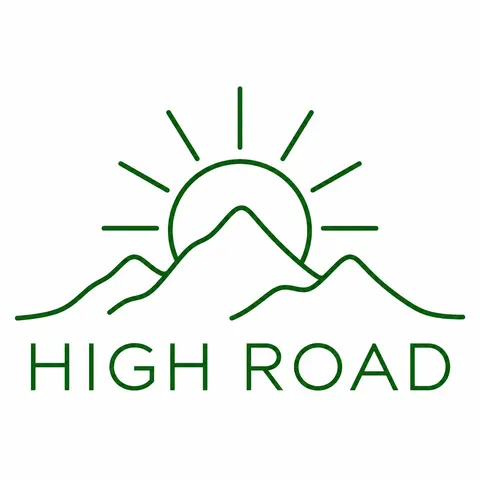
Usually. In our eight tests every name — CRUMB & CO., NOVA, STILL, LUMEN LABS, FOXTRAIL, NORTH BEAN ROASTERS and HIGH ROAD — came out right on the first try. Put the name in quotes, keep extra text short and always check before you print.
Link to this answerWhat makes a good logo prompt?
The brand name in quotes, the logo type (wordmark, badge, mascot, monogram), a simple description of the mark, two to five flat colours and "no gradients, no shadows". Short, concrete prompts beat long mood descriptions.
Link to this answerCan I trademark an AI-generated logo?
Rules differ by country, and some offices won't register a design with no human authorship. Many businesses use an AI logo as a starting point and have a designer refine it. Check that it doesn't resemble an existing mark before you file.
Link to this answerCan I edit the logo after it's made?
Yes. Download it as SVG and open it in Figma, Illustrator or Inkscape to change colours, spacing or shapes. You can also upload a PNG version back to GPT Image 2.6 and describe the change.
Link to this answerIs the ChatGPT logo generator free?
In ChatGPT, image generation is included in your plan's limits. On Kenerate, new accounts get free credits for the free models, and GPT Image 2.6 needs a one-time credit pack. There is no watermark on downloads.
Link to this answerIn depth
ChatGPT Logo Generator, explained
What works, what to avoid, and how to pick a model.
On this page
From our tests
Eight logos, one try each, on GPT Image 2.6 Sunburst:
- All eight brand names were spelled correctly, including the ampersand in CRUMB & CO. and text set around a circle.
- Flat palettes stayed flat — no stray gradients or drop shadows.
- Marks were sometimes looser than described: LUMEN LABS asked for a soft triangle of light rays and got three sharp shards.
- "Single continuous line" wasn't followed literally on the HIGH ROAD mark.
PNG or SVG for a logo
Download SVG for the master logo you'll resize, recolour or send to a printer — it stays sharp at any size [1]. Use PNG for quick uses like a profile picture. Because SVG output comes from text only, keep the prompt that made your logo so you can regenerate a vector version later.
Ownership and trademarks
Copyright offices are still working out how AI-assisted designs are treated; the U.S. Copyright Office's guidance focuses on human authorship [2]. For a mark you plan to register, treat the AI logo as a draft and have a person refine it.
By the Kenerate AI teamLast updated and reviewed
We build and run the Kenerate generator. Every example is a real output of the model named under it; models and presets were checked against the app's code.
Sources: Introducing Images 2.6 — OpenAI · U.S. Copyright Office — Copyright and Artificial Intelligence
