Animal portraits · studio photo, oil or watercolor · ready to print
Animal Portrait Generator — wildlife and farm animal wall art from a prompt
Name the animal, the pose and the look — a lion on black, a Highland cow in watercolor, a horse in oils — then upscale the one you like and print it for the wall.
- Any wild or farm animal
- Photo, oil or watercolor
- Upscale to 4K for print
- No watermark
Updated by the Kenerate AI team




On this page
Quick answer

How do you make an animal portrait with AI?
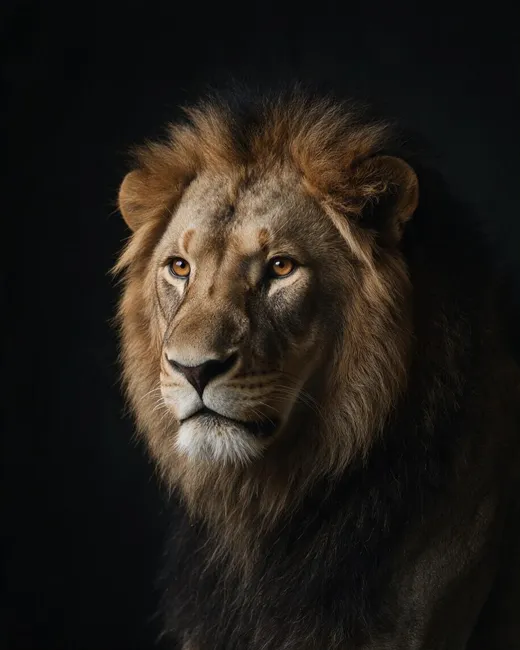
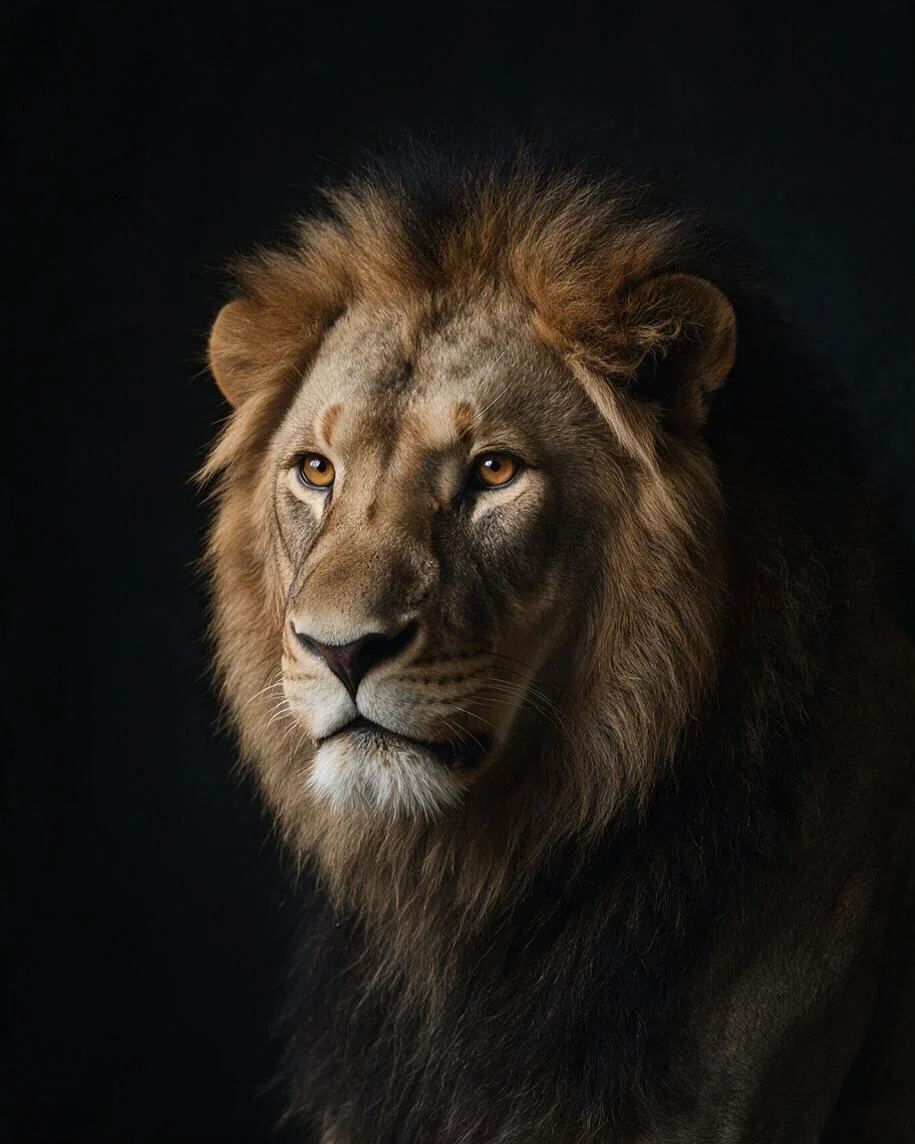
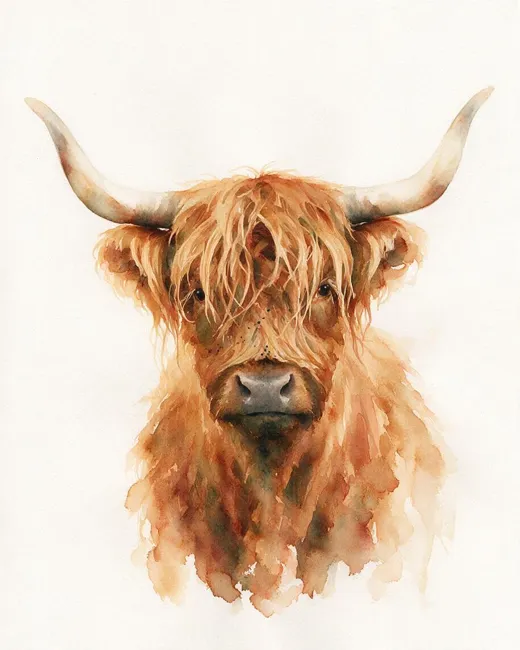
An animal portrait generator makes a head-and-shoulders picture of an animal from a text prompt: you name the animal, the angle, the light and the art style. On Kenerate AI, Seedream 5.0 Pro (13.5 credits at 1K) made a lion on a black background and a watercolor Highland cow, one try each. A 1K image is only about 3 × 4 inches at print quality, so run your pick through Image Upscaler (3 credits): a 4K file prints at about 11 × 14 inches at 300 dpi. For your own pet, use the pet portrait generator instead.
Key facts
- Model we used
- Seedream 5.0 Pro (ByteDance)
- Print size from 4K
- About 11 × 14 in at 300 dpi
- Best shape for a frame
- 4:5, which fits 8 × 10 and 16 × 20 in
- Styles shown
- Studio photo · watercolor · oil
- Sign-up credits
- 25 · no watermark
Gallery
Animal portraits in four looks
The lion and the Highland cow are new Seedream 5.0 Pro images for this page, one try each. The two horses come from our horse generator page. Open any one to copy the prompt.
Same prompt
One animal, two kinds of portrait
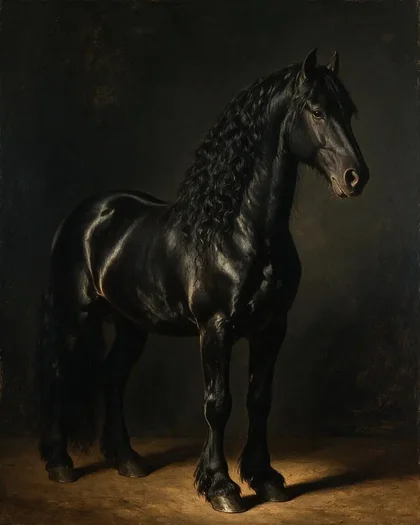
A photo-style image can become a painting in a second step. We sent the Friesian on the left through a Seedream 5.0 Pro edit and asked for a classical oil portrait. It kept the black coat and long mane, but the horse stands more side-on than the three-quarter view we asked for.
PromptTurn this photo into a classical equestrian oil portrait of the same black Friesian horse — same head shape, long wavy mane and markings …
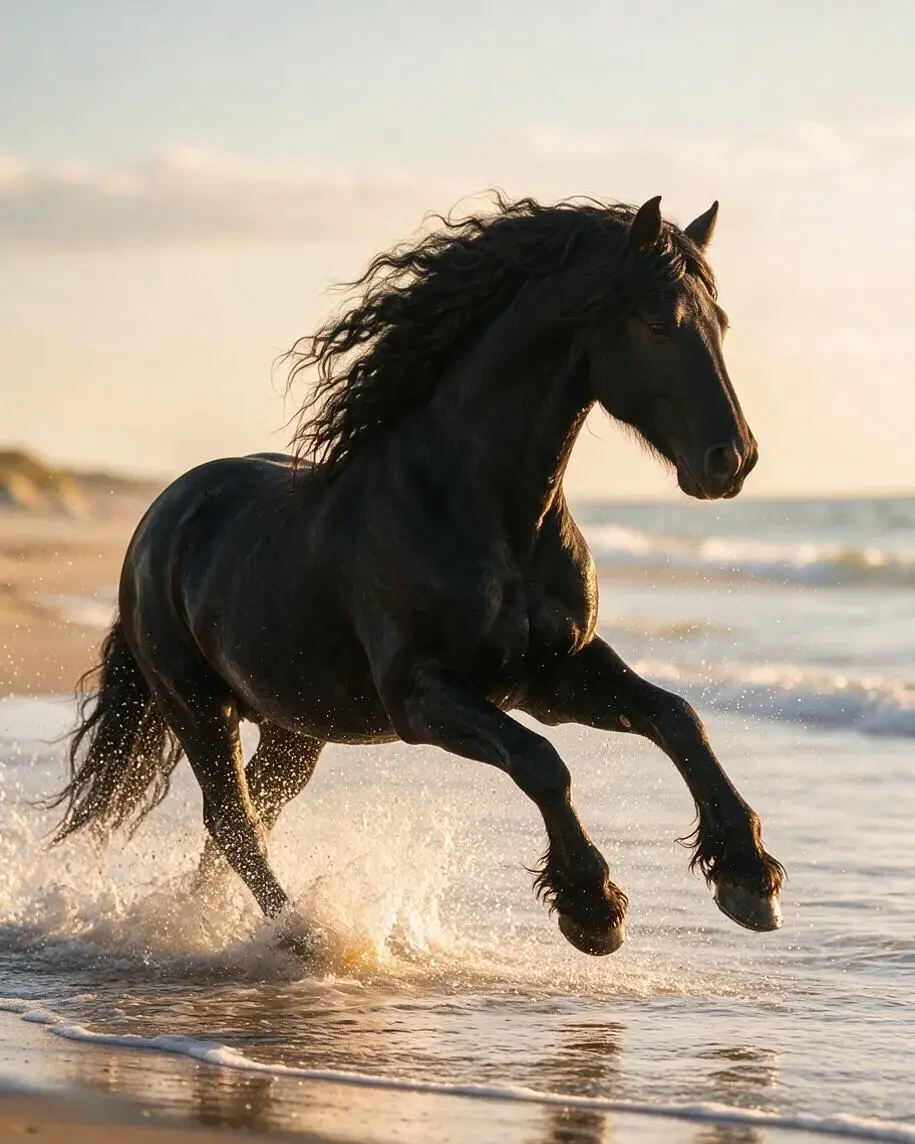 Photo styleSeedream 5.0 Pro
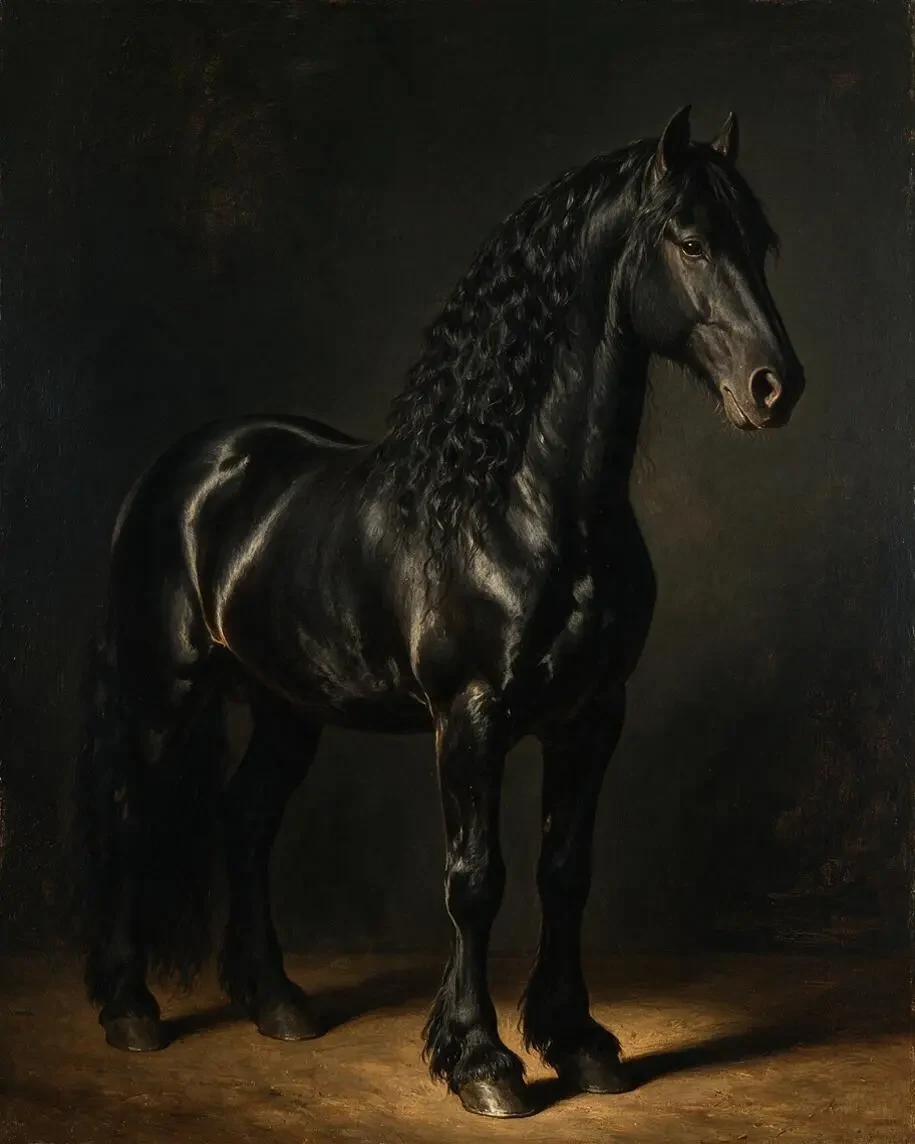 Oil portraitSeedream 5.0 Pro · edit
How to
How to use the animal portrait generator
- Time needed
- Steps
- 4 steps
Step 1
Open Image Studio
Go to /app/image and sign in free — new accounts get 25 credits. Pick Seedream 5.0 Pro, or Flux 2 Dev and Qwen Image 3.0 on the free plan.
Step 2
Describe the portrait
Animal, framing, angle, light, background and medium: “Highland cow, head and shoulders, facing the viewer, loose watercolor on white paper”.
Step 3
Pick a frame shape
Choose 4:5 for 8 × 10 and 16 × 20 inch frames, and generate at 1K while you try ideas.
Step 4
Upscale and print
Run your favourite through Image Upscaler at 4K for 3 credits, check the eyes and fur up close, then send the file to a print shop.
See it in the app

Open Image Studio and type what you want to see — subject, style, lighting and mood.


Watch the tour · 1:23
Prompts, styles, references, edit, Arena & chat
Chapters
Tips
Prompt formula for animal portraits
Animal + framing + angle + light + background + medium. What worked in our tests:
Say “head and shoulders” and name the angle: “three-quarter view” or “facing the viewer”. Our cow followed this closely; our lion showed more of its body.
Name one light source for a studio look: “single soft window light from the left”.
Pick a plain background if it's going on a wall: “pure black background” or “plenty of white paper”.
Name the medium and how it behaves: “wet-on-wet washes, soft paint bleeds” beats just “watercolor”.
Give colours for the paint, such as “rust and ochre”. It keeps a set of prints looking related.
End with “no text” so nothing lands on your print, and pick 4:5 if it's going in a standard frame.
Models
Which model is best for animal portraits?
What each model is good at. Open any one straight in the generator.

ByteDance
Seedream 5.0 Pro
- Reference images
- Up to 10
- Output
- Up to 2K
Open Seedream 5.0 ProBest for
Made every image on this page
Google
Nano Banana 2.1
- Reference images
- Up to 14
- Output
- Up to 4K
Open Nano Banana 2.1Best for
Keeps a set of prints in one style using references
- Free plan
Black Forest Labs
Flux 2 Dev
- Reference images
- Up to 3
- Output
- 2048 px
Open Flux 2 DevBest for
Free plan; cheap drafts while you tune the prompt
- Free plan

Alibaba
Qwen Image 3.0
- Reference images
- Up to 3
- Output
- 1K · 2K
Open Qwen Image 3.0Best for
Free plan; quick ideas
FAQ
Animal Portrait Generator questions
8 questions

What is an animal portrait?
A picture that treats an animal the way a portrait treats a person: close framing, attention on the face and eyes, and a simple background. It can be a studio photo, a wildlife shot, an oil painting or a watercolor. An animal portrait generator makes one from a text description.
Link to this answerHow do I make an animal portrait with AI?
Describe the animal, the framing, the angle, the light, the background and the medium in one prompt: “male lion, head and shoulders, three-quarter view, soft window light from the left, pure black background”. Generate at 1K, adjust the wording, then upscale the one you want to keep.
Link to this answerHow big can I print an AI animal portrait?
It depends on the pixels. Our 1K images at 4:5 measured 915 × 1144 px, which is about 3 × 4 inches at 300 dpi. Image Upscaler (3 credits) takes that to 4K, about 11 × 14 inches at 300 dpi, or to 8K for larger prints. Upscaling adds pixels, so check the fur and eyes at full size before you print.
Link to this answerWhich aspect ratio is best for a framed print?
4:5 matches 8 × 10 and 16 × 20 inch frames, and it's what we used here. Other frame sizes need a different ratio or a small crop, so leave some space around the animal if you aren't sure of the frame yet.
Link to this answerIs this different from a pet portrait generator?
Yes. This page starts from words, so it suits wild and farm animals you don't have a photo of. To keep your own cat or dog's real face and markings, start from a photo with the pet portrait generator.
Link to this answerCan I turn my own animal photo into a portrait?
Yes. Upload the photo in Image Studio and describe the new look, and repeat what must stay: “same head shape, same markings”. We did this with a Friesian horse and it kept the coat and mane, though the pose shifted. Check markings against your photo, since the model can change small details.
Link to this answerWhy does the AI ignore part of my prompt?
Models weigh a prompt rather than follow it line by line. We asked for a full dark mane and head-and-shoulders framing, and our lion came out with a lighter, thinner mane on top and more of its body in shot. Change one thing per try, and move what matters most to the start of the prompt.
Link to this answerIs the animal portrait generator free?
Free to start. A new account gets 25 credits on sign-up, and Flux 2 Dev (3 credits) and Qwen Image 3.0 are on the free plan. Seedream 5.0 Pro costs 13.5 credits per image at 1K and needs a one-time credit pack, with no subscription. Downloads carry no watermark.
Link to this answerIn depth
Animal Portrait Generator, explained
What works, what to avoid, and how to pick a model.
On this page
Animal portrait prompts to copy
Swap the animal, light and medium for your own:
- Wolf: “Grey wolf, head and shoulders, facing the viewer, pale eyes, soft overcast light, falling snow behind, wildlife photography, telephoto lens, no text.”
- Barn owl: “Barn owl, head and shoulders, three-quarter view, pure black background, single soft light from the right, fine feather detail, fine-art studio portrait, no text.”
- Red fox: “Red fox, head and shoulders, loose watercolor, wet-on-wet washes of orange and rust, plenty of white paper, no text.”
- Elephant: “African elephant, close portrait of the head, charcoal drawing on cream paper, visible strokes, deep wrinkles, no text.”
- Sheep: “Woolly sheep facing the viewer, classical oil painting, warm dark background, visible brushstrokes, farmhouse wall art, no text.”
- Tiger: “Tiger, head and shoulders, looking just past the camera, low warm side light, dark jungle background out of focus, wildlife photography, no text.”
Animal portrait pictures for your wall
Search for animal portraits and you'll mostly find galleries and print shops, such as the LUMAS collection, plus painted commissions. Those prints show what works on a wall: one animal, close framing, eyes in sharp focus and a quiet background.
You can make a matching set by changing only the animal in a prompt. Keep the framing, light, background and medium the same, and three prints will sit together in a row. Check the resolution before you order: at 300 dpi, a 4K file covers about 11 × 14 inches. Larger prints need an 8K upscale or a lower dpi, which can work for canvases viewed from further away.
What we got
Two new Seedream 5.0 Pro images, one try each, plus two horses reused from our horse page:
- Lion on black: strong light and amber eyes as asked, but the mane is lighter and thinner on top than the “full dark mane” in the prompt, and the frame shows more than head and shoulders. There's also a faint crease down the muzzle, which is worth checking at print size.
- Highland cow: the closest match to the prompt, with the shaggy fringe, wide horns, rust and ochre washes and white paper. The eyes still show through the fringe.
- Horse in oils: kept the coat and mane of the source image, but the pose is more side-on than the three-quarter view we asked for.
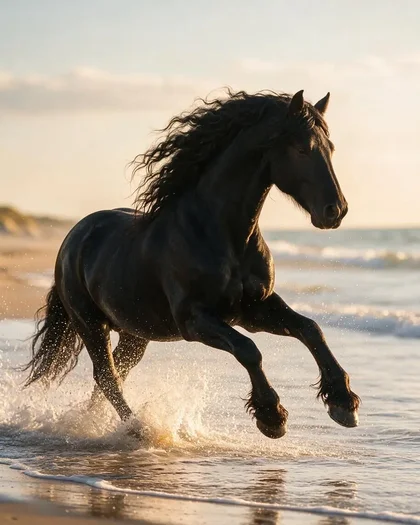
- Friesian in the surf: a full-body action shot rather than a close portrait, which shows how much the framing words change the result.
By the Kenerate AI teamLast updated and reviewed
We build and run the Kenerate generator. Every example is a real output of the model named under it; models and presets were checked against the app's code.
Sources: Kenerate Image Studio · LUMAS — animal portraits print gallery · Harvard Museum of Natural History — Face to Face: Portraits of Museum Animals