

Free · no upload · no sign-up
Image stretcher — stretch a picture to any width and height, free
Add a picture, type the width and height you need in pixels or percent, and download it. Leave the ratio unlocked to stretch it, or lock it to resize evenly. It runs in your browser, so your picture stays on your device.
- Pixels or percent
- Lock or unlock the ratio
- PNG or JPG
- Picture stays on your device
Updated by the Kenerate AI team




Made with Kenerate
On this page
Quick answer

How do you stretch an image?
To stretch an image, add it to the image stretcher on this page, type a new width and height in pixels or percent with the ratio unlocked, then download a PNG or JPG. Each side can be 1 to 10,000 px. It's free and runs in your browser, so nothing is uploaded. To change the shape without distortion, Kenerate's Expand Image adds new background with AI instead, for credits.
Key facts
- Cost
- Free · no credits
- Account
- Not needed
- Pictures in
- JPG, PNG, WebP up to 50 MB
- Size
- Pixels or percent, 1 to 10,000 px a side
- Aspect ratio
- Unlocked to stretch, locked to resize
- Quick shapes
- 1:1, 4:5, 9:16, 16:9, 3:1
- Download
- PNG or JPG, up to 40 megapixels
- Uploads
- None, stretched in your browser
Gallery
Pictures stretched with this tool
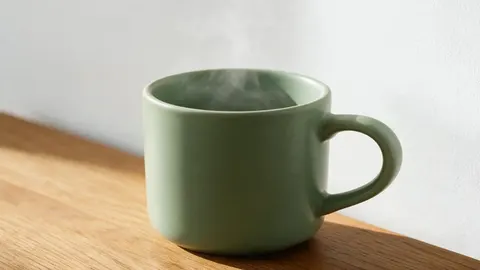
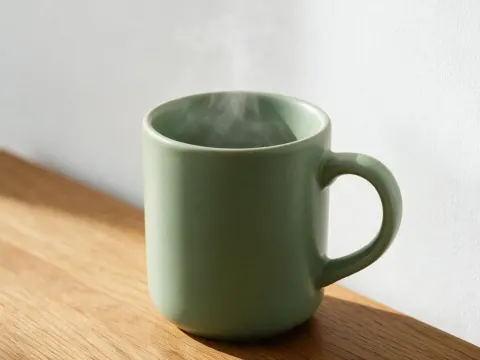
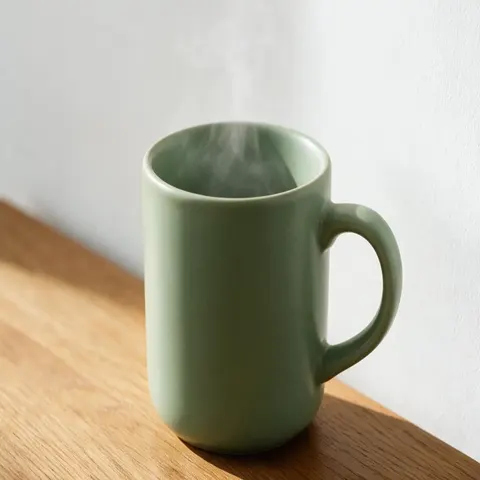
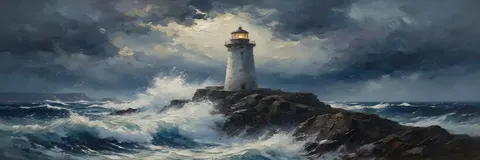
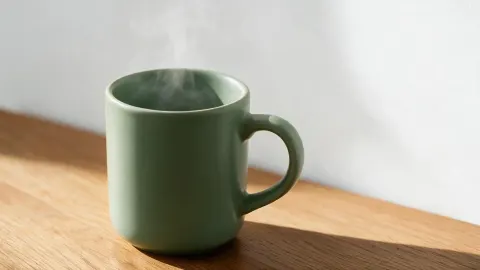
Each stretched picture below is the file the image stretcher's own code made in a browser. The last one is an AI expand of the same mug, for comparison.
Same prompt
16:9 three ways: stretch, crop or expand
All three turn the same 4:3 mug photo into 16:9. Stretching keeps everything but changes its shape, cropping cuts the top and bottom, and expanding adds new area with AI.
PromptOne 1182 × 886 mug photo made 16:9 three ways.
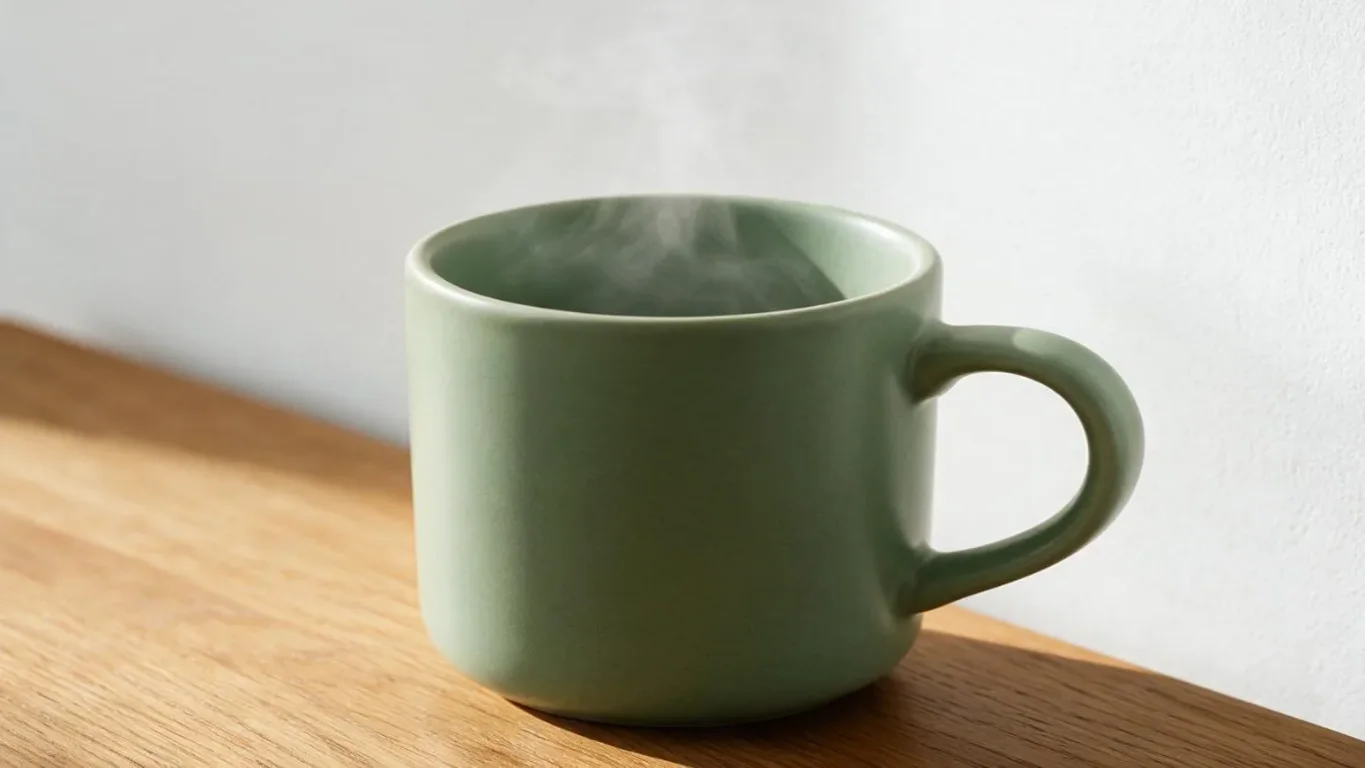 StretchedMug looks squat
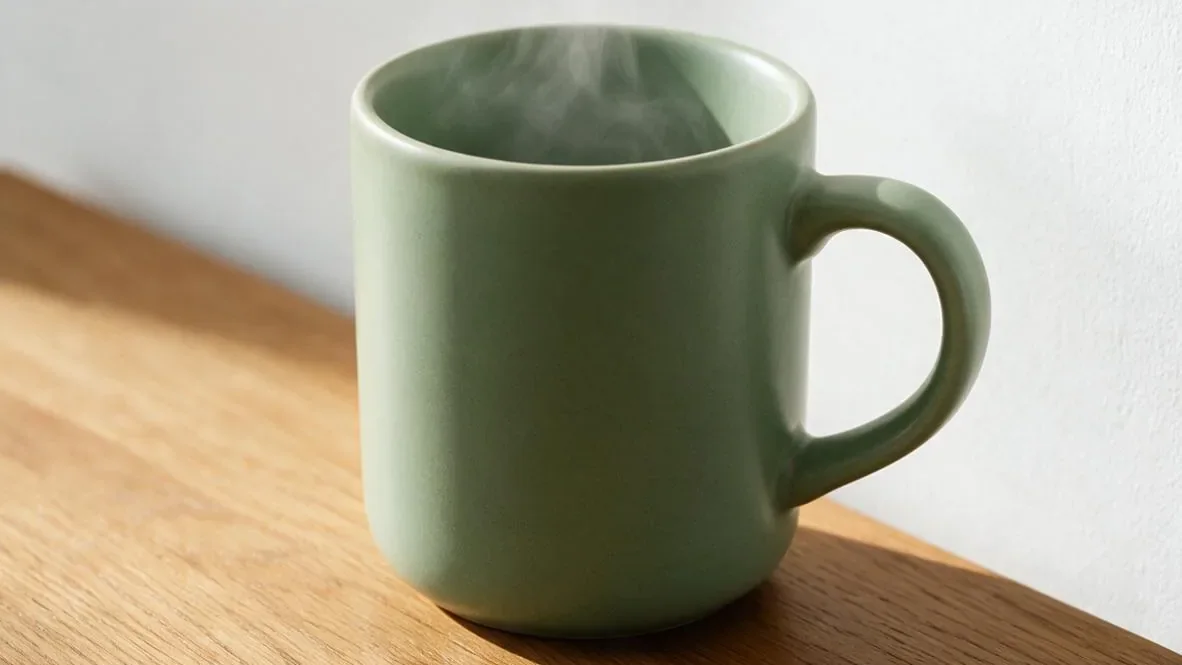 CroppedRim and base cut close
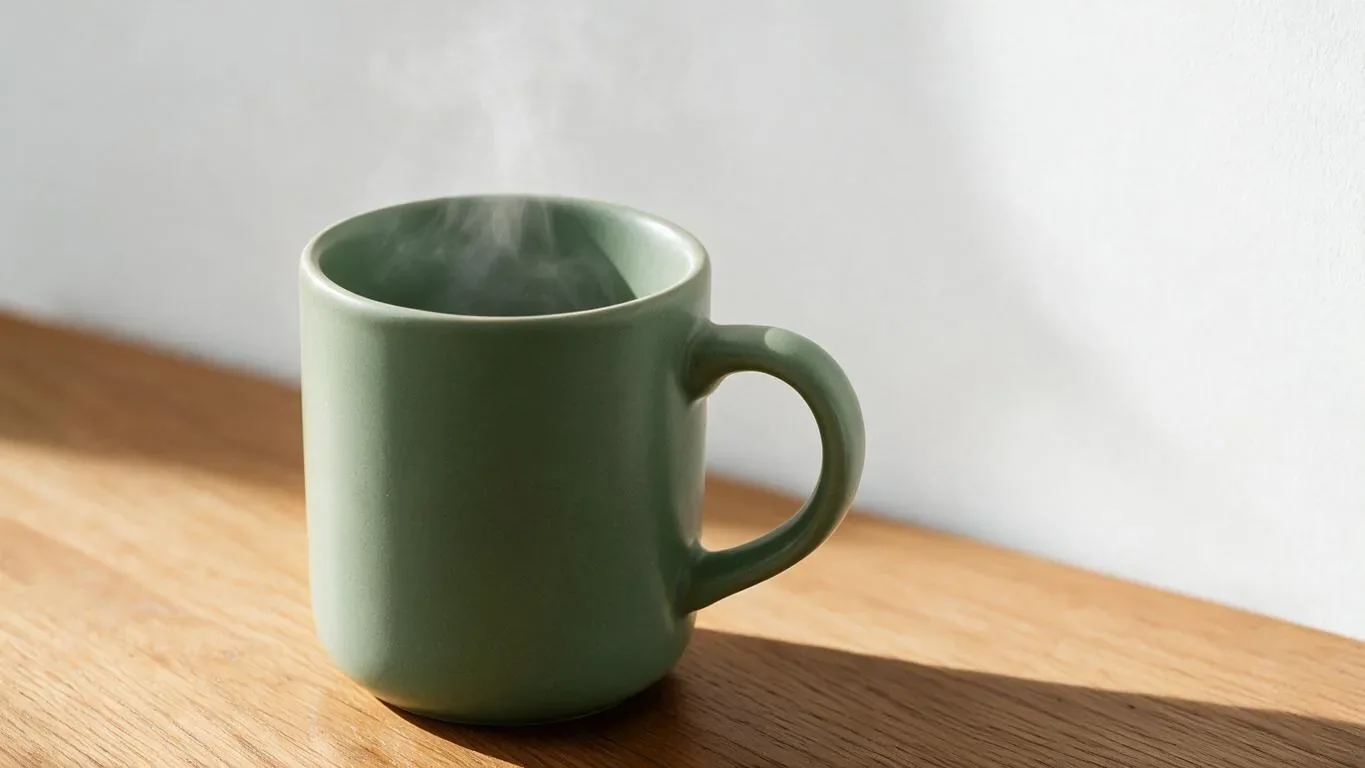 Expand Image (AI)Mug keeps its shape
How to
How to stretch an image
- Time needed
- Steps
- 4 steps
Step 1
Add your picture
Choose a JPG, PNG or WebP up to 50 MB, drop it on the box at the top of this page, or paste it.
Step 2
Set the size
Pick Pixels or Percent and type the width and height. Leave Lock aspect ratio off to stretch, or tick it to resize evenly.
Step 3
Or pick a shape
Press 1:1, 4:5, 9:16, 16:9 or 3:1 to stretch to that shape at the same width. Original size puts it back.
Step 4
Download
Check the preview, then press Download PNG or Download JPG.
Tips
Stretch a picture without it looking wrong
When a stretch works, and what to do when it doesn't.
Keep a stretch small. A few percent is hard to spot; at 1.33× our mug already looks squat.
Faces, wheels, plates and logos show a stretch first. Backgrounds, textures and flat artwork hide it.
Stretching a small picture larger makes it soft. Upscale it with AI first, then stretch.
For pixel art, tick Pixel art so the edges stay hard instead of blurring.
Need a new shape for a banner or story? Expand Image adds background instead of bending the picture.
Download PNG for screenshots, logos and anything with transparency; JPG for photos.
FAQ
Image Stretcher questions
9 questions

How do I stretch an image?
Add it to the image stretcher at the top of this page, leave Lock aspect ratio off, and type the width and height you want. Then press Download PNG or Download JPG.
Link to this answerIs this image stretcher free?
Yes. It uses no credits, needs no account and adds no watermark, because your own browser does the work.
Link to this answerIs my picture uploaded?
No. The picture is opened and stretched in your browser, so it never reaches our servers. You can check in the Network tab of your browser's developer tools.
Link to this answerHow do I stretch an image without distorting it?
You can't stretch without some distortion, because stretching changes the shape of everything in the picture. To get a new shape without bending it, use Kenerate's Expand Image, which adds new background around the picture with AI. It uses credits, and new accounts get starter credits.
Link to this answerWhat's the difference between stretching and resizing?
Resizing keeps the ratio, so the picture gets bigger or smaller evenly. Stretching changes the width and height by different amounts, so the picture changes shape. Tick Lock aspect ratio to resize, untick it to stretch.
Link to this answerCan I stretch an image by percent?
Yes. Choose Percent and type, for example, 200 for the width and 100 for the height to make the picture twice as wide.
Link to this answerHow big can I stretch a picture?
Each side can be 1 to 10,000 pixels, and the download can be up to 40 megapixels, such as 8000 × 5000. Larger than that, the tool asks you to make it smaller, because many phones can't draw it.
Link to this answerDoes stretching lower the quality?
Making a picture larger spreads its pixels, so it looks softer; making it smaller drops detail. PNG saves the result exactly, and JPG makes a smaller file.
Link to this answerIn depth
Image Stretcher, explained
Stretch, crop or expand, how far a stretch can go, and what we tested.
On this page
Stretch, crop or expand: which do you need?
All three can change a picture's shape. They differ in what happens to its content:
- Stretch keeps the whole picture and changes its shape. Quick and free, but round things turn oval.
- Crop keeps the shape of everything and cuts part of the picture away. Use the image cropper or the circle crop.
- Expand keeps everything at its own shape and adds new area around it with AI. Use Expand Image when nothing may be cut and nothing may look bent; it uses credits.
How much stretch is too much?
The tool shows how much each side changes. When the shape changes by more than 1.5×, it adds a note, because people, wheels and circles look clearly wrong by then.
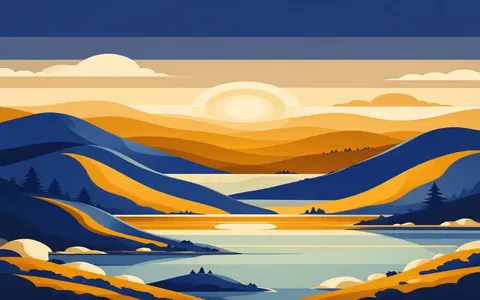
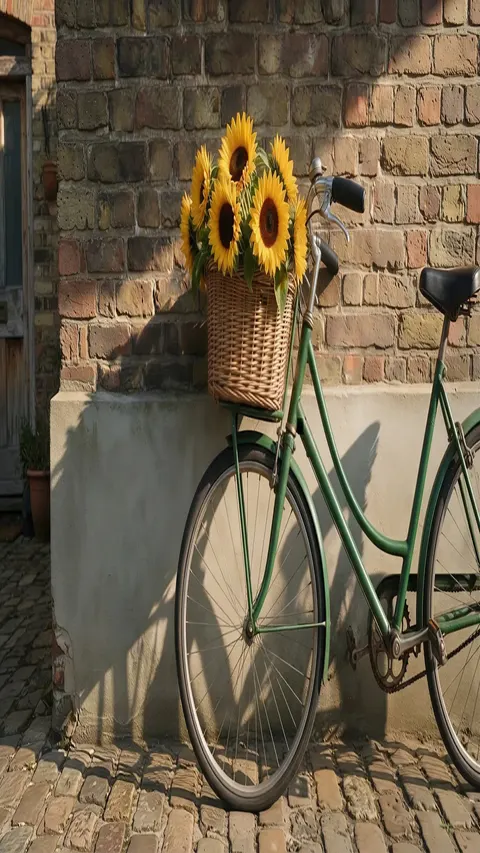
In our examples, the mug at 1.33× already looks squat, the lighthouse banner at 1.69× looks squashed, and the bicycle at 2.65× has tall oval wheels. Flat artwork, like the poster stretched to 200% wide, hides it much better.
What we tested
We checked the size maths in Node and ran the tool's own drawing code in Microsoft Edge on Windows on the pictures above:
- Every result came out at exactly the width and height typed.
- Percent sizes round to the nearest pixel: 200% of 880 px is 1760 px.
- With the ratio locked, 800 px wide on a 1600 × 1200 picture gave 800 × 600.
- Not tested: Safari, Firefox and phones.
Smooth or pixel art?
By default the tool uses the browser's high-quality scaling, which blends neighbouring pixels so photos look smooth. Pixel art and sharp-edged icons look blurry that way, so tick Pixel art: every pixel is copied as a hard-edged block instead.
By the Kenerate AI teamLast updated and reviewed
We build and run Kenerate AI. We ran this tool's drawing code in Edge on Windows on the pictures shown here, and the sizes and test results on this page come from those runs. The expanded mug is a Kenerate Expand Image result from our Expand Image page.
Sources: MDN — CanvasRenderingContext2D drawImage() · MDN — imageSmoothingQuality · Wikipedia — Image scaling · Wikipedia — Aspect ratio (image)
