

Nano Banana 2.1 · Logos, mascots, brand kits
Nano Banana logo maker — your brand name, spelled right
Write the brand name in quotes, describe the mark and the style, and Nano Banana 2.1 draws a logo concept. Then attach that logo as a reference to make a mascot, a monogram, a sticker or a mockup that matches it. Raster images only — here's the honest workflow.
- Name in quotes, spelled right
- Up to 14 references
- 1K to 4K
- Raster, not SVG
Updated by the Kenerate AI team




Made with Kenerate
On this page
Quick answer

Can you make a logo with Nano Banana?
Yes. Nano Banana 2.1, Google's image model released on 6 October 2026, can draw logo concepts with your brand name spelled out: put the exact name in quotes, then describe the symbol, style and colours. Google's own docs use a coffee shop logo as the example for accurate text. It returns a raster image (1K to 4K), not an SVG, so treat it as a concept to refine or vectorise. On Kenerate a 1K logo costs 21 credits.
Key facts
- Model
- Nano Banana 2.1 (Google)
- Best for
- Logo concepts, mascots, matching brand assets
- Text in the logo
- Yes — exact name in quotes; proofread
- References
- Up to 14 (your logo, products, characters)
- Output
- Raster image, 1K · 2K · 4K, 14 ratios
- SVG / vector
- No — vectorise the final mark separately
- Transparent background
- Use Remove Background after
- Credits
- 21 at 1K · 31.5 at 2K · 42 at 4K
Gallery
What Nano Banana 2.1 does with names and marks
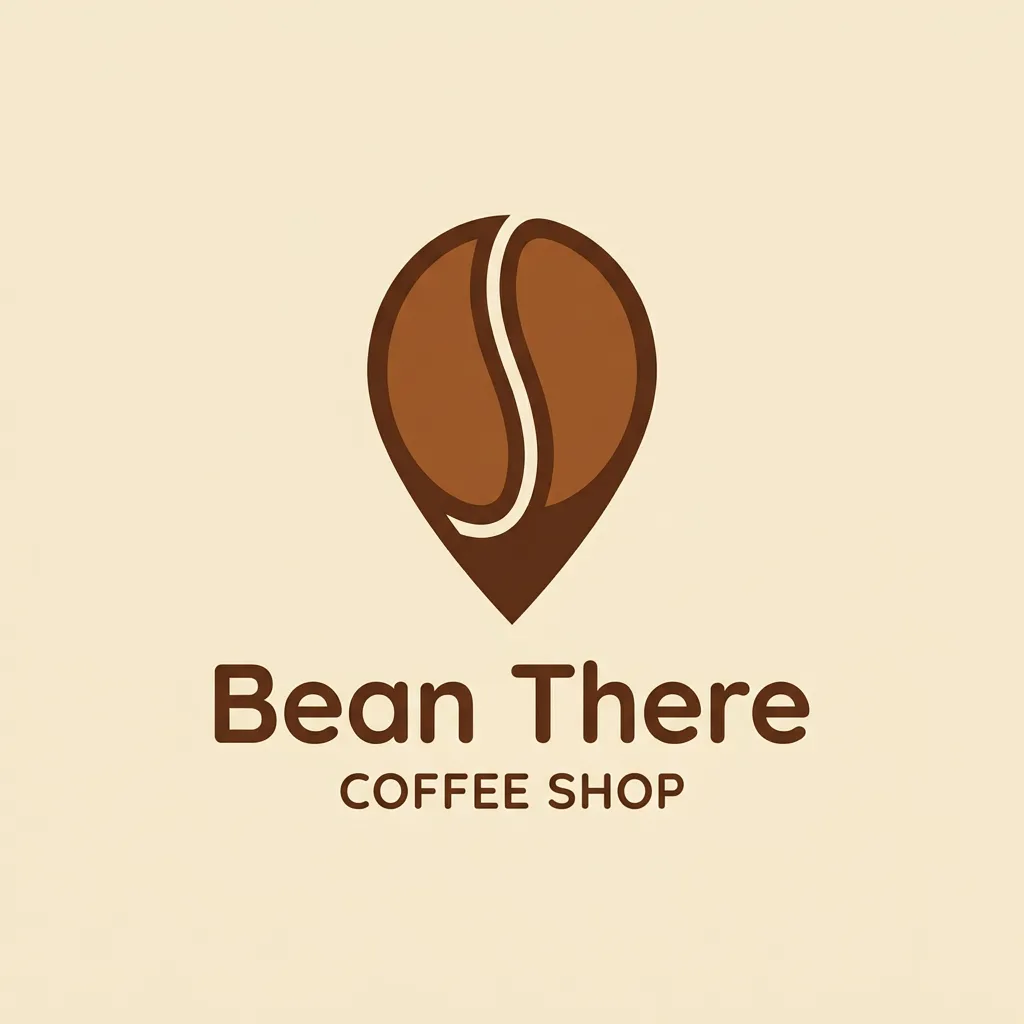
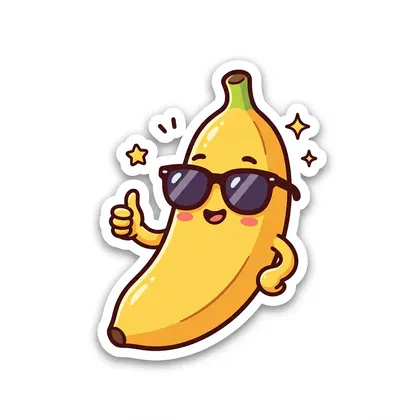
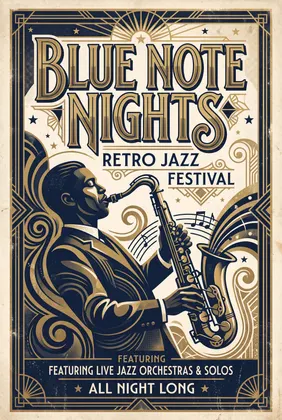
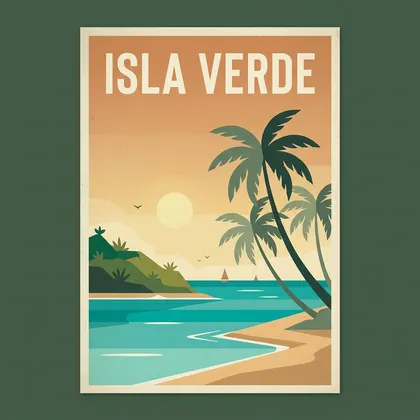
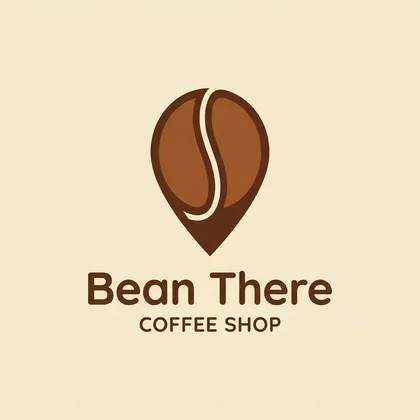
Real, unretouched Nano Banana 2.1 outputs. Only the first is a logo; the rest show the lettering, mascot and brand-asset work around one. The coffee logo spelled 'Bean There' right but added 'COFFEE SHOP' under it unasked.
Logo jobs
Logo jobs Nano Banana 2.1 handles
What to ask for, and where the reference images come in.
Wordmark
The brand name as the logo. Quote it exactly and name a font feel: 'geometric sans', 'hand-lettered script', 'art-deco caps'.
Symbol + name
A simple mark beside or above the name — like the coffee bean shaped as a map pin above. Ask for 'flat, centered, plain background'.
Monogram
One to three initials interlocked in a badge or circle. Say which letters, in which order, and the line weight.
Mascot
A character for the brand. Once you have one you like, attach it and ask for new poses that keep the same colours and face.
Brand kit from one logo
Attach your logo as a reference and ask for a business card, a sign, a mug or a social banner that uses it unchanged.
3D and material versions
Turn the flat logo into chrome, glass, neon or clay with the logo attached as image 1.
How to
How to use the nano banana logo maker
- Time needed
- Steps
- 4 steps
Step 1
Open Nano Banana 2.1
Go to Image Studio with Nano Banana 2.1 selected. A square 1:1 ratio suits most logos; any one-time credit pack unlocks the model.
Step 2
Write the logo prompt
Logo type, the brand name in quotes, the symbol, the style and two or three colours, then 'no other text'.
Step 3
Generate concepts, then refine
Run it a few times at 1K. Attach the best one as a reference to fix one detail, or to make a mascot, monogram or mockup that matches.
Step 4
Clean up and export
Remove the background for a transparent version, upscale if needed, and have the final mark vectorised before print or trademark use.
See it in the app

Open Image Studio and type what you want to see — subject, style, lighting and mood.


Watch the tour · 1:23
Prompts, styles, references, edit, Arena & chat
Chapters
Tips
How to prompt a logo in Nano Banana
Google's own advice for text in images, plus what we saw in the outputs above.
Start with the type: 'wordmark logo', 'monogram', 'emblem', 'mascot logo', 'app icon' — the layout follows the word.
Put the exact name in quotes, and keep it short. Google's guide: give the text, a font style and the overall design.
End with 'no other text'. Our coffee logo added 'COFFEE SHOP' under the name without being asked.
Ask for 'flat, centered, plain background' so the mark is easy to cut out and vectorise later.
Name two or three colours, not a mood. 'Warm brown on cream' beats 'cosy vibe'.
Make several concepts at 1K, then re-run the keeper at 2K or 4K and proofread every letter.
Prompts
Nano Banana logo prompts to copy
Templates written for Nano Banana 2.1 — swap in your own name and colours. We didn't run these for this page (the coffee logo above is the real output), so expect a few tries per concept.
- Type
- wordmark, monogram, emblem, mascot, icon
- Name
- exact text in quotes
- Mark
- one simple symbol
- Style + colours
- flat, 2–3 colours, plain background
- Close
- no other text
Wordmark
Wordmark logo for a fictional bike shop called "SPOKE & SONS" in bold condensed sans-serif capitals, a small gear replacing the ampersand, black on off-white, flat vector style, centered, no other text
Symbol + name
Minimal logo for a plant shop called "Leaf Lab": a single leaf drawn inside a round flask above the name in a rounded sans-serif, deep green on cream, flat vector, centered, plain background, no other text
Monogram
Monogram logo with the interlocked letters "A" and "R" inside a thin gold circle, elegant serif letterforms, gold on deep navy, flat, centered, no other text
Mascot badge
Esports mascot logo of a fierce fox head in a round badge with the team name "FOX RUSH" in bold italic letters underneath, orange, white and charcoal, thick outlines, flat vector, plain background, no other text
More prompts (4)
App icon
App icon for a note-taking app: a folded paper corner forming the letter "N", soft gradient from teal to blue, rounded square, flat, centered, no text
Vintage emblem
Vintage emblem logo for a fictional bakery "OLD MILL BAKERY" with "EST. 1987" underneath, a windmill and two wheat stalks inside a circular badge, two-colour brown and cream, screen-print texture, no other text
Brand kit (attach your logo)
Image 1 is our logo. Put it unchanged on a white business card, a ceramic coffee mug and a storefront sign, three clean product mockups side by side, soft studio light. Keep the logo's shapes, colours and text exactly the same.
Logo variations (attach your logo)
Image 1 is our logo. Make four versions in a 2x2 grid: full colour on white, white on black, one-colour black, and the symbol alone without the name. Keep the shapes and lettering identical.
Models
Nano Banana or another logo model?
What each model is good at. Open any one straight in the generator.
Google
Nano Banana 2.1
- Reference images
- Up to 14
- Output
- 1K · 2K · 4K
Open Nano Banana 2.1Best for
Concepts plus matching mascots, mockups and variations from your logo
Recraft
Recraft V4.1
- Reference images
- None
- Output
- Several ratios
Open Recraft V4.1Best for
Flat, vector-style logos from text only

OpenAI
GPT Image 2.5 Sunburst
- Reference images
- Up to 16
- Output
- 1K–4K
Open GPT Image 2.5 SunburstBest for
Longer names, taglines and dense lettering
FAQ
Nano Banana logo maker questions
9 questions

Can Nano Banana make a logo?
Yes. Nano Banana 2.1 draws logo concepts from a text prompt, including the brand name: Google's Gemini API guide uses a coffee shop logo as its example of accurate text in images. Our test, a coffee shop logo called "Bean There", came out spelled correctly with a bean-shaped map pin above the name. Treat the result as a concept: it is a raster image, not a vector file.
Link to this answerWhat is a good Nano Banana logo prompt?
Logo type + exact name in quotes + symbol + style + colours + "no other text". For example: "Minimal logo for a coffee shop called 'Bean There' — a coffee bean shaped like a map pin, warm brown on cream, flat vector, centered". This page lists eight more templates for wordmarks, monograms, mascots, emblems, app icons and brand kits.
Link to this answerDoes Nano Banana make SVG or vector logos?
No. On Kenerate, Nano Banana 2.1 returns a raster image at 1K, 2K or 4K; there is no SVG output option. "Flat vector style" in a prompt only changes the look. For print, signage or a trademark filing, have the final mark redrawn as a vector.
Link to this answerCan I get a transparent background?
Generate the logo on a plain background, then run it through Kenerate's Remove Background tool to get a transparent version. Our remove background from logo page shows that step.
Link to this answerCan Nano Banana keep my existing logo the same in new images?
That's where it's strongest. Attach your logo as a reference (Nano Banana 2.1 takes up to 14) and ask for a business card, mug, sign or social banner that uses it unchanged. Always say "keep the logo's shapes, colours and text exactly the same", and check small text closely.
Link to this answerIs Nano Banana or Recraft better for logos?
They do different jobs. Recraft V4.1 makes flat, vector-style logos from text only and takes no reference images. Nano Banana 2.1 is the pick when the logo has to carry into other images — mascot poses, mockups, variations — because it accepts up to 14 references. Our AI logo generator page compares the logo models.
Link to this answerIs the Nano Banana logo maker free?
Not on Kenerate: Nano Banana models need a one-time credit pack, then a 1K logo costs 21 credits. The 25 free sign-up credits work on free-plan models such as Qwen Image 3.0 and Flux 2. Google also offers Nano Banana in the Gemini app within usage limits — see our Nano Banana free page.
Link to this answerCan I trademark a logo made with Nano Banana?
Check before you rely on it. Search trademark registers for your name and mark in every country you sell in, because an AI concept can resemble an existing logo, and have a designer refine and vectorise the final version. Rules on registering AI-assisted marks differ by country.
Link to this answerWhere can I download the official Nano Banana logo?
The Nano Banana name and its banana icon belong to Google, so we don't host or redistribute them. This page is about designing your own logo with the Nano Banana 2.1 model.
Link to this answerIn depth
Nano Banana logo maker, explained
What works, what to avoid, and how to pick a model.
On this page
Why Nano Banana is good at logo text
Google says Nano Banana 2.1 improved text rendering and infographic layout over Nano Banana 2 [1][2]. Its image-generation guide puts logos under "accurate text in images" and recommends stating the exact text, a descriptive font style and the overall design [4]. In our outputs, short names in quotes came out spelled right; extra words the model invents are the more common problem, so close the prompt with "no other text".
A concept, not a master file
Nano Banana 2.1 returns pixels. That is fine for a website header, a social avatar or a pitch deck, but a logo that goes on signs, packaging or a trademark application needs a clean vector master. Use the AI output to pick a direction quickly, then have it redrawn.
For a transparent PNG, generate on a plain background and remove it with Remove Background. For a bigger file, run the image through the upscaler or regenerate the final concept at 4K.
Brand kits from one reference
Once the logo exists, Nano Banana 2.1's reference images do the rest: attach the logo as image 1 and ask for a business card, a mug, a storefront sign or a 4:1 banner. Name every reference in the prompt and repeat what must not change. Up to 14 references fit in one request [1].
About the examples
All six images are unretouched Nano Banana 2.1 outputs made on 7 October 2026 for our Nano Banana pages; no new images were generated for this page. Only the coffee shop logo is a logo. The prompt templates further down were written for this page and not run.
Sources
Sources
Model facts and prompt advice come from Google; formats and credits from Kenerate's model config. Checked 31 October 2026.
- Google AI for Developers — Gemini API docs: Nano Banana 2.1 (gemini-nano-banana-2.1)
- Google on X — "Meet Nano Banana 2.1" (6 Oct 2026)
- Google — Nano Banana 2 announcement (the model 2.1 updates)
- Google AI for Developers — Gemini API: Nano Banana image generation, "Accurate text in images" (read 31 Oct 2026)
By the Kenerate AI teamLast updated and reviewed
We build and run the Kenerate generator. Every example is a real output of the model named under it; models and presets were checked against the app's code.
Sources: Google AI for Developers — Gemini API docs: Nano Banana 2.1 (gemini-nano-banana-2.1) · Google on X — "Meet Nano Banana 2.1" (6 Oct 2026) · Google — Nano Banana 2 announcement (the model 2.1 updates) · Google AI for Developers — Gemini API: Nano Banana image generation, "Accurate text in images" (read 31 Oct 2026)
