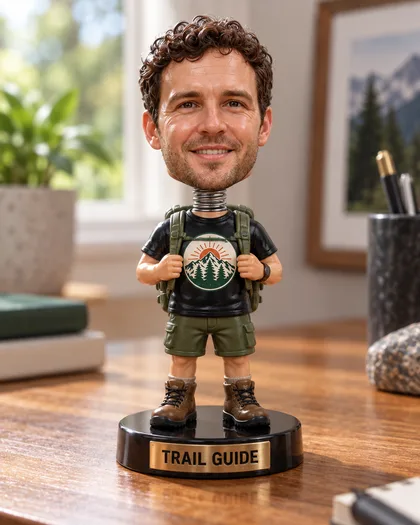
Photo to bobblehead · your text on the base · boxed or desk
AI Bobblehead Generator — turn your photo into a bobblehead
Upload a photo and get a bobblehead render that still looks like you — oversized head on a spring neck, glossy painted body, your name on the base — as a desk figure, a boxed collectible or a stadium giveaway.
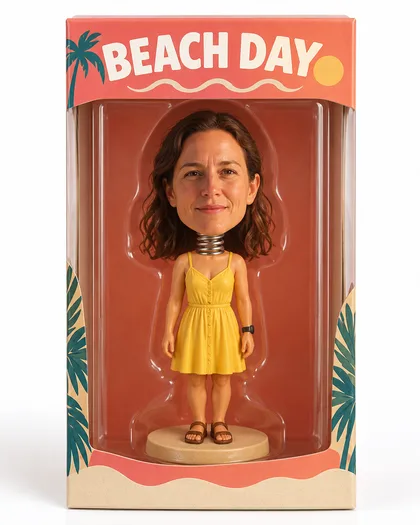
- Keeps your face
- Your text on the base
- Desk, boxed or giveaway
- No watermark
Updated by the Kenerate AI team




On this page
Quick answer

How do you turn a photo into a bobblehead with AI?
An AI bobblehead generator turns a photo into a picture of a bobblehead figure: an oversized head on a visible spring neck, a small glossy painted body and a base with your text on it. On Kenerate AI you upload a photo, describe the figure, and GPT Image 2.5 Sunburst renders it. Our three tests made a desk figure with a “TRAIL GUIDE” plaque, a boxed collectible with “BEACH DAY” on the header card, and a stadium-giveaway baseball figure from text alone. A bobblehead from a photo costs 11.7 credits, and a new account starts with 25 free credits.
Key facts
- Bobbleheads made
- 3 (desk figure · boxed collectible · stadium giveaway)
- Face kept
- Yes, in both photo tests
- Model
- GPT Image 2.5 Sunburst (OpenAI)
- Base and box lettering
- “TRAIL GUIDE” and “BEACH DAY” both came out right
- Watch out for
- Lettering on clothes can be redrawn as a logo
- Watermark
- None
Gallery
Three bobbleheads, one try each
Real GPT Image 2.5 Sunburst renders made for this page — two from our test photos, one from text alone. Open any one to copy the prompt.
Same prompt
The photo, then the bobblehead
Two photos in, two bobbleheads out. Faces, hair and outfits carried over, and the base and box lettering came out right; the badge on the shirt was redrawn as a logo without its lettering.
PromptTurn this person into a bobblehead figure: a glossy painted resin figurine with an oversized head on a visible spring neck, small body, the real face kept recognisable. Standing on a round base with a short name printed on a plaque. Product photo, soft light.
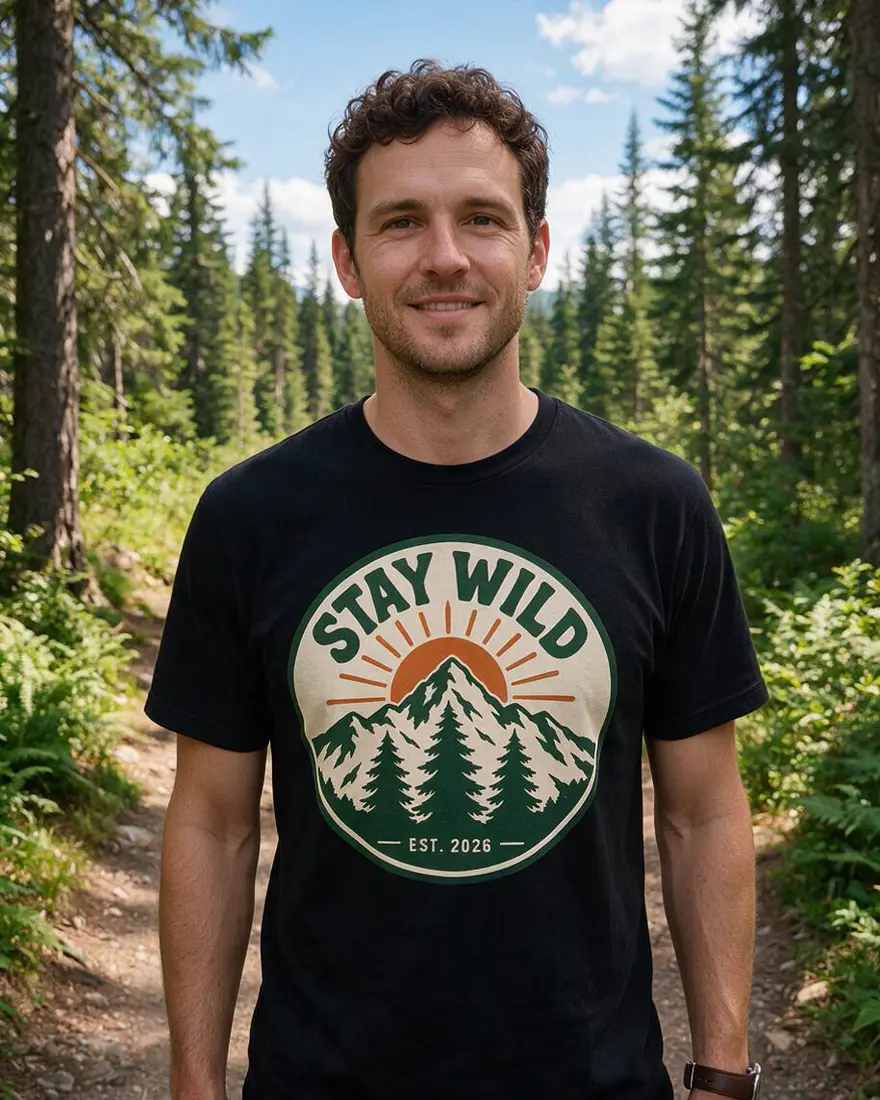 PhotoInput
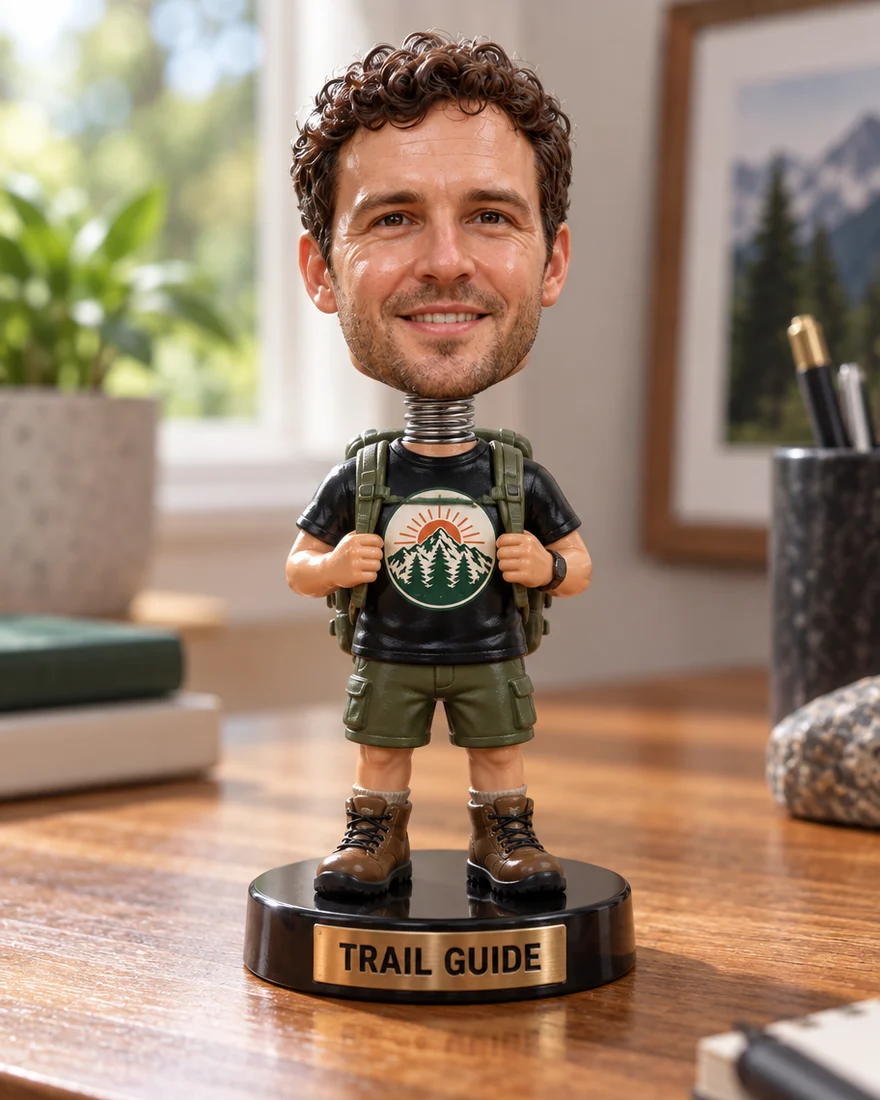 Desk bobbleheadGPT Image 2.5 Sunburst
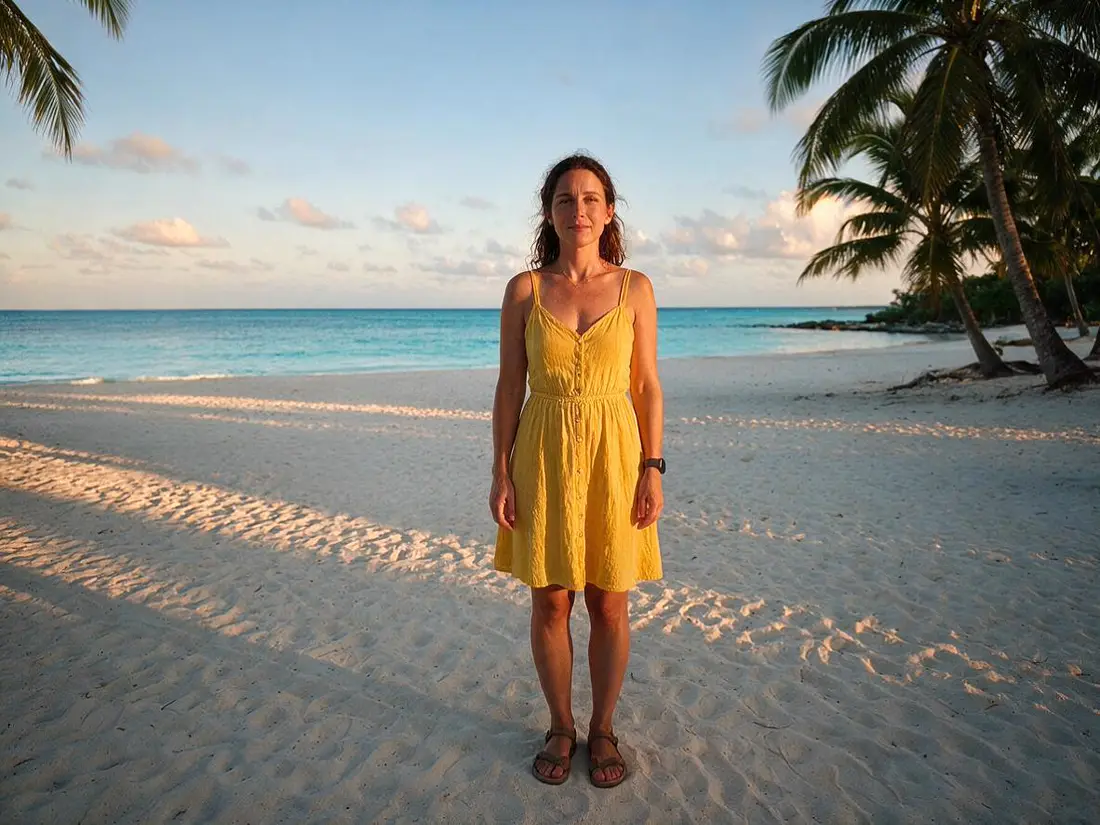 PhotoInput
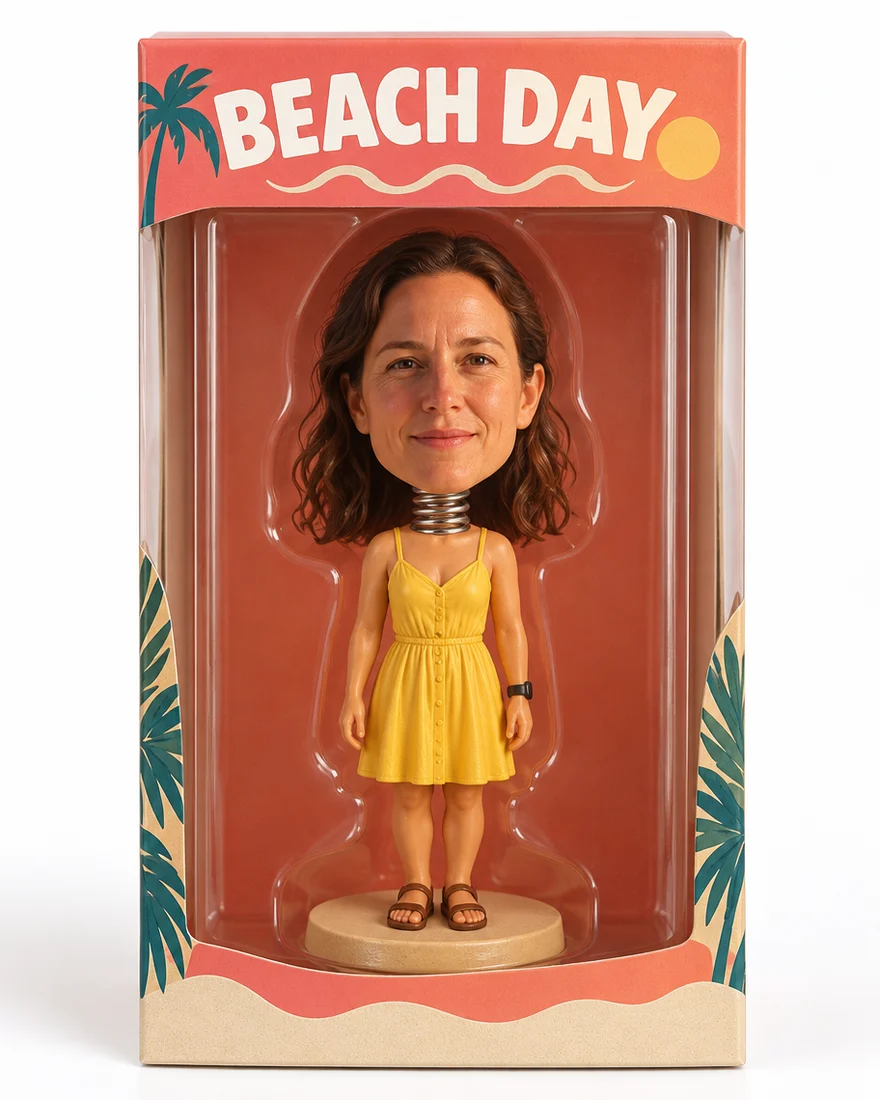 Boxed figureGPT Image 2.5 Sunburst
How to
How to use the AI bobblehead generator
- Time needed
- Steps
- 4 steps
Step 1
Upload your photo
In /app/image, add a clear front-facing photo as a reference. Sign in free for starter credits.
Step 2
Pick GPT Image 2.5 Sunburst
It kept the face and rendered the base and box lettering in our tests.
Step 3
Describe the figure
“An oversized head on a spring neck, small glossy body”, the outfit, the setting, and your base text in quotes.
Step 4
Download
Regenerate if the likeness is off, then download without a watermark — or Upscale it for printing.
See it in the app

Open Image Studio and type what you want to see — subject, style, lighting and mood.


Watch the tour · 1:23
Prompts, styles, references, edit, Arena & chat
Chapters
Tips
Get a bobblehead that still looks like you
What worked in our tests.
Use a clear, front-facing photo with good light — the face is what the model copies.
Say “keep the face recognisable” and name what to keep: hair, glasses, beard, smile.
Ask for “an oversized head on a visible spring neck” — that's what reads as a bobblehead.
Put the base or box text in quotes and keep it short: “TRAIL GUIDE”, a name, a nickname.
Name the setting: on a desk, in a windowed retail box, on a stadium seat.
Keep lettering off clothes; our shirt badge came back as a logo without its text.
Models
Models for bobbleheads
What each model is good at. Open any one straight in the generator.

OpenAI
GPT Image 2.5 Sunburst
- Reference images
- Up to 16
- Output
- 1K–4K
Open GPT Image 2.5 SunburstBest for
Made all three renders
Google
Nano Banana 2.1
- Free plan

FAQ
AI Bobblehead Generator questions
9 questions

How do I make a bobblehead of myself?
Upload a clear photo in Kenerate's Image Studio, pick GPT Image 2.5 Sunburst and describe it: “a bobblehead figure with an oversized head on a visible spring neck, small glossy body, keep the face recognisable”, plus the setting and your base text in quotes. Our trail photo came back as a desk figurine with the same curls, stubble and smile and a “TRAIL GUIDE” plaque.
Link to this answerIs the AI bobblehead generator free?
Free to start. A new Kenerate account gets 25 credits on sign-up — two bobbleheads from a photo on GPT Image 2.5 Sunburst at 11.7 credits each — and Qwen Image 3.0 is on the free plan. After that, credits come in one-time packs that never expire, with no subscription. Downloads carry no watermark.
Link to this answerCan I put my name on the base or the box?
Yes — write it in quotes in the prompt and keep it short. In our tests “TRAIL GUIDE” rendered cleanly on the base plaque and “BEACH DAY” on the box header. Short capitalised words come out best. Use your own name or a nickname, not a brand or a toy line.
Link to this answerCan I make a bobblehead without a photo?
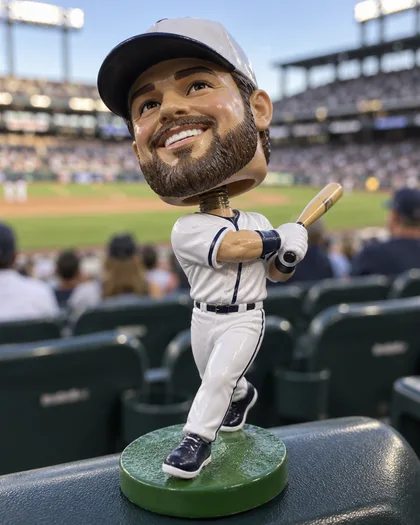
Yes. Describe the character instead — “a baseball-fan bobblehead with an oversized head, white jersey, tiny bat, on a green base” — and GPT Image 2.5 Sunburst draws it from text for 7.2 credits at 1K. Our stadium-giveaway example was made that way. For a likeness of a real face, use a photo.
Link to this answerCan I turn the render into a real bobblehead?
Not directly — this page's tool makes a picture, not a 3D file. For printing the picture, send it to Upscale first. For a physical figure, Kenerate's 3D tools can turn an image into a printable model; the AI 3D model generator and 3D printed action figures pages walk through that route.
Link to this answerCan I make a couple or pet bobblehead?
Yes. Add one photo per person or pet — GPT Image 2.5 Sunburst takes up to 16 reference images — and describe the scene: “this couple as matching bobbleheads on one base, both with oversized heads on spring necks”. Each extra photo adds 4.5 credits. Only upload photos of adults who agreed, and your own pets.
Link to this answerWill it look like me?
In both photo tests, yes: hair, stubble, smile and face shape carried over, and the spring neck and base read clearly as a bobblehead. Two honest notes: the lettered badge on a t-shirt was redrawn as a logo without its text, and the boxed figure's head came out less exaggerated than the desk one — say “very oversized head” if you want it stronger.
Link to this answerWhat styles can I ask for?
Anything you can describe: a glossy resin desk figure, a vinyl collectible in a windowed retail box, a stadium-giveaway sports figure, or your own mix — outfit, pose, props and setting are all prompt lines. The three on this page are one try each, prompts included, so start from the one closest to what you want.
Link to this answerIs it safe to upload my photo?
Upload only photos of yourself, or of people who agreed. Kenerate keeps your results private if you switch on Private, and downloads carry no watermark. Keep base text to names and nicknames people are happy with, and don't use brand names, team logos or famous characters.
Link to this answerIn depth
AI Bobblehead Generator, explained
What works, what to avoid, and how to pick a model.
On this page
What makes a bobblehead a bobblehead
A bobblehead is a caricature in plastic: a head far bigger than the body, mounted on a spring so it nods. The renders that read instantly as bobbleheads have the same parts, and naming them in the prompt is most of the work.
- The head: oversized, glossy, your real face kept recognisable
- The spring: a visible coil neck between head and body — ask for it explicitly
- The body: small, simplified, in your real outfit or a themed one
- The base: a round stand with a short name or title on a plaque
Writing the prompt
One sentence per part works well. Our desk-figure prompt, shortened:
- Who: “this man” with the photo attached, “his real face kept recognisable — same curly hair, stubble and smile”.
- Shape: “a glossy painted resin figurine with an oversized head on a visible spring neck, small body”.
- Outfit and props: “in his hiking outfit with a tiny backpack”.
- Base text: “a round black base with "TRAIL GUIDE" printed on a small plaque”.
- Scene: “product photo on a wooden desk, soft window light”.
Desk figure, boxed collectible or stadium giveaway?
The desk figure is the classic gift render: one figure, one base, one plaque, photographed like a product shot. The boxed collectible adds a windowed cardboard package with your title on the header card — the strongest version for a reveal or a mock product page. The stadium giveaway is the sports-promo look: jersey, bat or ball, a seat or dugout behind. All three are on this page with their full prompts.
From the render to a real figure
The generator gives you an image, not a 3D model. For a sharp print or a card, send the result to Upscale. If you want a physical figure that actually nods on a shelf, Kenerate's 3D tools can turn a picture into a printable model — the AI 3D model generator page covers image-to-3D, and the 3D printed action figures page walks the print route end to end.
Preset bobblehead tools vs this one
Most bobblehead tools are upload-and-go: one selfie in, one house style out, sometimes behind a subscription. That's quick, but you can't choose the setting, put your own text on the base, box the figure or add a second person.
Here you write the prompt, so the figure can be anything — and every example on this page shows the exact prompt behind it. The trade-off is credits instead of a preset: 25 free on sign-up, then one-time packs.
What we got
Three renders, one try each, on GPT Image 2.5 Sunburst:
- Desk figure: face, curls and stubble kept, spring neck and “TRAIL GUIDE” plaque rendered right; the shirt's lettered badge came back as a mountain logo without its text.
- Boxed collectible: “BEACH DAY” header, palm-print card and windowed box all right; the head is less exaggerated than the desk one — ask for “very oversized head” for a stronger bobble.
- Stadium giveaway: an invented character from text alone — no photo, no likeness — with the glossy resin look and a convincing stadium blur.
By the Kenerate AI teamLast updated and reviewed
We build and run the Kenerate generator. Every example is a real output of the model named under it; models and presets were checked against the app's code.
Sources: Kenerate Image Studio · PrintPal — How to make a bobblehead of yourself (3D-print route, checked 28 October 2026)