Names lettered in · a sheet of tags per image · print sizes
Christmas Gift Tag Maker — printable tags with their names
List the names, pick a style — kraft and twine, vintage cardinal, gold minimalist, cartoon gingerbread — and get a whole printable sheet of Christmas gift tags with every name lettered in. Print on card stock, cut, punch, tie.
- Names lettered in
- A full sheet per image
- Free credits to start
- No watermark
Updated by the Kenerate AI team




On this page
Quick answer

How do you make Christmas gift tags online?
A Christmas gift tag maker designs printable tags for your presents. On Kenerate AI you describe the style and put each name in quotes, and GPT Image 2.5 Sunburst draws a whole sheet of tags with the names lettered in for 7.2 credits at 1K (12 at 2K). Our six-tag sample came out with every name spelled right on the first try. A common tag is 3.5×2 inches (Vistaprint's size) — 1050×600 px at 300 DPI, and 10 fit on a letter page. Print on card stock, cut, punch a hole and add ribbon.
Key facts
- Common tag size
- 3.5×2 in = 1050×600 px at 300 DPI
- Round tag
- 2 in = 600×600 px · 12 per letter page
- Ratio for a full sheet
- 3:4 ≈ a letter page (8.5×11 in)
- Fix one name
- Edit Text in Image in Edit Studio
- Watermark
- None
Gallery
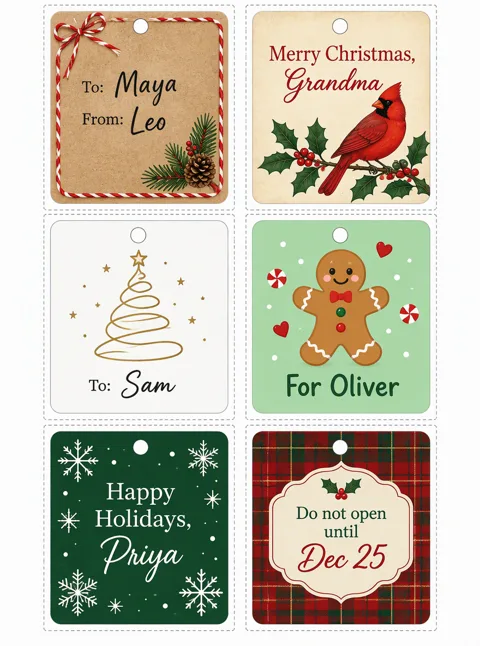
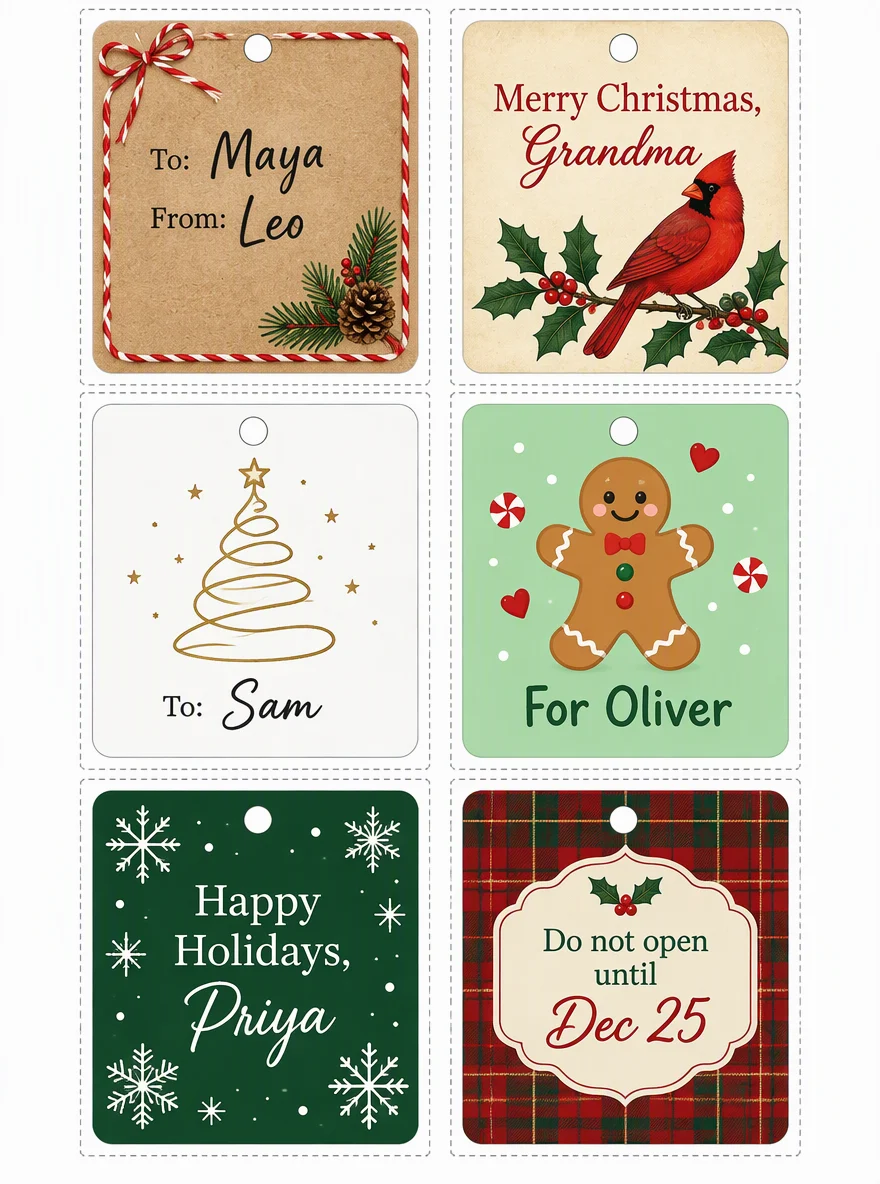
A real sheet of gift tags from Kenerate AI
One GPT Image 2.5 Sunburst generation, first try, 7.2 credits: six styles on one sheet, with cut lines and punch holes, and all eight names and greetings spelled right. One miss — we asked for rectangles and got near-square tags, so name the shape twice if it matters. Open it to copy the prompt.
How to
How to use the christmas gift tag maker
- Time needed
- Steps
- 4 steps
Step 1
Open the Image Studio
Go to /app/image and pick GPT Image 2.5 Sunburst, or Qwen Image 3.0 on the free plan. Sign in free for 25 starter credits.
Step 2
Choose the ratio
3:4 for a full printable sheet, 1:1 for one round or square tag, 16:9 for one long 3.5×2 in tag.
Step 3
List the tags
Say how many tags and the grid (2 by 3), the style of each, and every name in quotes. Ask for cut lines and punch holes.
Step 4
Check, print, cut
Zoom in on the names, fix any with Edit Text in Image, upscale for print, download without a watermark, print on card stock and cut.
See it in the app

Open Image Studio and type what you want to see — subject, style, lighting and mood.


Watch the tour · 1:23
Prompts, styles, references, edit, Arena & chat
Chapters
Tips
Get tags you can actually print
Names and cutting are where homemade tags go wrong. This avoids both.
Put every name in quotes and keep each tag short: “To: Maya”, “From: Leo”. Six to eight tags per image is the sweet spot for clean lettering.
Ask for “thin grey dotted cut lines around each tag” and “a small punch-hole circle at the top” so cutting is easy.
Generate the sheet at 3:4 — it matches a letter or A4 page — then print at “fit to page”.
Render at 2K or upscale to 4K before printing, and print on heavy card stock so the tag survives the ribbon.
Zoom in on every name before you print; if one is off, fix just that word with Edit Text in Image instead of regenerating the sheet.
For stickers instead of hang tags, print on sticker paper and skip the hole — or make die-cut ones in the AI sticker generator.
Models
Models for gift tags
What each model is good at. Open any one straight in the generator.

OpenAI
GPT Image 2.5 Sunburst
- Reference images
- Up to 16
- Output
- 1K–4K
Open GPT Image 2.5 SunburstBest for
Whole sheets with every name lettered in; add a logo or photo as reference

Recraft
Recraft V4.1 Flash
- Output
- 5 ratios
Open Recraft V4.1 FlashBest for
Cheapest design drafts with legible text


- Free plan

FAQ
Christmas Gift Tag Maker questions
8 questions

Is there a free online Christmas gift tag maker?
Kenerate is free to start: a new account gets 25 credits on sign-up, and Qwen Image 3.0 (9 credits an image) works on the free plan, so you can make two sheets without paying. GPT Image 2.5 Sunburst unlocks with a one-time credit pack; credits never expire and there is no subscription. Downloads have no watermark.
Link to this answerWhat size is a standard gift tag?
There is no single standard. Vistaprint prints gift tags at 3.5×2 inches, the size of a business card; Template.net calls hang-tag size #3 (1.875×3.75 in) ideal for gifts; round tags are often 2 inches across. At 300 DPI that is 1050×600 px, 563×1125 px and 600×600 px.
Link to this answerCan the AI put each person's name on the tag?
Yes. Put each name in quotes in the prompt. In our sample, GPT Image 2.5 Sunburst lettered all eight names and greetings on a six-tag sheet correctly the first time. Any model can still drop a letter on long or unusual names, so zoom in before printing and fix one name with Edit Text in Image.
Link to this answerWhat's the difference between a gift tag and a Christmas card?
A tag is tiny and says who the present is for — a name and maybe a greeting — so you want many on one sheet. A card is one large design with a longer message, sized for 5×7. For cards use the AI Christmas card generator; for invitations, the Christmas party invitation page.
Link to this answerIn depth
Christmas Gift Tag Maker, explained
What works, what to avoid, and how to pick a model.
On this page
Gift tag sizes, ratios and pixels
Pick the shape before you generate. All pixel sizes are at 300 DPI:
- 3.5×2 in rectangle (Vistaprint's size): 1050×600 px; one tag at 16:9, ten per letter page.
- Hang tag #3, 1.875×3.75 in: about 563×1125 px; one tag at 1:2 on GPT Image 2.5.
- 2 in round: 600×600 px; one tag at 1:1, twelve per letter page.
- Full sheet: US letter 8.5×11 in is 2550×3300 px, A4 is 2480×3508 px — generate at 3:4 and upscale to 4K.
- Small 2×1 in labels for tiny boxes: 600×300 px; make them as stickers on sticker paper.
10 Christmas gift tag ideas and prompts
Add the names in quotes and the grid (“a 2 by 3 sheet of tags”):
- Kraft paper with red-and-white baker's twine and a pine sprig, “To: ___ From: ___” in black script.
- Vintage cream tag with a red cardinal on holly, “Merry Christmas, ___” in red serif.
- Minimalist white tag with a thin gold line tree, the name in elegant script.
- Cartoon gingerbread man on mint green, “For ___” in rounded bold letters.
- Deep green with white snowflakes, “Happy Holidays, ___”.
- Red plaid with a cream label panel, “Do not open until Dec 25”.
- Watercolour winter village on white, the name in hand-lettered brush script.
- Black chalkboard tag with white chalk lettering and a doodled star.
- Scandinavian folk pattern in red and white, the name in a cut-out circle.
- “From Santa” tags: North Pole postmark stamp, red wax seal, “Special delivery for ___”.
Print and finish at home
Print the sheet on card stock at “fit to page” and the highest quality. Cut along the dotted lines with a craft knife and ruler, or scissors for round tags. Punch the hole with a standard 1/8 in or 1/4 in hole punch, then thread baker's twine, ribbon or jute.
For a tag that looks bought, round the corners with a corner punch, or glue the printed front onto a slightly larger piece of kraft card for a border.
Why names go wrong, and how to fix them
Image models draw letters as shapes, so they can slip on long or unusual names, and more tags per sheet means smaller letters. Keep it to six to eight tags, put each name in quotes, and name a lettering style (“black script”, “bold rounded”). When one name is wrong, Edit Studio's Edit Text in Image changes just that word and keeps the sheet.
By the Kenerate AI teamLast updated and reviewed
We build and run the Kenerate generator. Every example is a real output of the model named under it; models and presets were checked against the app's code.
Sources: Vistaprint — custom gift tags (3.5×2 in) · Template.net — tag sizes #1 to #8 · Kenerate Image Studio