

No credits · 2 to 9 photos · no watermark
Collage generator: make a free photo collage, no sign-up
Pick a layout, add 2 to 9 photos and download one finished picture. There's no sign-up, no credits and no watermark. Below, we measured how much of your photo each layout crops.


- 8 layouts
- 8 canvas sizes
- Spacing and rounded corners
- No watermark
Updated by the Kenerate AI team
Made with Kenerate
On this page
Quick answer
How do you make a photo collage online for free?
To make a photo collage online for free, open Kenerate's Edit Studio, choose Collage under More tools, add 2 to 9 photos, pick one of 8 layouts and a size, then press Make collage and download. It uses no credits, adds no watermark and works without an account. The collage is built in your browser.
Key facts
- Photos
- 2 to 9 in one collage
- Layouts
- 8, from 2 side by side to 3 × 3
- Canvas sizes
- 8, from 1080 × 1080 to 1500 × 500
- Cost
- No credits
- Account
- Not needed
- Watermark
- None
- Backgrounds
- 4 colours, 3 gradients
- Download
- PNG, JPG or WebP
Gallery
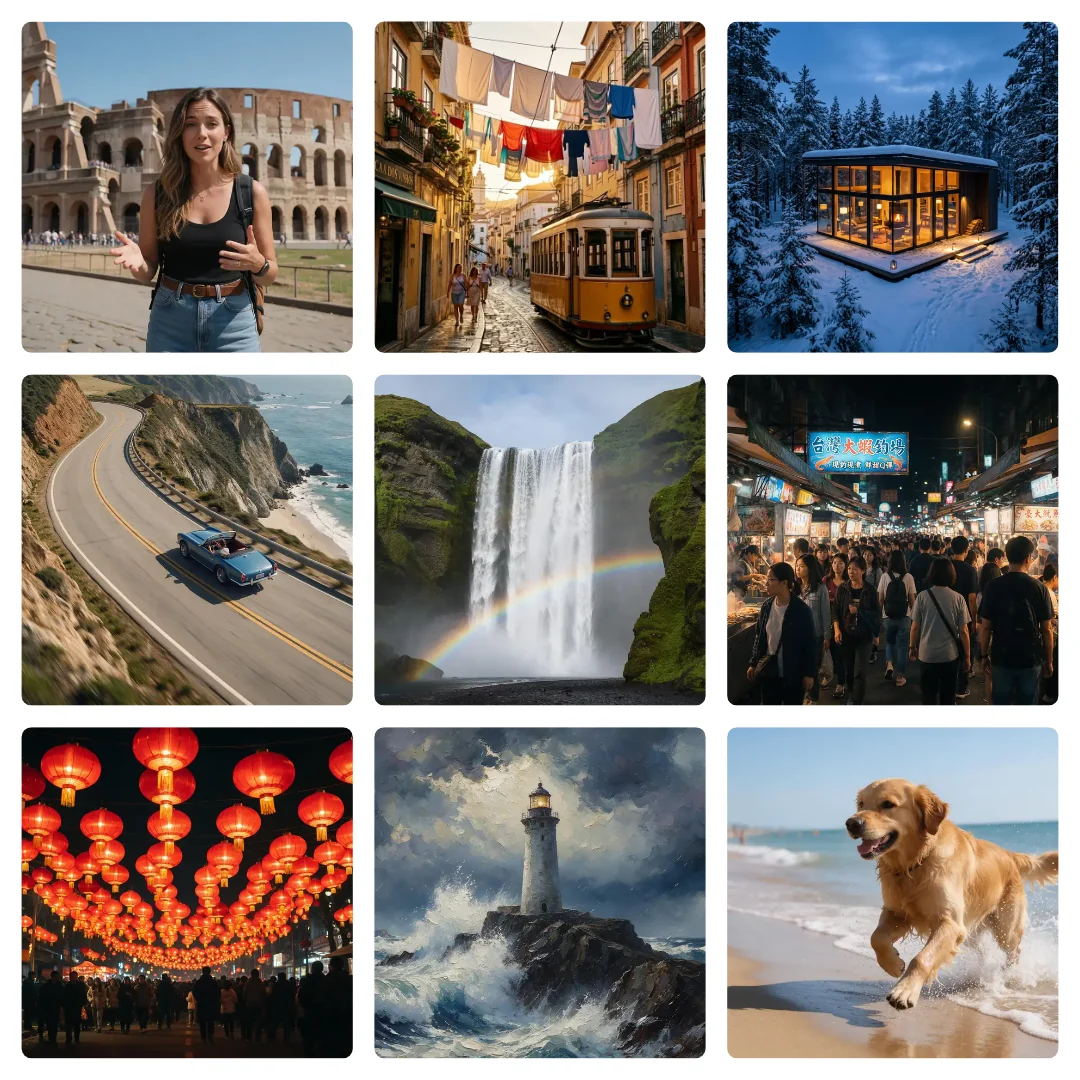
Nine collages from the same tool
Each one was built with the studio's collage code from AI-generated pictures of fictional people, pets and places. Only the layout, size and sliders change.
Same prompt
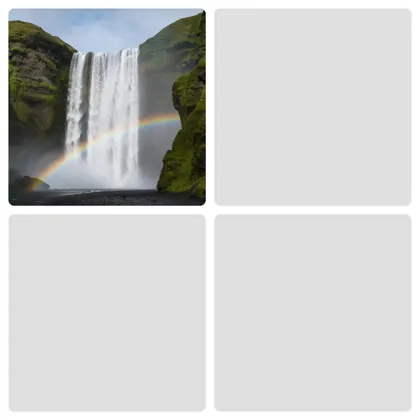
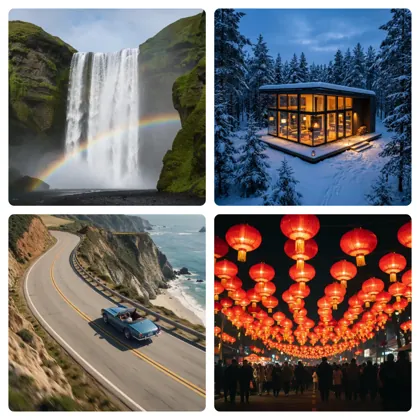
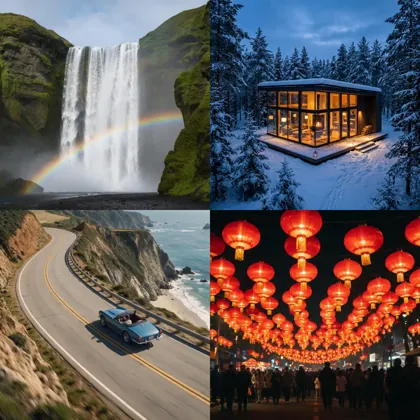
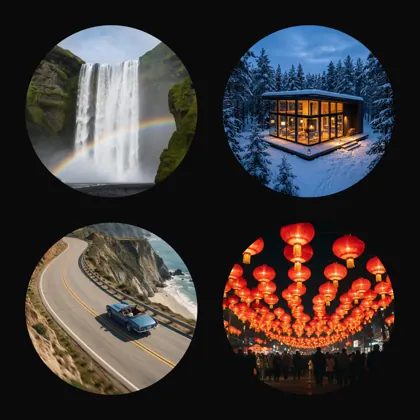
Same four photos, three looks
Two sliders and a background change the whole feel. At 100%, rounded corners turn a square box into a circle.
PromptOne 2 × 2 layout on a 1080 × 1080 canvas.
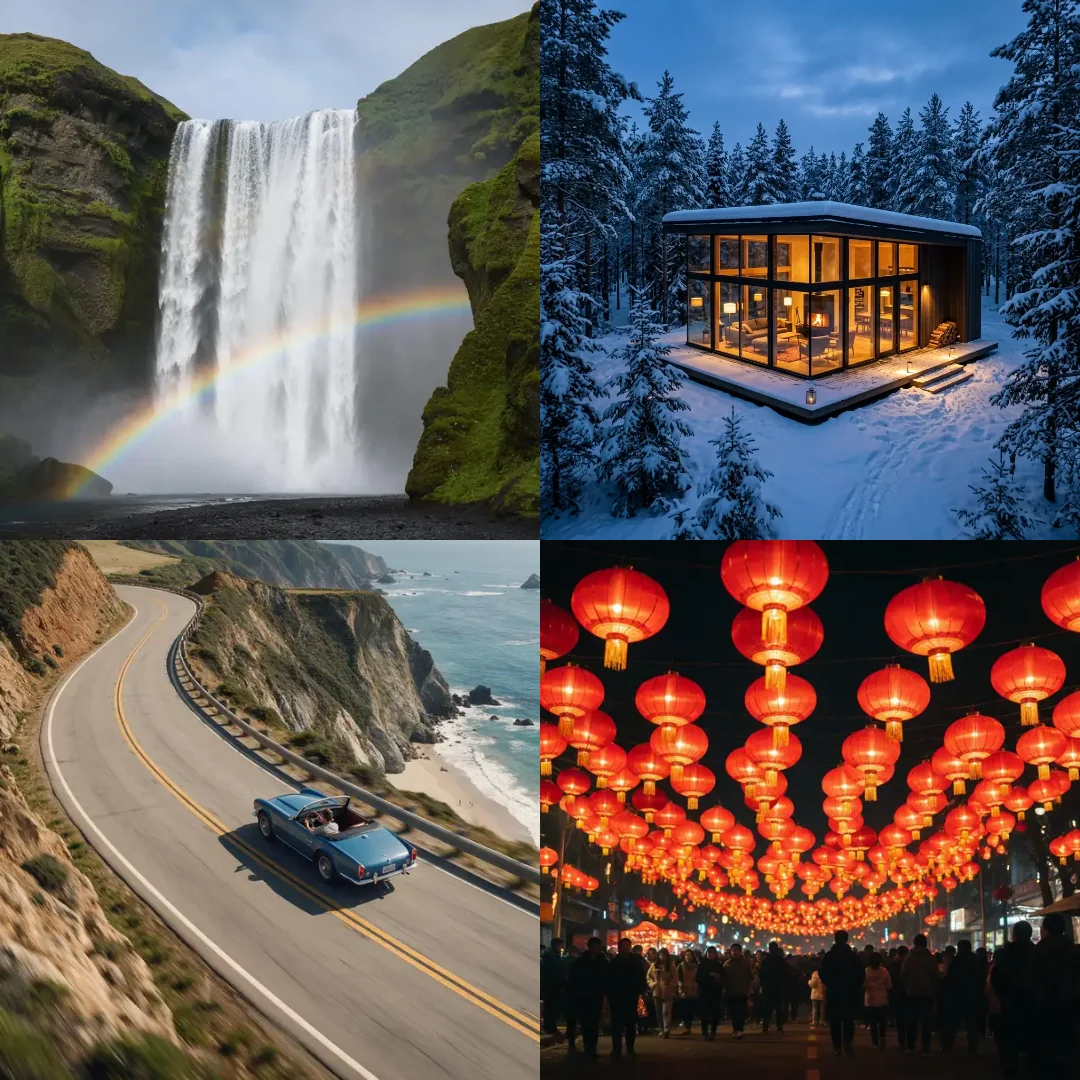 No gapsSpacing 0%, corners 0%
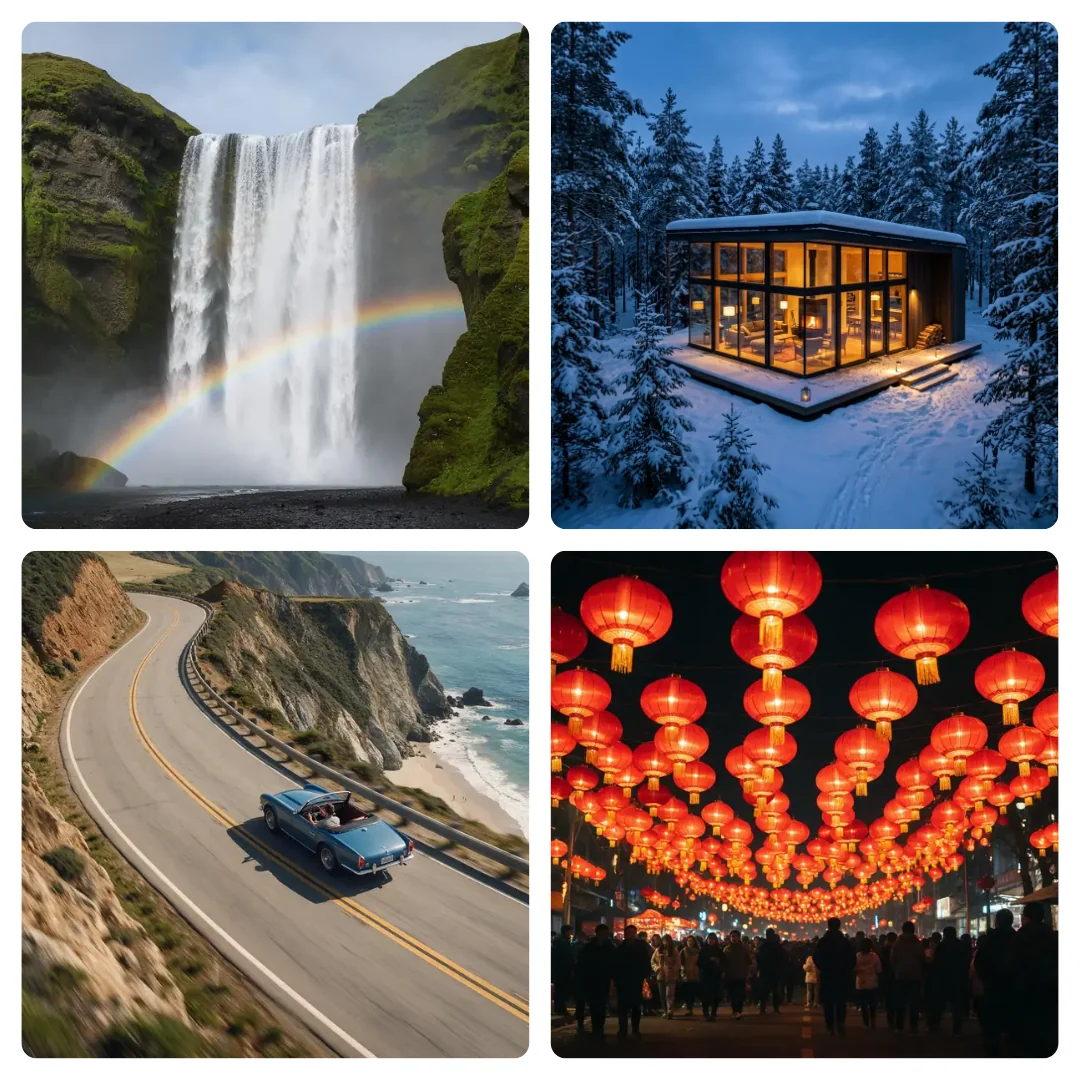 DefaultSpacing 2%, corners 6%
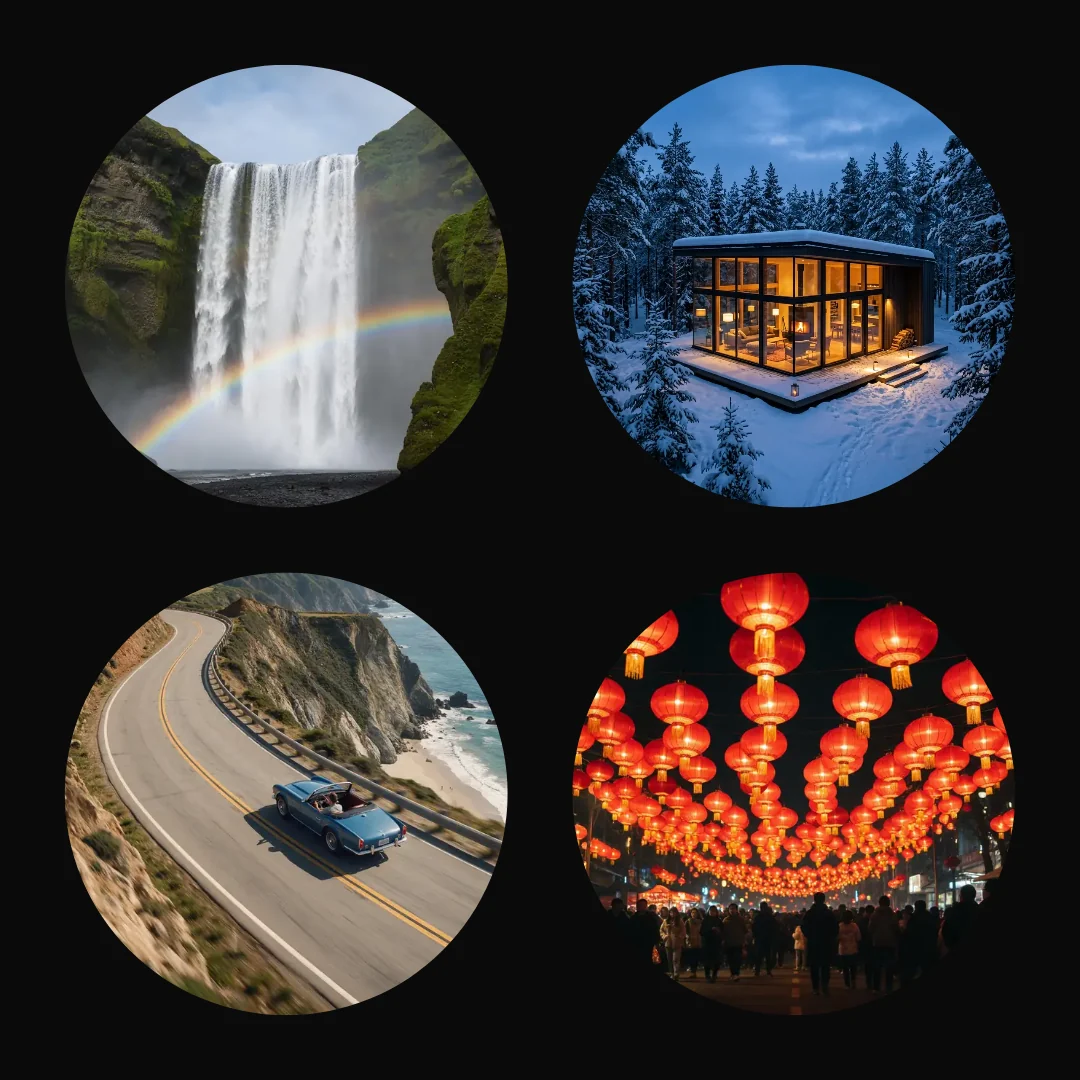 CirclesSpacing 6%, corners 100%, black
How to
How to use the collage generator
- Time needed
- Steps
- 4 steps
Step 1
Open Collage
Go to /app/edit, press Ctrl+K and type collage. You can also find it under More tools. Accept the studio's first-visit notice if it appears.
Step 2
Add your photos
Press Add photos and pick up to 9 at once. Tap any box in the preview to set or swap its photo.
Step 3
Choose a layout and size
Pick one of 8 layouts and one of 8 canvas sizes, then set spacing, rounded corners and a background.
Step 4
Make and download
Press Make collage. Add text or stickers if you like, then download it as PNG, JPG or WebP.
See it in the app

Open Edit Studio and upload an image, or pick one from your history.


Watch the tour · 2:01
AI Edit, Magic Eraser, Change Region, light, style, expand, camera angle & chat edits
Chapters
Tips
Make a collage that looks planned
Small choices that save a second try.
Put wide photos in wide boxes and tall photos in tall boxes. That's the biggest thing you can do to keep faces in frame.
Keep the subject near the middle. Every photo is cropped from its centre, and the collage panel has no way to slide it.
If the subject sits at the edge, crop the photo first, then add the cropped version to the collage.
Fill every box. An empty one stays as a grey square in the finished picture.
Use fewer, bigger photos for phones. A 3 × 3 on a 1080 × 1080 canvas leaves each photo about 331 pixels wide.
Pick the size before you choose photos, because a tall Story and a wide banner change the shape of every box.
Models
When a collage isn't enough
What each model is good at. Open any one straight in the generator.

Google
Nano Banana 2 Fast
- Output
- About 4 MP (2K)
Open Nano Banana 2 FastBest for
Photo too tight for its box? Expand Image paints new edges first
FAQ
Collage Generator questions
10 questions
What is the best free collage generator?
It depends on what you need. Kenerate suits a quick grid with no account, no credits and no watermark. If you want a large library of templates, Fotor lists 1,000+ collage templates and photo grids, while Kenerate has 8 layouts.
Link to this answerIs this collage maker really free?
Yes. Making and downloading a collage uses no credits and adds no watermark. AI tools in the same studio, such as Expand Image, do use credits, and those need an account.
Link to this answerDo I need to sign up to make a collage?
No. We tested it on the live site without an account: we added photos, made the collage and downloaded a full-size PNG. An account only matters if you want to save your work to the cloud.
Link to this answerAre my photos uploaded?
Not if you aren't signed in. In our test, the browser sent no upload requests from adding photos to downloading. If you're signed in, photos you add with Add photos are saved to your Kenerate workspace.
Link to this answerHow many photos can I put in a collage?
From 2 to 9, depending on the layout. If you add more photos than the layout has boxes, the extras are left out. In our test, five files in a 2 × 2 filled four boxes.
Link to this answerCan I move a photo inside its box?
No. Each photo fills its box and is cropped from the centre, and the panel has no zoom or slide control. Crop the photo before adding it if you want a different part to show.
Link to this answerWhat size should a collage be for Instagram?
The tool has three Instagram-ready canvases: Insta post at 1080 × 1080, Insta portrait at 1080 × 1350 and Story / Reel at 1080 × 1920. It also has sizes for YouTube thumbnails, Pinterest pins, banners, Facebook posts and A4 posters.
Link to this answerCan I add text to a collage?
Yes. After you press Make collage, the result opens as a design, so you can add text, shapes and stickers on top before you download it.
Link to this answerIs there a photo collage app to install?
No. Kenerate runs in the browser on a phone or computer, so there's nothing to install.
Link to this answerCan AI make the collage for me?
Not here. This tool places your own photos in a layout, and you choose the order. It doesn't pick photos or generate new ones. To merge pictures into one new scene, use the AI image combiner.
Link to this answerIn depth
Collage Generator, explained
What works, what to avoid, and how to pick a model.
On this page
Which collage layouts can you choose?
There are 8 layouts. These are the box sizes on a 1080 × 1080 canvas at the default 2% spacing, worked out from the studio's own code:
- 2 side by side: two boxes of 508 × 1037.
- 2 stacked: two boxes of 1037 × 508.
- 1 big + 2: one box of 613 × 1037 and two of 402 × 508.
- 1 top + 2: one box of 1037 × 613 and two of 508 × 402.
- 2 × 2: four boxes of 508 × 508.
- 2 + 3: two boxes of 508 × 561 and three of 331 × 455.
- 3 × 2: six boxes of 331 × 508.
- 3 × 3: nine boxes of 331 × 331.
How much of your photo does a collage crop?
Every photo is scaled to fill its box and centred, so whatever doesn't fit is cut off. The loss depends on how far the photo's shape is from the box's shape. On the same canvas:
- A wide 16:9 photo in a 2 × 2 box loses 44% of its width.
- The same wide photo in 2 side by side loses 72% of its width.
- The same wide photo in 2 stacked loses only 13% of its height.
- A tall 9:16 photo in a 2 × 2 box loses 44% of its height.
- The same tall photo in 2 side by side loses only 13% of its width.
Does a collage work without an account?
Yes. We ran the full job on the live studio without signing in: added photos, pressed Make collage and pressed Download PNG. We got a 1080 × 1080 PNG, and the browser made no upload requests along the way.
That's because the collage is drawn on a canvas in your browser, not on a server. If you sign in, the photos you add go to your workspace, so you can come back to them.
What can't this collage maker do?
It's a quick grid tool, so here's what to expect before you start:
- It has 8 fixed layouts, with no freeform canvas and no themed template library.
- It can't drag box edges to resize them, or slide a photo inside its box.
- It holds 9 photos at most.
- Canvas sizes are fixed at the 8 presets while you build the collage.
- It makes still pictures. For a video montage, use the montage maker.
Which size fits which post?
Choose the canvas by where the collage will go:
- Insta post: 1080 × 1080.
- Insta portrait: 1080 × 1350.
- Story / Reel: 1080 × 1920.
- YouTube thumbnail: 1280 × 720.
- Pinterest pin: 1000 × 1500.
- Banner / header: 1500 × 500.
- Facebook post: 1200 × 630.
- Poster (A4): 1240 × 1754.
How do you choose photos for a collage?
Start with one strong photo and give it the biggest box, using 1 big + 2 or 1 top + 2. A clear main picture reads better than many photos of equal size, especially on a phone.
Then look for something shared: similar light, one colour or one subject. If the photos don't match, a plain white or black background and even spacing help them sit together.