

Kuaishou (Kling AI)
Kling 2.1 Master
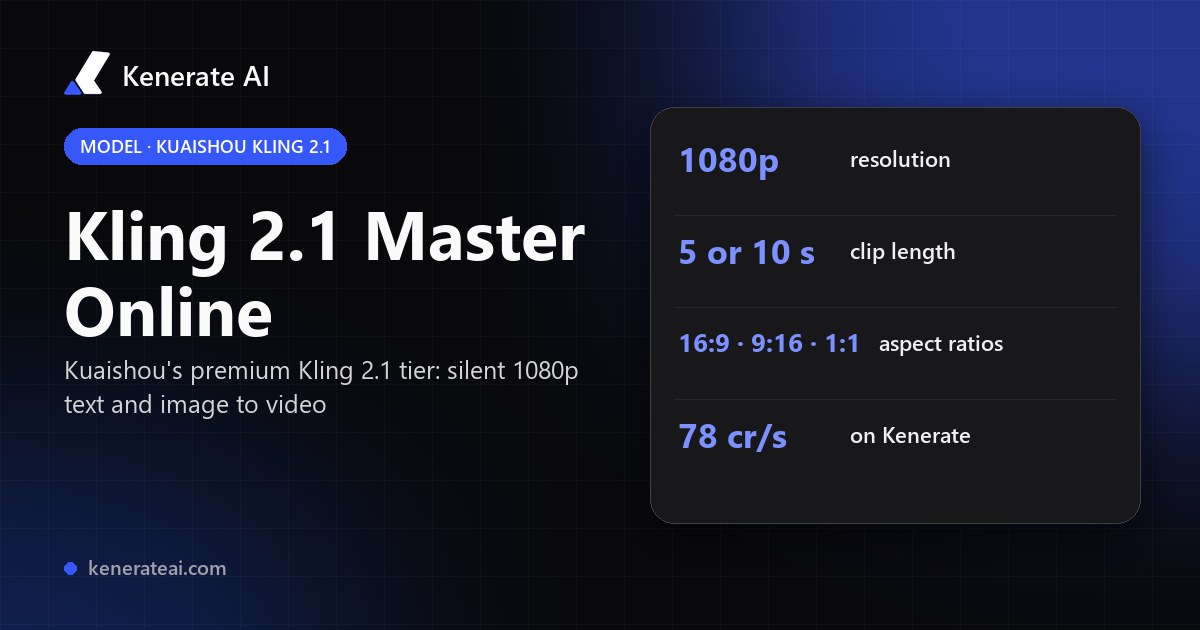
Kuaishou's premium Kling 2.1 tier in your browser: 1080p clips of 5 or 10 seconds from a text prompt or a start image, in 16:9, 9:16 or 1:1, with no Kling subscription and no API key.
- Release
- End of May 2025 (announced 29 May), as the top tier of the Kling 2.1 series
- Modes
- Text to video and image to video (start frame + motion prompt); no end frame on the API
- Output
- 1080p, 5 or 10 seconds, 16:9, 9:16 or 1:1 for text to video, no audio
- Tier
- Master: above Kling 2.1 Standard (720p) and High Quality (1080p) in Kuaishou's lineup
- Real specs
- Official sources
- Free to start
- No watermark
Updated by the Kenerate AI team




On this page
What is Kling 2.1 Master?

What is Kling 2.1 Master?
Kling 2.1 Master is the premium tier of Kuaishou's Kling 2.1 video series, launched at the end of May 2025. It makes 1080p clips of 5 or 10 seconds from text or a start image, with stronger motion and prompt-following than the Standard and High Quality 2.1 modes. It has no sound. On Kenerate AI it costs 78 credits a second: 390 credits for a 5-second clip, 780 for 10 seconds.
Key facts
- Official name
- Kling 2.1 Master
- API ID
- kwaivgi/kling-v2.1-t2v-master · -i2v-master
- Maker
- Kuaishou (Kling AI)
- Released
- End of May 2025
- Resolution
- 1080p
- Clip length
- 5 or 10 s
- Aspect ratios
- 16:9 · 9:16 · 1:1
- Sound
- None (silent)
- Inputs
- Text, or a start frame + prompt
Models
Kling 2.1 Master on Kenerate
Every version in the generator, and what each is good at.
Kuaishou
Kling v2.1 Master
- Reference images
- Start frame
- Output
- 5 or 10 s · 1080p · silent
Open Kling v2.1 MasterBest for
Kling 2.1's premium tier: strong motion and prompt-following, no sound
Kuaishou
Kling v2.0 Master
- Reference images
- Start + end frame
- Output
- 5 or 10 s · silent
Open Kling v2.0 MasterBest for
The previous Master, same price, and it takes an end frame
Kuaishou
Kling v2.6 Pro
- Reference images
- Start + end frame
- Output
- 5 or 10 s · sound optional
Open Kling v2.6 ProBest for
Newer and far cheaper, with native audio
Kuaishou
Kling v3 Pro
- Reference images
- Start + end frame
- Output
- 3–15 s · sound optional
Open Kling v3 ProBest for
Current flagship Kling
From our tests
Strengths and limits
Good at

- Kuaishou's premium 2.1 tier: Kling says Master has stronger motion and better prompt-following than Kling 2.1 Standard and High Quality.
- Full 1080p output from text or from your own start image, in 16:9, 9:16 or 1:1.
- Simple, predictable runs: 5 or 10 seconds, one clip, a known price before you press generate.
- Silent by design, so there's no soundtrack to strip when you add your own music or voice-over in an editor.
Limits
- No real Kling 2.1 Master clips on this page yet. We only show a model's own outputs, so test a 5-second clip first (390 credits).
- With Kling 2.0 Master, it's the priciest Kling per second on Kenerate after the 4K tier: 78 credits, against 21 for Kling 2.6 Pro silent and 33.6 for Kling 3.0 Pro silent.
- No sound and no end frame. For audio pick Kling 2.6 or 3.0; to set the last frame use Kling 2.0 Master, 2.6 Pro or 3.0.
- Not on Kenerate's free plan: video needs any one-time credit pack (from $15 for 1,300 credits). Clips stop at 10 seconds.
How to
How to use Kling 2.1 Master on Kenerate
Step 1
Open the video studio
Go to /app/video and pick Kling v2.1 Master (the button on this page selects it). Video needs any one-time credit pack.
Step 2
Add a start frame (optional)
Upload the image the clip should begin from: JPG or PNG, at least 300 × 300 px. Leave it empty for text to video.
Step 3
Describe the motion
Write subject, action and camera move in plain sentences. With a start image a motion prompt is required: say what moves and how, not what's already in the picture.
Step 4
Pick length and ratio
Choose 5 or 10 seconds and, for text to video, 16:9, 9:16 or 1:1. The cost (390 or 780 credits) shows before you generate.
See it in the app

Open Video Studio in Text to Video mode and write the shot — subject, action, camera move and light.


Watch the tour · 1:19
Text, image & reference to video, models, edit, extend & chat
Chapters
FAQ
Kling 2.1 Master questions
10 questions

What is Kling 2.1 Master?
Kling 2.1 Master is the premium tier of Kuaishou's Kling 2.1 AI video series, released at the end of May 2025. It makes silent 1080p clips of 5 or 10 seconds from a text prompt or a start image, and Kuaishou describes it as having stronger motion performance and semantic responsiveness than the Standard (720p) and High Quality (1080p) 2.1 modes.
Link to this answerHow much does Kling 2.1 Master cost on Kenerate?
78 credits a second: 390 credits for a 5-second clip and 780 for a 10-second one. Credits come in one-time packs that never expire, starting at $15 for 1,300 credits, so the smallest pack covers three 5-second Master clips. There's no subscription.
Link to this answerDoes Kling 2.1 Master have sound?
No. Kling 2.1 Master renders video only, and the API has no sound option. If you want dialogue, effects or ambience generated with the picture, use Kling 2.6 (English and Chinese voices) or Kling 3.0, both of which have a sound toggle on Kenerate.
Link to this answerWhat resolution is Kling 2.1 Master?
1080p. In Kuaishou's 2.1 lineup, Standard renders 720p, High Quality renders 1080p and Master renders full 1080p with its stronger motion model on top.
Link to this answerHow long can Kling 2.1 Master videos be?
5 or 10 seconds per clip, nothing in between. For a longer sequence, generate several clips, start each one from the last frame of the one before, and join them in an editor.
Link to this answerCan Kling 2.1 Master turn an image into a video?
Yes. Upload a start image in /app/video and write a motion prompt (it's required for image to video). Kling 2.1 Master animates from that frame. It doesn't take an end frame. Kling 2.0 Master, 2.6 Pro and 3.0 do.
Link to this answerKling 2.1 Master vs Kling 2.6: which should I use?
Kling 2.6 is newer, adds native audio and costs far less on Kenerate: 12.6 credits a second on Standard and 21 on Pro silent, against 78 for 2.1 Master. Pick 2.1 Master if you specifically want its look and motion in silent 1080p. Otherwise start with Kling 2.6 or 3.0.
Link to this answerKling 2.1 Master vs Kling 2.0 Master: what's the difference?
Both cost 78 credits a second on Kenerate and make silent 5 or 10 second clips. Kling 2.1 Master is the newer model, released about a month after 2.0, with Kuaishou's improved motion and prompt-following. Kling 2.0 Master accepts an end frame and 2.1 Master doesn't.
Link to this answerIs Kling 2.1 Master free?
Not on Kenerate: video generation needs a paid plan, which means buying any one-time credit pack. New accounts get 25 starter credits for images. Kling's own app sells Master on its paid plans. Check kling.ai for its current terms.
Link to this answerWhat is kwaivgi/kling-v2.1-t2v-master?
It's the API name for Kling 2.1 Master text to video on model platforms such as WaveSpeed. kwaivgi is Kuaishou's Kling namespace, and kwaivgi/kling-v2.1-i2v-master is the image-to-video endpoint. On Kenerate you don't need an API key: both run in the browser as Kling v2.1 Master.
Link to this answerIn depth
Kling 2.1 Master, in depth
Background, how to prompt it, and when to pick something else.
On this page
Where Master sits in Kling 2.1
Kuaishou launched Kling 2.1 at the end of May 2025 in two everyday modes, Standard at 720p and High Quality at 1080p, plus a premium Master Edition with stronger motion and better prompt-following [1]. Master renders full 1080p, and in Kling's own app a 5-second Master clip cost 100 credits against 20 for Standard and 35 for Professional [2]. On Kenerate the Master tier runs for both text to video and image to video [3][4].
Kling 2.1 Master price next to other Klings
Per-second prices on Kenerate, in credits, silent unless noted. A 5-second clip costs five times the rate.
- Kling 2.1 Master: 78/s, so 390 for 5 s and 780 for 10 s. 1080p, start frame only.
- Kling 2.0 Master: 78/s. Same price, takes an end frame.
- Kling 2.6 Standard: 12.6/s. Kling 2.6 Pro: 21/s silent, 42/s with sound.
- Kling 3.0 Standard: 25.2/s, 37.8/s with sound. Kling 3.0 Pro: 33.6/s, 50.4/s with sound. 3–15 s clips.
Prompting Kling 2.1 Master
Write one shot per prompt: who or what, the action, then the camera (slow push-in, tracking shot, low angle). For image to video, describe the motion only. The picture already sets the subject, the light and the framing. Keep to one clear action per 5 seconds, and use 10 seconds for slower moves rather than more events. Because the clip is silent, plan sound in the edit, or pick Kling 2.6 or 3.0 if you want it generated.
By the Kenerate AI teamLast updated and reviewed
We run these models in the Kenerate generator. Model facts come from the makers' own pages; specs and limits were checked against our code; the examples are our own outputs.
Sources: Kling AI Celebrates First Anniversary: Kuaishou press release (PR Newswire, 5 June 2025) · Kling 2.1 launch report: CGWorld (11 June 2025) · kwaivgi/kling-v2.1-t2v-master: WaveSpeed · kwaivgi/kling-v2.1-i2v-master: WaveSpeed
